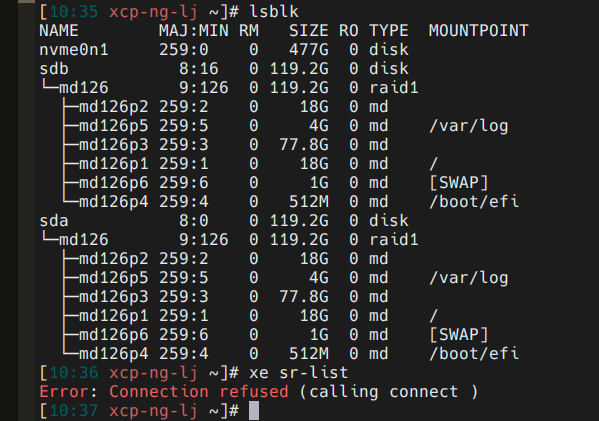
xe sr-list Error: Connection refused (calling connect )
-
Hello Teams,
I tried figuring out with my xcp-ng server.
I couldn't even run any xe sr-list to check the sr, and as well.
I run the command"xe-toolstack-restart" , but it dosn't work.
Only the Control domain on host: xcp-ng-lj is running. All other VM are hlted and cannot start.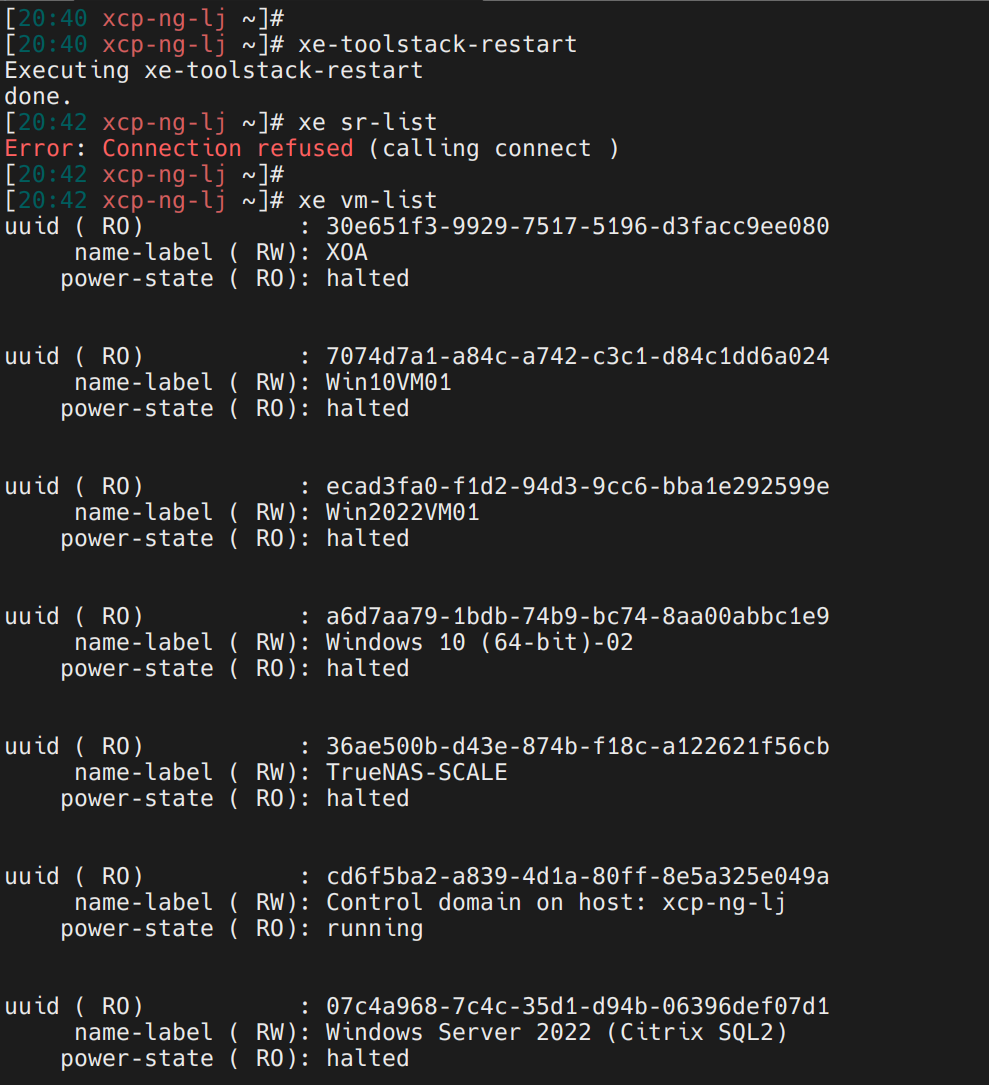
-
Have you checked to see if
xapiis running? Is this host the pool master? -
@Danp
Thank you!
This host is the pool master.
How can I see if the xapi is running?
I run the command"xe-toolstack-restart" , but it dosn't work. -
@jun0799 You can use
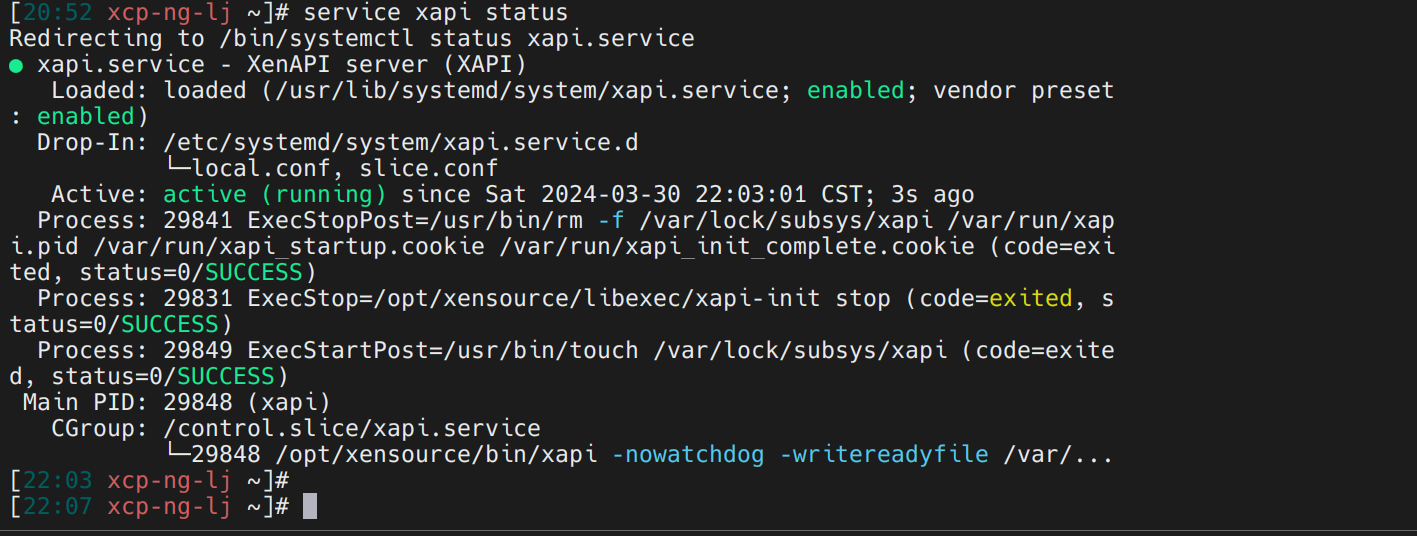
service xapi statusto check if xapi is running. It will look similar to this on a healthy system --]# service xapi status Redirecting to /bin/systemctl status xapi.service ● xapi.service - XenAPI server (XAPI) Loaded: loaded (/usr/lib/systemd/system/xapi.service; enabled; vendor preset: enabled) Drop-In: /etc/systemd/system/xapi.service.d └─local.conf, slice.conf Active: active (running) since Sat 2024-03-16 15:36:59 CDT; 1 weeks 6 days ago Process: 1061 ExecStopPost=/usr/bin/rm -f /var/lock/subsys/xapi /var/run/xapi.pid /var/run/xapi_startup.cookie /var/run/xapi_init_complete.cookie (code=exited, status=0/SUCCESS) Process: 843 ExecStop=/opt/xensource/libexec/xapi-init stop (code=exited, status=0/SUCCESS) Process: 1416 ExecStartPost=/usr/bin/touch /var/lock/subsys/xapi (code=exited, status=0/SUCCESS) Main PID: 1415 (xapi) CGroup: /control.slice/xapi.service └─1415 /opt/xensource/bin/xapi -nowatchdog -writereadyfile /var/run/xapi_startup.cookie -writeinitcomplete /var/run/xapi_init_complete.cookie -
@Danp
Thank you for answering my question.
My situation is a little different. The last sentence is incomplete.It doesn't seem normal.
How can I fix it?
-
@jun0799 That looks ok to me on first glance. Did you receive any errors when you issued the
xe-toolstack-restart?You may want to check the log file
/var/log/daemon.logto see if it indicates any issues with xapi. -
@Danp
The daemon.log is
[daemon.log](Invalid file type. Allowed types are: .png, .jpg, .bmp, .txt, .jpeg)
daemon.log.txt
It shows "xapi.service failed."!
xe-toolstack-restart looks like running well.
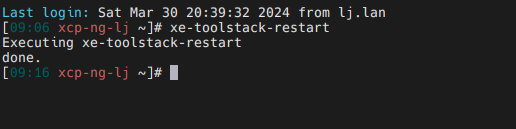
How can I do?
-
Do you know what caused this condition to occur? For example, did you have a power outage or did you recently install XCP updates?
Have you tried rebooting the server?
-
@Danp
I do not have a power outage or did you recently install XCP updates.
I shutdown the host at the console.
Next day,I power on the host,and that was it.

Hello! It looks like you're interested in this conversation, but you don't have an account yet.
Getting fed up of having to scroll through the same posts each visit? When you register for an account, you'll always come back to exactly where you were before, and choose to be notified of new replies (either via email, or push notification). You'll also be able to save bookmarks and upvote posts to show your appreciation to other community members.
With your input, this post could be even better 💗
Register Login