XCP-NG upgrade 8.2 to 8.3
-
I am planning an upgrade from 8.2 to 8.3 of our production pool. I still have outstanding patches in the 8.2 branch. Is it necessary to apply the patches first before I proceed with the 8.3 upgrade?
-
Yes. In case you missed it, this is from https://docs.xcp-ng.org/installation/upgrade/ :
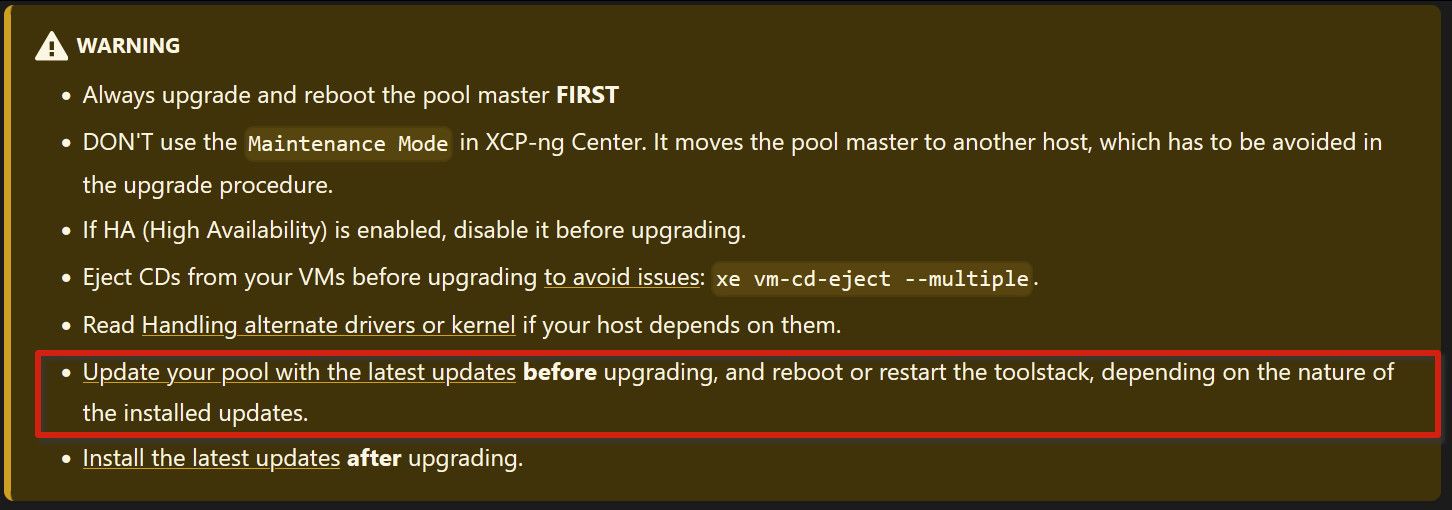
-
To add a bit more detail on the upgrade path: strictly speaking, you do not need to apply outstanding 8.2 patches before upgrading. When you upgrade to 8.3, you are replacing the entire base system with the 8.3 release which already incorporates everything from the 8.2 patch stream. Any 8.2 patches you hadn't yet applied will simply be superseded.
That said, applying them first is still a reasonable approach if you want a clean upgrade history and a fully-patched 8.2 baseline before jumping to 8.3.
A few things worth checking before you start on a production pool:
Check VM compatibility. Run a quick review of your VMs for any that might have specific OS or toolstack dependencies tied to 8.2. Most guests upgrade cleanly but it is worth knowing your environment.
Use rolling pool upgrade if you have more than one host. XCP-ng supports rolling upgrades: you migrate VMs off each host, upgrade it, rejoin the pool, then proceed to the next. This maintains VM availability throughout the process. The XO interface handles this workflow if you have XOA.
Back up before the jump. Export critical VM configurations or snapshots beforehand. If you use Xen Orchestra for backups, trigger a manual full backup job before starting.
The upgrade itself via yum is straightforward: add the 8.3 repo, yum update, reboot. The toolstack and XAPI will handle pool registration after the host comes back up.
After upgrading all hosts, run the post-upgrade checks from the docs (pool metadata sync, storage rescans) and verify HA is healthy if you use it.

Hello! It looks like you're interested in this conversation, but you don't have an account yet.
Getting fed up of having to scroll through the same posts each visit? When you register for an account, you'll always come back to exactly where you were before, and choose to be notified of new replies (either via email, or push notification). You'll also be able to save bookmarks and upvote posts to show your appreciation to other community members.
With your input, this post could be even better 💗
Register Login