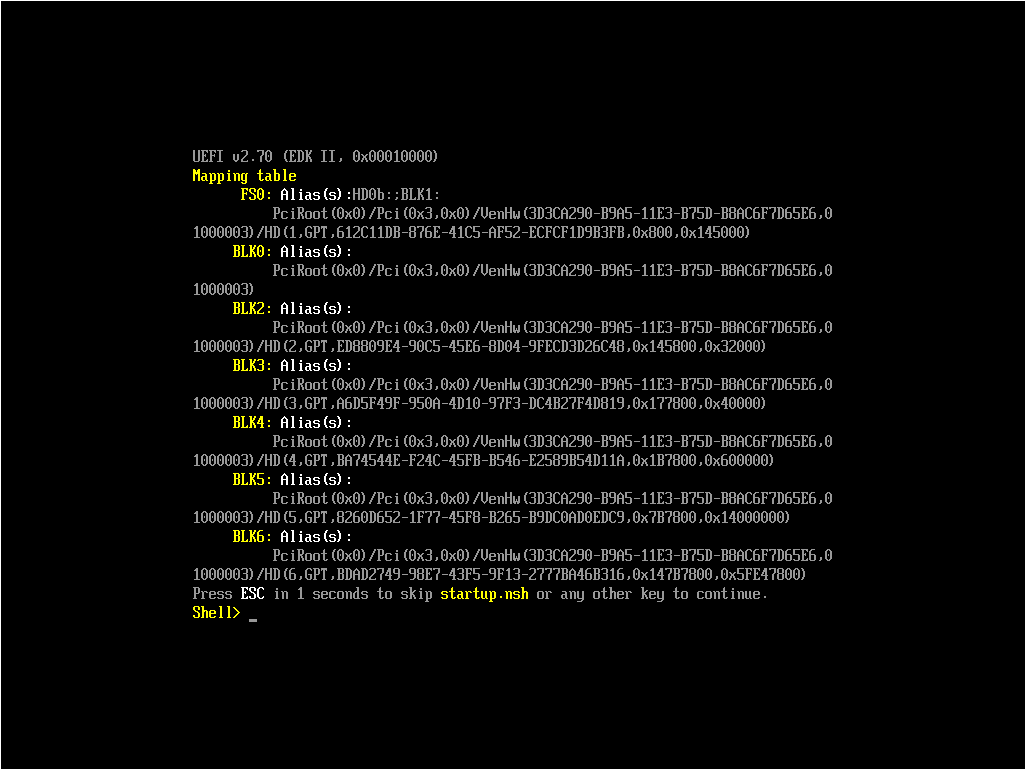
P2V VM boots into UEFI shell
-
We have a physical server running Windows Server 2016 that I am trying to virtualize and migrate into XCP-ng.
I followed Tom Lawrance's video here using Disk2VHD and imported the VHD disk into XOA via the web browser, then I created a new VM and attached the newly imported disk to the VM.
So far, so good.My problem is that when I boot the VM, it just boots into the UEFI interactive shell (the physical Windows server was configured for UEFI not BIOS).
Are there typically extra steps needed to get a Windows VM to boot from an imported VHD? Or should a Windows VM of this nature just boot right up?
-
Hi. Do you still have this issue?
-
@jordan The VM would need to be created to be Gen2 or UEFI mode so it will boot. As the way booting is handled is different from BIOS when using UEFI. UEFI is the only one which can do Secure Boot.
Anyway do you still have the issue?
-
In case someone ends up here with a similar issue, you also end up at the UEFI shell when UEFI is selected for a BIOS-based image.
Try with Advanced -> Boot firmware changed to bios.


Hello! It looks like you're interested in this conversation, but you don't have an account yet.
Getting fed up of having to scroll through the same posts each visit? When you register for an account, you'll always come back to exactly where you were before, and choose to be notified of new replies (either via email, or push notification). You'll also be able to save bookmarks and upvote posts to show your appreciation to other community members.
With your input, this post could be even better 💗
Register Login