How to Extend LVM After Increasing Hard Drive in XO?
-
Hi,
I increased the hard drive size for a VM in XO:

But I can't figure out how to tell the OS (AlmaLinux 9.4.x) which uses LVM about the increase in hard drive capacity that I did via XO:
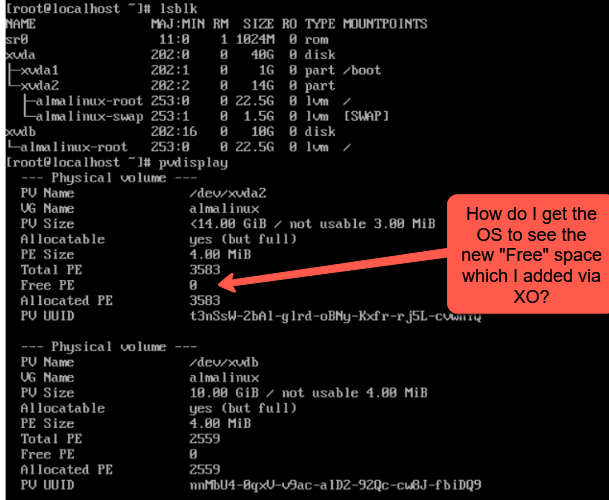
I know I could have just added a new HD via XO and then created a new PV, add it to the existing LV and extend it. However, I'm not sure how others use the XO disk size change to grow a linux OS LVM.
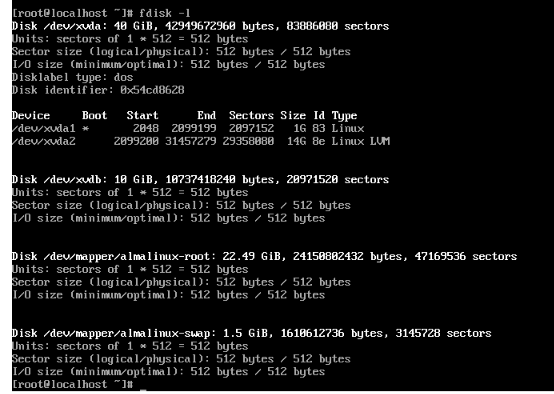
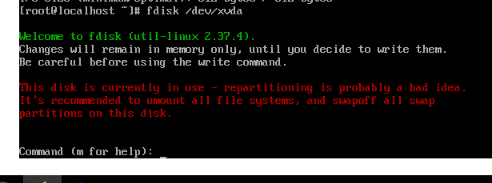
fdisk does show the new hard drive capacity of 40GB for /dev/xvda but I can't edit the while the OS is running which I was hoping to do w/ using LVM to extend partition without having to boot w/ LIVE CD:
Best Regards,SW
-
@stevewest15 This is how I've managed it in the past --
sudo fdisk /dev/xvda
D
N
W

Sudo reboot

sudo resize2fs /dev/xvda2
This is based on the answer found here.
-
@Danp Deleting and then re-creating doesnt always work if there's another partition (swap) after.
I usually do this:fdisk -l /dev/xvda (note the end blocks of the last partition under the End column)
fdisk /dev/xvda
n
accept the defaults except starting blocks (use next free block as starting block)
w
vgextend almalinux /dev/xvda3 (if thats the number you saw when creating the new partition)
lvresize /dev/template-vg/almalinux-root -l +100%FREE -r


Hello! It looks like you're interested in this conversation, but you don't have an account yet.
Getting fed up of having to scroll through the same posts each visit? When you register for an account, you'll always come back to exactly where you were before, and choose to be notified of new replies (either via email, or push notification). You'll also be able to save bookmarks and upvote posts to show your appreciation to other community members.
With your input, this post could be even better 💗
Register Login