Wazuh OVA appliance : how to make it work !
-
If you already tried to use the OVA appliance of Wazuh, you probably saw the Wazuh splash screen, and then left with a black screen.
Unlike the Dell OME appliance (https://xcp-ng.org/forum/post/78651), the fix is pretty simple: we just need to reconfigure the grub.To do that:
- Boot with any live CD with rescue you want (I use Debian)
- Follow the installer, and mount the /dev/xvda1 partition, and execute the shell on /dev/xvda1
cat /etc/default/grub, you should see this file:
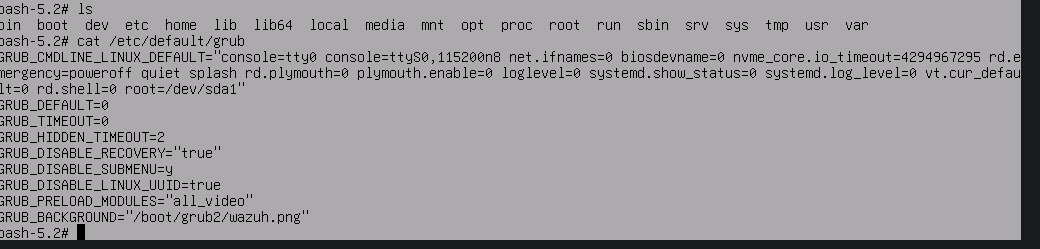
- From here, you can
vi /etc/default/grubreplace/dev/sdaby/dev/xvda. Then:wq - To reconfigure the grub, just do a
grub2-mkconfig, the grub will display all its config. - When the grub is done vomiting all its configuration, umount the DVD on your VM, and reboot, and tada !
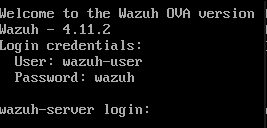
To install the tool, log in the console,
sudo -i, plug the guest-tools.iso,mount /dev/cdrom /mnt, andbash /mnt/Linux/install.sh -d rhel -m 9
The tools are now installed !
If you have a question, don't hesitate to ping me !
-
thank you.!
you 've just saved my day! -
@AlexanderK You're welcome, i'm happy my tests are useful !
-
Thanks a lot for this

In few months ago I have found your topic to try wazuh, and it is working good. After some error on my home lab, I need to install all again and remember your topic.
On my installation, I just need to set /dev/xvda1 (if I just put /dev/xvda, VM not start).
My home lab is on ProLiant DL360 Gen9.


Hello! It looks like you're interested in this conversation, but you don't have an account yet.
Getting fed up of having to scroll through the same posts each visit? When you register for an account, you'll always come back to exactly where you were before, and choose to be notified of new replies (either via email, or push notification). You'll also be able to save bookmarks and upvote posts to show your appreciation to other community members.
With your input, this post could be even better 💗
Register Login