VDI not showing in XO 5 from Source.
-
Hi All,
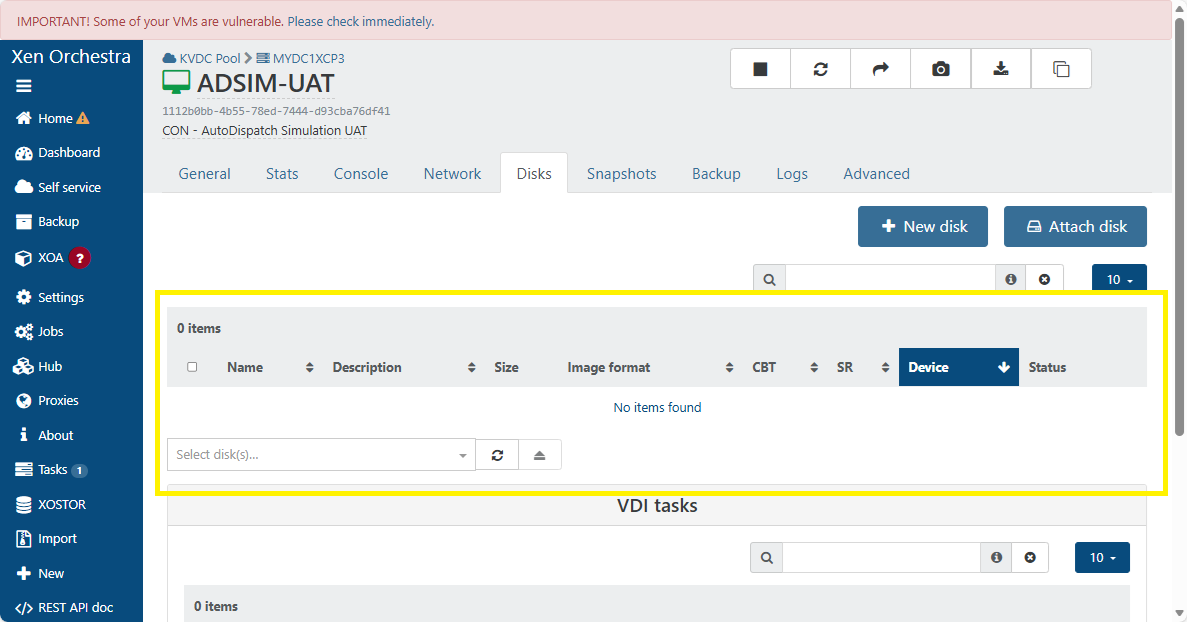
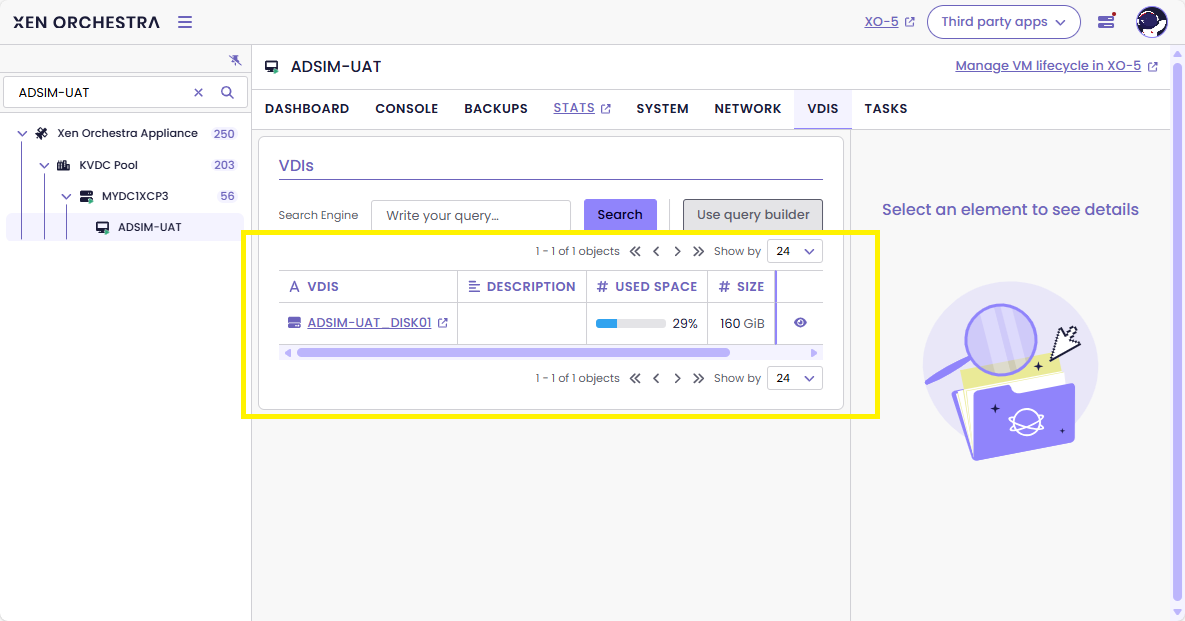
I just notice that when I select VM in XO 5 and click on the Disks tab, the VDI is not showing. But in XO 6 it is showing ok. I'm using XO from source latest version (commit: b89c2). Any idea?
Troubleshooting done so far:
- restart toolstack on all hosts in the pool
- update XO from source to latest commit b89c2
- Reboot XO
XO 5 VDI not showing
XO 6 VDI showing ok
Best regards,
Azren -
Hi,
Can you show us the output from the following command?
xe vdi-param-list uuid=<uuid_of_target_vdi>Dan
-
@Danp said in VDI not showing in XO 5 from Source.:
xe vdi-param-list uuid=
Hi Dan,
[18:52 mycsskvdcxcp03 ~]# xe vdi-param-list uuid=5f899e22-f3a7-4f0b-8de6-2b8058c0f575

uuid ( RO)                    : 5f899e22-f3a7-4f0b-8de6-2b8058c0f575
              name-label ( RW): ADSIM-UAT_DISK01
        name-description ( RW):
           is-a-snapshot ( RO): false
             snapshot-of ( RO): d31f2db0-be21-4794-b858-1bea357869c8
               snapshots ( RO):
           snapshot-time ( RO): 19700101T00:00:00Z
      allowed-operations (SRO): clone; snapshot
      current-operations (SRO):
                 sr-uuid ( RO): 5d22cba7-fbf6-a03b-bb73-9ffba3a3ee75
           sr-name-label ( RO): SR-HDD-DEV-2
               vbd-uuids (SRO): c6f4c7fa-4f6f-7999-d13c-3a29d887d828
         crashdump-uuids (SRO):
            virtual-size ( RO): 171798691840
    physical-utilisation ( RO): 50272698880
                location ( RO): 5f899e22-f3a7-4f0b-8de6-2b8058c0f575
                    type ( RO): User
                sharable ( RO): false
               read-only ( RO): false
            storage-lock ( RO): false
                 managed ( RO): true
     parent ( RO) [DEPRECATED]: <not in database>
                 missing ( RO): false
            is-tools-iso ( RO): false
            other-config (MRW):
           xenstore-data (MRO):
               sm-config (MRO): host_OpaqueRef:c3426081-ce96-507b-a219-8d2cb124c3ad: RW; read-caching-enabled-on-e1594701-28e9-4127-858e-74d4663669f8: true
                 on-boot ( RW): persist
           allow-caching ( RW): false
         metadata-latest ( RO): false
        metadata-of-pool ( RO): <not in database>
                    tags (SRW):
             cbt-enabled ( RO): false


[18:54 mycsskvdcxcp03 ~]#
Best regards,
Azren -
I just noticed I am seeing the same thing on some of my virtual machines. When I view the Disks tab for a vm in the Xen Orchestra 5 ui it shows no items found but XO6 will lists the disks associated with this vm. It only appears to be affecting 2 out of the 4 hosts that I have connected to the xoa instance but is not affecting all the virtual machines of those hosts. It seems to be impacting disks on both local and nfs storage pools.
There are no errors reported and the vm's are running fine and I can take snapshots and execute backup tasks, stop and start the vms without any problems. It just seems that the XOA v5 vm disks display is no longer able to find the disks for certain vms.
I am running version 6.0.2 XOA build: 20251101 from the latest channel.
-
@Danp I have also seen this problem with XO, but currently do not have an example to test. This was an issue on both local SR and shared SR on NFS.
