Red Hat Virtualization (RHV or RHVH) installation not booting
-
Red Hat Virtualization (RHVH) installation not booting on XCP-NG
If I create it on XCP-NG, it always failed while booting
I tried BIOS, UEFI, other install media, rhel8 template,the boot process shows:
Failed to mount /sysroot
hostname also does not apply correctly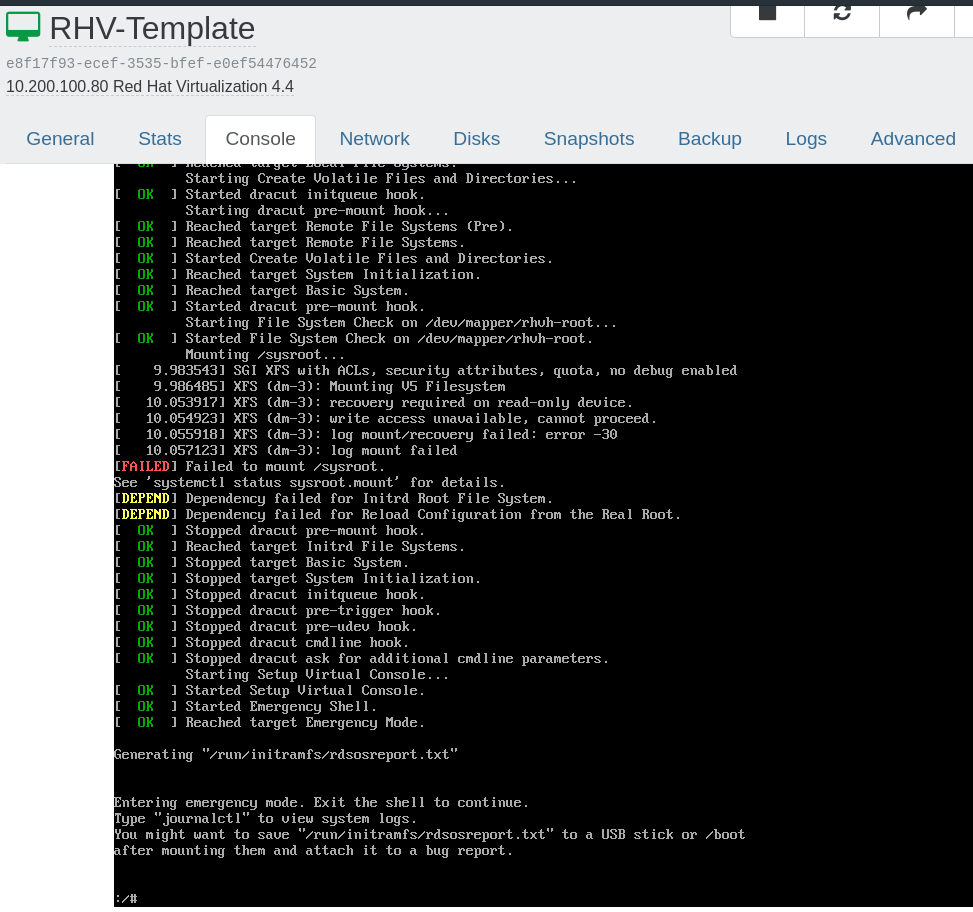
it says:
mount: /sysroot: cannot mount /dev/mapper/rhvh-root read only.
kernel: XFS (dm-3): log mount failed
systemd[1]: sysroot.mount: Mount process exited, code=existed status=32
systemd[1]: sysroot.mount: Failed with result 'exit-code'.
systemd[1]: Failed to mount /sysroot.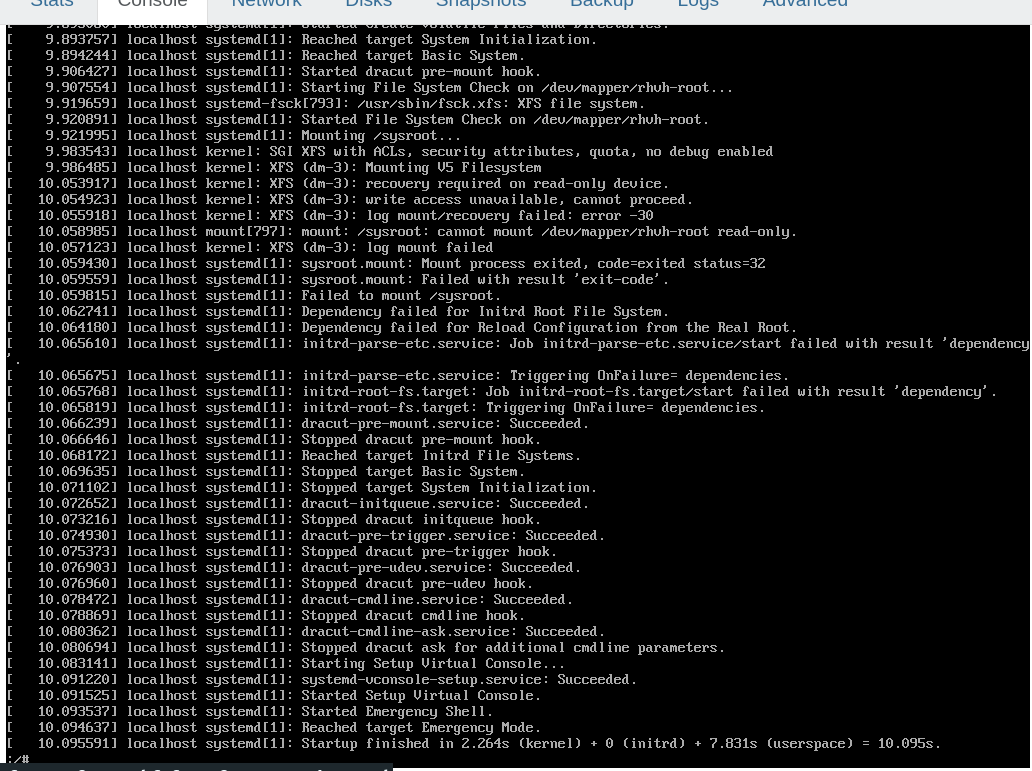
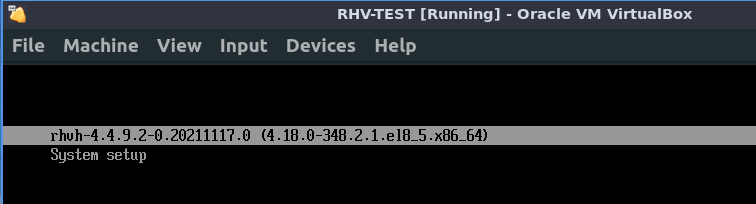
- I tried this on VirtualBox, it just boot to the OS normally, so I presume may be it has something to do with the hypervisor,
- including hostname applied correctly,
- and also, in virtualbox, the boot menu shows RHVH -4.4.9.2 and so on
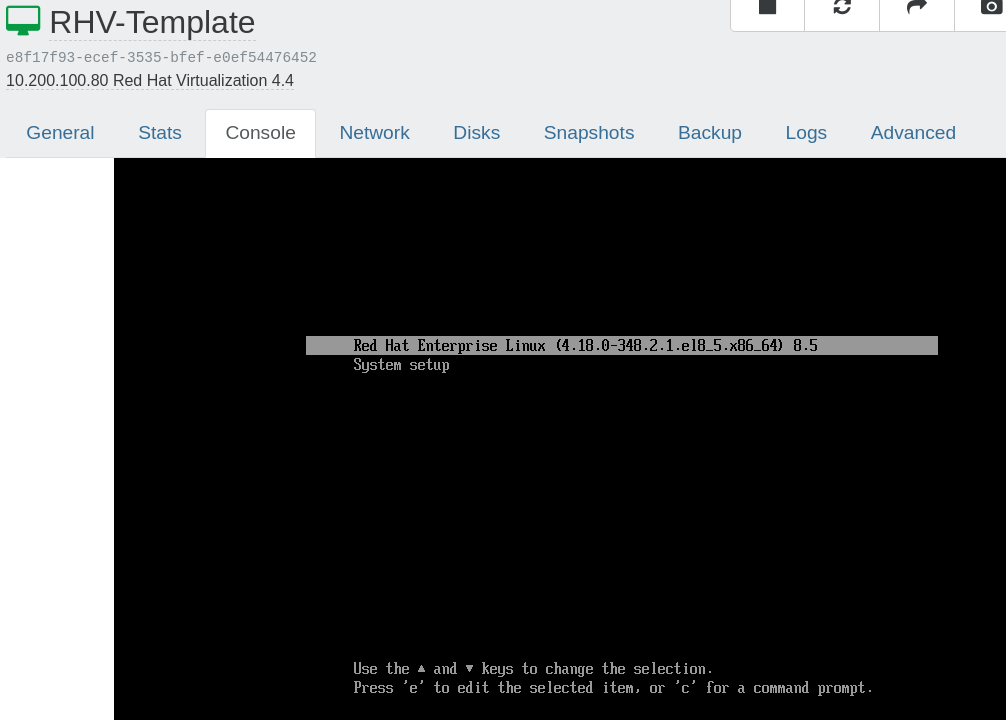
- while with XCP-NG VM, the boot menu shows Red Hat Enterprise Linux (kernel version)
- virtualbox use sda while XCP use xvda (so may be because of this?)
Thanks!
-

-
Apparently it's a known issue. The details are here, but you need a login to view the entire KB article.
-
thanks for replying!
-
https://access.redhat.com/solutions/5347091
System fails to mount filesystem on multipath partition during boot time in RHEL8
Solution Verified - Updated May 31 2021 at 2:25 PM - English
EnvironmentRed Hat Enterprise Linux 8 dracut-049-27.git20190906.el8.x86_64Issue
System fails to mount filesystem created on multipath partition during boot time in RHEL8.Raw
[ 235.191955] testsystem systemd[1]: Mounting /sysroot...
[ 235.398136] testsystem kernel: SGI XFS with ACLs, security attributes, no debug enabled
[ 235.398913] testsystem mount[2922]: mount: /sysroot: /dev/sdb4 already mounted or mount point busy.
[ 235.399207] testsystem systemd[1]: sysroot.mount: Mount process exited, code=exited status=32
[ 235.399259] testsystem systemd[1]: sysroot.mount: Failed with result 'exit-code'.
[ 235.399480] testsystem systemd[1]: Failed to mount /sysroot.Resolution
Upgrade dracut package to dracut-049-135.git20210121.el8 as per RHBA-2021:1661
As a workaround, rebuild initramfs with /lib/udev/rules.d/11-dm-parts.rules.
Raw
dracut -f -v --include /lib/udev/rules.d/11-dm-parts.rules /lib/udev/rules.d/11-dm-parts.rules
Or create /etc/dracut.conf.d/part.conf with below lines and rebuild initramfs image.
#vi /etc/dracut.conf.d/part.conf
install_items+=/lib/udev/rules.d/11-dm-parts.rulesRoot Cause
dracut doesn't install /lib/udev/rules.d/11-dm-parts.rules, which is what changes the link priority for kpartx partition devices, which should make /dev/disk/by-uuid point to multipath devices instead of the scsi path devices.Diagnostic Steps
Check boot logs and verify whether root filesystem mounted using sdX device or mpath device.Raw
[ 235.185721] testsystem systemd[1]: Starting File System Check on /dev/disk/by-uuid/3a9fc23b-e95d-44a2-b95c-9651799f8c77...
[ 235.190597] testsystem systemd-fsck[2920]: fsck.none doesn't exist, not checking file system on /dev/disk/by-uuid/3a9fc23b-e95d-44a2-b95c-9651799f8c77.
[ 235.191192] testsystem systemd[1]: Started File System Check on /dev/disk/by-uuid/3a9fc23b-e95d-44a2-b95c-9651799f8c77.
[ 235.191955] testsystem systemd[1]: Mounting /sysroot...
[ 235.398913] testsystem mount[2922]: mount: /sysroot: /dev/sdb4 already mounted or mount point busy.Verify /lib/udev/rules.d/11-dm-parts.rules rule available in initramfs image.Raw
lsinitrd initramfs-4.18.0-193.el8.x86_64.img |grep dm-parts |wc -l
0
Rebuild initramfs image with /usr/lib/udev/rules.d/11-dm-parts.rules.Raw
#lsinitrd initramfs-4.18.0-193.el8.x86_64.img |grep dm-parts
Arguments: -f -v -a 'multipath' --include '/usr/lib/udev/rules.d/11-dm-parts.rules' '/usr/lib/udev/rules.d/11-dm-parts.rules'
-rw-r--r-- 1 root root 1442 Dec 17 2019 usr/lib/udev/rules.d/11-dm-parts.rules

Hello! It looks like you're interested in this conversation, but you don't have an account yet.
Getting fed up of having to scroll through the same posts each visit? When you register for an account, you'll always come back to exactly where you were before, and choose to be notified of new replies (either via email, or push notification). You'll also be able to save bookmarks and upvote posts to show your appreciation to other community members.
With your input, this post could be even better 💗
Register Login