XCP-ng
    • Categories
    • Recent
    • Tags
    • Popular
    • Users
    • Groups
    • Register
    • Login

    REST API: Attaching an existing .vhd to a stopped VM

    Scheduled Pinned Locked Moved REST API
    11 Posts 2 Posters 1.6k Views 1 Watching
    Loading More Posts
    • Oldest to Newest
    • Newest to Oldest
    • Most Votes
    Reply
    • Reply as topic
    Log in to reply
    This topic has been deleted. Only users with topic management privileges can see it.
    • BytevenidosB
      Bytevenidos
      last edited by Bytevenidos

      I am automating VM deployments using XOA's REST API. I am successfully deploying a VM from a template and uploading a VHD to one of my SRs. The final step in my automated deployment is attaching this existing VHD that i uploaded to the newly created, halted VM.

      I also need to select which .iso is inserted into the CD drive. Is that something configured at the template level? I thought I had done that prior to converting my template.

      I saw some discussions about attaching an existing VDI a year ago in the forums, so I am not sure if anyone has asked recently. I am not sure if attaching a disk to a stopped VM after it was newly created is an endpoint I might have missed.

      Is this handled under an action sub-URL?

      1 Reply Last reply
      Reply Quote 0
      • DanpD
        Danp Pro Support Team
        last edited by

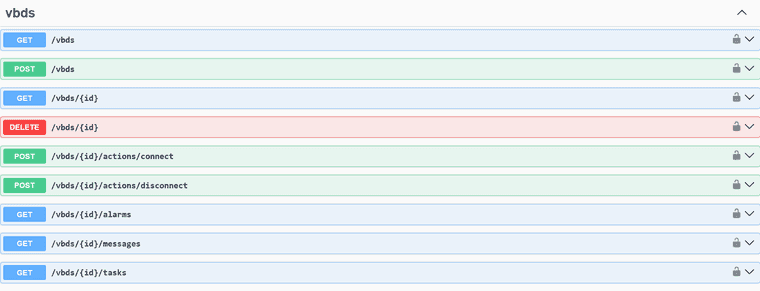
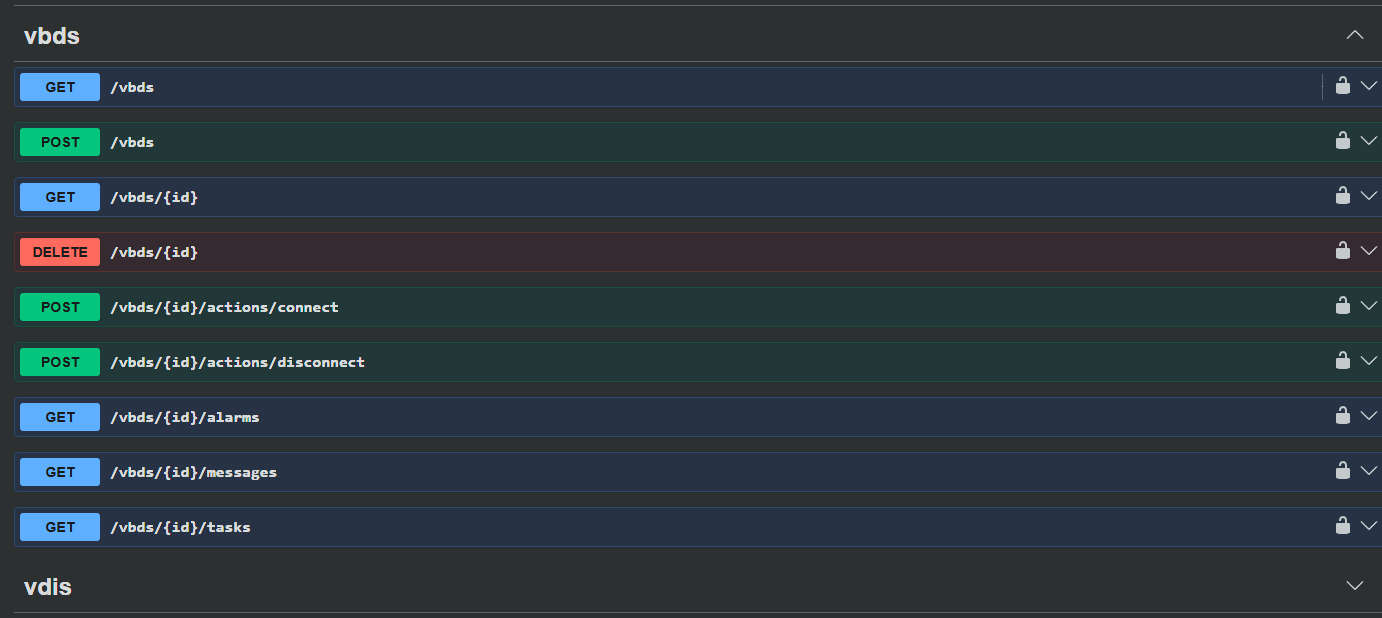
        You attach a VDI to a VM by creating a VBD. Take a look at the POST /vbds endpoint.

        BytevenidosB 2 Replies Last reply
        Reply Quote 0
        • BytevenidosB
          Bytevenidos @Danp
          last edited by Bytevenidos

          @Danp Thanks! Also, I converted my VM to a template and it had the .iso in it prior to doing that but then when i spin it up from the REST API the .iso is gone?

          1 Reply Last reply
          Reply Quote 0
          • BytevenidosB
            Bytevenidos @Danp
            last edited by Bytevenidos

            @Danp They're all GET methods no way to mount anything.
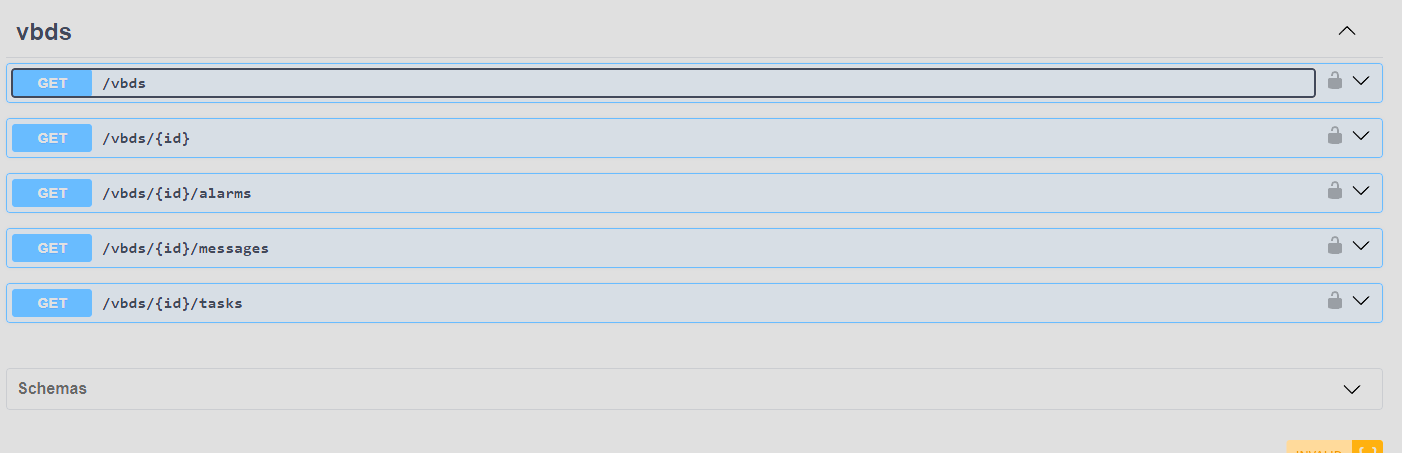
            bf010454-dd1e-4540-a86c-a7bda790b6d7-image.png

            DanpD 1 Reply Last reply
            Reply Quote 0
            • DanpD
              Danp Pro Support Team @Bytevenidos
              last edited by

              @Bytevenidos Are you up-to-date? 🤔

              c6dd38f1-0d4d-46e1-93c7-9d3a0590723a-image.png

              BytevenidosB 2 Replies Last reply
              Reply Quote 0
              • BytevenidosB
                Bytevenidos @Danp
                last edited by

                Updated now! 🤦

                @Danp 96f16a1e-20d5-4e97-b6f5-ba1a4023c2d3-image.png

                1 Reply Last reply
                Reply Quote 1
                • BytevenidosB
                  Bytevenidos @Danp
                  last edited by

                  @Danp How about the CD-ROM with the .iso? Can i mount that on the VM using these also ?

                  DanpD 1 Reply Last reply
                  Reply Quote 0
                  • DanpD
                    Danp Pro Support Team @Bytevenidos
                    last edited by

                    @Bytevenidos I don't see an endpoint in the REST API for mounting an ISO. However, you should be able to mount the ISO during the VM creation. I will ask around about using the REST API to mount and eject ISOs.

                    BytevenidosB 1 Reply Last reply
                    Reply Quote 0
                    • BytevenidosB
                      Bytevenidos @Danp
                      last edited by Bytevenidos

                      @danp The POST /vbds endpoint allows configuring both "RW" or "RO" and a bootable Boolean.

                      If I need to mount an OS installation ISO and a separate provisioning VDI to the same VM, I assume I must execute two distinct POST /vbds requests:

                      For the CD-ROM (ISO): Set "mode": "RO" and "bootable": true.
                      For the provisioning VDI: Set "mode": "RW" and "bootable": false.

                      Would this work in mounting my OS .iso to my VM in the CD-ROM and also mount the VDI to the vm so it will read it on first boot?

                      {
                        "VM": "VM-UUID", 
                        "VDI": "VDI-UUID", 
                        "bootable": false,
                        "mode": "RW" 
                      }
                      
                      DanpD 1 Reply Last reply
                      Reply Quote 0
                      • DanpD
                        Danp Pro Support Team @Bytevenidos
                        last edited by

                        @Bytevenidos You can try that, but it most likely won't work.

                        I've confirmed with the dev team that the end point to mount an ISO doesn't currently exist for the REST API. However, it does exist in the older JSON-RPC API, which you can access using xo-cli --

                        vm.insertCd id=<string> cd_id=<string> [force=<boolean>]

                        BytevenidosB 1 Reply Last reply
                        Reply Quote 0
                        • BytevenidosB
                          Bytevenidos @Danp
                          last edited by

                          @Danp alright, thanks. I'll give that a try.

                          1 Reply Last reply
                          Reply Quote 0

                          Hello! It looks like you're interested in this conversation, but you don't have an account yet.

                          Getting fed up of having to scroll through the same posts each visit? When you register for an account, you'll always come back to exactly where you were before, and choose to be notified of new replies (either via email, or push notification). You'll also be able to save bookmarks and upvote posts to show your appreciation to other community members.

                          With your input, this post could be even better 💗

                          Register Login
                          • First post
                            Last post