Backups routinely get stuck on the health check
-
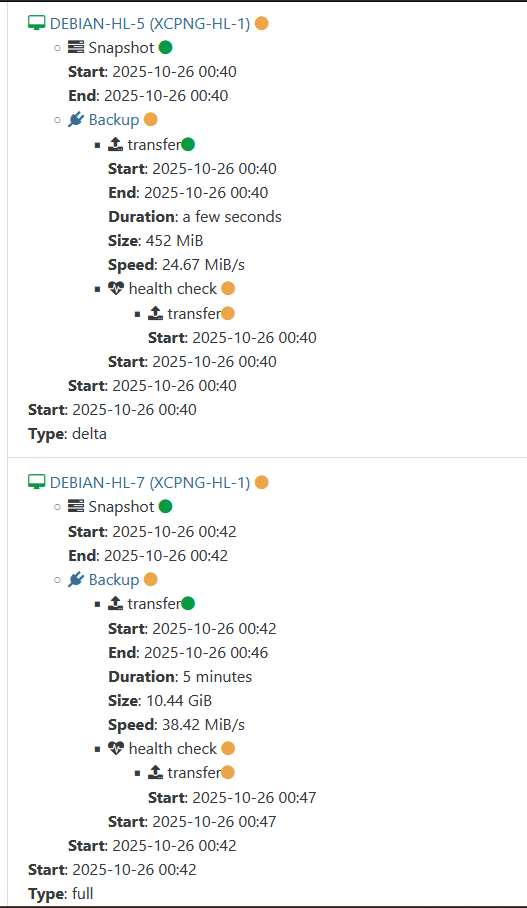
I've been have a re-occurring issue where my backups get stuck when attempting the transfer part of the health check. I'm using XO from sources. Currently on commit 54459, but this issue has persisted over multiple updates. It's not always the same VM(s) each time. The remote target is a TrueNAS box sharing via Samba. The health checks are set to transfer to a HDD directly on the host. I do have the time out option configured for 3 hours, but that seems to be being ignored at this point. I usually just restart the xo-server service and then retry the failed ones, but at this point I seem to have to do that after every backup.
Example:
-
I think @florent fixed some timeout things very recently. Please update to latest commit now and try again

-
@olivierlambert I updated and reran the backup. It was successful this time. Going to run it a couple more times to make sure, but it seems like it might be resolved.
-
@olivierlambert I've ran the backup task 3 times now, with no issues. So I guess those recent updates fixed it. Thanks
-
 O olivierlambert marked this topic as a question on
-
O olivierlambert has marked this topic as solved on
-
A Austin.Payne has marked this topic as unsolved on
-
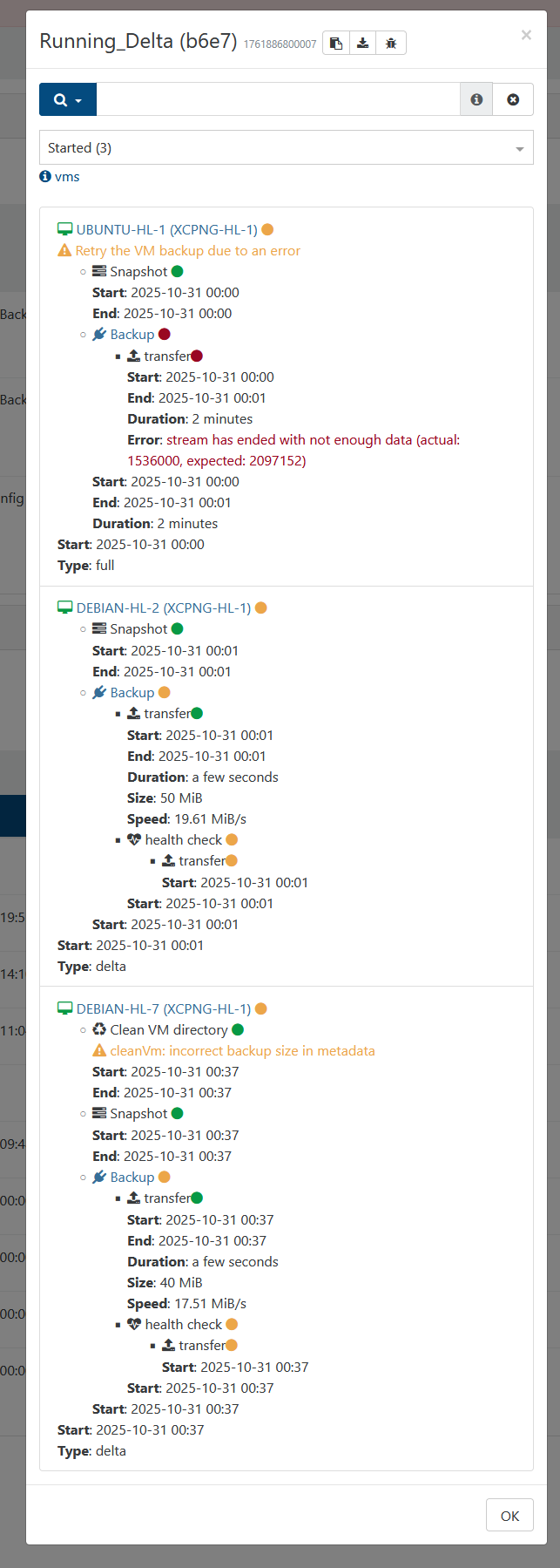
Whelp had 2 of them get stuck, and one fail from the automated backup this time. The first one where it failed completely doesn't happen very often, so I'm less worried about it. Just including it in case it might be relevant.
-
@Austin.Payne a health check will download the full backup from your remote to the storage repository
what is the size of the VM ? -
@florent They are set to 30GB, but thinned provisioned, so they might be a less than that.
-
Just a quick update. I tried changing the time to see if somehow doing it at midnight was causing the issue. I also tried changing the destination for the health check to restore to in case it was some issue with the HDD. Neither were successful.
-
Hello @Austin.Payne,
I wanted to share my experience. I had similar issues through multiple XO versions. However, after learning that health checks rely on the management port I did some more digging. TL;DR it was a network configuration, and not an XO or XCPNG problem. If you have a multi-nic setup and you have XO as a VM on your XCPNG host, I would recommend that whatever network you use for management is on the same NIC.
Setup:
XO is a VM on XCPNG Host (only one host in pool).Network setup:
eth0 = 1GB NIC = Management interface for XCPNG host (192.168.0.0/24 network)
eth1 = 10GB DAC = NIC for 192.168.0.0/24 network to pass through VMs (XO uses this NIC)
eth1.200 = 10GB DAC = VLAN 200 on eth1 NIC for storage network (10.10.200.0/28). Both the XCPNG host and VMs (including XO VM) use this.IP setup:
XCPNG host = 192.168.0.201 on eth0; 10.10.200.1 on eth1.200
XO VM = 192.168.0.202 on eth1; 10.10.200.2 on eth1.200
Remote NAS for backups = Different computer on 10.10.200.0/28 networkIn this setup, backups would always finish, but health checks would hang indefinitely. However, after changing the XCPNG host to use eth1 for the management interface instead of eth0, health checks starting passing flawlessly.
I am not sure if the problem was having the XCPNG host connecting to the same network with two different NICs or if eth1 was the better NIC thus was more reliable during the health check (could also explain why backups would always succeed). It's also possible it was switch related. In this setup, eth0 was connected to a Cisco switch and eth1/eth1.200 was connected to a MIkroTIk switch. Again, not sure what actually solved it, but consolidating everything to a single NIC solved the issue for me (and physically unplugging eth0 after the eth1 consolidation).
Hopefully sharing my experience helps solve this issue for you.
-
This post is deleted!

Hello! It looks like you're interested in this conversation, but you don't have an account yet.
Getting fed up of having to scroll through the same posts each visit? When you register for an account, you'll always come back to exactly where you were before, and choose to be notified of new replies (either via email, or push notification). You'll also be able to save bookmarks and upvote posts to show your appreciation to other community members.
With your input, this post could be even better 💗
Register Login