possible bug for cpu stats in XOA 5.101.0
-
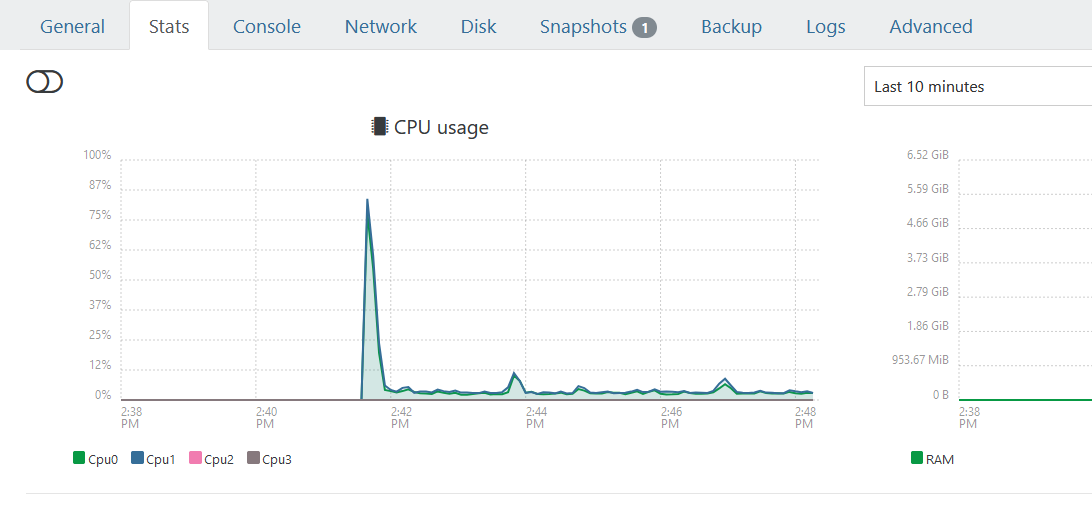
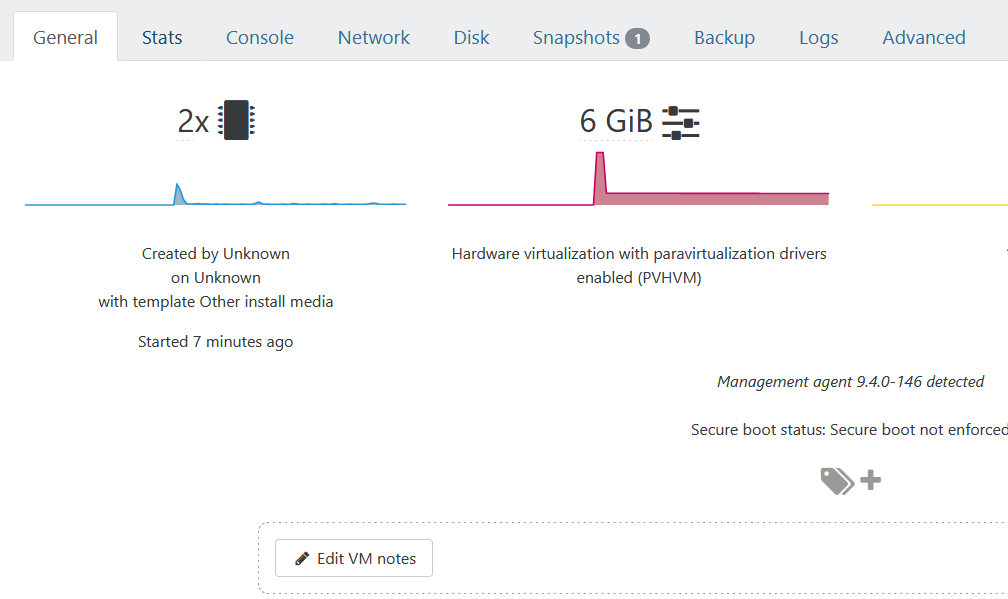
not sure where to post this and it causes no issues but when changing vcpu through xoa for a windows server 2019 with citrix guest tools installed the guest tab displays the correct number of cpu while the stats tab displays the previous number
-
IIRC, this will clear up by itself once the "extra" cpus are no longer present in the stats history.
-
Restarting the toolstack on the host resolves the CPU count issue in the Stats view.
-
Doesn’t the status history go back 1 year?
Thanks for the info I’ll restart it and clear it

Hello! It looks like you're interested in this conversation, but you don't have an account yet.
Getting fed up of having to scroll through the same posts each visit? When you register for an account, you'll always come back to exactly where you were before, and choose to be notified of new replies (either via email, or push notification). You'll also be able to save bookmarks and upvote posts to show your appreciation to other community members.
With your input, this post could be even better 💗
Register Login