NFS Storage Leads to File System Errors After Unplanned Shutdown
-
Hi All,
I have my VM storage centralized on a dedicated NAS using NFS. However, this is not a datacenter environment and whenever there is a power outage, the VM's dont shutdown properly and end up having filesystem corruption that blocks them from booting normally.
Running fsck generally fixes the issue and allows them to boot. But I would like to find a way to use remote network storage for VM's without this issue.
Any guidance is appreciated.
-
@creoleMalady On your NFS server, do you have sync writes enabled or disabled?
-
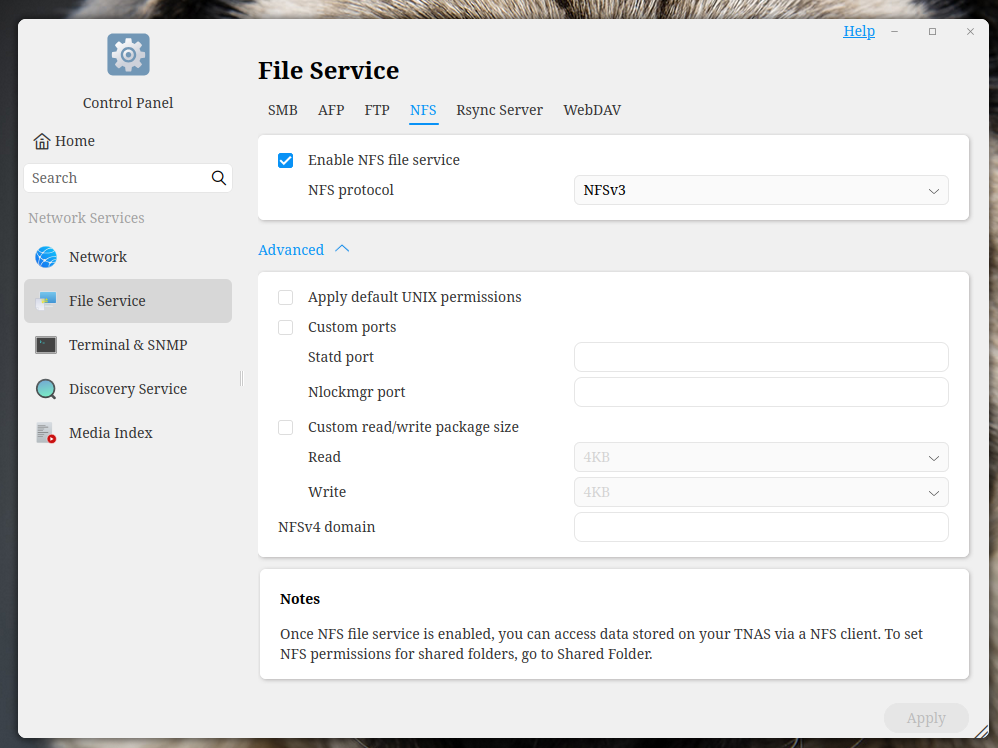
@Andrew Sorry for not responding earlier, but I dont believe I am finding any settings for Sync Writes on NFS.
-
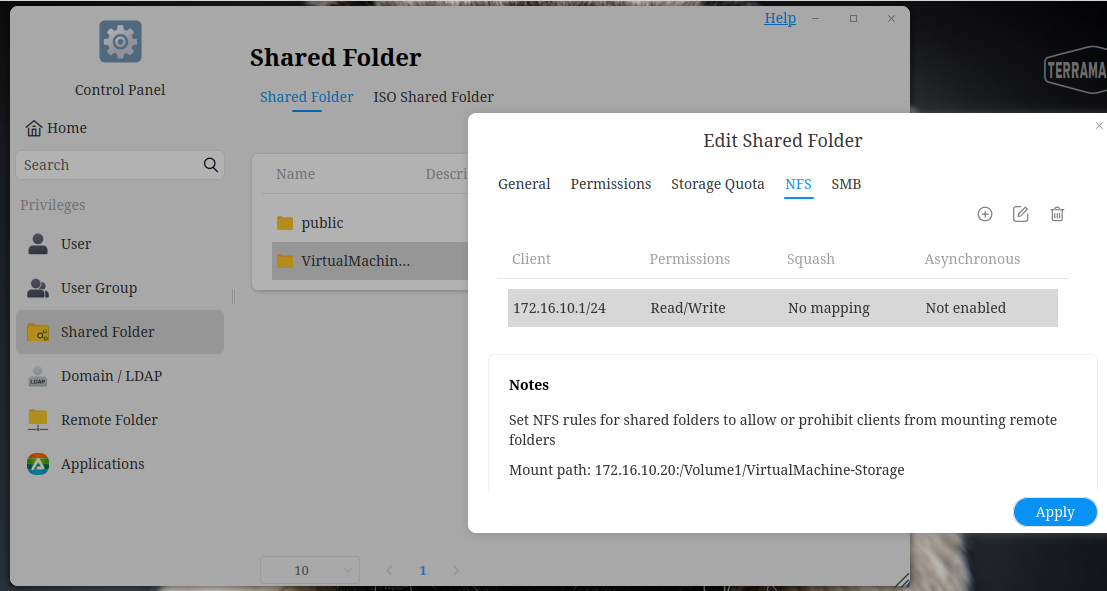
You should be able to find the asked setting under the settings for the specific shared folder.
Should be something about asynchronous write. If this is enabled things like what you experience can happen. Disable it and the problem should be gone.But there is one thing about that. While it is safer for the data, write speeds might go down a bit depending on your network.
-
I feel stupid. It took a good bit of time for the Shared Folder window to populate, so it appeared empty and I would skip past it thinking these weren't shared volumes.
Checking again, it populated and I was able to make the change. Hopefully that fixes the issue.
-
Fingers crossed

And don't feel stupid. Everybody has those moments - even after decades of experience.
Hello! It looks like you're interested in this conversation, but you don't have an account yet.
Getting fed up of having to scroll through the same posts each visit? When you register for an account, you'll always come back to exactly where you were before, and choose to be notified of new replies (either via email, or push notification). You'll also be able to save bookmarks and upvote posts to show your appreciation to other community members.
With your input, this post could be even better 💗
Register Login