Running a Backup Job for a Pool that wasn't previously in said backup job
-
So I'm working on migrating my hosts to 8.3, but due to some configuration issues I've had to remove hardware, rebuild hosts from the ground up etc.
What I failed to realize is that I configured my backup jobs to be pool specific (the 8.2 pool which is going away) and only targeting VMs that were on that pool.
I've migrated a few VMs and those are all working just fine, but I've missed a night of backups for these VMs because they are on a new pool, which wasn't previously configured in said job.
Is there a way to run the job, for only the VMs that are on the new pool without running the entire job across both pools?
-
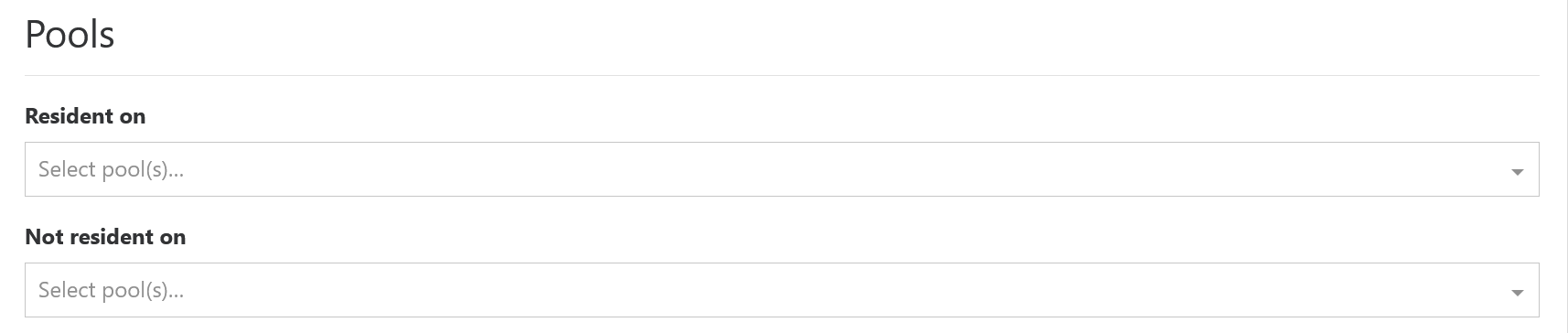
@DustinB I haven't tried this, but I suspect that you can simply adjust the settings under the Pools section for the Smart mode selection so that it only targets the desired pool --
-
@Danp Yeah I've done that and added the new pool to this section, while I'm migrating VMs from the old to the new I still need to continue my backups, so both are in that section at the moment. Specifically the "Resident on" now has both pools, listed where it previously only had the 8.2 pool.
Are you suggesting for just this run I remove the old pool from this section and rerun the job?
-
@DustinB said in Running a Backup Job for a Pool that wasn't previously in said backup job:
Are you suggesting for just this run I remove the old pool from this section and rerun the job?
Yes.
-
@Danp said in Running a Backup Job for a Pool that wasn't previously in said backup job:
@DustinB said in Running a Backup Job for a Pool that wasn't previously in said backup job:
Are you suggesting for just this run I remove the old pool from this section and rerun the job?
Yes.
Making those changes now and running the job.
Thanks for confirming

Hello! It looks like you're interested in this conversation, but you don't have an account yet.
Getting fed up of having to scroll through the same posts each visit? When you register for an account, you'll always come back to exactly where you were before, and choose to be notified of new replies (either via email, or push notification). You'll also be able to save bookmarks and upvote posts to show your appreciation to other community members.
With your input, this post could be even better 💗
Register Login