XCP-ng
    • Categories
    • Recent
    • Tags
    • Popular
    • Users
    • Groups
    • Register
    • Login

    Disable Remote desktop connection

    Scheduled Pinned Locked Moved Compute
    7 Posts 4 Posters 1.3k Views 2 Watching
    Loading More Posts
    • Oldest to Newest
    • Newest to Oldest
    • Most Votes
    Reply
    • Reply as topic
    Log in to reply
    This topic has been deleted. Only users with topic management privileges can see it.
    • E Offline
      eswaran
      last edited by

      when i try to access the console of my vm from Xcp-ng center . its launches Remote dekstop conenction instead of the console display on xcp-ng center . how to disable that ? i dont want the rdp connection to launch automatically
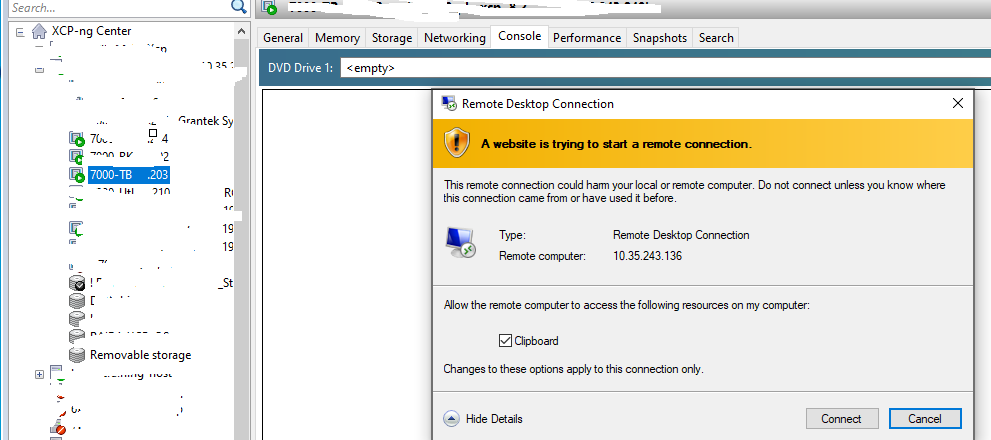
      3469b049-9421-426f-88e5-9552d027dc88-image.png

      if if cancel / connect nothing happens , remote desktop conenction closed and i can see the actual console .
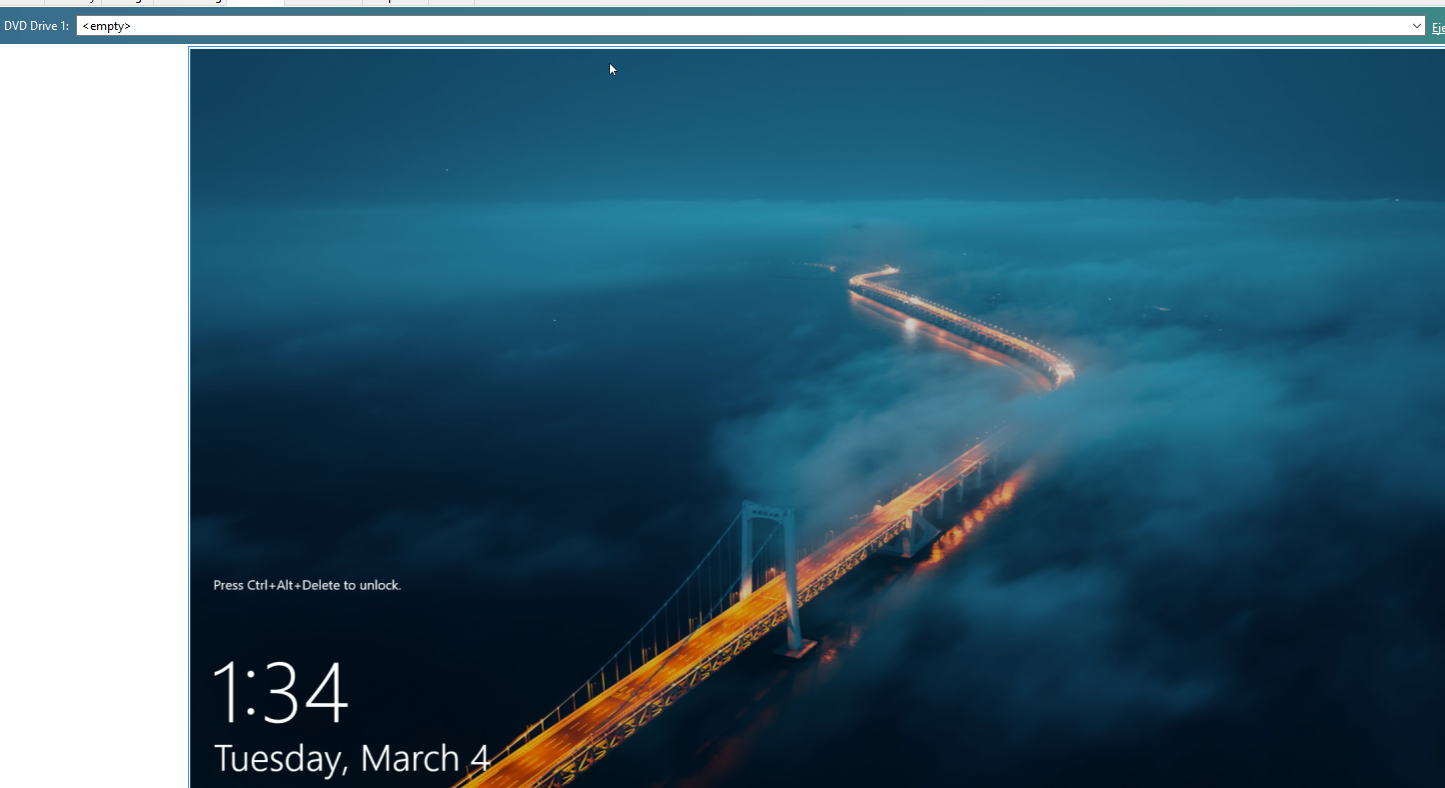
      d47ce516-1573-43ab-95d0-c4792222d04e-image.png

      is there any way to disable the rdp session pop up ?

      michael.manleyM 1 Reply Last reply Reply Quote 0
      • TeddyAstieT Offline
        TeddyAstie Vates 🪐 XCP-ng Team Xen Guru
        last edited by

        ping @michael.manley

        1 Reply Last reply Reply Quote 0
        • michael.manleyM Offline
          michael.manley XCP-ng Center Team @eswaran
          last edited by

          @eswaran It is in the Program Options, look for "Automatically switch to the Remote Desktop console when it becomes available" under Console
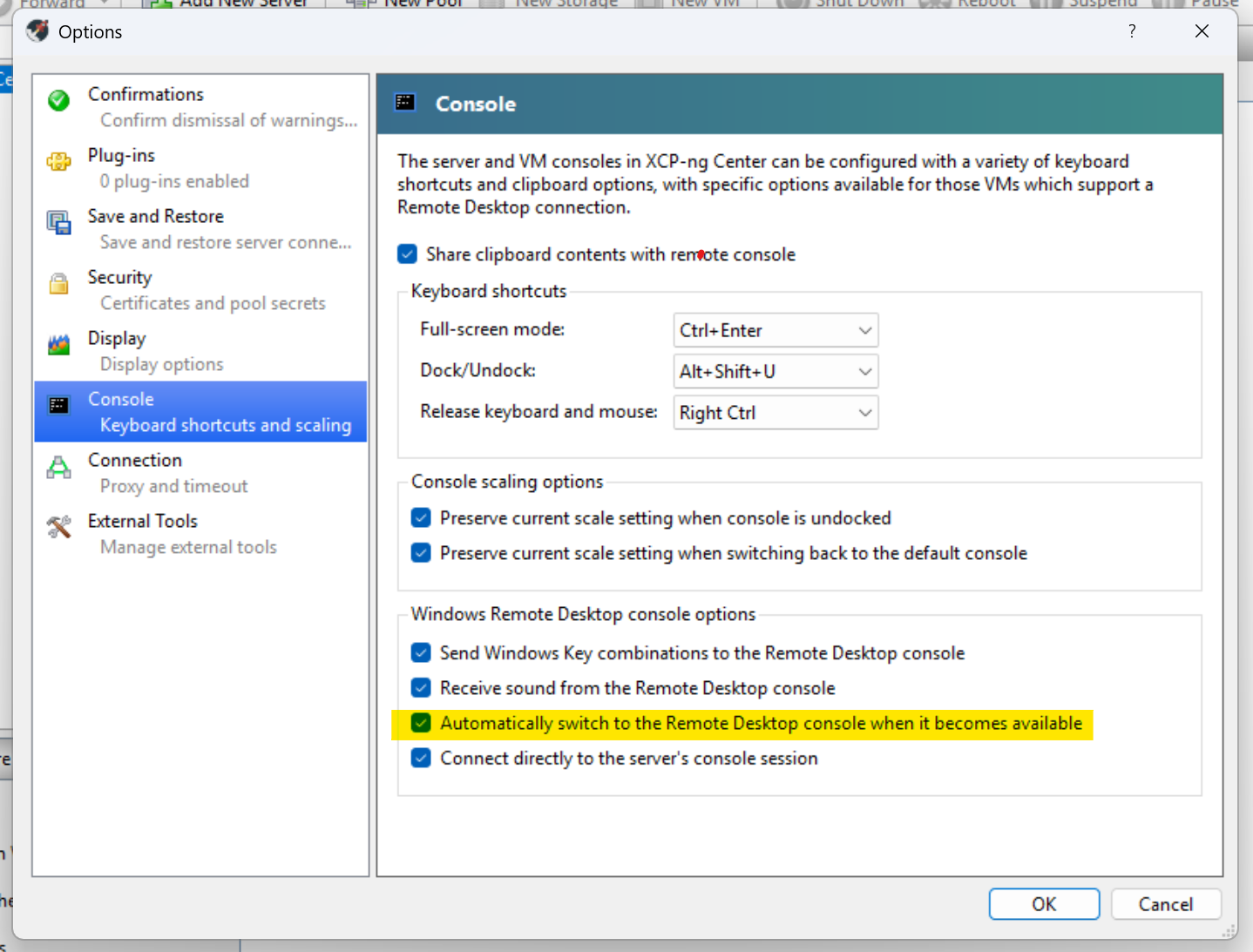
          5167917f-4cf7-46ec-96a4-5be119769c60-image.png

          1 Reply Last reply Reply Quote 0
          • E Offline
            eswaran
            last edited by

            @michael.manley @TeddyAstie Thanks for responding .
            @michael.manley im using xcp-ng center , cant see the options you highlighted .
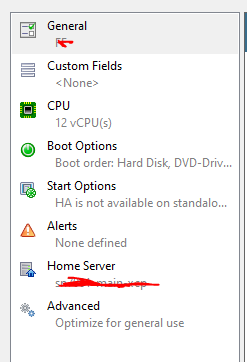
            c8009cbd-dd58-4665-835c-c9b291c148d0-image.png

            D michael.manleyM 2 Replies Last reply Reply Quote 0
            • D Offline
              DustinB @eswaran
              last edited by

              @eswaran The setting he displayed was within a given VM, not at the host/pool level.

              1 Reply Last reply Reply Quote 0
              • michael.manleyM Offline
                michael.manley XCP-ng Center Team @eswaran
                last edited by

                @eswaran It is in Tools > Options, this is at the program level, not a VM or Host

                1 Reply Last reply Reply Quote 0
                • E Offline
                  eswaran
                  last edited by

                  got it @michael.manley . thanks . unchecked that , will monitor and let you know . thanks so much

                  1 Reply Last reply Reply Quote 0

                  Hello! It looks like you're interested in this conversation, but you don't have an account yet.

                  Getting fed up of having to scroll through the same posts each visit? When you register for an account, you'll always come back to exactly where you were before, and choose to be notified of new replies (either via email, or push notification). You'll also be able to save bookmarks and upvote posts to show your appreciation to other community members.

                  With your input, this post could be even better 💗

                  Register Login
                  • First post
                    Last post