XCP-ng
    • Categories
    • Recent
    • Tags
    • Popular
    • Users
    • Groups
    • Register
    • Login

    XCP-ng Windows PV tools announcements

    Scheduled Pinned Locked Moved News
    114 Posts 19 Posters 40.5k Views 21 Watching
    Loading More Posts
    • Oldest to Newest
    • Newest to Oldest
    • Most Votes
    Reply
    • Reply as topic
    Log in to reply
    This topic has been deleted. Only users with topic management privileges can see it.
    • D
      dinhngtu Vates 🪐 XCP-ng Team
      last edited by dinhngtu

      Hello all,

      Version 9.1.145 Release of the Windows PV tools has been released.

      (Despite the name, it's still signed; I simply dropped the "Signed" moniker)

      Download the latest release here: https://github.com/xcp-ng/win-pv-drivers/releases

      It will be integrated into the XCP-ng built-in tools ISO after a test period of 2 weeks.

      This release brings the new XCP-ng Standard VGA Display Driver as well as multiple bug fixes to all Windows drivers and guest tools components.

      Changes since 9.1.100

      • NEW: The XCP-ng Standard VGA Display Driver is now included in the package.
      • Improved: XenClean is now a single executable that's more convenient to use.
      • Improved: Better uninstalling of existing drivers.
      • Fixes: Automatic time sync is now disabled by default on new installations. NTP sync with W32Time is recommended instead.
        • To disable time sync on an existing installation, use the Modify button in Installed apps.
      • Fixes: Xen Guest Agent now operates correctly during driver restarts and upgrades.
      • Fixes: Fix uninstallation of individual drivers.
      • Fixes: Improve stability and efficiency of Xenbus and Xenvbd.

      Help / Community support

      If you encounter installation/uninstallation errors, please try again with one of the following commands:

      For installing:
      msiexec.exe /i XenTools-x64.msi /log install.log
      
      For uninstalling:
      msiexec.exe /x XenTools-x64.msi /log uninstall.log
      

      Please include this log along with the file C:\Windows\INF\setupapi.dev.log in your bug report. These files will help us troubleshoot any installation issues.

      Full Changelog: https://github.com/xcp-ng/win-pv-drivers/compare/v9.1.100...v9.1.145
      Original build: https://github.com/xcp-ng/win-pv-drivers/actions/runs/23188455900

      M 1 Reply Last reply
      Reply Quote 2
      • acebmxerA
        acebmxer
        last edited by

        Install went with out issues on my homelab pc windows 11.
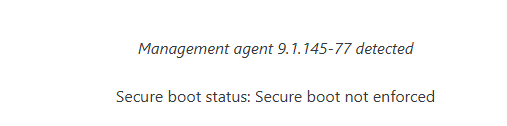
        Screenshot 2026-03-17 093235.png

        I used the installer found in the package folder.
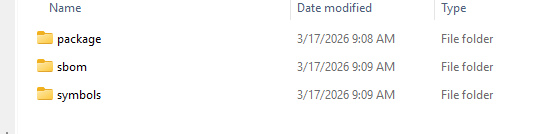
        Screenshot 2026-03-17 093328.png

        1 Reply Last reply
        Reply Quote 1
        • M
          manilx @dinhngtu
          last edited by

          @dinhngtu Upgraded from previous tools (big jump from citrix was already done 😉) @home and @office a dozen Windows11 and Windows Server 2022.
          No issues.

          1 Reply Last reply
          Reply Quote 1
          • C
            conitrade-as
            last edited by

            We noticed that using the XCP-ng Windows PV tools brakes some functionality of the shared clipboard. On a fully patched XCP-ng 8.3 host using Xen Orchestra 5 (actually the 6.2.2 build, but the v5 interface) allows only to copy the clipboard from the VM to the browser, not the other way around.

            D 1 Reply Last reply
            Reply Quote 1
            • D
              dinhngtu Vates 🪐 XCP-ng Team @conitrade-as
              last edited by

              @conitrade-as There should be a fix for that in 9.1.145. Could you try it?

              C 1 Reply Last reply
              Reply Quote 0
              • C
                conitrade-as @dinhngtu
                last edited by

                @dinhngtu That indeed seems to work. I just realized, that this is a timing issue as well. Sometimes the copy&paste works after a slight delay, where the console seems non-responsive (e.g. cannot move the mouse cursor). After something like ~15 secs things work as expected. For subsequent copy&paste operations the delay seems to be much lower.

                D 1 Reply Last reply
                Reply Quote 1
                • D
                  dinhngtu Vates 🪐 XCP-ng Team @conitrade-as
                  last edited by

                  @conitrade-as Sounds like a problem somewhere in the clipboard stack, I'll look into that.

                  M 1 Reply Last reply
                  Reply Quote 1
                  • M
                    manilx @dinhngtu
                    last edited by

                    @dinhngtu We have one Win11 in production, which dodn't install the new tools, running the previous ones.

                    We always get:
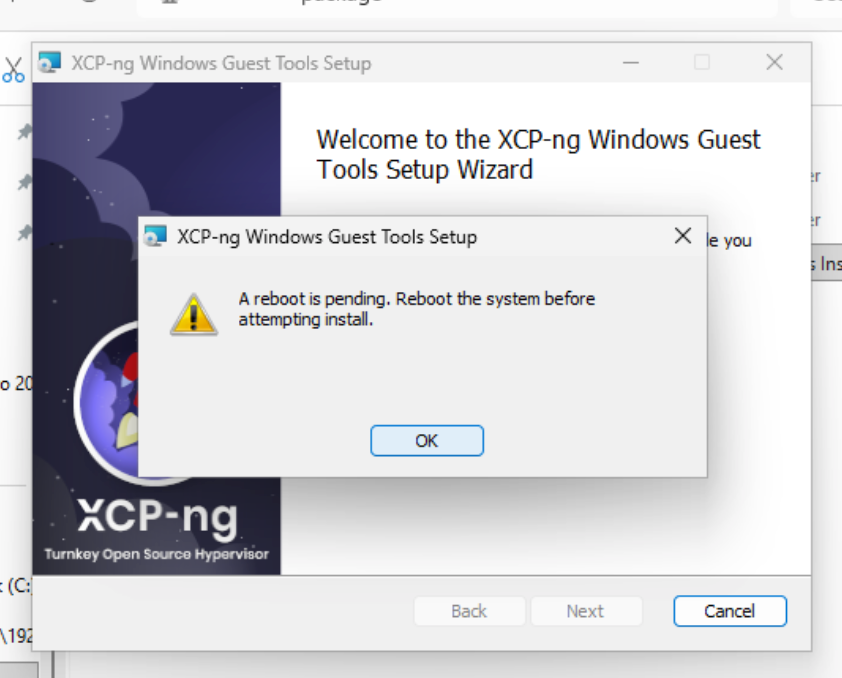
                    ScreenShot 2026-03-18 at 13.38.04.png

                    We have rebooted before installing the tools: same issue
                    We have run Xenclean before installing: same
                    We have run Xenbootfix: same

                    Basically we'tried everything. I haven't opened an official ticket yet because the answer here might help others.

                    D C 2 Replies Last reply
                    Reply Quote 0
                    • D
                      dinhngtu Vates 🪐 XCP-ng Team @manilx
                      last edited by dinhngtu

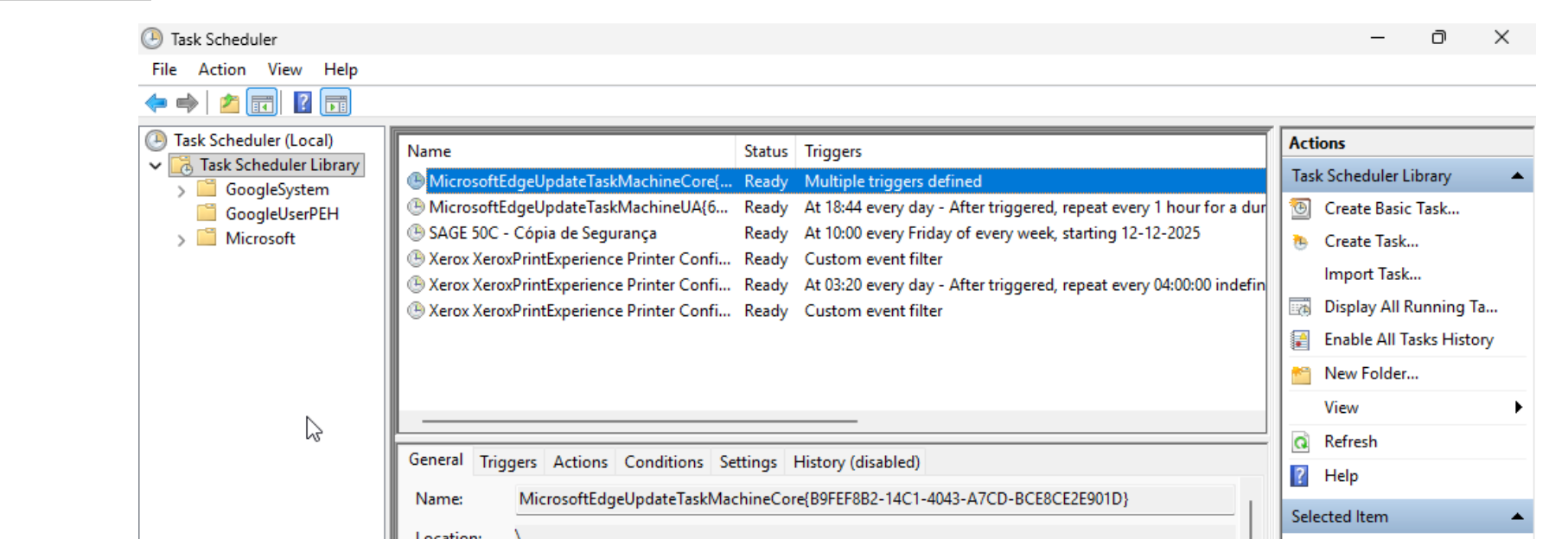
                      @manilx Can you check if there's a Copy-XenVifSettings task in Task Scheduler and delete it if it exists report back? Normally it's supposed to self-destruct but maybe something went wrong there.

                      M 1 Reply Last reply
                      Reply Quote 0
                      • M
                        manilx @dinhngtu
                        last edited by

                        @dinhngtu Noting there:
                        ScreenShot 2026-03-18 at 14.21.25.png

                        D 1 Reply Last reply
                        Reply Quote 0
                        • D
                          dinhngtu Vates 🪐 XCP-ng Team @manilx
                          last edited by dinhngtu

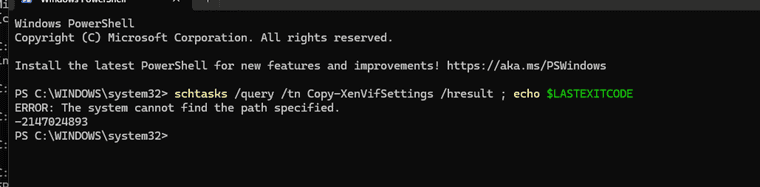
                          @manilx What do you see when you run this command from PowerShell?

                          schtasks /query /tn Copy-XenVifSettings /hresult ; echo $LASTEXITCODE
                          
                          M 1 Reply Last reply
                          Reply Quote 0
                          • M
                            manilx @dinhngtu
                            last edited by

                            @dinhngtu ScreenShot 2026-03-18 at 14.27.55.png

                            D 1 Reply Last reply
                            Reply Quote 0
                            • D
                              dinhngtu Vates 🪐 XCP-ng Team @manilx
                              last edited by

                              @manilx Interesting... It's checking for "ERROR: The system cannot find the file specified. -2147024894", which is why it's failing. What if you specified the command this way, with a backslash?

                              schtasks /query /tn \Copy-XenVifSettings /hresult ; echo $LASTEXITCODE
                              
                              M 1 Reply Last reply
                              Reply Quote 0
                              • M
                                manilx @dinhngtu
                                last edited by

                                @dinhngtu ScreenShot 2026-03-18 at 14.34.18.png

                                1 Reply Last reply
                                Reply Quote 0
                                • C
                                  conitrade-as @manilx
                                  last edited by

                                  @manilx Try installing the .msi from an elevated powershell prompt. That worked for one of our Windows 11 VMs.

                                  M 1 Reply Last reply
                                  Reply Quote 2
                                  • M
                                    manilx @conitrade-as
                                    last edited by

                                    @conitrade-as Yes, fixed. Thx!

                                    The issue on this VM was we were installing as non-admin. All others were admin by default.

                                    Good catch

                                    1 Reply Last reply
                                    Reply Quote 0
                                    • D
                                      dinhngtu Vates 🪐 XCP-ng Team
                                      last edited by

                                      Recent Windows patches also changed the exit code of schtasks.

                                      A new package will be released to address this.

                                      1 Reply Last reply
                                      Reply Quote 0
                                      • D
                                        dinhngtu Vates 🪐 XCP-ng Team
                                        last edited by dinhngtu

                                        Hello all,

                                        Version 9.1.146 Release of the Windows PV tools has been released.

                                        Download the latest release here: https://github.com/xcp-ng/win-pv-drivers/releases

                                        It will be integrated into the XCP-ng built-in tools ISO after a test period of 2 weeks.

                                        This is a small revision to fix issues when installing on certain Windows installations. Only the installer and XenClean were changed; the binaries inside stay the same.

                                        If you're already on 9.1.145, upgrading is optional.

                                        Changes since 9.1.145

                                        • Fixed: Fix issues when installing on certain Windows installations.
                                        P 1 Reply Last reply
                                        Reply Quote 0
                                        • P
                                          probain @dinhngtu
                                          last edited by

                                          @dinhngtu

                                          Seems that the 9.1.146 version still reports 9.1.145-77 to XO. It is listed as the correct version in "Installed programs" within the guest (Windows server 2025).

                                          D 1 Reply Last reply
                                          Reply Quote 0
                                          • D
                                            dinhngtu Vates 🪐 XCP-ng Team @probain
                                            last edited by dinhngtu

                                            @probain Yes, that's expected as there were only changes in the installer and XenClean/XenBootFix, the drivers and guest agent binaries included in 9.1.145 and 9.1.146 are the exact same. As a result, the version information in the guest agent (which does the reporting) was not updated.

                                            1 Reply Last reply
                                            Reply Quote 0

                                            Hello! It looks like you're interested in this conversation, but you don't have an account yet.

                                            Getting fed up of having to scroll through the same posts each visit? When you register for an account, you'll always come back to exactly where you were before, and choose to be notified of new replies (either via email, or push notification). You'll also be able to save bookmarks and upvote posts to show your appreciation to other community members.

                                            With your input, this post could be even better 💗

                                            Register Login
                                            • First post
                                              Last post