• XCP-ng 8.3 updates announcements and testing

    Pinned
    437
    1 Votes
    437 Posts
    179k Views
    A
    @rzr Always a reboot after big updates, as instructed/required.
  • What is what: XCP-ng, XCP-ng Center, XenOrchestra, XOA, Vates

    Pinned
    1
    9 Votes
    1 Posts
    11k Views
    No one has replied
  • Second (and final) Release Candidate for QCOW2 image format support

    2
    2 Votes
    2 Posts
    87 Views
    stormiS
    Here's a work in progress version of the FAQ that will go with the release. QCOW2 FAQ What storage space available do I need to have on my SR to have large QCOW2 disks to support snapshots? Depending on a thin or thick allocated SR type, the answer is the same as VHD. A thin allocated is almost free, just a bit of data for the metadata of a few new VDI. For thick allocated, you need the space for the base copy, the snapshot and the active disk. Must I create new SRs to create large disks? No. Most existing SR will support QCOW2. LinstorSR and SMBSR (for VDI) does not support QCOW2. Can we have multiples different type of VDIs (VHD and QCOW2) on the same SR? Yes, it’s supported, any existing SR (unless unsupported e.g. linstor) will be able to create QCOW2 beside VHD after installing the new sm package What happen in Live migration scenarios? preferred-image-formats on the PBD of the master of a SR will choose the destination format in case of a migration. source preferred-image-format VHD or no format specified preferred-image-format qcow2 qcow2 >2 TiB X qcow2 qcow2 <2 TiB vhd qcow2 vhd vhd qcow2 Can we create QCOW2 VDI from XO? XO hasn’t yet added the possibility to choose the image format at the VDI creation. But if you try to create a VDI bigger than 2TiB on a SR without any preferred image formats configuration or if preferred image formats contains QCOW2, it will create a QCOW2. Can we change the cluster size? Yes, on File based SR, you can create a QCOW2 with a different cluster size with the command: qemu-img create -f qcow2 -o cluster_size=2M $(uuidgen).qcow2 10G xe sr-scan uuid=<SR UUID> # to introduce it in the XAPI The qemu-img command will print the name, the VDI is <VDI UUI>.qcow2 from the output. We have not exposed the cluster size in any API call, which would allow you to create these VDIs more easily. Can you create a SR which only ever manages QCOW2 disks? How? Yes, you can by setting the preferred-image-formats parameter to only qcow2. Can you convert an existing SR so that it only manages QCOW2 disks? If so, and it had VHDs, what happens to them? You can modify a SR to manage QCOW2 by modifying the preferred-image-formats parameter of the PBD’s device-config. Modifying the PBD necessitates to delete it and recreate it with the new parameter. This implies stopping access to all VDIs of the SR on the master (you can for shared SR migrate all VMs with VDIs on other hosts in the pool and temporarily stop the PBD of the master to recreate it, the parameter only need to be set on the PBD of the master). If the SR had VHDs, they will continue to exist and be usable but won’t be automatically transformed in QCOW2. Can I resize my VDI above 2 TiB? A disk in VHD format can’t be resized above 2 TiB, no automatic format change is implemented. It is technically possible to resize above 2 TiB following a migration that would have transferred the VDI to QCOW2. Is there any thing to do to enable the new feature? Installing updated packages that supports QCOW2 is enough to enable the new feature (packages: xapi, sm, blktap). Creating a VDI bigger than 2 TiB in XO will create a QCOW2 VDI instead of failing. Can I create QCOW2 disks lesser than 2 TiB? Yes, but you need to create it manually while setting sm-config:image-format=qcow2 or configure preferred image formats on the SR. Is QCOW2 format the default format now? Is it the best practice? We kept VHD as the default format in order to limit the impact on production. In the future, QCOW2 will become the default image format for new disks, and VHD progressively deprecated. What’s the maximum disk size? The current limit is set to 16 TiB. It’s not a technical limit, it’s a limit that we corresponds to what we tested. We will raise it progressively in the future. We’ll be able to go up to 64 TiB before meeting a new technical limit related to live migration support, that we will adress at this point. The theoretical maximum is even higher. We’re not limited by the image format anymore. Can I import without modification my KVM QCOW2 disk in XCP-ng? No. You can import them, but they need to be configured to boot with the drivers like in this documentation: https://docs.xcp-ng.org/installation/migrate-to-xcp-ng/#-from-kvm-libvirt You can just skip the conversion to VHD. So it should work depending on different configuration.
  • 9 Votes
    37 Posts
    5k Views
    bvitnikB
    @Tristis-Oris maybe a few comparative screenshots would help
  • XCP-ng Windows PV tools announcements

    Moved
    83
    0 Votes
    83 Posts
    11k Views
    A
    @dinhngtu You rock - thank you!
  • FOSDEM 2026

    2
    1
    2 Votes
    2 Posts
    1k Views
    rzrR
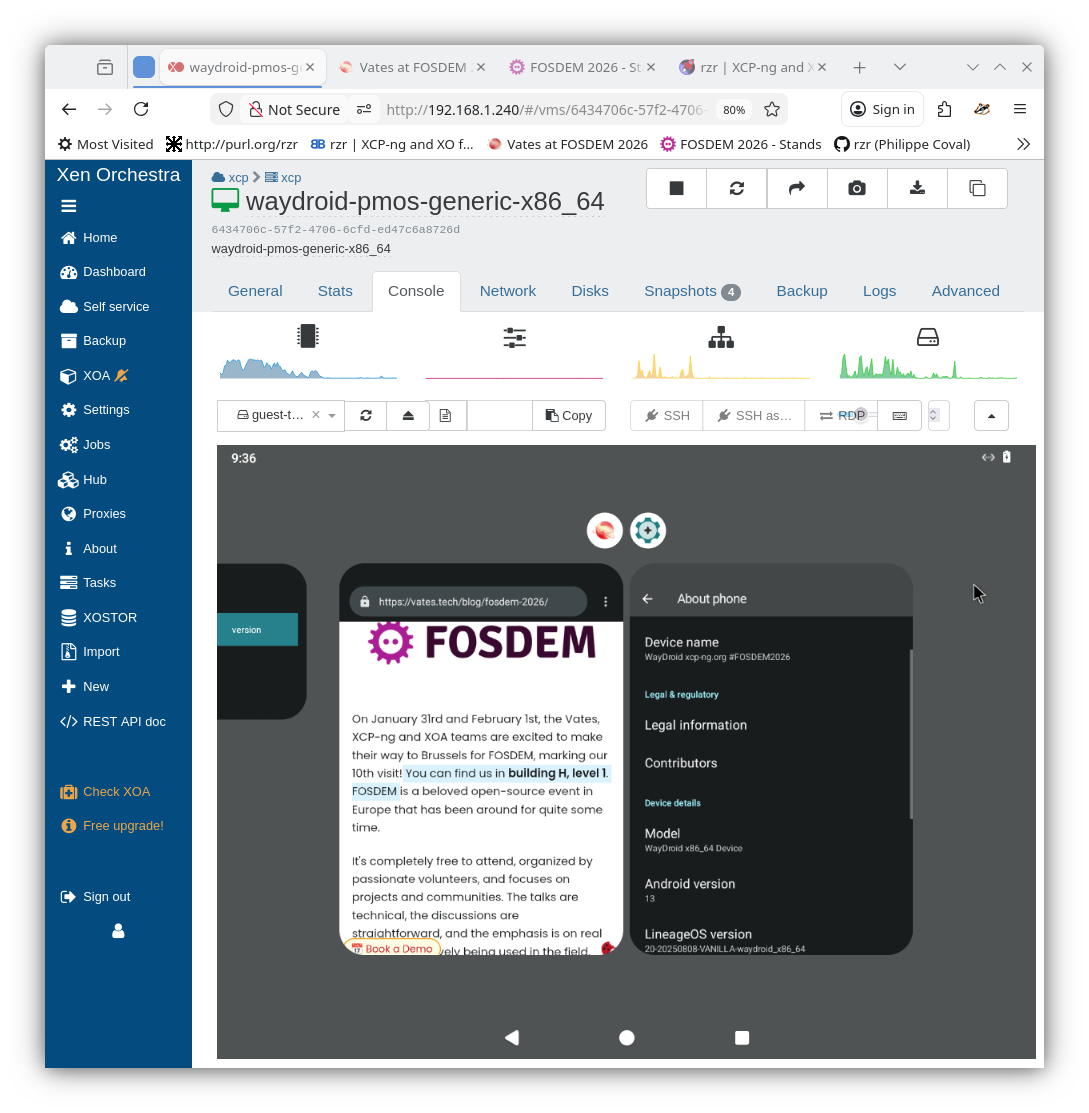
    Thank you every visitors and for those who did not had the chance to visit fosdem check this report: https://xcp-ng.org/blog/2026/02/19/fosdem-2026-follow-up/ [image: vates-xcp-ng-at-fosdem-2026-1.webp] One question, I promised to forward to the forum, how many VM are you running on XCP-ng ? Dozen, hundreds, thousands or more ?
  • XCP-NG running the virtualization into a VM.

    4
    0 Votes
    4 Posts
    418 Views
    olivierlambertO
    If I remember some previous discussions, EVE-ng uses some features that doesn't work in nested mode with Xen.
  • XCP-ng Center 25.04 Released

    25
    7 Votes
    25 Posts
    33k Views
    M
    @uberiain at this point, when I am uninstall the old XCP-ng center software, and install the new msi, I just realized the xcp-ng keeps the settings file in Roaming folder. (C:\Users\user\AppData\Roaming\XCP-ng) When I deleted it I could re-register the servers.
  • IPv6 support in XCP-ng for the management interface - feedback wanted

    65
    6 Votes
    65 Posts
    40k Views
    B
    @psafont Sounds good on point #1. On point #2 I agree LLA shouldn't be the primary management IPv6 address on the interface, but you could run into trouble by not having a LLA address assigned at all. All of the IPv6 standards assume a LLA is assigned to an interface running IPv6 for things like NDP or RA to work ergo mysterious things could break as a result of an LLA address not being assigned. Just spitballing here, but if you're concerned that only an LLA would be assigned to an interface then perhaps there could be logic to disable IPv6 for said management interface if no non-LLA address is assigned, or IPv4 could be preferred if only LLA addresses as assigned?
  • Citrix Releases New XenServer SDK 25.30.0 - 15-Sep-2025

    1
    0 Votes
    1 Posts
    699 Views
    No one has replied
  • XCP-ng 8.2 updates announcements and testing

    Moved
    717
    2 Votes
    717 Posts
    2m Views
    gduperreyG
    XCP-ng 8.2 has just reached its end of life, but the adventure continues with XCP-ng 8.3 (and other versions to come). You can read the communication on this point on our blog: https://xcp-ng.org/blog/2025/09/16/xcp-ng-8-2-lts-reached-its-end-of-life/ To continue benefiting from updates and developments, we invite you, if you haven't already done so, to upgrade your systems to XCP-ng 8.3. A relevant thread has been around for quite some time if you want to participate in early testing of the updates: https://xcp-ng.org/forum/topic/9964/xcp-ng-8-3-updates-announcements-and-testing/
  • USB + GPU pass-though issue

    11
    0 Votes
    11 Posts
    2k Views
    olivierlambertO
    Yes, the old method should work
  • XSA-468: multiple Windows PV driver vulnerabilities - update now!

    65
    3 Votes
    65 Posts
    20k Views
    G
    @TrapoSAMA All of mine are 2022, but saw this in previous driver versions with 2025. Low priority on this so I haven't fixed it yet.
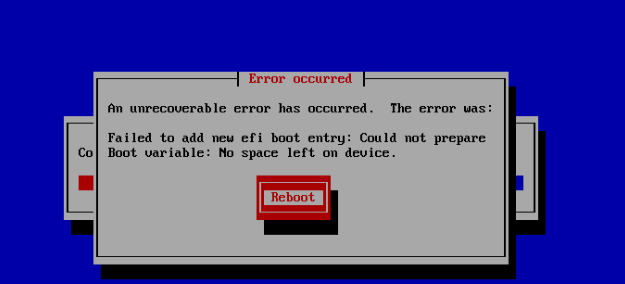
  • Fail to add new efi boot entry. No space left on device

    7
    1
    0 Votes
    7 Posts
    2k Views
    M
    @dinhngtu Thanks and good point. After my previous post I did stumble across some info (can't find the links) that suggested something similar. If I'm remembering correctly, the basic idea was the flash/NVRAM memory on the motherboard, which stores boot entries, is limited. If it's full, it's possible / may be necessary to do some cleanup using the bios itself or utilities available for Linux (efibootmgr) and Windows (bcdedit). I've not tried this myself as our install is working properly, but perhaps that can help someone else in the event they stumble across this particular issue.
  • Live migration from VMware not working, only when I power off the VM

    3
    0 Votes
    3 Posts
    947 Views
    M
    @Danp Oh thanks, that makes sense, though I am not sure how I got it to work in the POC... Cold migration will be fine for the time being anyway
  • LargeBlockSR for 4KiB blocksize disks

    15
    5 Votes
    15 Posts
    4k Views
    dthenotD
    @yllar Maybe it was because of the loopdevice not being completely created indeed. No error for this GC run. Everything should be ok then
  • Need support with Citrix server 6.1

    7
    2
    0 Votes
    7 Posts
    1k Views
    D
    @MW6 You've lost two disks in a single array, you're data is lost. Time to restore from backup.
  • Bringing modern virtualization in the Arm-powered Datacenter

    18
    3 Votes
    18 Posts
    6k Views
    G
    @olivierlambert The only place running XCP-ng on things like an RK3588 make sense is for home lab stuff, I probably wouldn't even build work lab stuff on these. Never enough ram (so far) and limited cores, plus almost everything will need to be running in virtual processor architecture. All that said, it might be neat to simulate these ARM processors in x86 so that we could create a VM of the Pi, etc.
  • Export VM with ova format from XOA to VMware

    4
    1
    0 Votes
    4 Posts
    1k Views
    olivierlambertO
    On the VMware side, it's possible VMware doesn't set the right mode, so try to boot in BIOS or UEFI to see if it boots.
  • EOL: XCP-ng Center has come to an end (New Maintainer!)

    Locked
    98
    1
    11 Votes
    98 Posts
    66k Views
    borzelB
    As this thread is no longer used to write about its original subject, i close it. Please open new threads for your questions or discussions.