XCP-ng
    • Categories
    • Recent
    • Tags
    • Popular
    • Users
    • Groups
    • Register
    • Login
    • Profile
    • Following 0
    • Followers 1
    • Topics 15
    • Shares 0
    • Posts 259
    • Groups 0
    G Offline
    1. Home
    2. Greg_E

    Greg_E

    @Greg_E

    70
    Reputation
    32
    Profile views
    259
    Posts
    1
    Followers
    0
    Following
    Joined
    Last Online

    Greg_E Unfollow Follow
    • RE: XCP-ng 8.3 updates announcements and testing

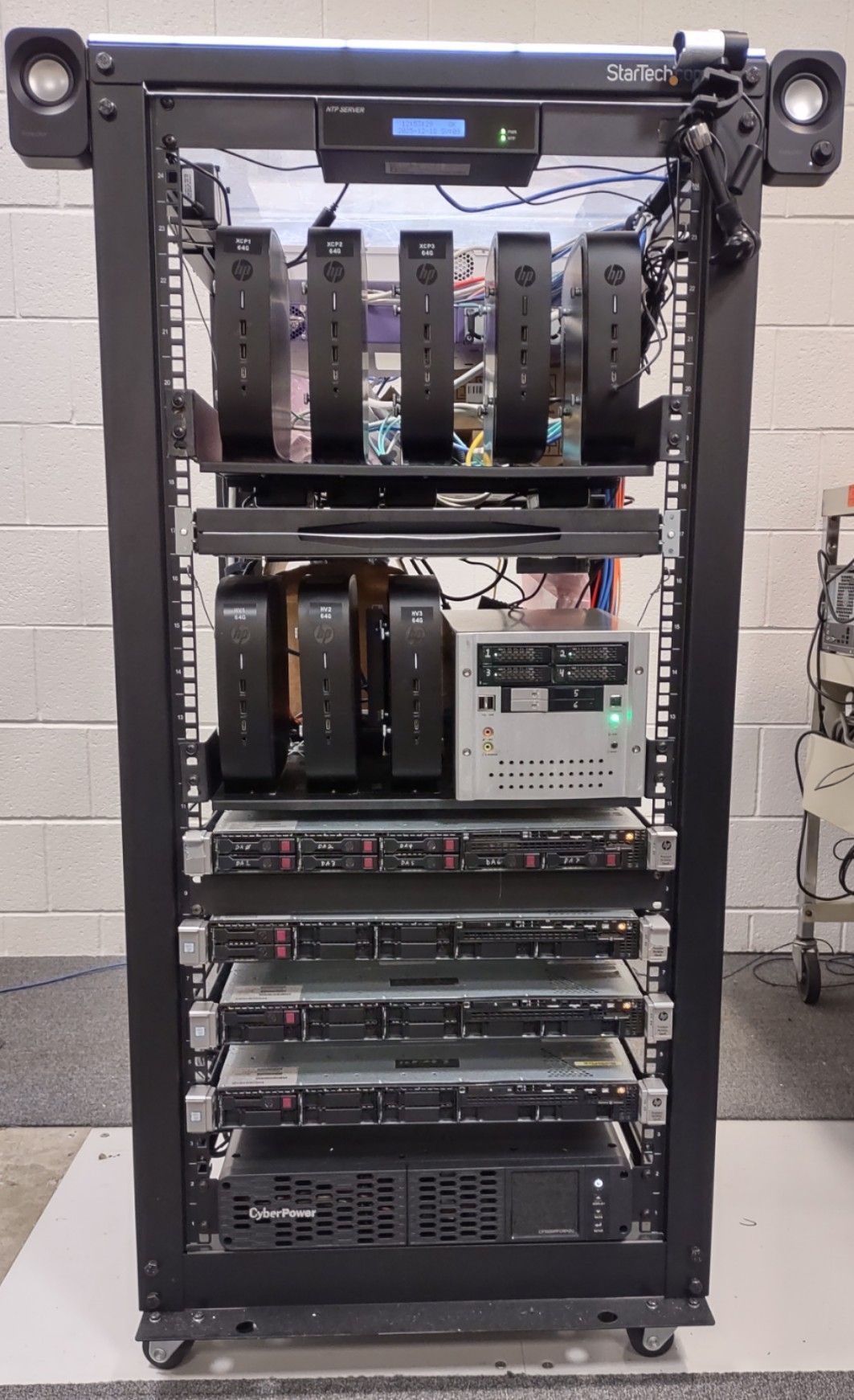
      I finally got my lab updated and the two vms started, so far so good. Stats data is present, the first time I've seen any of my hosts pull 100% CPU. Hosts are little HP T740 thin clients with AMD V1756B processors and 64GB of ram, in a 3 host pool.

      Sorry I can't bring more detail, not really doing work on my XCP lab right now, and lots of shake up around tech. space at work.

      posted in News
      G
      Greg_E
    • Starting over - fresh build with XO Lite.

      I decided to burn my lab down because of some trouble and wanted to start fresh to isolate any problems I may have created in the past. Wiped the disks, built a new NFS share ready for work, installed the XCP-ng OS and configured networking for the management interface on the local machines, all normal stuff. Went back to my desk and logged into XO Lite on each machine, using console --> xsconsole I was able to get all the hosts into a pool, and add an ISO and NFS SR, all seemed to work.

      Went to the New VM to create a simple Debian vm on which I intended to host XO-CE from sources. Typed the info in, chose the Debian image from my ISO SR, the rest of the config as normal. Uncheck the boot after creation box, and create.

      Click on the VM to bring the console up, then click power on... UEFI loader comes up, and ... Can't find the boot disk. Tried another iso that I knew was capable of EFI boot, same.

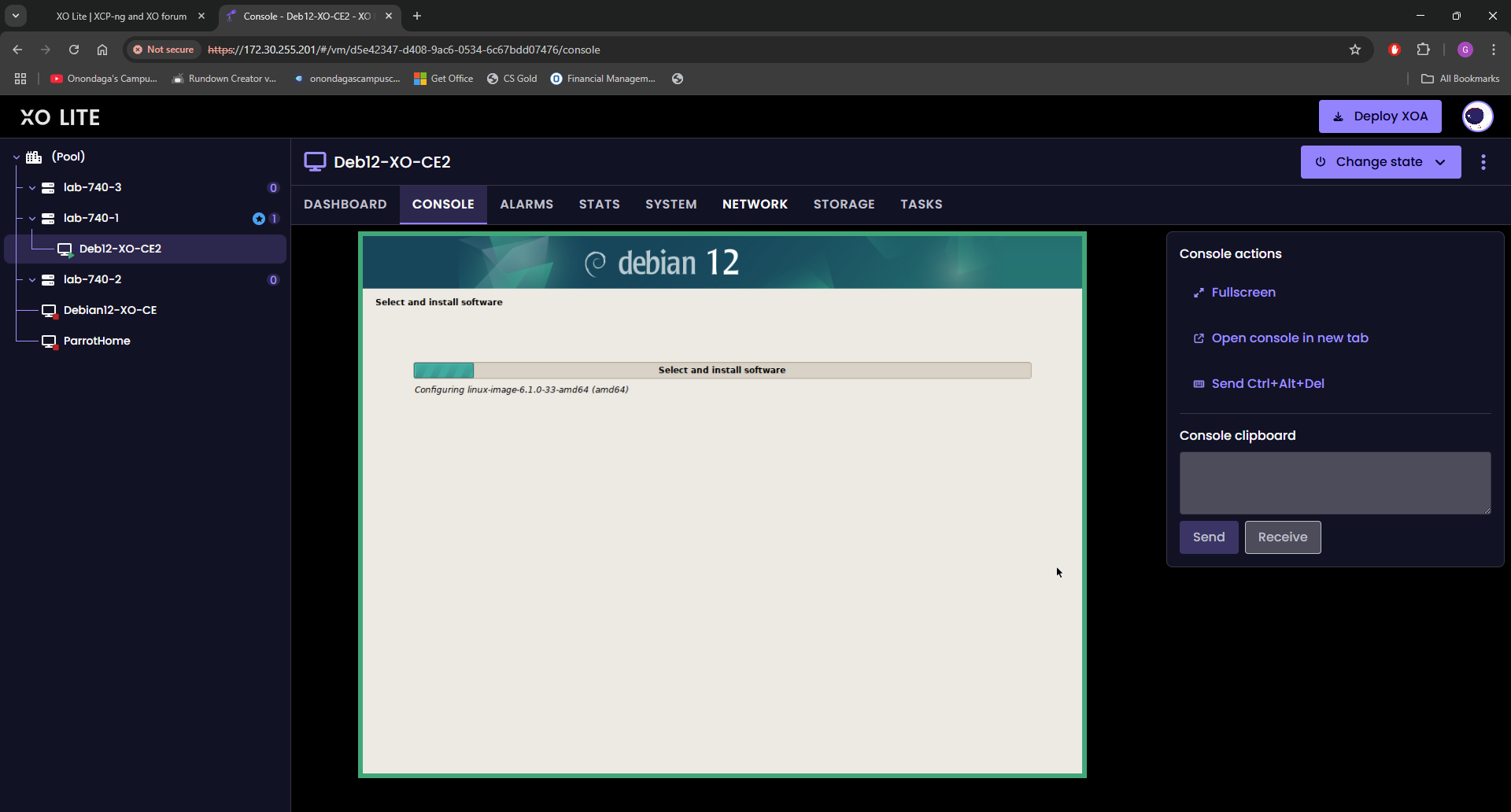
      Realized I was trying to start in EFI, made a new one in BIOS mode, this one worked but now my screen shots are messed up so I'll probably have to go through and delete stuff with a different XO and go back to grabbing images of the process to write up "for the next guy".

      Other than this small issue, it's working and doing it all from XO Lite. Yes still a bunch of missing features, but I know you are working on this. I just wanted to try things this way on this fresh build and see what I could get done from local console and XO Lite.

      Login - XO Lite - Google Chrome 4_18_2025 2_29_20 PM.png

      posted in XO Lite
      G
      Greg_E
    • RE: Low end devices , share your experiences

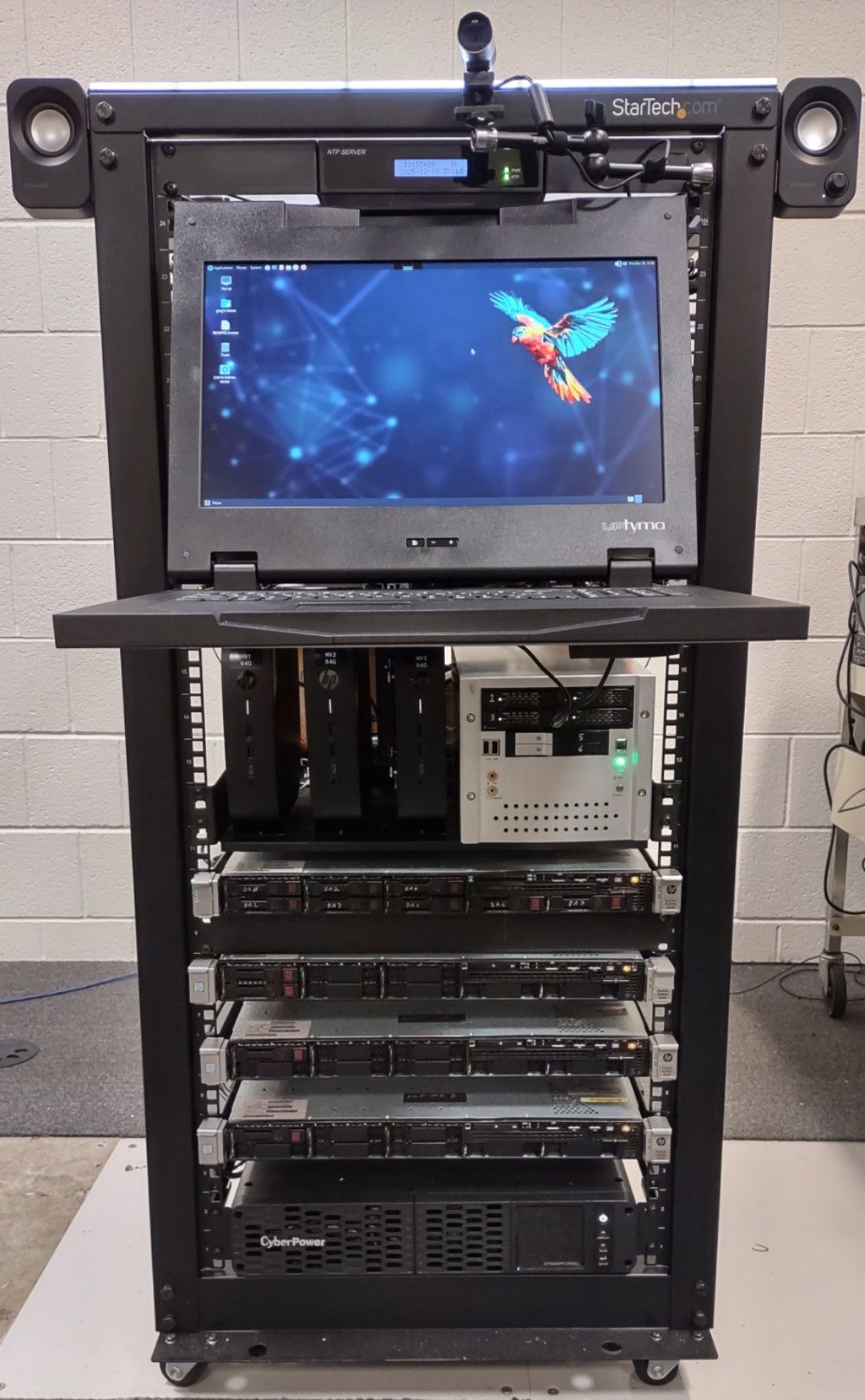
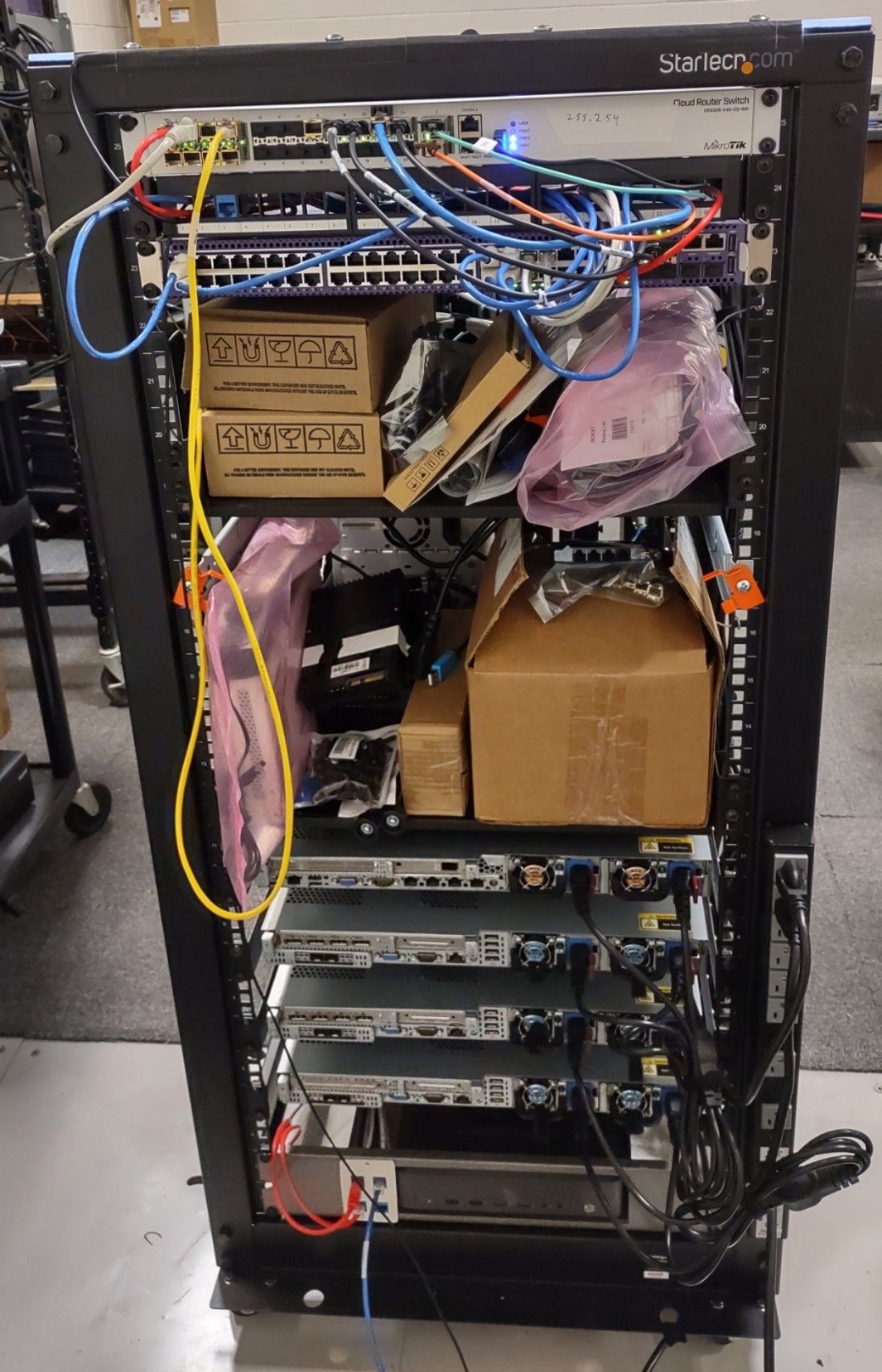
      HP T740 with 64g of ram, 256g sata for OS, optional nvme for faster storage, optional 10gbe networking through low profile card. Works great for my lab.

      lab1.jpg
      lab2.jpg
      lab3.jpg

      Ran vSphere8 on three of them, running Harvester on 3 of them now. XCP-ng and vSphere8 work great, Harvester is a bit more resource hungry. Only the bottom three have nvme and currently have Harvester 1.7.0 running while I try to find time to learn more about this system.

      posted in Share your setup!
      G
      Greg_E
    • RE: XCP-ng 8.3 updates announcements and testing

      My production pool upgraded fine as far as I can tell, but not so good with the windows drivers, I'll make a thread on the drivers.

      posted in News
      G
      Greg_E
    • RE: XCP-ng 8.3 updates announcements and testing

      @gduperrey

      Nothing really to add, my 3 host Intel production pool updated just fine. The load balancer is always a little weird, but I'm sure it is calculated based on CPU and RAM assigned to each VM, where I split things up based on workload.

      It's a small system, and the real workload is handled by 3 Windows VMs so I tend to split them up onto one of the three hosts.

      I may get to my lab in the next couple of days, but it isn't doing work so testing is kind of pointless right now. The only thing "doing work" is a VM with XO from sources.

      posted in News
      G
      Greg_E
    • RE: XCP-ng 8.3 updates announcements and testing

      Did my 3 host production pool, only glitches were a few users that were logging in right as vms were migrating. Had a compressed day and had to just Yolo this morning instead of waiting until slower times. Getting paranoid about exploits, and it was Windows patch day too, so just jammed a bunch of stuff together this morning.

      posted in News
      G
      Greg_E
    • RE: XCP-ng 8.3 updates announcements and testing

      Did my production this morning... Not a smooth upgrade this time.

      The master took so long that the process timed out, I can't tell too much more because I was doing other work and was doing this remotely.

      I handled the next host manually, and that took so much time I gathered my hearing protection and went over to the rack. It was stuck in a reboot phase but hadn't shut down for about 20 minutes. Held my finger on the power button. booted back up with a couple reboots in the process and it finally was ready.

      Moved the VMs off the third host, manually triggered the update, and sat and watched looking at the VGA output to see what was happening. The reboot phase saw the XCP-ng animation progress all the way to an empty bar, but sat there another 5-10 minutes until I again held my finger on the power button to shut it off. Power up and after a bit of time it was ready again. All in all, updating three hosts took me around 2 hours today.

      Here's the one condition that I think could contribute to this issue:

      I have two NAS normally connected, an ISO and NFS connection on each. One of the servers is powered down for construction, but I did not disconnect it from the hosts. Could this severed connection be the reason why my updates took so long, something around not being able to purge or drain the state before the reboot?

      I've disconnected those SR from the hosts, and I'll probably do a rolling pool reboot later today or next week and see if things go better.

      And all that said, my XO sources is not happy with this update. XO6 isn't grabbing the data so dashboards are blank or take a long time with spinning wheels gathering the data. XO5 is immediate. One of my XO sources updated this morning, the other was yesterday so they should be pretty close to current.
      posted in News
      G
      Greg_E
    • RE: What should i expect from VM migration performance from Xen-ng ?

      @nikade

      BTW, the ram increase made zero difference in the VDI migration times.

      I may still change the ram for each host in production, but I only have like 12 VMs right now and probably not many more to create in my little system. Might be useful if I ever get down to a single host because of a catastrophe. Currently running what it chose for default at 7.41 MiB, roughly doubled that in my lab to see what might happen.

      Just got my VMware lab started so all this other stuff is going to back burner for a while. I will say I like the basic ESXi interface that they give you, I can see why smaller systems may not bother buying VCenter. I hope XO-lite gives us the same amount of function when it gets done (or more).

      posted in Advanced features
      G
      Greg_E
    • RE: Migrate windows from Xeon Silver to older Xeon or AMD?

      @olivierlambert

      I was looking for a way to mark this solved, can't find it.

      I haven't moved things, but after migrating my big lab to my mini-lab, I'm confident that the warm migration is the way to go. It was fast and seamless as long as you have the right network adapters set up. I had to fool with one of my networks to make a VM function, but that was certainly something I overlooked while setting up the mini-lab. A little testing before moving the VMs should make this go easily if using the old servers is the option for this project.

      posted in XCP-ng
      G
      Greg_E
    • RE: random backups failing

      OK, marking this solved... It was the phantom reboots causing issues because the tools were not fully installed, only thing I can't understand is why only 2 out of 3 Windows servers would quit. Any way, got the Xen Tools updated and a couple reboots later, everything is working again.

      Also I can now report that a bug that was fixed maybe a year ago is confirmed to work in my system. The bug was backing up a Windows VM that had a lot of empty space in the drive (over 250GB free) and turning on compression. It would time out counting zeros because it thought the process wasn't doing work. Both of these VMs are now compressing with zstd, one of them is substantially smaller now, the other only shrunk about 20GB.

      Because of the way Windows uses the drive, these are all full backups. The differential never seemed to be small because Windows does a lot of changes on the drive (there is a post about this somewhere in here from Olivier).

      posted in Backup
      G
      Greg_E
    • RE: New project - XenAdminQt - a cross-platform GNU/Linux, macOS, Windows native thick client

      @benapetr

      RasPi you say? Hmmmm.... I have both a ClockworkPi Devterm and uConsole , both with a Pi CM4. The Devterm has a better keyboard, so it generally lives in my tech. bag, I'll need to look into this when I get some time.

      posted in News
      G
      Greg_E
    • RE: 🛰️ XO 6: dedicated thread for all your feedback!

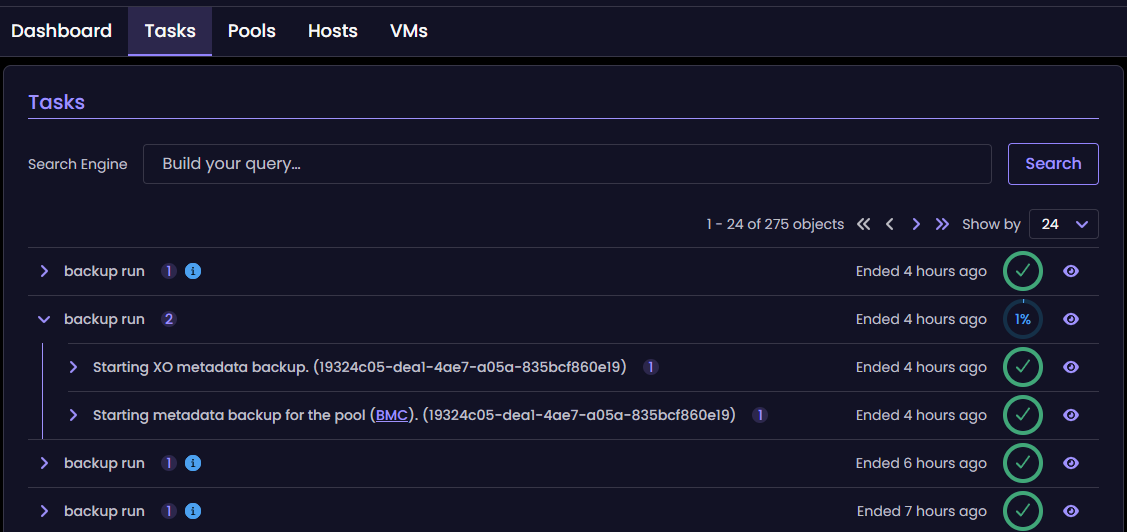
      I've noticed something that's confusing. In the Tasks tab one of my backup jobs suggests that it is only 1% done, when you expand that task then you can see that both parts are complete. Image for reference:

      XO6backup.png

      I'm guessing that if I nested other jobs, they would also display like this. I don't nest any other jobs because I want to make sure one finishes before another starts, and I don't have many VMs that I'm backing up (I don't have many VMs total).

      I'd request that if all nested jobs were complete, we get a full circle with 100% or just another green check mark.

      posted in Xen Orchestra
      G
      Greg_E
    • RE: XCP-ng 8.3 updates announcements and testing

      Did my 3 host production pool, only glitches were a few users that were logging in right as vms were migrating. Had a compressed day and had to just Yolo this morning instead of waiting until slower times. Getting paranoid about exploits, and it was Windows patch day too, so just jammed a bunch of stuff together this morning.

      posted in News
      G
      Greg_E
    • RE: 🛰️ XO 6: dedicated thread for all your feedback!

      @john.c

      Uggg... I just updated yesterday so I better check to see if I need to upgrade again today. Starting to hate AI, and I'm guessing the developers are the same.

      That said, not exposed to the internet.

      [edit] regarding moving the backup, it was nice to have a front page single click to see the checkmarks on the jobs. Now it's two clicks. I'll adjust my morning routine.

      posted in Xen Orchestra
      G
      Greg_E
    • RE: 🛰️ XO 6: dedicated thread for all your feedback!

      @coolsport00

      Not spinning, but the backups tab is gone, It was really only good to see the green check marks or red x, but gone as of the update I did about 24 hours.

      posted in Xen Orchestra
      G
      Greg_E
    • RE: XCP-ng 8.3 updates announcements and testing

      @acebmxer
      I did mine tonight over a remote connection, only took about 20 minutes total for all three hosts. If it's taking much longer then there might be something to look at.

      I also used the slow externally connected XO sources box, which is pretty common for me when doing updates, that way the XO can't "get lost" as it migrates around the system. The external XO only has a gigabit connection, an old HP T630 with either 4gb or maybe 8gb of ram. That device has been in use since my first lab over 5 years ago, and still seems valuable.

      posted in News
      G
      Greg_E
    • RE: XCP-ng 8.3 updates announcements and testing

      @acebmxer

      I will recommend a local monitor you can attach during RPU to make sure you can see what's happening. You can also go into the IPMI console and watch.

      I'm old school, I still have a KVM switch on my stuff and used it during a recent move from temporary building back to permanent home. XCP2 didn't start up as expected and I had some fooling around to do. The KVM is often quicker than the IPMI option for me.

      Probably going to do this update in the afternoon when things slow down a little, didn't realize we had more high priority bugs to fix. Damn AI! Have a firewall update I need to get done, and need to check Windows for the Paint update (yes paint has an exploit).

      posted in News
      G
      Greg_E
    • RE: XCP-ng 8.3 updates announcements and testing

      Ok, so what's the scoop here? Safe to roll this out or wait a few days? I just saw the notice in my XO that there are updates and I don't want to wreck my system right now after fixing a few other "issues".

      [edit] I see this is just the certificate update so pushing it out and listening to servers reboot.

      posted in News
      G
      Greg_E
    • RE: random backups failing

      OK, marking this solved... It was the phantom reboots causing issues because the tools were not fully installed, only thing I can't understand is why only 2 out of 3 Windows servers would quit. Any way, got the Xen Tools updated and a couple reboots later, everything is working again.

      Also I can now report that a bug that was fixed maybe a year ago is confirmed to work in my system. The bug was backing up a Windows VM that had a lot of empty space in the drive (over 250GB free) and turning on compression. It would time out counting zeros because it thought the process wasn't doing work. Both of these VMs are now compressing with zstd, one of them is substantially smaller now, the other only shrunk about 20GB.

      Because of the way Windows uses the drive, these are all full backups. The differential never seemed to be small because Windows does a lot of changes on the drive (there is a post about this somewhere in here from Olivier).

      posted in Backup
      G
      Greg_E
    • RE: Future Architecture?

      The UEFI and possibly SecureBoot requirements on a lot of stuff and going to turn a lot of old systems into garbage.

      Also going to be an issue when more current stuff gets upgrade from 8.3 in BIOS mode to requiring UEFI for version 9. That's the boat I'm in for production.

      Alma and openSuse may be a few of the last holdouts allowing v2 and BIOS boot.

      posted in News
      G
      Greg_E