XCP-ng
    • Categories
    • Recent
    • Tags
    • Popular
    • Users
    • Groups
    • Register
    • Login

    IMPORTANT! Some of your VMs are vulnerable.

    Scheduled Pinned Locked Moved Management
    5 Posts 3 Posters 67 Views 3 Watching
    Loading More Posts
    • Oldest to Newest
    • Newest to Oldest
    • Most Votes
    Reply
    • Reply as topic
    Log in to reply
    This topic has been deleted. Only users with topic management privileges can see it.
    • M Offline
      McHenry
      last edited by

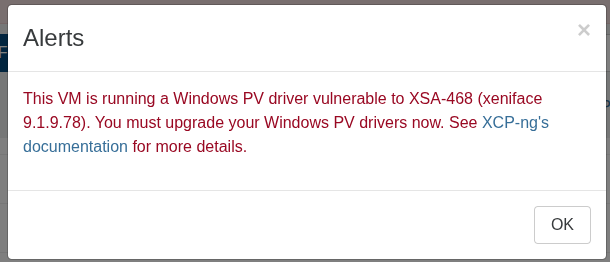
      I am seeing this error on all VMs on a host.
      96981f62-9efe-4c25-ab6f-c65616089183-image.png

      https://docs.xcp-ng.org/vms/#xsa-468-multiple-windows-pv-driver-vulnerabilities

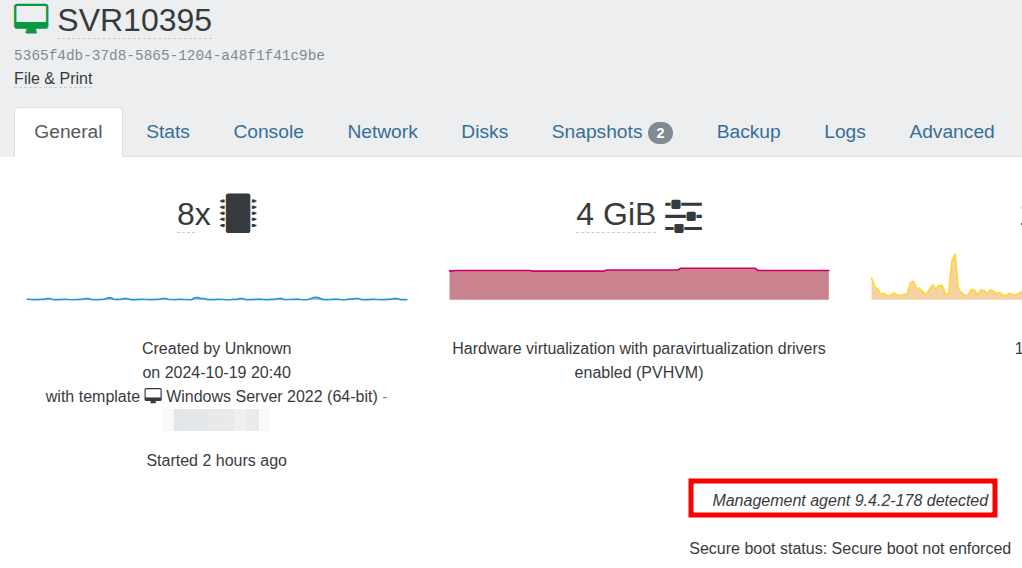
      I have checked the Xen Tools and the latest version is installed.
      d712e614-47e9-4765-b665-b88322f5fbaa-image.png

      https://www.xenserver.com/downloads
      e0effb7e-a93e-4d91-8f5e-0494ea3323ee-image.png

      D 1 Reply Last reply Reply Quote 0
      • olivierlambertO Offline
        olivierlambert Vates 🪐 Co-Founder CEO
        last edited by

        Interesting, let me ping @team-xo-frontend

        1 Reply Last reply Reply Quote 0
        • D Offline
          dinhngtu Vates 🪐 XCP-ng Team @McHenry
          last edited by dinhngtu

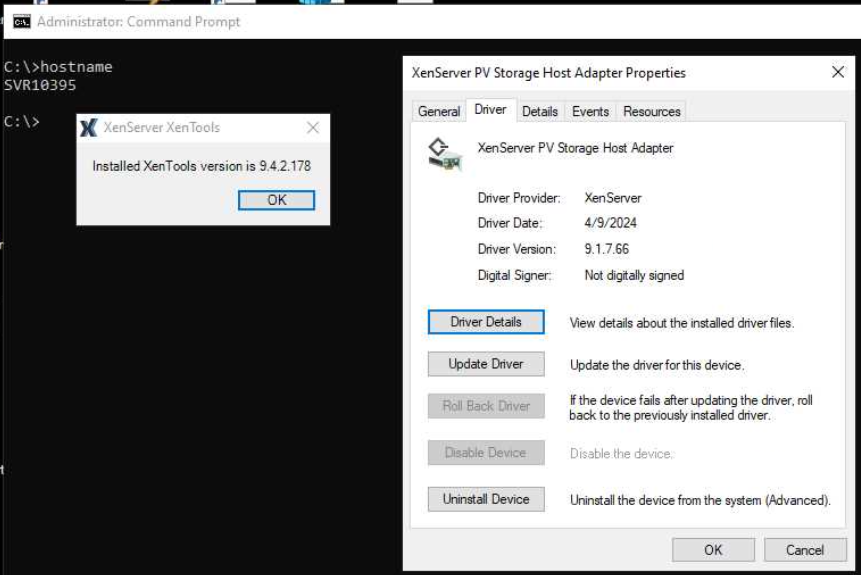
          @McHenry I think the detection is accurate in your case. Have you checked the driver versions in Device Manager? See https://docs.xcp-ng.org/troubleshooting/windows-pv-tools/#xenserver-vm-tools-not-upgrading-drivers-after-installation

          M 1 Reply Last reply Reply Quote 0
          • M Offline
            McHenry @dinhngtu
            last edited by

            @dinhngtu

            9043c507-7ed0-42f5-93a7-bcd44aece375-image.png

            So I need to reinstall and not check the option for Manage via Windows Update?

            D 1 Reply Last reply Reply Quote 0
            • D Offline
              dinhngtu Vates 🪐 XCP-ng Team @McHenry
              last edited by

              @McHenry Turning off the Manage via Windows update first + tools uninstall + reinstall should take care of it.

              1 Reply Last reply Reply Quote 0
              • First post
                Last post