Intel Core Ultra iGPU passthrough




-
Hi everybody,
First of all I would like to thank all the contributors for the hard effort put into building and maintaining this project and for the vast amount of support that this forum has been giving!
Specs:
DELL Tower
CPU: Intel Core Ultra 5 235
XCP-ng 8.3I have been trying to passthrough the iGPU to a VM running Debian 13 but keep getting errors.
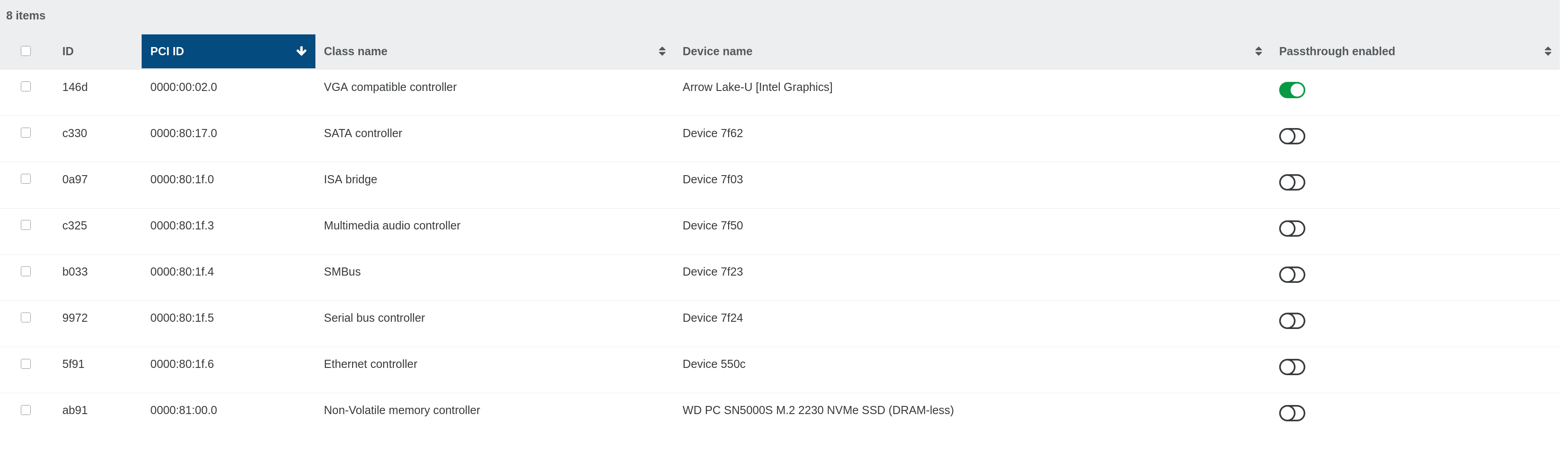
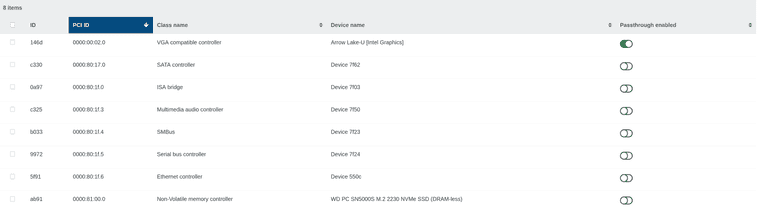
I have successfully passed older intel iGPUs and have always worked perfectly.PCI pass through enabled:
I don't know if this is normal but if I attach the GPU using xcp-ng center it shows up in XOA:

But not as a pci device:

Regardless, I have also attached as pci:
Halted VM:

Running VM:

Upon boot console gets filled:
[   24.283971] i915 0000:00:08.0: [drm] *ERROR* GT1: GSC proxy component didn't bind within the expected timeout
[   24.283993] i915 0000:00:08.0: [drm] *ERROR* GT1: GSC proxy handler failed to init
[   48.271474] i915 0000:00:08.0: [drm] *ERROR* GT0: GUC: TLB invalidation response timed out for seqno 60
[   50.282144] i915 0000:00:08.0: [drm] *ERROR* GT0: GUC: TLB invalidation response timed out for seqno 61
[   52.294046] i915 0000:00:08.0: [drm] *ERROR* GT1: GUC: TLB invalidation response timed out for seqno 41
[   54.306843] i915 0000:00:08.0: [drm] *ERROR* GT1: GUC: TLB invalidation response timed out for seqno 42
lspci detects the gpu, but it's not usable.
Also tried changing to XE drivers instead of i915 and didn't help.
Because I don't know enough to diagnose this, I tried asking AI which prompted me to perform "xen-pciback.hide" for the Intel Management Engine (ME) and still didn't help.
Also tried with Ubuntu 25.10.Has anyone been able to pass through a similar iGPU?
Sorry for the image spamming.
Thank you.
-
I'm not sure Intel iGPU passthrough can work. Let me ping @teddyastie maybe
-
Do you get anything special written to
xl dmesgin Dom0 ? -
I don't think so, it seems IOMMU is enabled:
(XEN) [ 0.183949] Intel VT-d iommu 0 supported page sizes: 4kB, 2MB, 1GB
(XEN) [ 0.191524] I/O virtualisation enabled
I'll leave the full log attached.
-
@antest can you retry after doing
/opt/xensource/libexec/xen-cmdline --set-xen iommu=debugthen rebooting.
And also reporting full DomU and Dom0 dmesg (in addition toxl dmesg) ? -
-
Kernel command line: BOOT_IMAGE=/boot/vmlinuz-6.12.57+deb13-amd64 root=UUID=d706ed91-c2dd-4c8f-92cb-d2a595e24fe4 ro quiet splash i915.force_probe=7d67 i915.enable_guc=3 i915.max_vfs=7
Try to remove the i915 options and rebuild grub then reboot. see if that errors regarding guc pops up again,
I don't see in modinfo i915 that value of enable_guc=3
parm: enable_guc:Enable GuC load for GuC submission and/or HuC load. Required functionality can be selected using bitmask values. (-1=auto [default], 0=disable, 1=GuC submission, 2=HuC load) (int)
-
@ovicz Tried it, didn't change.
But thanks anyway.
-
@antest can you try running the VM with only 1 vCPU ?
-
@TeddyAstie Sure thing:
-
@antest Hi
I notice in your domU dmesg:
[    2.425816] i915 0000:00:08.0: Invalid PCI ROM header signature: expecting 0xaa55, got 0x4556
[    2.425820] i915 0000:00:08.0: [drm] Failed to find VBIOS tables (VBT)
If you are on a non-production machine can you give this a try?
=> https://xcp-ng.org/forum/topic/12523/igpu-pci-passthrough-new-experimental-packages-need-testersThanks!
Yann -
@yannsionneau Hi,
I really appreciate the effort, but unfortunately I had to migrate to another hypervisor on this server and it's already away and running.
However, when I get a new one I will make sure to test this and report back.
Thanks anyway.


Hello! It looks like you're interested in this conversation, but you don't have an account yet.
Getting fed up of having to scroll through the same posts each visit? When you register for an account, you'll always come back to exactly where you were before, and choose to be notified of new replies (either via email, or push notification). You'll also be able to save bookmarks and upvote posts to show your appreciation to other community members.
With your input, this post could be even better 💗
Register Login