XCP-ng
    • Categories
    • Recent
    • Tags
    • Popular
    • Users
    • Groups
    • Register
    • Login

    too many VDI/VHD per VM, how to get rid of unused ones

    Scheduled Pinned Locked Moved Xen Orchestra
    43 Posts 3 Posters 15.9k Views 2 Watching
    Loading More Posts
    • Oldest to Newest
    • Newest to Oldest
    • Most Votes
    Reply
    • Reply as topic
    Log in to reply
    This topic has been deleted. Only users with topic management privileges can see it.
    • olivierlambertO Online
      olivierlambert Vates 🪐 Co-Founder CEO
      last edited by

      This would have been far easier if you used Xen Orchestra to see all those orphaned VDIs 🙂

      R 1 Reply Last reply Reply Quote 0
      • R Offline
        robert wild @olivierlambert
        last edited by

        @olivierlambert how do i do that, can i delete the orpahned vdi's from there aswell?

        1 Reply Last reply Reply Quote 0
        • olivierlambertO Online
          olivierlambert Vates 🪐 Co-Founder CEO
          last edited by

          Yes, you can.

          1. In SR view in XO, you have a filter "Orphaned VDI" you can select them all and remove them all at once
          2. In Dashboard/Health view, you have a recap on all potential VDI issues. You can also delete all VDIs needed there
          1 Reply Last reply Reply Quote 1
          • R Offline
            robert wild
            last edited by

            Olivier, you are awesome as i was going to do all this manually!!!!!!!!!!!!!!!!!

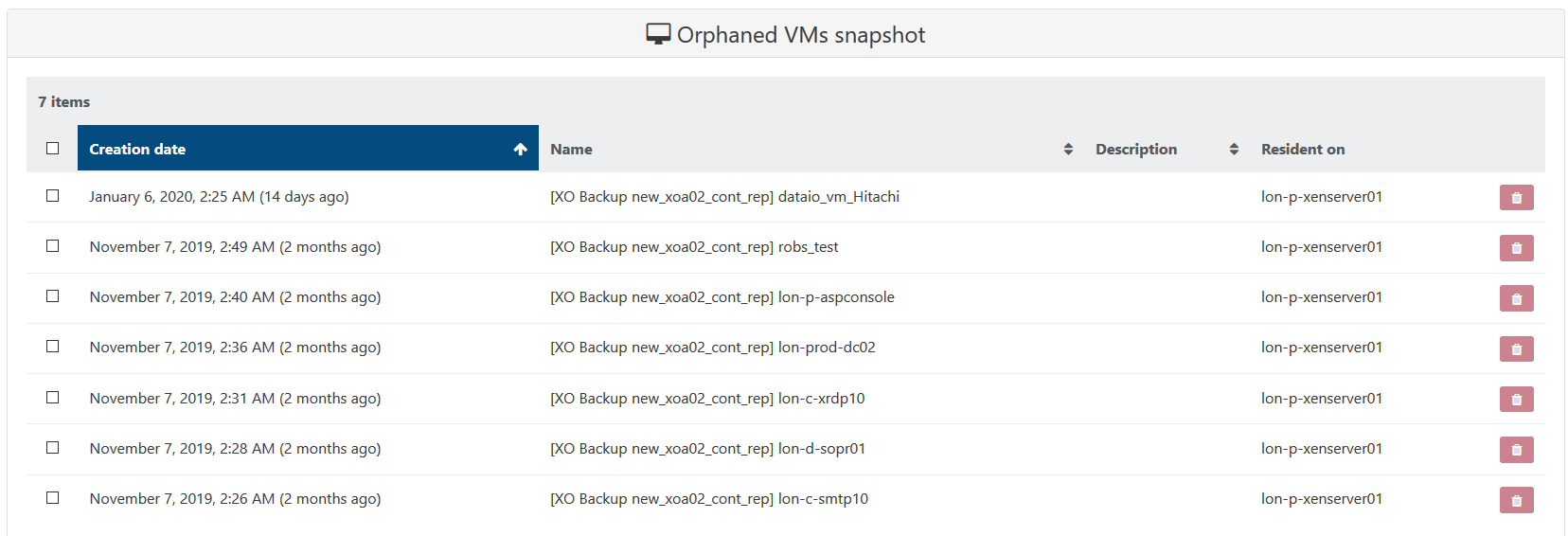
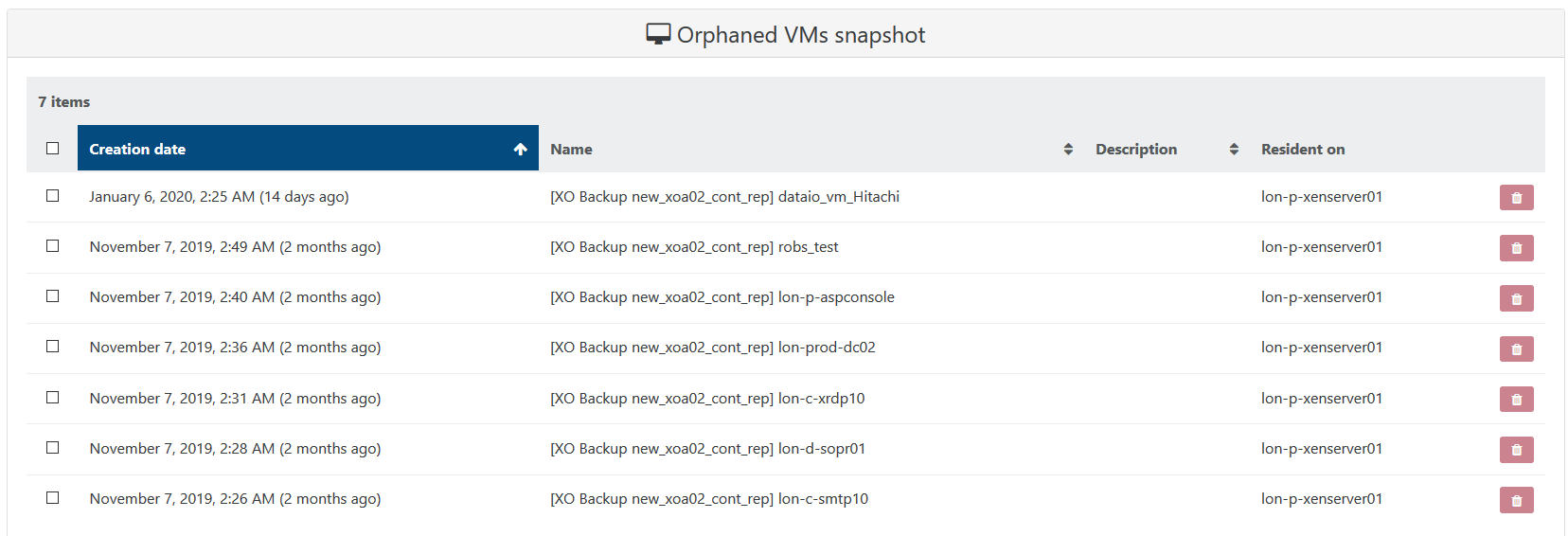
            so is it ok to delete all the "Orphaned snapshot VDIs" and "Orphaned VMs snapshot"
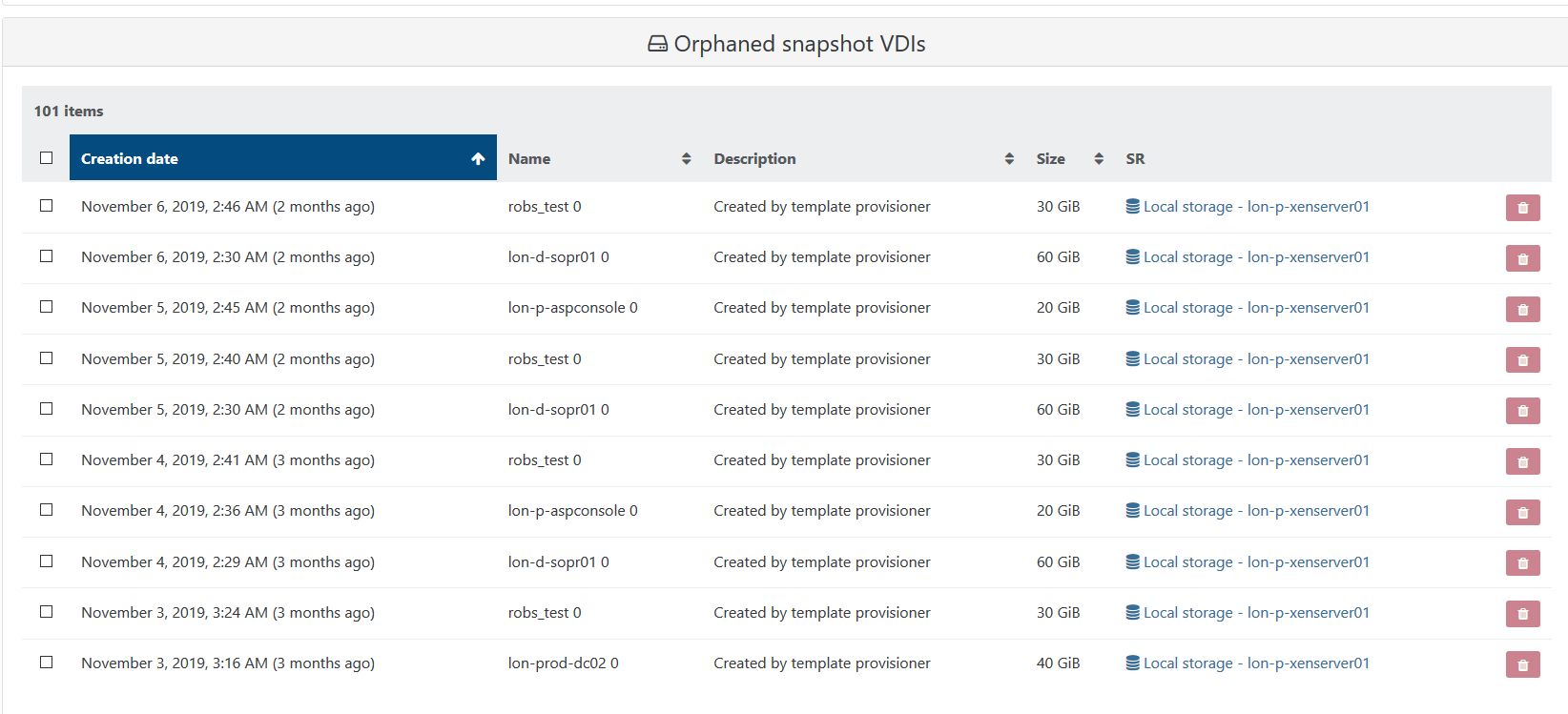
            orphaned_snaps.PNG

            orphaned_vms.PNG

            1 Reply Last reply Reply Quote 0
            • olivierlambertO Online
              olivierlambert Vates 🪐 Co-Founder CEO
              last edited by olivierlambert

              Yes, I would do that. It means all those VDIs aren't connected to any VM. So it's very likely (except if you did something on purpose) that those VDIs are useless.

              I think you get why Xen Orchestra is the de facto client for Citrix Hypervisor and XCP-ng 😉

              R 1 Reply Last reply Reply Quote 1
              • R Offline
                robert wild @olivierlambert
                last edited by

                @olivierlambert yes i can see now why XOA works really well with xen/xcp-ng

                1 Reply Last reply Reply Quote 0
                • R Offline
                  robert wild
                  last edited by

                  orphaned_vms.PNG

                  mmm.... its asking me for the orphaned vm snapshots if i really want to delete them

                  im guessing i do?!?

                  1 Reply Last reply Reply Quote 0
                  • olivierlambertO Online
                    olivierlambert Vates 🪐 Co-Founder CEO
                    last edited by

                    There's no reason to have orphaned VM snapshots 🙂

                    1 Reply Last reply Reply Quote 0
                    • R Offline
                      robert wild
                      last edited by

                      thanks Olivier!!!!!!

                      now my VDI's, i see i have multiple VDI's for my VMs

                      for example my "dataio vm"

                      i have a main vm running and i have a continious replication of the dataio vm

                      now can i delete any of them as i seem to be just racking up multiple VDI's of the same VM
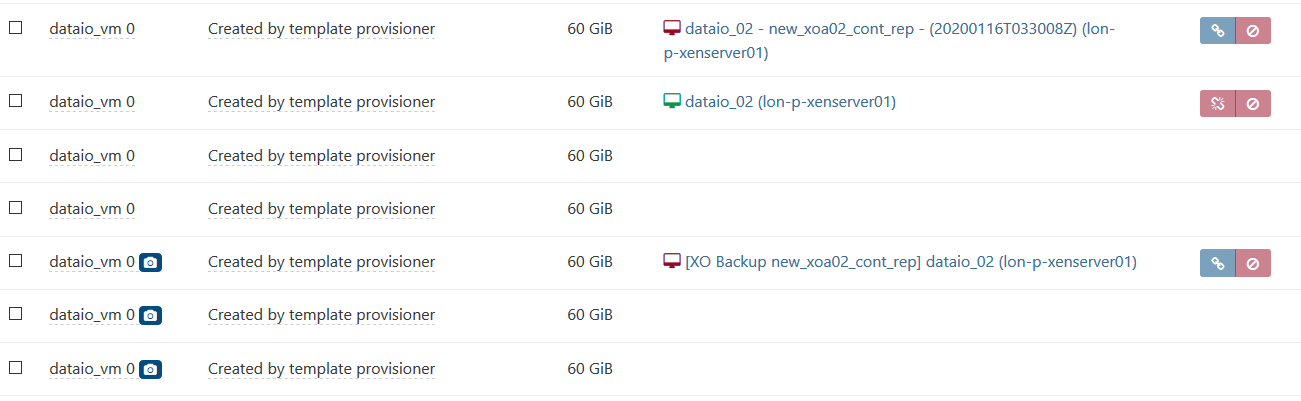
                      vdi_disks.PNG

                      vdi_xen.PNG

                      1 Reply Last reply Reply Quote 0
                      • olivierlambertO Online
                        olivierlambert Vates 🪐 Co-Founder CEO
                        last edited by

                        Continue to remove all orphaned VDIs 🙂

                        R 1 Reply Last reply Reply Quote 0
                        • R Offline
                          robert wild @olivierlambert
                          last edited by

                          @olivierlambert but I can't see any more orphaned vdis on XOA?

                          1 Reply Last reply Reply Quote 0
                          • olivierlambertO Online
                            olivierlambert Vates 🪐 Co-Founder CEO
                            last edited by

                            In the SR view, disk tab, bottom right, magnifying glass icon, select "Orphaned VDIs".

                            R 1 Reply Last reply Reply Quote 0
                            • R Offline
                              robert wild @olivierlambert
                              last edited by

                              @olivierlambert your amazing Olivier, so I imagine I can delete all the orphaned vdi's

                              1 Reply Last reply Reply Quote 0
                              • olivierlambertO Online
                                olivierlambert Vates 🪐 Co-Founder CEO
                                last edited by olivierlambert

                                Yes, as long as you don't have intentionally left a VDI connected to no VM whatsoever, you can remove all of them.

                                1 Reply Last reply Reply Quote 0
                                • R Offline
                                  robert wild
                                  last edited by

                                  im looking and i see no vms attached to the orphaned disks
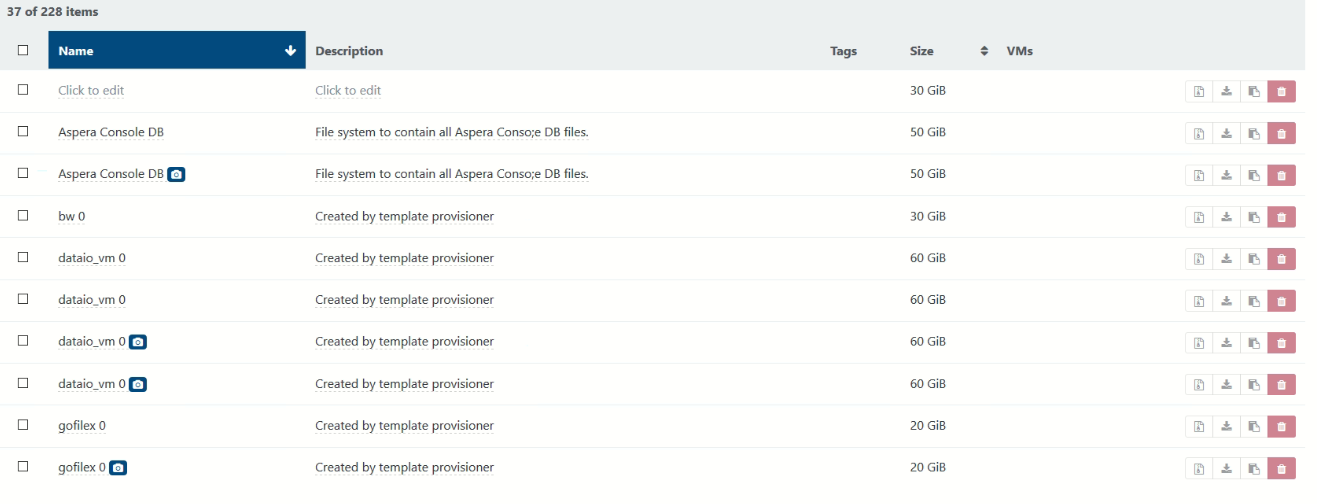
                                  orphaned_disks.PNG

                                  1 Reply Last reply Reply Quote 0
                                  • olivierlambertO Online
                                    olivierlambert Vates 🪐 Co-Founder CEO
                                    last edited by

                                    That's by definition why are they called "orphaned" 🙂 The question is: have you decided to disconnect some VDI of some VM by yourself or they just are here because they are leftover of some failed operations?

                                    I think that in your case, you can remove them all.

                                    1 Reply Last reply Reply Quote 0
                                    • R Offline
                                      robert wild
                                      last edited by

                                      thanks Olivier because when i change the magnifying glass to "type:!VDI-unmanaged" i see under the VMs the actual live vm name and the backup vm so i think its safe to delete all the orphaned ones

                                      1 Reply Last reply Reply Quote 0
                                      • olivierlambertO Online
                                        olivierlambert Vates 🪐 Co-Founder CEO
                                        last edited by

                                        Yes, VDIs connected to a VM are by definition not orphaned. You don't want to remove those.

                                        1 Reply Last reply Reply Quote 0
                                        • R Offline
                                          robert wild
                                          last edited by

                                          just out of interest when i change the magnifying glass to "type:VDI-unmanaged"

                                          it lists "base copy"

                                          what are they?

                                          1 Reply Last reply Reply Quote 0
                                          • olivierlambertO Online
                                            olivierlambert Vates 🪐 Co-Founder CEO
                                            last edited by

                                            They are the read only parent of a disk (when you do a snapshot, in fact it creates 3 disks: the base copy in read only, the new active disk and the snapshot).

                                            If you remove the snapshot, then a coalesce will appear, to merge the active disk within the base copy, and get back to the initial state: 1 disk only.

                                            1 Reply Last reply Reply Quote 0

                                            Hello! It looks like you're interested in this conversation, but you don't have an account yet.

                                            Getting fed up of having to scroll through the same posts each visit? When you register for an account, you'll always come back to exactly where you were before, and choose to be notified of new replies (either via email, or push notification). You'll also be able to save bookmarks and upvote posts to show your appreciation to other community members.

                                            With your input, this post could be even better 💗

                                            Register Login
                                            • First post
                                              Last post