Delta backup fails on SMB remote
-
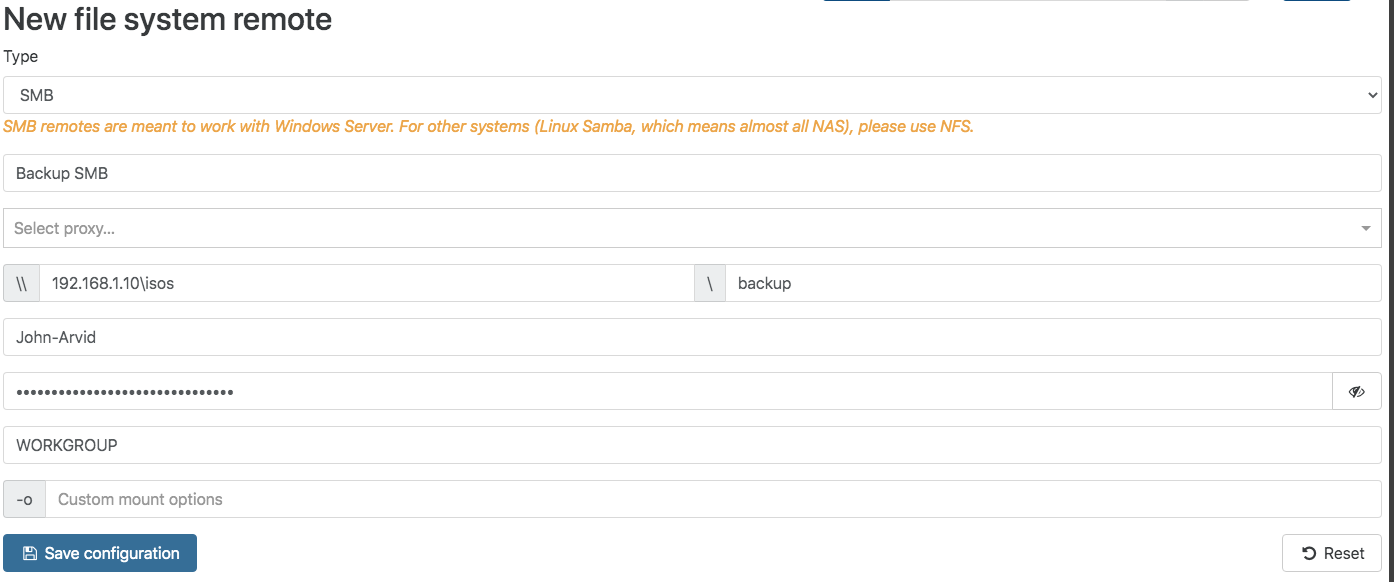
That's because delta is using temporary files named with a dot first. Maybe something causing a problem on your share?
-
@olivierlambert Hi, sorry for writing here but I didn't want to open a topic just out of curiosity/doubt.
I have been reading the backup documentation in XOA and it says that they don't advise backups with SMB if the VMs are bigger than 50GB. Why?
I have configured 2 different backups and I noticed that with SMB is much faster than with NFS... how is it possible? but in the end as you say that it is not recommended I have left the NFS.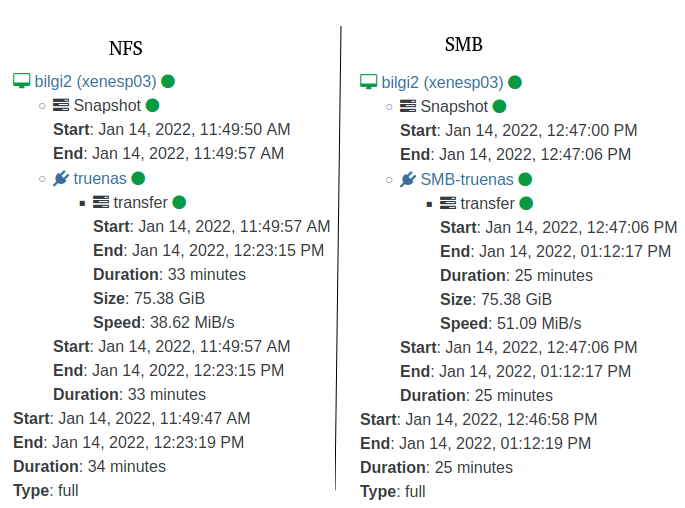
-
@vbits Hi,
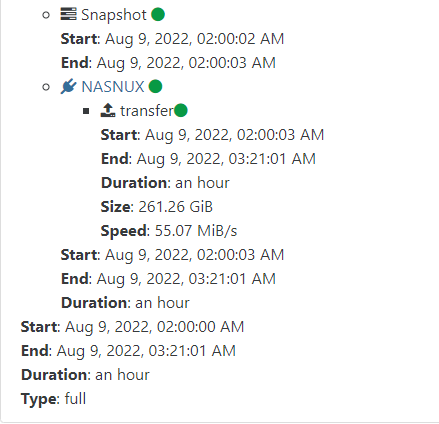
Mostly because NFS offer better speed than SMB with small and medium files, but depending on the storage type SMB can be necessary, for your test result difficult to say it's a full backup personally I have this kind of speed with NFS:
What's the appliance behind your remote? -
@Darkbeldin I did a lot of tests months ago, changed the NFS from 3 to 4.1 as well and never managed to match the speed of SMB.
"What's the appliance behind your remote?"
I'm sorry, but I don't understand the question...
you mean what kind of external Storage for backups? truenas on a NexentaStor SC216. -
@vbits said in Delta backup fails on SMB remote:
NexentaStor SC216
Yes that was the question
 If you have better speed with SMB stay with it NFS should be better in theory but sometime you have to go with real world reality.


Hello! It looks like you're interested in this conversation, but you don't have an account yet.
Getting fed up of having to scroll through the same posts each visit? When you register for an account, you'll always come back to exactly where you were before, and choose to be notified of new replies (either via email, or push notification). You'll also be able to save bookmarks and upvote posts to show your appreciation to other community members.
With your input, this post could be even better 💗
Register Login