1 core per socket (Invalid configuration)
-
I facing a "Invalid configuration" message in xcp-ng center when i deploy a vm with the following cpu settings:
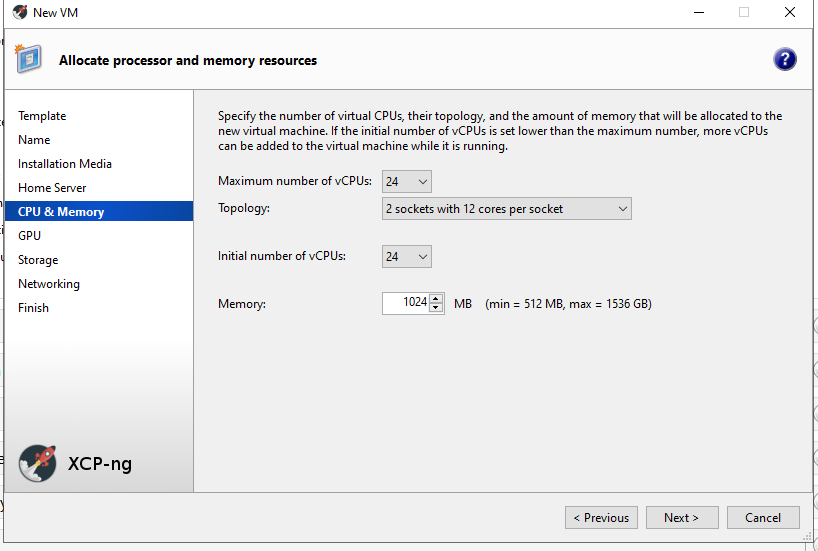
If the VM is down i got the following error in the properties section:
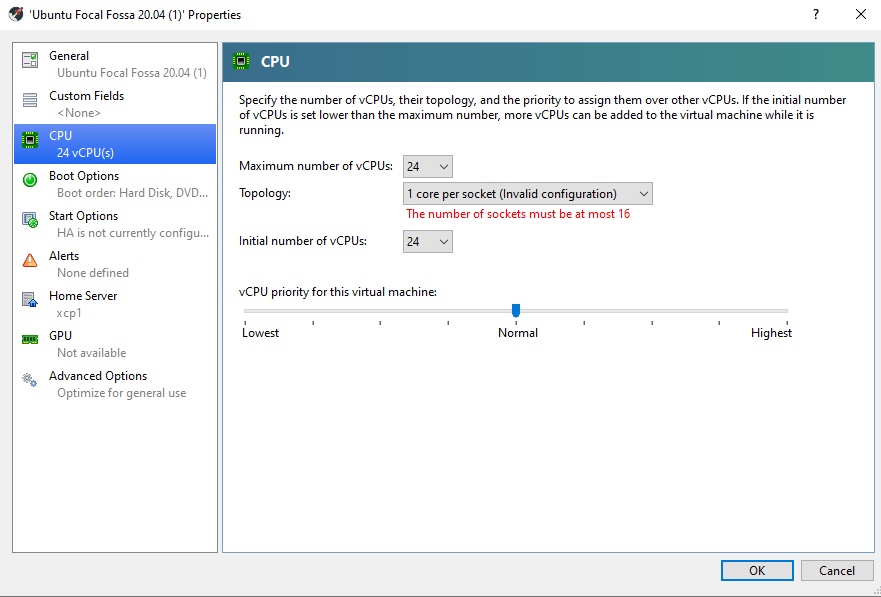
Message in XCP-ng under "General -> CPUs":

I can reproduce this in two environments:
- XCP-ng Cluster Version 8.2
- Cloudstack 4.17.2 with XCP-ng Version 8.2
The VMs are running and on the command line in the VM i can see all 24 Cores.
Is there any known issue or limitation with that?
Thank you!
-
Hi,
XCP-ng Center isn't a supported client for XCP-ng. Try to reproduce to XO so we can understand if it's the client or a host issue. Thanks!
-
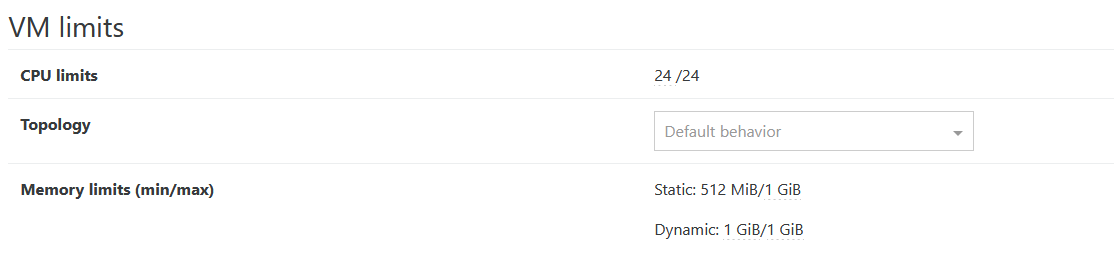
Thank you for your feedback. I checked it in xoa. If i take a look at the VM with 24 cores in advanced tab -> "VM limits", it shows the following:
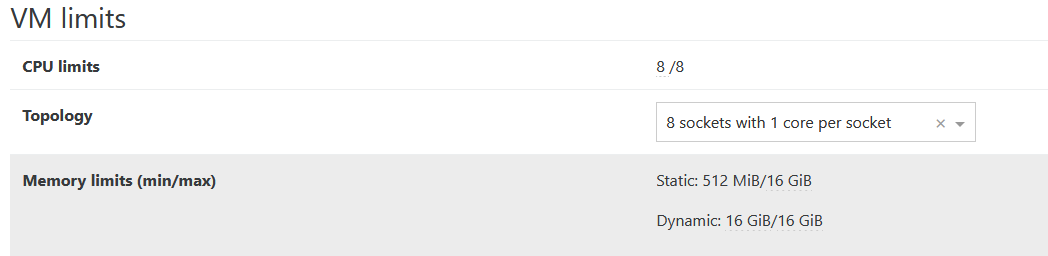
If i take a look for example at a VM with 8 Cores, it looks like this:
What does under VM limits ->Topology "Default behavior" mean at the VM with 24 core?
Thanks!
-
You're trying lie to the VM and tell it that it's running on a system with 24 physical sockets, each with a single core.
For reference, 2 sockets is the biggest AMD server that you can buy (these days), and Intel top out at 8. If you want a larger system, you could buy a SuperDome which can manage up to 32 sockets (before hitting other limits of UPI switching).
The various historical enumeration schemes can't encode that high, which is why there's a sanity check in XenCenter.
You typically want 1 socket, so select 24 cores / socket.
~Andrew

Hello! It looks like you're interested in this conversation, but you don't have an account yet.
Getting fed up of having to scroll through the same posts each visit? When you register for an account, you'll always come back to exactly where you were before, and choose to be notified of new replies (either via email, or push notification). You'll also be able to save bookmarks and upvote posts to show your appreciation to other community members.
With your input, this post could be even better 💗
Register Login