VM templates override
-
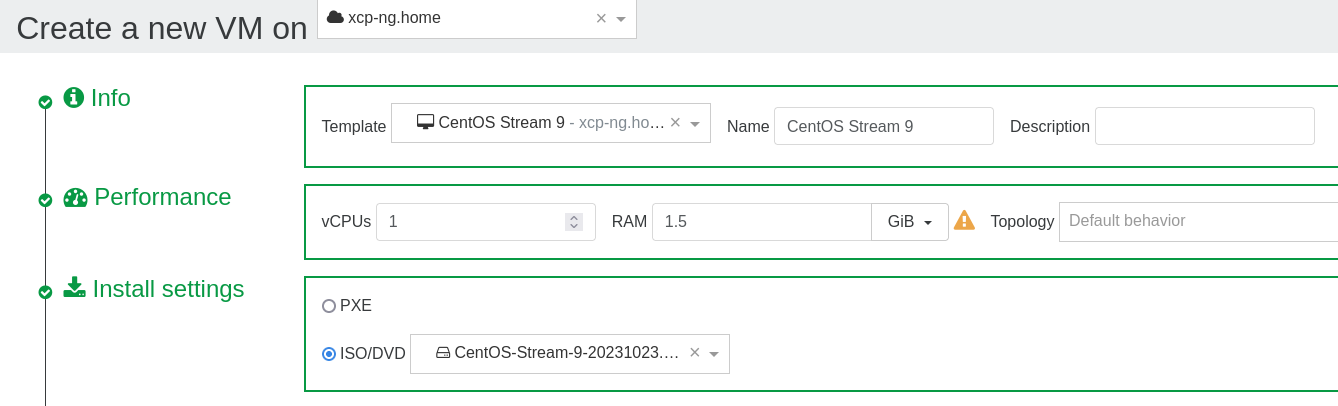
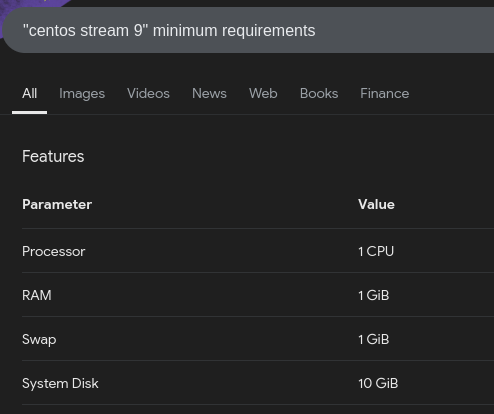
When creating new CentOS Stream 9 (or Rocky9) VM, there is somewhere in the template set statically minimum RAM to 2GB.
I have no idea where these values are taken from, but to run VM in minimal installation, 1GB ram would be plenty and sufficient. Especially in home-lab or very limited environment this setting (coming from template) is not friendly at all (due to limited RAM available on the XCP-NG Host.Would it be possible to override those templates?
For example, if I need to run simple nginx with few vhosts, for me it is just simply wasting of RAM (<800MB vs 2GB)
Basically choosing memory lower than 2GB gives an error in XCP-NG: MEMORY_CONSTRAINT_VIOLATION_ORDER()vm.setAndRestart { "memory": 1610612736, "id": "91f37e6e-d386-1dd5-c88d-b0245e2e4f1d", "force": false } { "code": "MEMORY_CONSTRAINT_VIOLATION_ORDER", "params": [], "call": { "method": "VM.set_memory_limits", "params": [ "OpaqueRef:fe6860c3-3158-4728-9fdb-fbf84a57b701", 2147483648, 1610612736, 1610612736, 1610612736 ] }, "message": "MEMORY_CONSTRAINT_VIOLATION_ORDER()", "name": "XapiError", "stack": "XapiError: MEMORY_CONSTRAINT_VIOLATION_ORDER() at Function.wrap (file:///usr/local/lib/node_modules/xo-server/node_modules/xen-api/_XapiError.mjs:16:12) at file:///usr/local/lib/node_modules/xo-server/node_modules/xen-api/transports/json-rpc.mjs:38:21 at runNextTicks (node:internal/process/task_queues:60:5) at processImmediate (node:internal/timers:447:9) at process.callbackTrampoline (node:internal/async_hooks:128:17)" }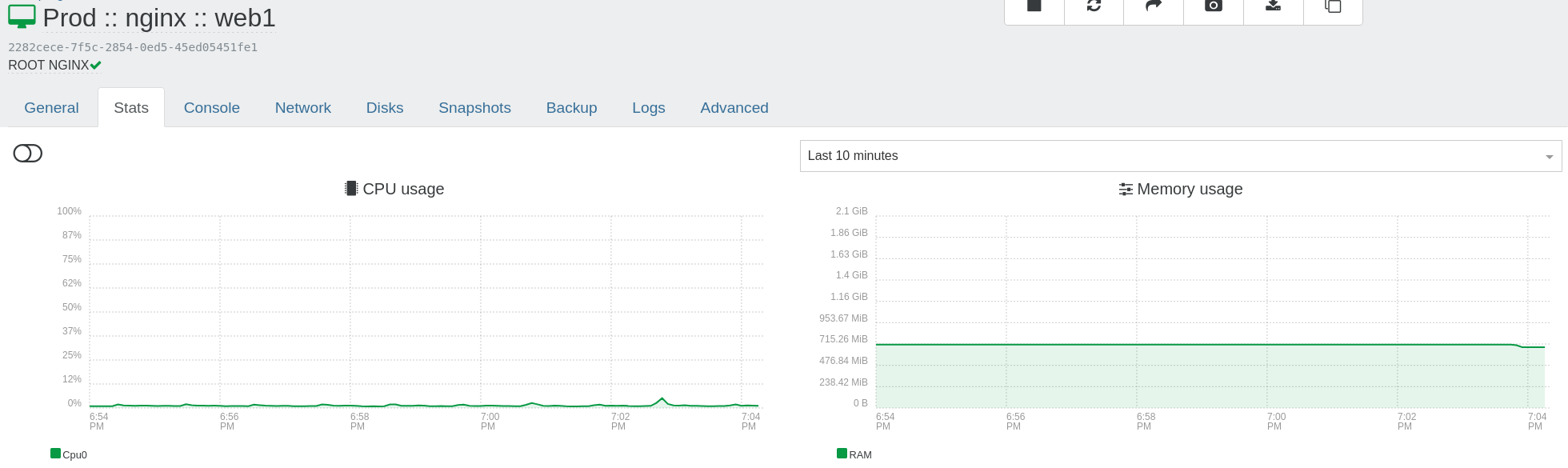
-
2gm ram probably would be OK if using GUI (desktop version) - but for minimal setup 2GB ram is simply overkill 2x times
-
@gtuminauskas Hello! You can edit the template settings by hovering over Home -> Templates -> Find the template you want to change -> click on the 3 lines (menu) button all the way to the right of the template -> click on the field you want to change (in your case RAM), and change the value!
-
@nick-lloyd said in VM templates override:
Home -> Templates -> Find the template you want to change
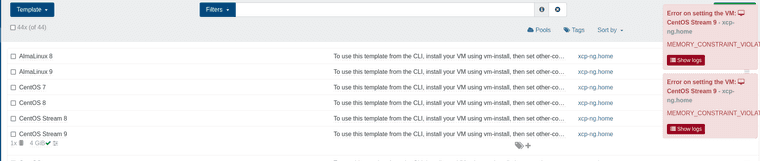
No, it is not possible to do it [also, it is set not to 2GB, but to 4GB (wtf?)]
-
@gtuminauskas Also, there is a setting for CentOS Stream 9 - 4GB ram - which is overkill 4x times WTF?
-
I am fed up with XCP-ng, using default values, which are insane.. if VM is using 720MB, so I could lower ram to 768MB (or at least to 1GB, it is NOT feasible)[it must be set to 2GB]
-
@gtuminauskas Instead of complaining, you could simply create your own template based upon the
Other install mediatemplate, which defaults to 256MB. -
G gtuminauskas deleted this topic on
-
 D Danp restored this topic on
-
Topic restored. @gtuminauskas Please don't remove threads that have been responded to by other forum members.
-
P paco referenced this topic on

Hello! It looks like you're interested in this conversation, but you don't have an account yet.
Getting fed up of having to scroll through the same posts each visit? When you register for an account, you'll always come back to exactly where you were before, and choose to be notified of new replies (either via email, or push notification). You'll also be able to save bookmarks and upvote posts to show your appreciation to other community members.
With your input, this post could be even better 💗
Register Login