Apologies for the late reply. Thank you for sharing the work around. I have tried it and confirmed that the work around works. I hope they can find a solution for this issue.
A
Offline
Posts
-
RE: Lost connection to ISO Repository
-
RE: VDI not showing in XO 5 from Source.
I am also having the same issue. Here is link on my forum post:
https://xcp-ng.org/forum/topic/12093/lost-connection-to-iso-repository/9 -
RE: Lost connection to ISO Repository
I just noticed that my VM's do not show any disk:
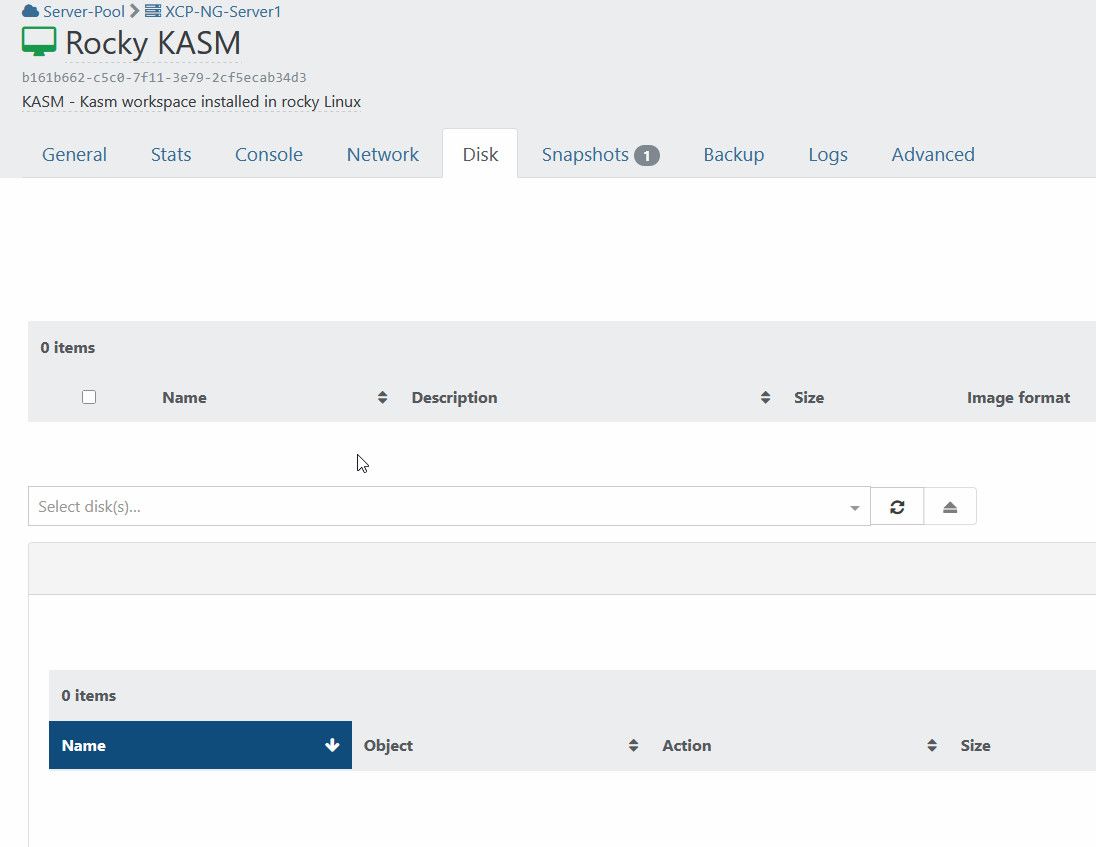
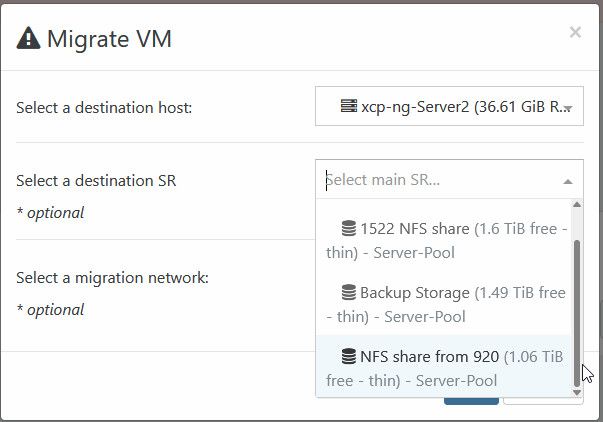
But I know they are working because I can migrate them by migrating both host and disk
-
RE: Lost connection to ISO Repository
I have deleted the latest ISO that I have downloaded just incase it is causing issues and also empty the folder. Did a rescan but still same issue
-
RE: Lost connection to ISO Repository
Yes I did try to do Rescan, it didn't give any errors.
In regards to the directory, it is not contained in a subdirectory:
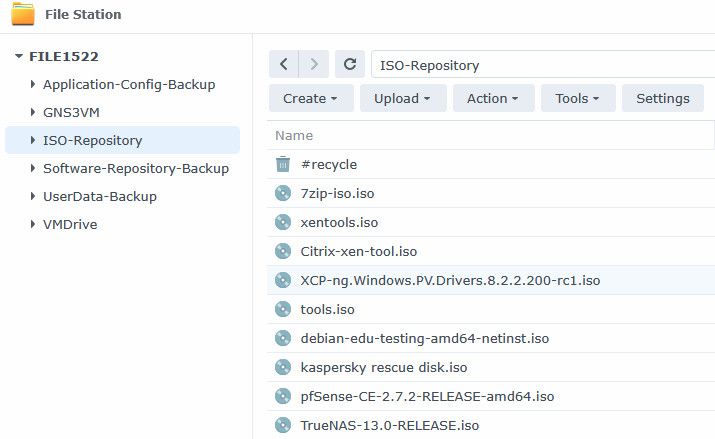
Also I upgraded my Xen Orchestra but still same issue:

-
Lost connection to ISO Repository
Hi, Everyone.
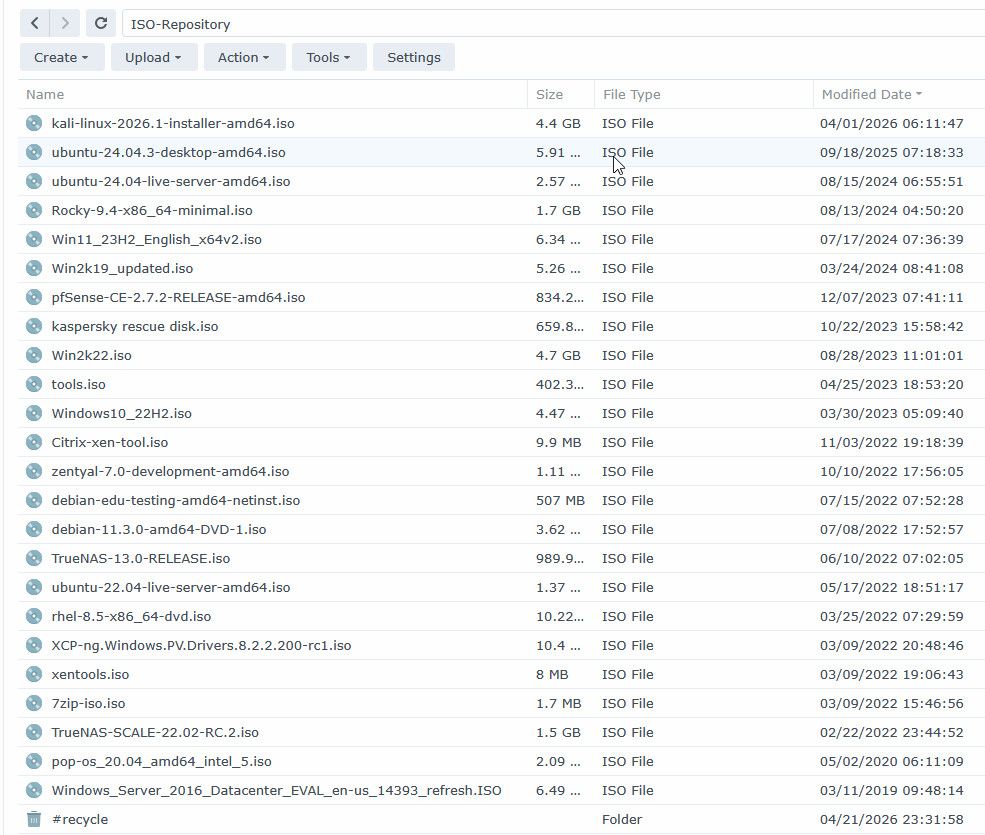
Hope everyone is doing great! May I ask your help in addressing an issue I am encountering. My ISO Repository located in my Synology 1522 was working before then after an issue encounter at my network switch it stopped presenting itself in the drop down box:
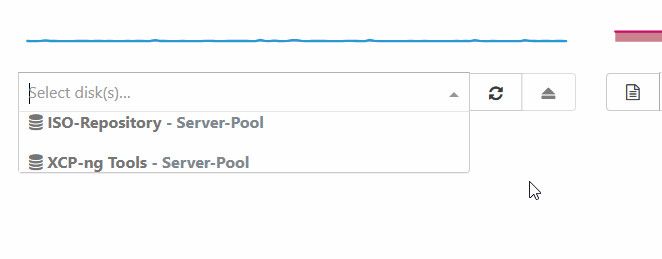
If I check the list of storage, it is showing in there and doesn't give any errors:

I tried disconnecting the ISO repository and reconnecting still same issue
I tried doing a rolling restart of XCP-NG hosts but still same issue
I tried restarting both Xen Orchestra but still same issue.
Is there anything else should I try to address the issue?
-
RE: Cannot migrate a vmdisk
@bogikornel said in Cannot migrate a vmdisk:
@ashinobi Known issue ...
https://xcp-ng.org/forum/topic/11538/failed-to-migrate-vdi-two-local-sr/5?_=1763186433370Thank you so much for letting me know. I'll follow your post so I can update that if they need more info on what is happening.
-
Cannot migrate a vmdisk
Hi, Everyone.
Hope you can help me with a problem. I am getting an error when trying to migrate vmdisk from my DSM 920 to 1522 :
INTERNAL_ERROR(Xenops_interface.Xenopsd_error([S(Internal_error);S(Sys_error("Connection reset by peer"))]))This was working before and it stopped after I change my configurations: The changes are as follows:
-
I disabled bonding on both NAS and use separate NICs with their corresponding IP Address
-
The 2 NICs are separeted on the 2 different switches for redundancy but still existing on the same VLANs
-
Enabling SMB Multichannel
I tried to disable SMB Multichannel but still same problem. Tried disable the additional NICS and just left 1 NIC using the IP address originally configured for the bond but still same problem.
Can I ask for your expert opinion on what else may have cause of this error?
-
-
Installing docker desktop in a windows 10 vmguest cause the machine not to boot
Hi, Everyone.
I am trying to learn docker and decided to spinup a windows 10 22h2 in xcp-ng. When I install docker desktop, it was able to finish the installation and require a restart. After the restart, Windows 10 won't able to boot and is stuck in Diagnosing PC.
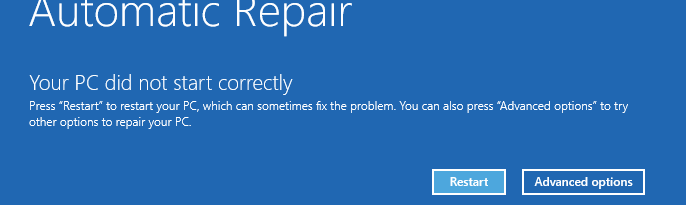
I have tried installing XenServer VM tool version 9.3.3 or no VM tool but same issue. I have also tried updating the VM first to latest patch and installing Docker Desktop without Windows patch but still the same problem.
I have also tried enabling/disabling Nested Virtualization but still the same problem.
I have used VMWare Workstation 17.0 and used the same Windows 10 22h2 installer with VMWare tools installed and no patches installed and the installation finishes and was able to reboot to Windows.
Please advice on what should I do, maybe something I have overlooked or miss that is why this is not working in XCP-NG.
The XCP-NG server details as follow:
[05:13 home-hypervisor ~]# lsb_release -a
LSB Version: :core-4.1-amd64:core-4.1-noarch
Distributor ID: XCP-ng
Description: XCP-ng release 8.2.1 (xenenterprise)
Release: 8.2.1
Codename: xenenterpriseit is running on AMD EPYC 3251 SoC Processor, 8 Core/16 Thread
-
RE: Getting errors when migrating 4 out 5 VMGuest
Thanks for doing the fix, I have tested this and I confirm it is working. I am able to migrate VMGuest to a different host by ticking the check box in the vmlist.


-
RE: Getting errors when migrating 4 out 5 VMGuest
That's fine, thank you for the help. I still have the migrate option when I go to the vm settings itself. Thanks for trying to help with my small issue and the information you shared about the use of git command
-
RE: Getting errors when migrating 4 out 5 VMGuest
@Danp said in Getting errors when migrating 4 out 5 VMGuest:
checkout xo5/fix-bulk-migration
When I did "git pull" I get the following:
root@xen-orchestra:/opt/xo/xo-src/xen-orchestra# git pull
hint: You have divergent branches and need to specify how to reconcile them.
hint: You can do so by running one of the following commands sometime before
hint: your next pull:
hint:
hint:   git config pull.rebase false  # merge (the default strategy)
hint:   git config pull.rebase true   # rebase
hint:   git config pull.ff only       # fast-forward only
hint:
hint: You can replace "git config" with "git config --global" to set a default
hint: preference for all repositories. You can also pass --rebase, --no-rebase,
hint: or --ff-only on the command line to override the configured default per
hint: invocation.
fatal: Need to specify how to reconcile divergent branches.
Do I need to merge any repository or ignore this?
-
RE: Getting errors when migrating 4 out 5 VMGuest
That is weird, if that is still from the wrong branch because when I ran the script it showed it is trying to download from the branch I specified:
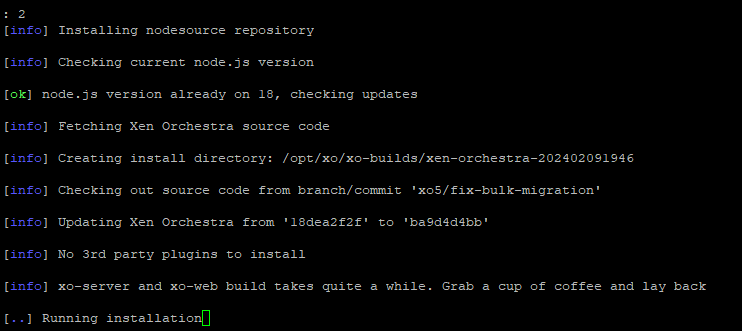
I will try your method, unfortunately my backups for my VM Guest just kicked in so I'll update you once the backup has finished and I was able to run the command you have provided
Regards
-
RE: Getting errors when migrating 4 out 5 VMGuest
do I change "Branch=MASTER" to "Branch=xo5/fix-bulk-migration"? to make it work?
-
RE: Getting errors when migrating 4 out 5 VMGuest
As you know that I am using XenOrchestraInstallerUpdater script so I will be dependent on its config file. Base on the config file the installation is located at /opt/xo
# Base dir for installation and future updates
INSTALLDIR="/opt/xo"
so I assume that is the directory where XO is running and if I go to /opt directory there is only one folder in there which is "xo"
admin@xen-orchestra:/opt$ ls -ltrh
total 4.0K
drwxr-xr-x 4 root root 4.0K Feb  9 06:25 xo
If I check the status of "xo-server.service" it is pointing to the "/opt/xo" where it is running
admin@xen-orchestra:/opt$ systemctl status xo-server.service ● xo-server.service - XO Server Loaded: loaded (/etc/systemd/system/xo-server.service; enabled; vendor preset: enabled) Active: active (running) since Fri 2024-02-09 06:25:48 ACDT; 4h 51min ago Main PID: 4769 (node) Tasks: 11 (limit: 9359) Memory: 163.9M CPU: 7min 13.551s CGroup: /system.slice/xo-server.service └─4769 node /opt/xo/xo-server/dist/cli.mjs Feb 09 08:45:48 xen-orchestra xo-server[4769]: network: 'PrivateNetwork2', Feb 09 08:45:48 xen-orchestra xo-server[4769]: host: 'xcp-ng-Server2', Feb 09 08:45:48 xen-orchestra xo-server[4769]: pool: '' Feb 09 08:45:48 xen-orchestra xo-server[4769]: } Feb 09 08:45:48 xen-orchestra xo-server[4769]: 2024-02-08T22:15:48.527Z xo:xo-server:sdn-controller:private-network INFO Host added { Feb 09 08:45:48 xen-orchestra xo-server[4769]: privateNetwork: '0ad66652-81c9-4c67-b484-286a1621c23e', Feb 09 08:45:48 xen-orchestra xo-server[4769]: network: 'PrivateNetwork1', Feb 09 08:45:48 xen-orchestra xo-server[4769]: host: 'xcp-ng-Server2', Feb 09 08:45:48 xen-orchestra xo-server[4769]: pool: '' Feb 09 08:45:48 xen-orchestra xo-server[4769]: } -
RE: Getting errors when migrating 4 out 5 VMGuest
Here is what I got from running "rev-parse --abbrev-ref HEAD"
admin@xen-orchestra:/opt/xo/xo-src/xen-orchestra$ sudo git rev-parse --abbrev-ref HEAD
[sudo] password for admin:
xo5/fix-bulk-migration
It shows that I am using the alternate branch which is the "fix-bulk-migration"
-
RE: Getting errors when migrating 4 out 5 VMGuest
In regards to migration to vm screen, I confirm that is still working.
In regards to the screenshot of the about page:

I saw this morning there were 12 commits so I just updated to it as well.