The fix has been merged into the master branch.
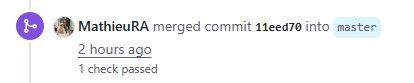
I've updated from master and tested the metadata backup by manually triggering it 10 times. I had no errors. This issue seems to be resolved.
Thanks to the XO team for this fix!
 C
Offline
C
Offline
The fix has been merged into the master branch.
I've updated from master and tested the metadata backup by manually triggering it 10 times. I had no errors. This issue seems to be resolved.
Thanks to the XO team for this fix!
@pierrebrunet I built on the fix_undici_timeout branch and manually ran the metadata backup job 10 times and did NOT get an error. I will stay on this build through the weekend, let the scheduled metadata backups run, and report back on Monday.
@olivierlambert Good news. This morning, I built on the fix_undici_paused_parser_crash branch and manually ran the metadata backup job 10 times and did NOT get an error. Previously, running the job manually could result in the body timeout error, so we have progress.
I will stay on this build during this week, let the scheduled metadata backups run, and report back by this Friday.
Secure Boot was not enabled in the VM. I enabled Secure Boot in the VM and was able to install KB5012170 without any problem.
I tested further to see if there were any issues related to enabling then disabling Secure Boot in the VM. I did not experience any problems booting the VM after disabling Secure Boot. There were no problems booting the VM after moving it to a pool where the default UEFI Certificates had not been installed.
For anyone wanting to resolve the KB5012170 update error, here are the steps I took:
secureboot-certs installxe vm-param-set uuid=[uuid of VM] platform:secureboot=truexe vm-param-set uuid=[uuid of VM] platform:secureboot=falsehttps://xcp-ng.org/docs/guides.html#guest-uefi-secure-boot is a very thorough guide on Secure Boot in XCP-ng.
Thanks for the help @stormi
@poddingue On the fix_undici_timeout branch this weekend, all scheduled metadata backups completed sucesfully.
@poddingue Maybe this log will help @pierrebrunet . I've been having the Body Timeout Error for a couple of weeks on Metadata/Config backups. I'm using XO from sources. The problem started after upgrading to commit 63f8d. I was previously at commit e6443. The errors will occur for one or more hosts, and which host(s) has the error seems to be random. The error will occur for hosts which have VMs and for hosts that have no VMs. Attached is this morning's xensource.log from 00:10 when the backup started. The backup ends at 00:15 but I've included log data through 00:20. xensource-truncated.log.txt
I have reverted to a snapshot of XO running at commit e6443 and executed multiple Metadata/Config backups without any problem.
I believe I have the definitive cause for this 'random host reboot' issue.
After 6 months of problem-free operation, I have experienced the host reboot issue again on this server. The host was running only Linux VMs, so the theory of Windows VMs on the host contributing to the reboot issue has proven false. As with each time before, there are no indications in any relevant log files that the host is going to reboot. I think at this point I can definitively say that the reboot is caused by a faulty SuperMicro motherboard.
I've learned my lesson: use HPE servers! This SuperMicro system will be melted down for scrap.
Since I last posted on this topic, I've found that the random reboots only occur when there are Windows Server VMs on the host (Tested with 2019 and 2022). The issue will not occur when running Linux VMs.
My issue seems very similar to the problem described (and solved) in https://xcp-ng.org/forum/topic/6683/windows-server-2019-sporadic-reboot/7
The difference is that in my case, the host restarted and in the other post, the poster reports that the VMs are restarting. Since the poster also tested RAM and found no problems but was able to solve the issue by replacing a suspected DIMM, that information may be useful in the host reboot scenario that I experience.
FYI, I have not replaced the RAM yet and may not actually do it since the server in question is aging and will likely be replaced (with HP hardware) soon.
I've not been able to find information on the signature used by the UEFI bootloader and if that is on the DBX update in KB5012170. Since my original post, Microsoft has updated the Known Issues documentation for KB5012170 and it seems that this problem is now 'known' and has a proposed resolution of, "We are presently investigating and will provide an update in an upcoming release."
So at this point, it appears Microsoft is investigating this as an issue Microsoft needs to resolve, not an issue with the bootloader itself.
Reference: https://support.microsoft.com/en-us/topic/kb5012170-security-update-for-secure-boot-dbx-august-9-2022-72ff5eed-25b4-47c7-be28-c42bd211bb15
(see the third issue listed in Known Issues, which didn't exist until after my initial post)
The fix has been merged into the master branch.
I've updated from master and tested the metadata backup by manually triggering it 10 times. I had no errors. This issue seems to be resolved.
Thanks to the XO team for this fix!
@JB @gregbinsd The fix has not been merged with the master branch yet, so you won't have the fix yet. Follow this pull request https://github.com/vatesfr/xen-orchestra/pull/10282
When you see an entry at the end of the activity log which says something like ' merged commit [commit ID] into master' then you'll know the fix has been added to the master branch.
It's important to know that they could close this pull request without committing it to the master branch if they want to approach the resolution in a different way (this has already happened once with this issue).
@poddingue On the fix_undici_timeout branch this weekend, all scheduled metadata backups completed sucesfully.
@pierrebrunet I built on the fix_undici_timeout branch and manually ran the metadata backup job 10 times and did NOT get an error. I will stay on this build through the weekend, let the scheduled metadata backups run, and report back on Monday.
@olivierlambert No metadata backup errors in the 4 scheduled backups since Monday, while on the fix_undici_paused_parser_crash branch. Previously, I would not have more that 1 day without an error. Between manual and scheduled backup jobs, I've not been able to recreate the error on this test branch.
This is good to see again...

@olivierlambert Good news. This morning, I built on the fix_undici_paused_parser_crash branch and manually ran the metadata backup job 10 times and did NOT get an error. Previously, running the job manually could result in the body timeout error, so we have progress.
I will stay on this build during this week, let the scheduled metadata backups run, and report back by this Friday.
@olivierlambert I feel like the cause of the timeout is what I posted here: https://xcp-ng.org/forum/post/107454
The incidents of the errors in syslog correspond by matching pool, date and time to the incidents of errors in XO backup. I've traced through several of these incidents in the syslog and matched them to the errors in the XO metadata backup and matched these to missing metadata backup files in the directory on the storage server (ex. 20260807T041000Z) which is created even if the backup fails.
I would look in older logs to see if maybe this has been happening for a long time, possibly before an XO update now shows the error, but my syslog data only goes back 30 days. The XO metadata backup errors started over 30 days.
@florent suggesting this looks like a network issue, I took a look at my XO's server's syslog and found the error when this occurs.
2026-07-31T00:10:00.428083-04:00 mis-26-svr xo-server[1298]: 2026-07-31T04:10:00.427Z xo:xo-server ERROR uncaught exception {
2026-07-31T00:10:00.428186-04:00 mis-26-svr xo-server[1298]:   error: AssertionError [ERR_ASSERTION]: The expression evaluated to a falsy value:
2026-07-31T00:10:00.428262-04:00 mis-26-svr xo-server[1298]:
2026-07-31T00:10:00.428309-04:00 mis-26-svr xo-server[1298]:     assert(!this.paused)
2026-07-31T00:10:00.428341-04:00 mis-26-svr xo-server[1298]:
2026-07-31T00:10:00.428391-04:00 mis-26-svr xo-server[1298]:       at Parser.finish (/opt/xo/xo-builds/xen-orchestra-202607200851/node_modules/undici/lib/dispatcher/client-h1.js:302:5)
2026-07-31T00:10:00.428414-04:00 mis-26-svr xo-server[1298]:       at TLSSocket.<anonymous> (/opt/xo/xo-builds/xen-orchestra-202607200851/node_modules/undici/lib/dispatcher/client-h1.js:741:32)
2026-07-31T00:10:00.428434-04:00 mis-26-svr xo-server[1298]:       at TLSSocket.emit (node:events:521:24)
2026-07-31T00:10:00.428478-04:00 mis-26-svr xo-server[1298]:       at TLSSocket.patchedEmit [as emit] (/opt/xo/xo-builds/xen-orchestra-202607200851/@xen-orchestra/log/configure.js:52:17)
2026-07-31T00:10:00.428508-04:00 mis-26-svr xo-server[1298]:       at endReadableNT (node:internal/streams/readable:1729:12)
2026-07-31T00:10:00.428525-04:00 mis-26-svr xo-server[1298]:       at processTicksAndRejections (node:internal/process/task_queues:90:21) {
2026-07-31T00:10:00.428549-04:00 mis-26-svr xo-server[1298]:     generatedMessage: true,
2026-07-31T00:10:00.428567-04:00 mis-26-svr xo-server[1298]:     code: 'ERR_ASSERTION',
2026-07-31T00:10:00.428582-04:00 mis-26-svr xo-server[1298]:     actual: false,
2026-07-31T00:10:00.428599-04:00 mis-26-svr xo-server[1298]:     expected: true,
2026-07-31T00:10:00.428614-04:00 mis-26-svr xo-server[1298]:     operator: '==',
2026-07-31T00:10:00.428628-04:00 mis-26-svr xo-server[1298]:     diff: 'simple'
2026-07-31T00:10:00.428642-04:00 mis-26-svr xo-server[1298]:   }
2026-07-31T00:10:00.428659-04:00 mis-26-svr xo-server[1298]: }
So it looks like xo-server is dying, could it be the module undici that the problem here? Keep in mind that 13 other instances of xo-server performed the backup without a problem at the exact same time. Some days this never happens, some days it could be 4 instances of xo-server that die the same way in executing the backup.
I think it's also important to note that the instance of xo-server dying happens immediately upon the backup being started at 10 minutes after midnight. I would think that if the problem were the network itself, that there would be some timeout period before causing the xo-server instance to crash.
To answer a question asked of @jb , this is a local XCP-ng management network and there are no other backups occurring at 00:10.
@poddingue Maybe this log will help @pierrebrunet . I've been having the Body Timeout Error for a couple of weeks on Metadata/Config backups. I'm using XO from sources. The problem started after upgrading to commit 63f8d. I was previously at commit e6443. The errors will occur for one or more hosts, and which host(s) has the error seems to be random. The error will occur for hosts which have VMs and for hosts that have no VMs. Attached is this morning's xensource.log from 00:10 when the backup started. The backup ends at 00:15 but I've included log data through 00:20. xensource-truncated.log.txt
I have reverted to a snapshot of XO running at commit e6443 and executed multiple Metadata/Config backups without any problem.
@acebmxer I was just creating a post on this myself. I believe this is because /v5 doesn't exist without building it from sources, in the same way that previously you had to build /v6 separately when v5 was the default.
The /v5 tries to load /v5/rest/v0/gui-routes but gets a 500 error

Based on the API documentation, /gui-routes seems to be an XOA thing, so XO from sources won't have it without a separate build?
Someone please correct me if I'm wrong.