XCP-ng
    • Categories
    • Recent
    • Tags
    • Popular
    • Users
    • Groups
    • Register
    • Login
    • Profile
    • Following 0
    • Followers 0
    • Topics 2
    • Posts 2
    • Groups 0
    V Offline
    1. Home
    2. Velocity1192

    Velocity1192

    @Velocity1192

    1
    Reputation
    2
    Profile views
    2
    Posts
    0
    Followers
    0
    Following
    Joined
    Last Online

    Velocity1192 Unfollow Follow
    • V2V Migration Completion?

      Greetings!

      I performed a V2V migration from a standalone ESXI 7.0U2 server with a VMFS6 datastore and it seems to have worked with no hiccups 🙂

      I'm confused about where I am in the process probably due to mixing instructions:
      https://docs.xcp-ng.org/installation/migrate-to-xcp-ng/
      https://docs.xen-orchestra.com/xo5/v2v-migration-guide#-initial-test-migration

      The steps I performed were on ESXI were:

      1. Shutdown VM
      2. Snapshot VM named with vmware tools.
      3. Turn on VM to uninstall vmware tools.
      4. Shutdown VM
      5. Snapshot VM named without vmware tools.

      On XenOrchestra:

      1. Performed V2V Migration
      2. Once completed I started VM booted successfully
      3. Installed Vates Tools
      4. Assigned static network configuration to the proper nics based on matching MAC addresses.

      and that's where I've left off.

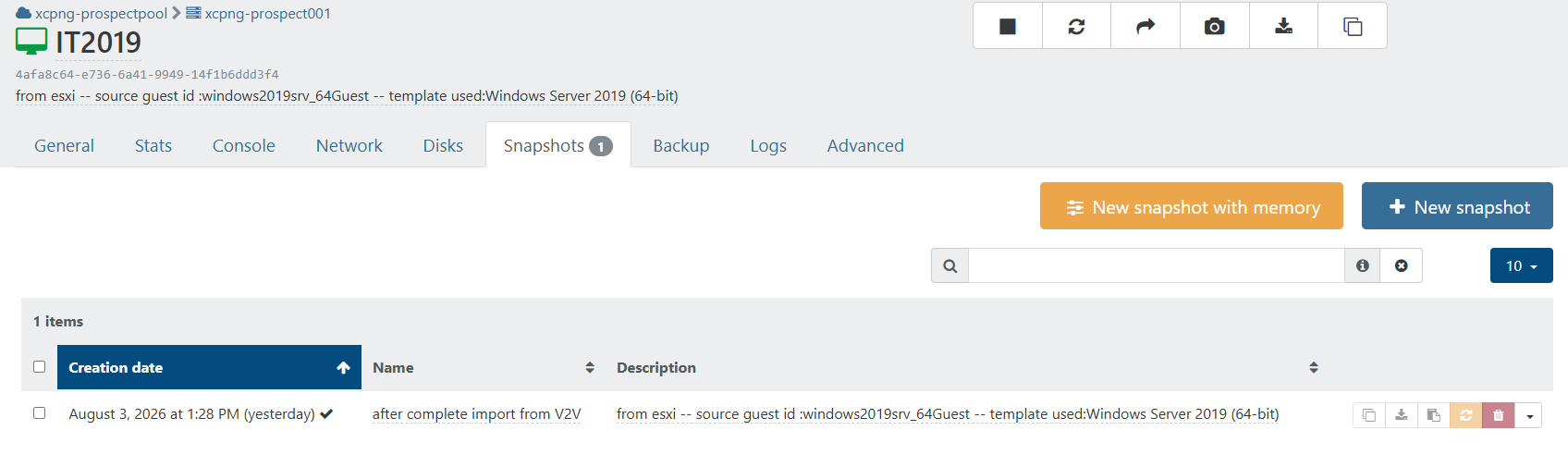
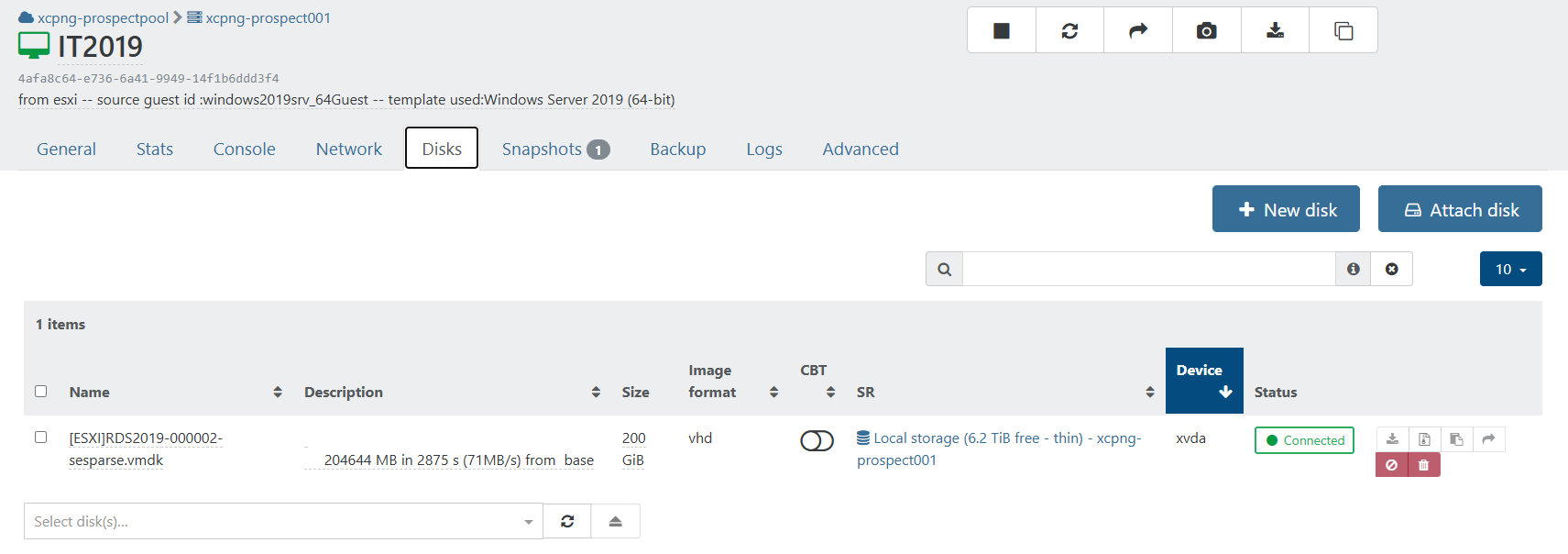
      XenOrchestra reports it has a disk attached to the VM in VHD format and a snapshot named after complete import from V2V.disk.png snapshot.png
      Do I need to "Remove the test copy" or perform steps in the "Final Migration"? As far as I can tell the XCP-NG VM is in production ready state.

      Any support appreciated and thank you!
      posted in Migrate to XCP-ng
      V
      Velocity1192
    • Incremental Backup Question

      Hello,

      I'm attempting to implement Xen Orchestra Incremental Backups in the v5 interface (not seeing it in v6)

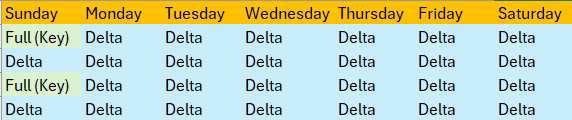
      Will the v6 display a picture or table when creating jobs and schedules like https://docs.xen-orchestra.com/backups-and-dr/backup-types/incremental_backups - I think it's much cleaner and clearer about how the settings are configured.

      What I'm trying to configure is having the full backup occur on a specific day of the week like suggested.
      Screenshot 2026-10-28 120217.png and on Sunday Week 5 - Weeks 1 and 2 are deleted.

      Do I need two separate schedules one to complete the Full Backup and another for the deltas? Would the retention be 2 for full and 12 for the delta?

      Or is it do I just create one schedule and enable it on a Sunday and it can't be enabled in advance?

      Thanks,
      Andrew

      posted in Backup
      V
      Velocity1192
    • V2V Migration Completion?

      Greetings!

      I performed a V2V migration from a standalone ESXI 7.0U2 server with a VMFS6 datastore and it seems to have worked with no hiccups 🙂

      I'm confused about where I am in the process probably due to mixing instructions:
      https://docs.xcp-ng.org/installation/migrate-to-xcp-ng/
      https://docs.xen-orchestra.com/xo5/v2v-migration-guide#-initial-test-migration

      The steps I performed were on ESXI were:

      1. Shutdown VM
      2. Snapshot VM named with vmware tools.
      3. Turn on VM to uninstall vmware tools.
      4. Shutdown VM
      5. Snapshot VM named without vmware tools.

      On XenOrchestra:

      1. Performed V2V Migration
      2. Once completed I started VM booted successfully
      3. Installed Vates Tools
      4. Assigned static network configuration to the proper nics based on matching MAC addresses.

      and that's where I've left off.

      XenOrchestra reports it has a disk attached to the VM in VHD format and a snapshot named after complete import from V2V.disk.png snapshot.png

      Do I need to "Remove the test copy" or perform steps in the "Final Migration"? As far as I can tell the XCP-NG VM is in production ready state.

      Any support appreciated and thank you!

      posted in Migrate to XCP-ng
      V
      Velocity1192