XO5 breaks after defaulting to XO6 (from source)
-
XO from source
Problem: XO5 is disconnected and stuck on "Still Loading" (see picture below)
When trying later commits after XO6 became default. XO5 has broken entirely. And I have not been able to solve this yet.Troubleshooting steps are the following:
git reset --hard <commit hash>
rm node_modules/ -rf
yarn
yarn build
Whilst XO6 is working as expected. There are lots of functions that need XO5. Which is why I haven't noticed this until just now (today).
Last known good Commit:
4b4c9b91f3722401a7d3eb2eaf549980fd2f3e5b
This is also where I had XO6 in preview mode and XO5 working perfectly fine next to each other.Screenshots:
- Still Loading
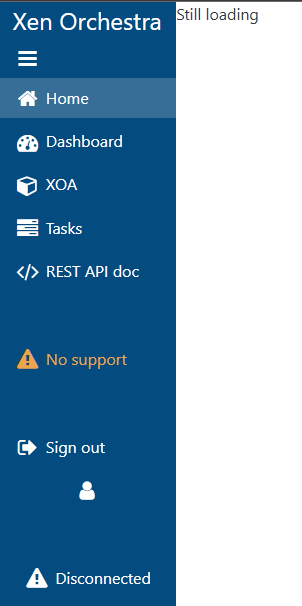
- Still Loading
-
@probain Well I’ve been running commit
035eefor a few days now and haven't had any problems. But haven't done a lot of work with it.When I update, I always run some kind of full/complicated update since I've had some problems before and with this type of update I've never had any issues.
sudo su
nvm install 22 && npm install --global yarn && cd ~/xen-orchestra/ && git checkout . && git pull --ff-only && yarn && yarn build --force && yarn run turbo run build --filter @xen-orchestra/web && systemctl restart xo-server.service && cd && systemctl daemon-reload
Or maybe just a simple
CTRL F5in Your browser will work
-
Same problem for me to.
The configuration file is like below, now. If I click on v6 from v5 it works but not the other way around.
And the links always go to /v5, but if v5 is the default what's the point?
I think that's the problem, instead of taking into account the config for the base they are explicitly passed in the links.The config
[http]

[http.cookies]

[[http.listen]]
port = 443
cert = '/opt/ssl-local/fullchain.pem'
key = '/opt/ssl-local/privkey.pem'

[http.mounts]
'/v6' = '../../@xen-orchestra/web/dist/'
'/' = '../xo-web/dist/'

# List of proxied URLs (HTTP & WebSockets).
[http.proxies]
'/v5/api' = 'ws://localhost:9000/api'
'/v5/api/updater' = 'ws://localhost:9001'
'/v5/rest' = 'http://localhost:9000/rest'

[redis]

[remoteOptions]

[plugins]
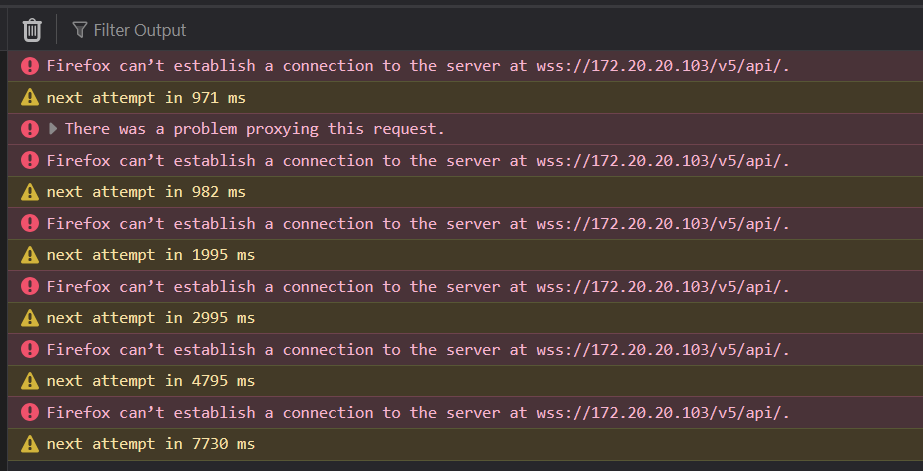
The problem with /v5
-
I fired up my 2nd XO wich is a ronivay script version.
Ran the update to latest commit9f387
When I logged in, It start in the XO5 page
In my 1st XO "from docs", It start in the XO6Maybe ronivay is not up to date with the new #release" of XO6
If You are running this type script, maybe that is the culprit -
I don't run any scripts, I install according to the documentation.
nodejs 22
npm install -g npm
git clone -b master https://github.com/vatesfr/xen-orchestra
cp xo-server.toml  /opt/xen-orchestra/packages/xo-server/.xo-server.toml
cd /opt/xen-orchestra
yarn
yarn build
# XO6
yarn run turbo run build --filter @xen-orchestra/web
yarn cache clean
systemctl restart xo-server
The last compilation (b667bc8) works perfectly, this version is fine too, except for the links from v6 to v5 which are many.
In my opinion, v6 is not yet ready to be the default, too many links to v5.. -
@Gheppy
My links from 6 to 5 works fine
Haven’t tested all of them of course, but quit a few and none of them have faild -
I'm not running https and still on node v22
-
@ph7
On http it works, but without the lines below (those with /v5) in the config. On https it is the problem and it shouldn't be.... # List of files/directories which will be served. [http.mounts] '/v6' = '../../@xen-orchestra/web/dist/' '/' = '../xo-web/dist/' # List of proxied URLs (HTTP & WebSockets). [http.proxies] #'/v5/api' = 'ws://localhost:9000/api' #'/v5/api/updater' = 'ws://localhost:9001' #'/v5/rest' = 'http://localhost:9000/rest' ... -
I managed to get it working, although the solution is not exactly to my liking.
I enabled both 80 and 443[http] [[http.listen]] port = 80 [[http.listen]] port = 443 cert = '/opt/ssl-local/fullchain.pem' key = '/opt/ssl-local/privkey.pem' # CRITICAL WEBSOCKET CONFIGURATION [http.upgrade] '/v5/api' = true '/v5/api/updater' = true # Make sure these routes are allowed for WebSocket upgrade [http.routes] '/v5/api' = { upgrade = true } '/v5/api/updater' = { upgrade = true } # List of files/directories which will be served. [http.mounts] '/v6' = '../../@xen-orchestra/web/dist/' '/' = '../xo-web/dist/' [redis] [remoteOptions] [plugins] -
@Gheppy If I understand correctly, when you click the XO5 link from XO6, you are redirected to
<url>/v5?If so, this appears to be a bug, because according to your configuration file, your XO5 instance is located at the root (
/).can you fetch this endpoint please?
/rest/v0/gui-routes -
I've identified various issues with proxied URLs. I'm on it
-
-
@MathieuRA I was with the same problem, the branch mra-fix-proxies fixed it for me, now i can acess the V5 correctly
-
@MathieuRA
I also confirm that it works. Thank you -
@MathieuRA said in XO5 breaks after defaulting to XO6 (from source):
mra-fix-proxies
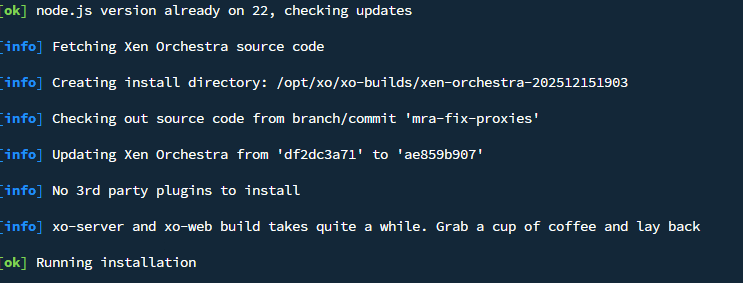
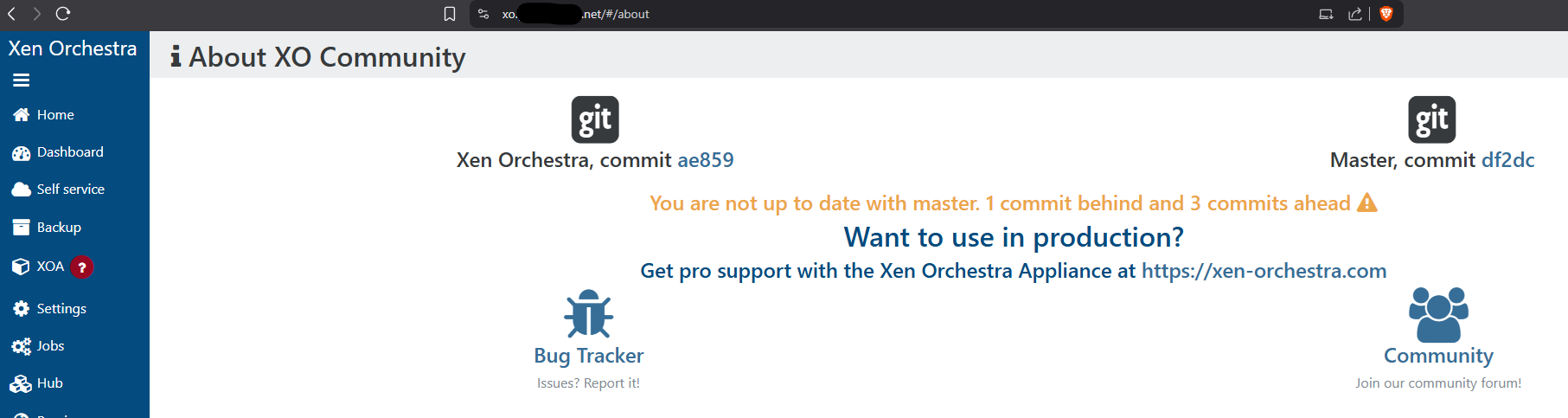
Confirm test branch works... This is with Ronivay's script. Include_V6 option is set to false in config file. Maybe that is why it still defaults to v5. At least all links work now...
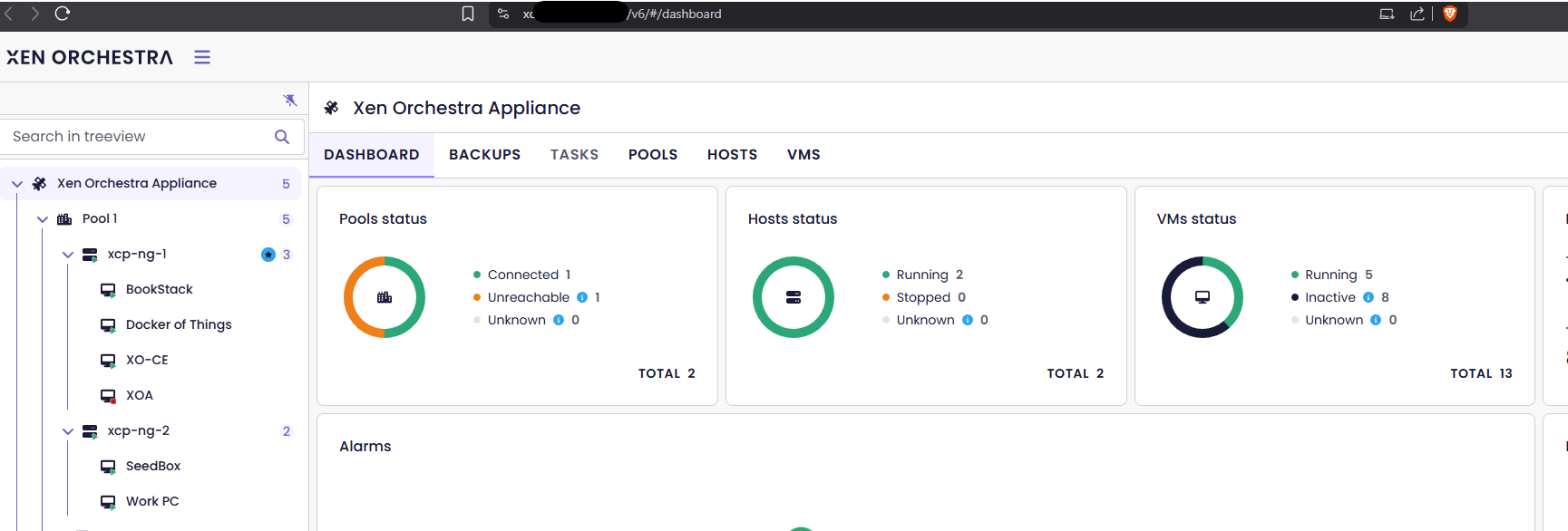
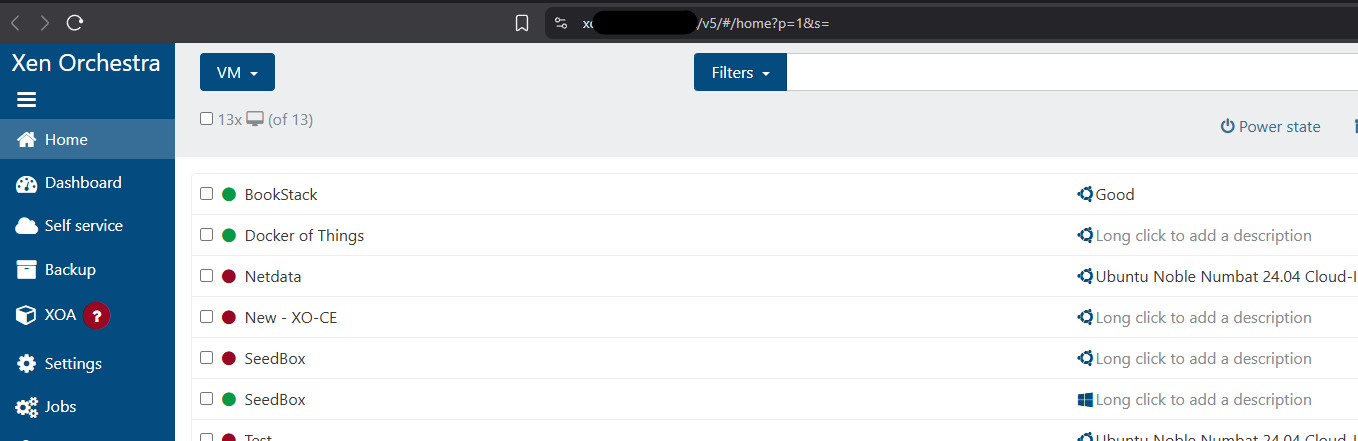
-
Thank you all for your feedback!
-
Just updated to the current commit 7c176. And all is working as in test commit. Question what is needed now to make v6 the default? Still as previously or has anything changed this last commit?
-
@acebmxer the procedure remains the same
-
Unfortunately this didn't solve it for me.
But I am behind a haproxy for this., yes. However I haven't been able to get this to work. Even when I did the same "fixes" that helped my second lab.Is there anything I could provide to maybe help out? Which logs would be helpfull?
Thank you
-
@probain Do you have a configuration file that overrides xo-server configuration for
[http.mounts]and[http.proxies]?
`



Hello! It looks like you're interested in this conversation, but you don't have an account yet.
Getting fed up of having to scroll through the same posts each visit? When you register for an account, you'll always come back to exactly where you were before, and choose to be notified of new replies (either via email, or push notification). You'll also be able to save bookmarks and upvote posts to show your appreciation to other community members.
With your input, this post could be even better 💗
Register Login