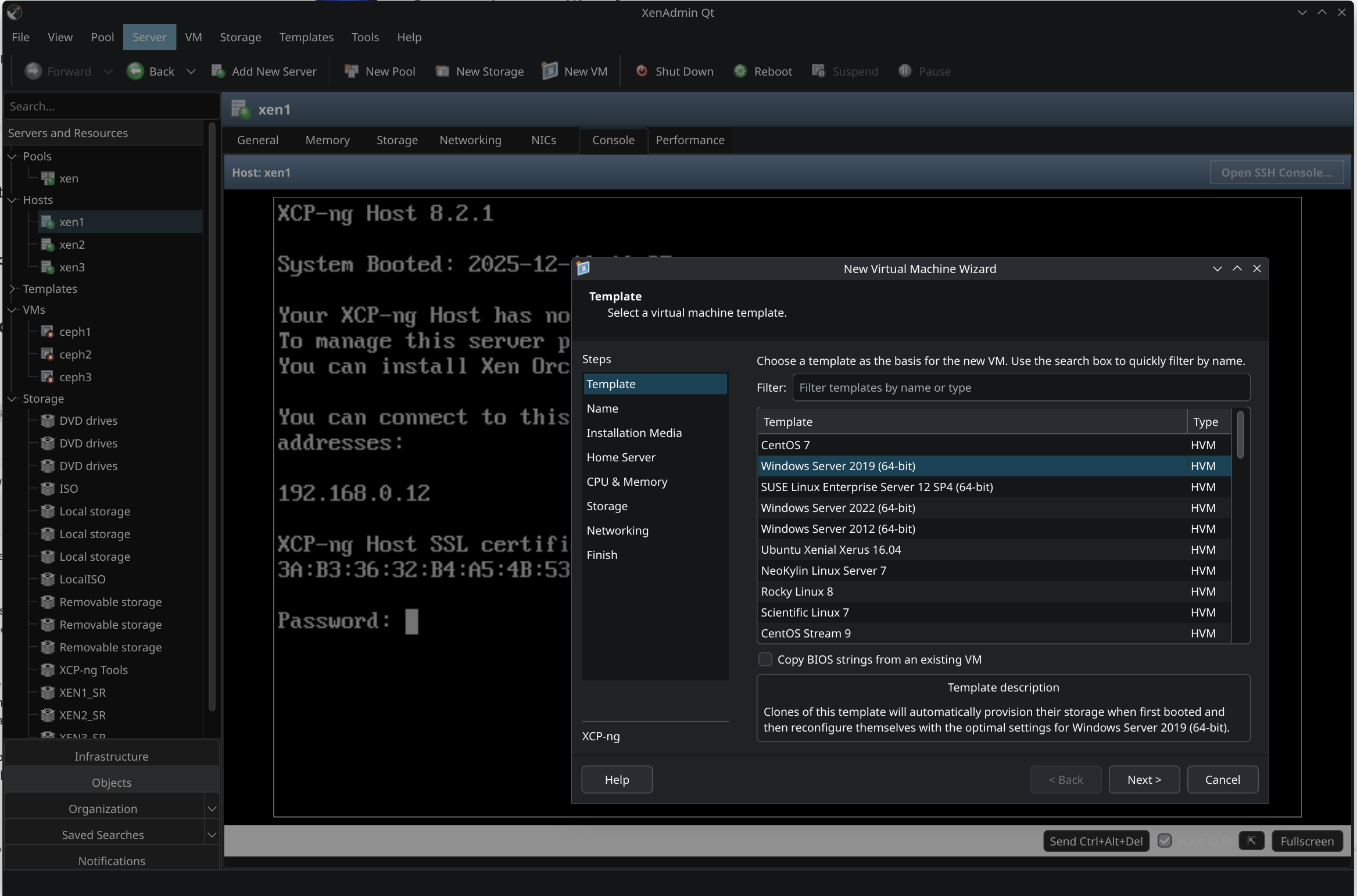
New project - XenAdminQt - a cross-platform GNU/Linux, macOS, Windows native thick client
-
@benapetr said in New project - XenAdminQt - a cross-platform GNU/Linux, macOS, Windows native thick client:
@Pilow I know them a little bit, I will have a look, but I am now working on another new cool thing! It's called xen_exporter: https://github.com/benapetr/xen_exporter
It's a prometheus exporter that hooks directly to xen kernel via xenctrl library from dom0 and extract all low-level metrics from the host, allowing very detailed graphs with very low granularity with stuff I always missed in both XenOrchestra and XenAdmin:
...
We have a similar project : https://github.com/xcp-ng/xcp-metrics, but unfortunately it's not used as of today (though it could get revived as Rust for Xen matures, i.e easier to build).
There is also Xen Orchestra OpenMetrics support but it's not on XCP-ng itself. -
Version 0.0.6 released - it mostly fixes many small things, most notable the console is now very stable, there was a bug in VNC protocol that resulted in randomly getting just a black screen, that was fixed + many other small fixes (unable to add more than 16 disks to VM, host pool join logic, pool creation logic, etc)
There is now also experimental support for override of VM transfer network, following same logic as Xen Orchestra has (it checks if xo_migration_network host otherConfig key is set and if yes it follows it). There is also additional setting for it in pool properties.
https://github.com/benapetr/XenAdminQt/releases/tag/v0.0.6-alpha
-
@benapetr just a small notice, at least in 0.0.5 version. When adding an NFS ISO library SR, there is no choice for NFS version (v3 and v4) like in XCP-ng Center. The XAPI then defaults to v3 which did not work in my environment.
-
@bvitnik good catch, that form had multiple issues, I just fixed all of them - https://github.com/benapetr/XenAdminQt/commit/4847e85f2403f3c6fd328f17754c91df21c36502 this was one of them
-
I haven't found how to set up a physical NIC. you can only edit already configured ones.
-
@Tristis-Oris hello, setup what exactly? you can create bonds from physical NICs, but I don't think original C# client allows anything else either?
-
@benapetr configure dhcp\static mode.
-
@Tristis-Oris that's in management interface configuration, exactly same as in original C# client that had it same
-
@Tristis-Oris maybe a few comparative screenshots would help

-
it's only possible to change management interface.
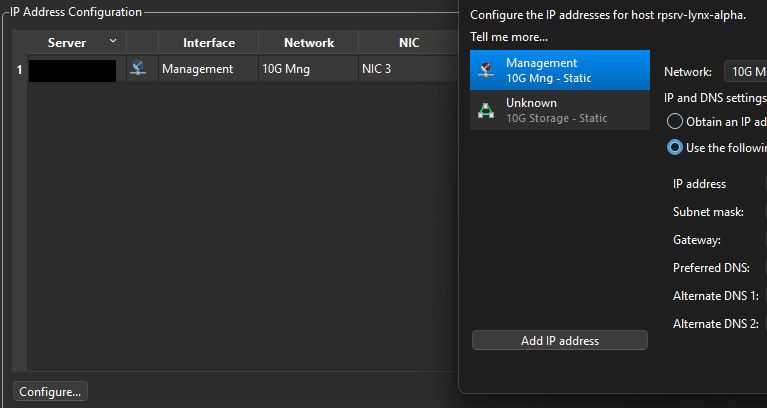
nothing can be done with other NICs.
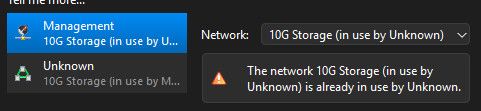
weird, what is this?
-
Hello I am testing it in a lab and it works fine
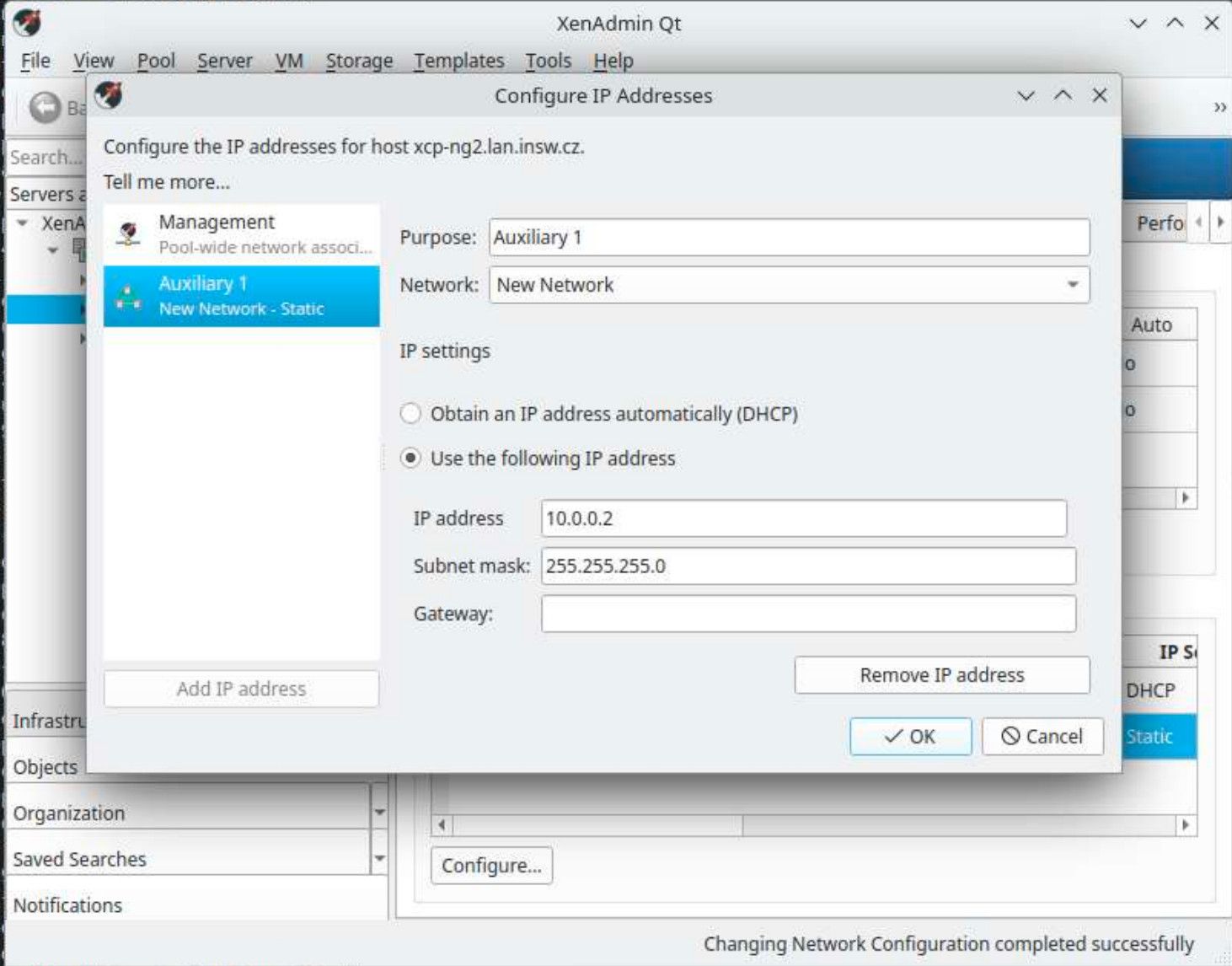
Can you suggest how to reproduce this issue?
-
@Tristis-Oris I think I see the problem - but this is exactly how it works in old XenAdmin and you would hit the same problem there - you have already 2 configuration objects "Management" and "Unknown" you can switch between them in that first side menu on the left.
If you click one like Management and try to change the interface its bound to, you can't pick NIC that's already in use by another management interface object (note Unknown is using "10G storage" already. You are trying to set "Management" object to 10G as well that's not allowed). This is a XAPI restriction, as I said the logic is same as in original C# code.
-
@benapetr said in New project - XenAdminQt - a cross-platform GNU/Linux, macOS, Windows native thick client:
you can switch between them
nope, that just 2 from multiple nics.
Need press
add ip addressto add other NICs. Now i see how it works.



Hello! It looks like you're interested in this conversation, but you don't have an account yet.
Getting fed up of having to scroll through the same posts each visit? When you register for an account, you'll always come back to exactly where you were before, and choose to be notified of new replies (either via email, or push notification). You'll also be able to save bookmarks and upvote posts to show your appreciation to other community members.
With your input, this post could be even better 💗
Register Login