Error while scanning disk
-
Hi all,
First of all, I am aware that there are still issues with file-level restores and LVM. However, for some unknown reason, I am now encountering a new error when selecting the disk during the restore procedure.- Error while scanning disk
Apr 16 11:08:34 dacsvm-xoa xo-server[3124716]: 2026-04-16T09:08:34.366Z xo:api WARN admin | backupNg.listPartitions(...) [214ms] =!> Error: Command failed: vgchange -an vgdata
Apr 16 11:08:34 dacsvm-xoa xo-server[3124716]: File descriptor 23 (/var/lib/xo-server/data/leveldb/LOG) leaked on vgchange invocation. Parent PID 3124716: node
Apr 16 11:08:34 dacsvm-xoa xo-server[3124716]: File descriptor 24 (/var/lib/xo-server/data/leveldb/LOCK) leaked on vgchange invocation. Parent PID 3124716: node
Apr 16 11:08:34 dacsvm-xoa xo-server[3124716]: File descriptor 25 (/var/lib/xo-server/data/leveldb/000379.log) leaked on vgchange invocation. Parent PID 3124716: node
Apr 16 11:08:34 dacsvm-xoa xo-server[3124716]: File descriptor 28 (/var/lib/xo-server/data/leveldb/MANIFEST-000377) leaked on vgchange invocation. Parent PID 3124716: node
Apr 16 11:08:34 dacsvm-xoa xo-server[3124716]: File descriptor 37 (/dev/fuse) leaked on vgchange invocation. Parent PID 3124716: node
Apr 16 11:08:34 dacsvm-xoa xo-server[3124716]:   WARNING: Not using device /dev/loop0 for PV v2o7yJ-51Hc-sO1m-ubrj-YCvP-7Zo2-zOjxzZ.
Apr 16 11:08:34 dacsvm-xoa xo-server[3124716]:   WARNING: PV v2o7yJ-51Hc-sO1m-ubrj-YCvP-7Zo2-zOjxzZ prefers device /dev/xvda3 because device is used by LV.
Apr 16 11:08:34 dacsvm-xoa xo-server[3124716]:   Logical volume vgdata/lvroot contains a filesystem in use.
Apr 16 11:08:34 dacsvm-xoa xo-server[3124716]:   Can't deactivate volume group "vgdata" with 3 open logical volume(s)
Is this also a known issue ?
Do you have an estimate for when LVM support will be available? This is currently a deal breaker for us, as our infrastructure (running on XCP-ng) is becoming increasingly business-critical.
If this is not supported in the near future, we may need to consider alternative backup solutions.XOA - commit 3ed8c
VM's are based on Debain13
Backup mode: Delta backupRegards,
Carlo -
@carloum70 Hi !
Could you tell us which version of XOA you're using and what guest OS the disk you want to mount comes from?
Also, is it BIOS or UEFI?My boyfriend submitted a PR a while ago to fix LVM + UEFI disk mounting. It fixed file restore for the guests we tested, but we might have missed some rare cases. Maybe we can provide a fix base of the info you can give

-
@AtaxyaNetwork Sorry forgot to add this to my topic.
XOA - commit 3ed8c
VM's are based on Debain13
UEFI
Backup mode: Delta backup~# lsblk -f NAME FSTYPE FSVER LABEL UUID FSAVAIL FSUSE% MOUNTPOINTS xvda ├─xvda1 vfat FAT32 0E7D-17B9 965.3M 1% /boot/efi ├─xvda2 ext4 1.0 bf2a2e01-b9ff-4b93-a824-ba7562461c15 1.3G 20% /boot ├─xvda3 LVM2_member LVM2 001 v2o7yJ-51Hc-sO1m-ubrj-YCvP-7Zo2-zOjxzZ │ ├─vgdata-lvroot ext4 1.0 d0e71b5a-5404-4b18-9249-eb222a6d346d 22.6G 6% / │ ├─vgdata-lvhome ext4 1.0 5aa25f3d-708d-4708-8405-a97391e2e989 4.3G 0% /home │ └─vgdata-lvvar ext4 1.0 e82f5584-810b-40e2-a6e6-ed05805146db 3.5G 30% /var └─xvda4 swap 1 6124f717-58cf-47a8-b268-4c99dcd495d0 [SWAP] -
@carloum70 I just tested on my side, I had some error because other disk was mounted, but after a xo-server restart, it works as expected
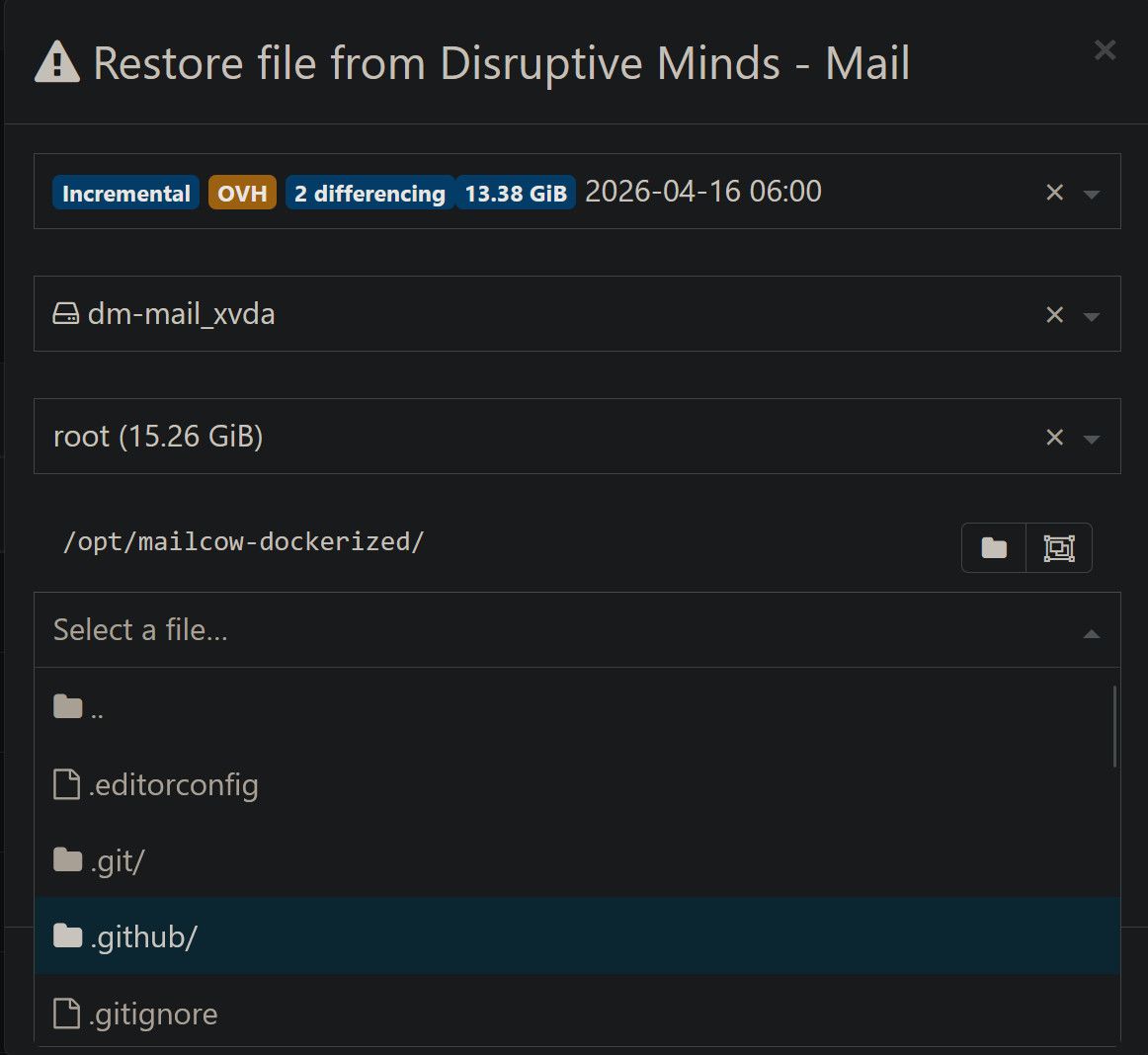
Debian 13, UEFI + LVM
# lsblk -f
NAME                        FSTYPE      FSVER    LABEL UUID                                   FSAVAIL FSUSE% MOUNTPOINTS
xvda
├─xvda1                     vfat        FAT32          C1A9-1A42                               477.2M     2% /boot/efi
├─xvda2                     ext4        1.0            54c89c90-ac93-4ee2-9ff3-11930697a3de    739.2M    15% /boot
└─xvda3                     LVM2_member LVM2 001       T01yqz-9m5K-j5gW-6XWB-p1vz-VTjI-LFSO6A
  ├─rootvg-root             ext4        1.0            c8573984-d3a7-4548-b43b-b106e9a5f413      9.6G    30% /
  └─rootvg-swap             swap        1              8004e072-be5f-436a-a202-45afe3067eb4                  [SWAP]
xvdb                        LVM2_member LVM2 001       nZhQHF-x7lS-crVW-vlQq-zkJ7-dZMZ-cWZOxM
├─datavg-var_lib_docker     ext4        1.0            adfbddc2-1625-4f27-b041-e6003b4679f5     14.1G     4% /var/lib/docker
└─datavg-var_lib_containerd ext4        1.0            253cd0a7-cc7a-4062-aed0-2efd53aff322     10.5G    27% /var/lib/containerd
If you are running XO form source, can you try with an XOA ?
Are you running an XO source with LVM for the OS ? -
@AtaxyaNetwork Thank you for the quick response.
"Are you running an XO source with LVM for the OS ?" --> noYou did the restore using XOA instead of XO from source ?
To Install XOA I have to install a new instance and import the config of my current XO ?
I will test this tomorrow. -
@carloum70 Yep I tested on XOA, latest version
You can use https://vates.tech/en/deploy/ to deploy the XOA, register for free and reimport your XO configuration -
@AtaxyaNetwork This is not going to work because our nodes don't have access to the internet.
If it works using XOA, what conclusion can we draw? Migrate to XOA ? -
@ataxyanetwork I managed to install XOA (Current version: 6.2.2 - XOA build: 20251219) and did some more testing.
I am experiencing the same issue when trying to restore from an existing backup.
When I create a new backup job, I can perform a filelevel restore without any problems. However, when I rerun the job, I am no longer able to restore from the most recent backup. It only works with the initial backup.
Can you also reproduce this ?
-
Is there some update? Can this issue be reproduced?
-
I can't reproduce this myself, but this looks like something the XO team should see; the LVM volume group deactivation failure during restore is a specific enough error that it should be trackable.
 The fact that it works on the first backup run but breaks on subsequent ones narrows it down a bit.
Would you be able to open a bug report on the xen-orchestra GitHub with the error output and your XOA version? Including whether this is a delta or continuous backup job would help too. That gives the dev team something to actually pull up and reproduce.
Thanks.
-
-
Thanks for following up and opening the issue; that's exactly the kind of report the team needs. I've subscribed to it, so I'll see when it moves. The second-run failure pattern is a useful clue; hopefully they can reproduce it from there.

-
@poddingue there is a cache system that keep the disk open a few minutes, we will rework it in the near future, it should improve the situation on these errors ( at the cost of being a little slower )
-
Thanks, Florent, for the explanation.



Hello! It looks like you're interested in this conversation, but you don't have an account yet.
Getting fed up of having to scroll through the same posts each visit? When you register for an account, you'll always come back to exactly where you were before, and choose to be notified of new replies (either via email, or push notification). You'll also be able to save bookmarks and upvote posts to show your appreciation to other community members.
With your input, this post could be even better 💗
Register Login