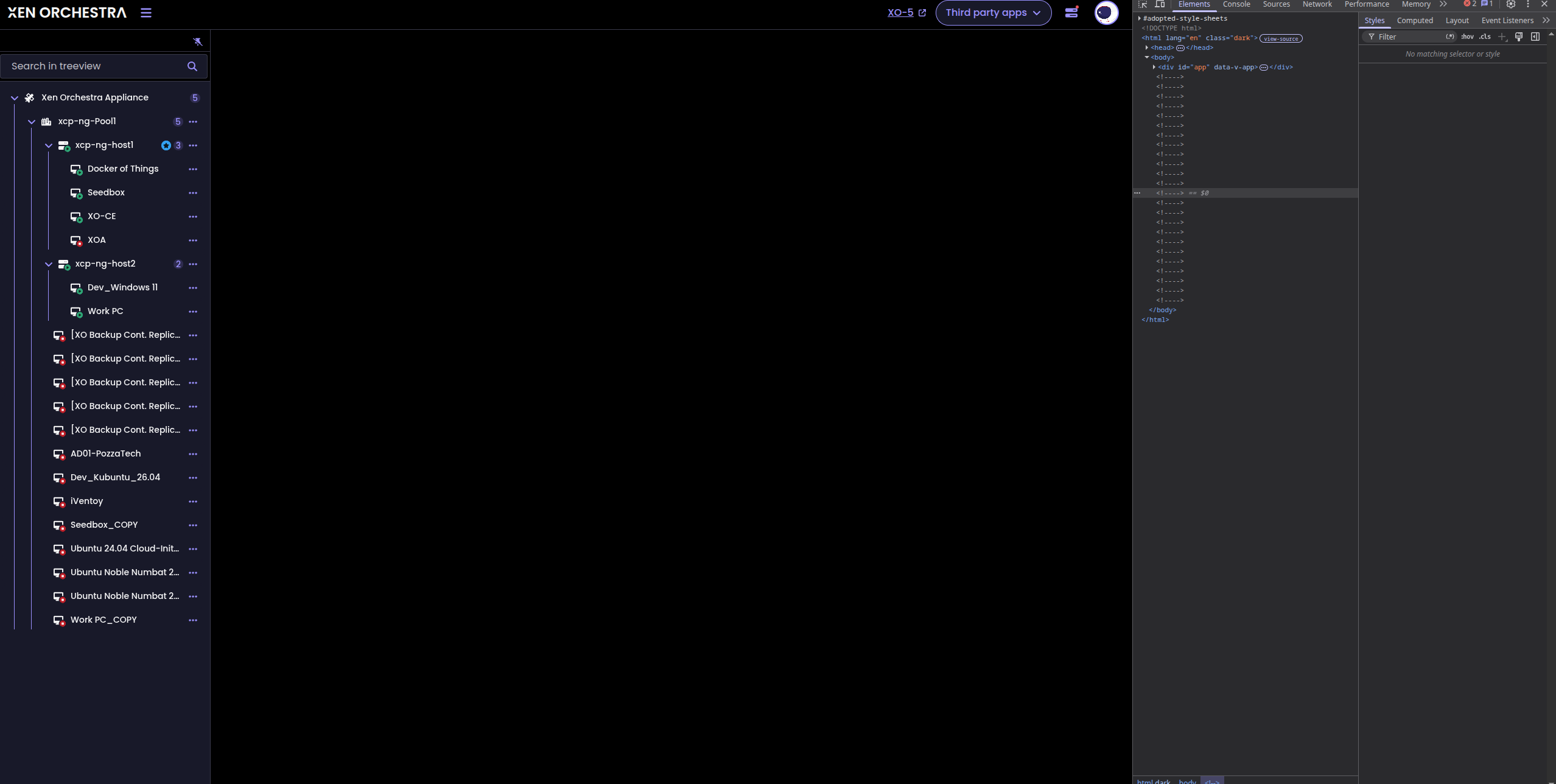
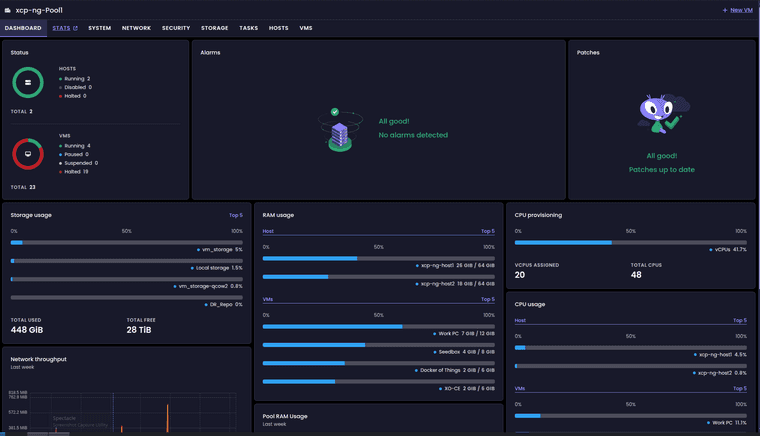
Some dashboard loading issues with v6
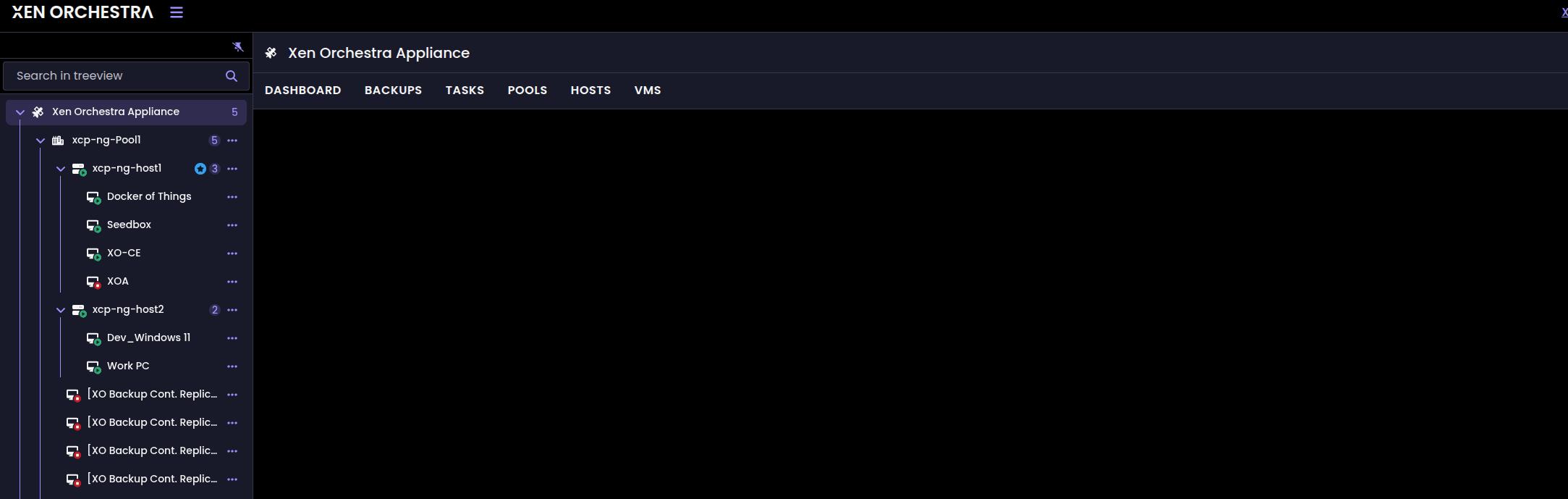
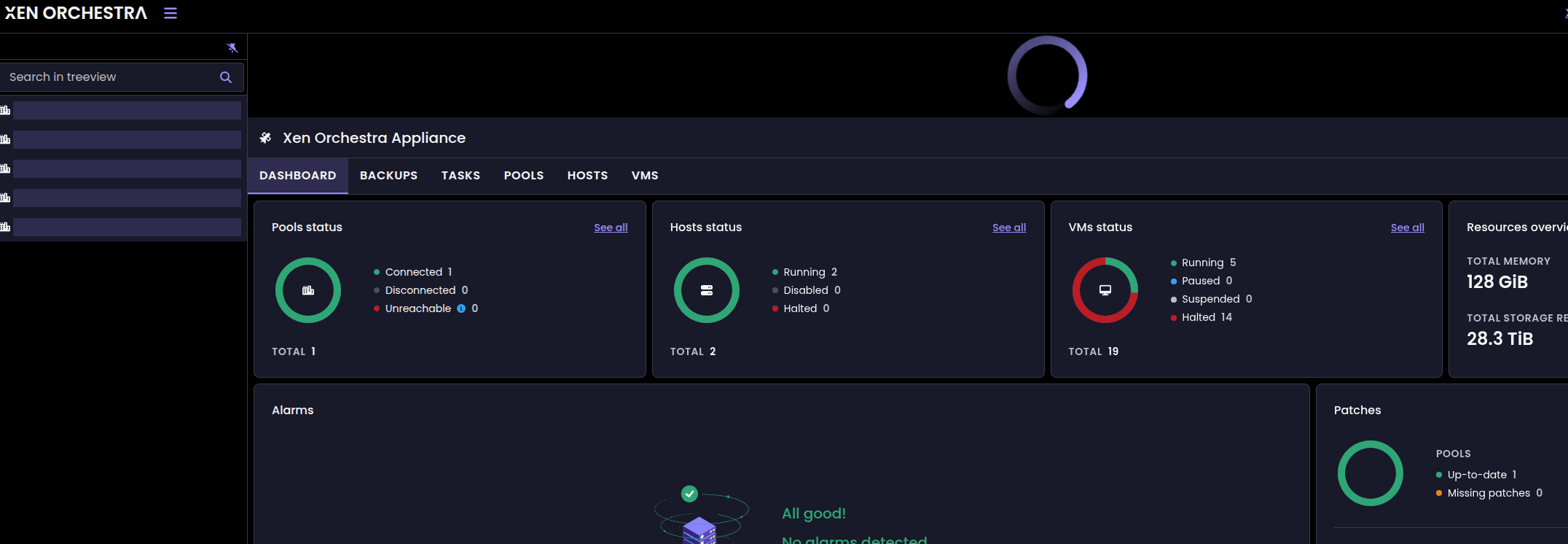
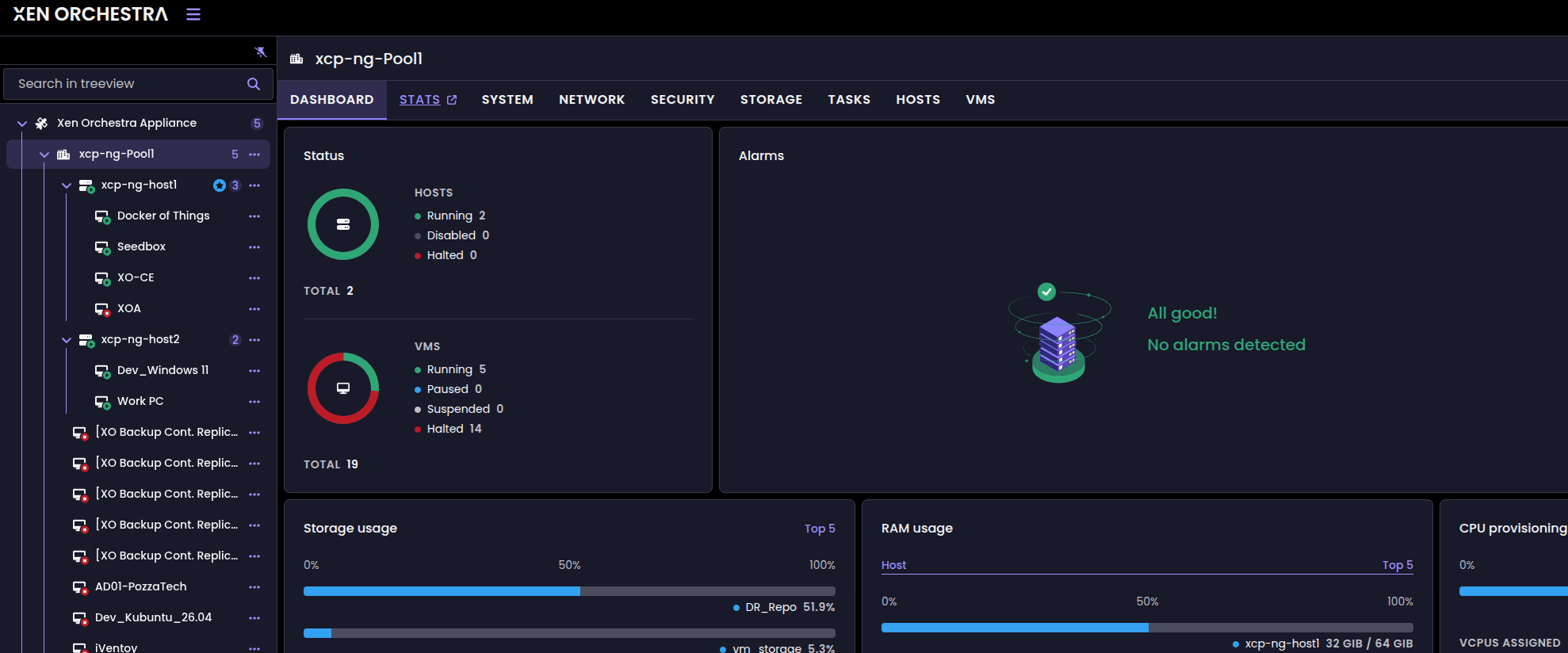
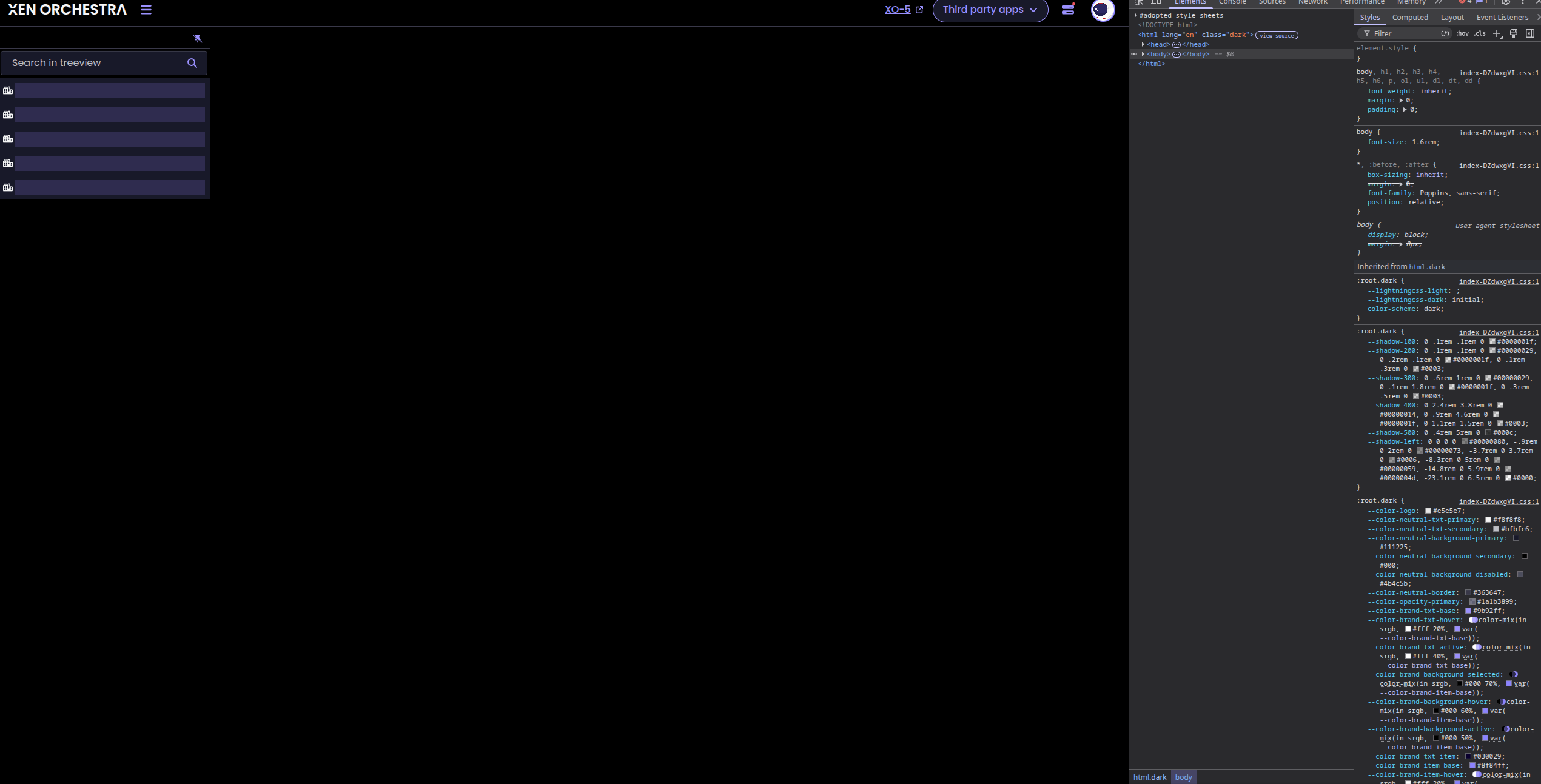
-
Also note - when run a rebuild i get the following...
[WARNING] XO 6 web UI (@xen-orchestra/web/dist) was not built — browser will use XO 5 UI at /v5.
[WARNING] This may be caused by unmet peer dependencies (pinia 3.x, vue-router 5.x).
[WARNING] Access your XO instance at: https://<host>/v5 until the upstream issue is resolved.
The rebuild completed successfully. A few things to note from the output:
- Build successful: All 35 packages built in ~48 seconds
- XO 6 UI warning: @xen-orchestra/web was not built due to unmet peer dependencies (pinia ^3.0.1, vue@~3.5.13, vue-router
^5.0.0, vue-i18n ^11.1.2). The browser will use XO 5 at /v5 until upstream resolves this. - Service running: HTTPS on port 443, tokens preserved, settings unchanged.
The XO 6 UI issue is an upstream dependency mismatch in the master branch — nothing broken on your end. If you need XO 6,
you'd need to wait for the upstream repo to update those peer deps or pin to a commit where they were satisfied. -
I just cant give up.....
Update — narrowed this down, and I think it's a token-indexing issue, not auth tokens being "deleted."
Background: this XO (from-source install) was built fresh and then had a config restored into it from an exported XO config backup. After the config import. I logged out as admin@admin.net and logged into my user account and then deleted the admin@admin.net account.
Here is what I've been able to prove:
Symptom: Every browser session token fails immediately after login. Seconds after logging in, xo-server logs:
xo:redis WARN The id xo:token:<id> had no attached entries.
…and then the v6 dashboard's REST/event calls all return 401:[GET] /dashboard (401)
[GET] /vms (401)
[GET] /hosts (401)
[GET] /srs (401)
[GET] /backup-logs (401)
[GET] /pools/<uuid>/stats (401)
[POST] /events/<uuid>/subscriptions (401)
What I tested / ruled out:Not a stale browser cookie. Fully closed the browser, logged in fresh. The brand-new token (visible in Settings → Tokens, created at login time) reproduces had no attached entries within ~40 seconds.
Not the reverse proxy. Reproduced on a direct connection to the XO server, no proxy in the path. (v6 does appear to load somewhat better direct vs. proxied, but the token warnings + 401s happen either way.)
Not stale Redis index data. I stopped xo-server, deleted xo:token::indexes (it's a Redis SET), and restarted — three separate times. XO rebuilds the key, but every newly-issued session token re-triggers the warning.
Only session tokens are affected. API tokens created via Settings → Tokens (with a description) work perfectly — they authenticate fine against the REST API via the authenticationToken cookie and never log this warning. The breakage is specific to browser-login session tokens.
My read: on this restored-from-config instance, xo-server issues a session token at login but cannot resolve that same token on the next request — it looks like the token body is written but its index entry is not (or the xo:token collection's index schema is in a state XO can't self-heal after a config import). API tokens are unaffected, which is why integrations keep working while the v6 dashboard 401s.Likely trigger: restoring an exported XO config onto a fresh install. The imported state and the xo:token collection appear to end up inconsistent.
Questions for the team:
Is there a supported way to fully rebuild the xo:token collection index on a restored instance, beyond deleting xo:token::indexes?
Is this a known issue with config-backup restore leaving the token store inconsistent?
Happy to provide full logs or run diagnostics.❯ journalctl -u xo-server -f | grep -iE 'had no attached|WNSCG|401' May 22 00:50:12 xo-ce xo-server[42654]: 2026-05-22T00:50:12.370Z xo:rest-api:error-handler INFO [GET] /users/0344d88b-0fe8-4462-811b-5c04a92981aa (401) May 22 00:50:12 xo-ce xo-server[42654]: 2026-05-22T00:50:12.507Z xo:rest-api:error-handler INFO [GET] /dashboard (401) May 22 00:50:17 xo-ce xo-server[42654]: 2026-05-22T00:50:17.166Z xo:redis WARN The id xo:token:WNSCGIpaCV0zihqsT3L3lXMkwA6XWcTgoSmzfHXT5xM had no attached entries. May 22 00:50:27 xo-ce xo-server[42654]: 2026-05-22T00:50:17.166Z xo:redis WARN The id xo:token:WNSCGIpaCV0zihqsT3L3lXMkwA6XWcTgoSmzfHXT5xM had no attached entries. May 22 00:50:27 xo-ce xo-server[42654]: 2026-05-22T00:50:27.399Z xo:rest-api:error-handler INFO [GET] /srs (401) May 22 00:50:30 xo-ce xo-server[42654]: 2026-05-22T00:50:30.201Z xo:redis WARN The id xo:token:Gy-WhZLuY-C5zmPLqx677VA9uP_v6G8_ZY8IsyPoBfo had no attached entries. May 22 00:50:30 xo-ce xo-server[42654]: 2026-05-22T00:50:30.201Z xo:rest-api:error-handler INFO [GET] /backup-logs (401) May 22 00:50:32 xo-ce xo-server[42654]: 2026-05-22T00:50:32.176Z xo:rest-api:error-handler INFO [POST] /events/5f61024f-480a-4673-aa87-1a13512804c4/subscriptions (401) May 22 00:50:34 xo-ce xo-server[42654]: 2026-05-22T00:50:34.807Z xo:rest-api:error-handler INFO [GET] /backup-logs (401) May 22 00:50:39 xo-ce xo-server[42654]: 2026-05-22T00:50:39.429Z xo:rest-api:error-handler INFO [POST] /events/b305b71b-1fb7-4dbd-ae1b-dd55ecf658c9/subscriptions (401) May 22 00:50:39 xo-ce xo-server[42654]: 2026-05-22T00:50:39.530Z xo:redis WARN The id xo:token:WNSCGIpaCV0zihqsT3L3lXMkwA6XWcTgoSmzfHXT5xM had no attached entries. May 22 00:50:44 xo-ce xo-server[42654]: 2026-05-22T00:50:44.445Z xo:rest-api:error-handler INFO [GET] /hosts (401) May 22 00:50:44 xo-ce xo-server[42654]: 2026-05-22T00:50:44.447Z xo:rest-api:error-handler INFO [GET] /vms (401) May 22 00:50:49 xo-ce xo-server[42654]: 2026-05-22T00:50:49.522Z xo:rest-api:error-handler INFO [POST] /events/3e83a79d-9386-4c36-801a-292734a05051/subscriptions (401) May 22 00:50:50 xo-ce xo-server[42654]: 2026-05-22T00:50:50.730Z xo:rest-api:error-handler INFO [GET] /hosts/00fcd37d-e4c4-476e-a0ef-1ded027bebf8/alarms (401) May 22 00:50:52 xo-ce xo-server[42654]: 2026-05-22T00:50:52.242Z xo:rest-api:error-handler INFO [POST] /events/3e83a79d-9386-4c36-801a-292734a05051/subscriptions (401) May 22 00:52:40 xo-ce xo-server[42654]: 2026-05-22T00:52:40.784Z xo:redis WARN The id xo:token:Gy-WhZLuY-C5zmPLqx677VA9uP_v6G8_ZY8IsyPoBfo had no attached entries. May 22 00:52:43 xo-ce xo-server[42654]: 2026-05-22T00:52:43.994Z xo:rest-api:error-handler INFO [GET] /pools/939ed551-fbd6-9868-52d8-d3997b7bf7da/stats (401) May 22 00:52:45 xo-ce xo-server[42654]: 2026-05-22T00:52:45.872Z xo:redis WARN The id xo:token:Gy-WhZLuY-C5zmPLqx677VA9uP_v6G8_ZY8IsyPoBfo had no attached entries. May 22 00:52:47 xo-ce xo-server[42654]: 2026-05-22T00:52:47.710Z xo:rest-api:error-handler INFO [GET] /pools/939ed551-fbd6-9868-52d8-d3997b7bf7da/stats (401) -
@acebmxer Thank for your investigation.
- You talk about a script
install-xen-orchestra.sh, but the link seems dead. What is that script, it is a script provided by Vates? - Bearer token is not supported (the xo doc say we can use Basic auth, or cookie to connect). If Bearer token is an absolute need, we can think about implementing it.
- For XO6 UI that doesn't build, can you provide the full error log?
To reproduce dashbloard loading issues, we have to:
- have a fresh XO install
- import an XO config that come for antoher XO
- connect as the default
admin@admin.net, and create another user - connect as the new user, and delete the default user (
admin@admin.net)
Symptom: Every browser session token fails immediately after login. Seconds after logging in, xo-server logs
Only browser session that use the deleted account fails, or even sessions with untouched users?
After that, the issue occures even if we logout/login with the new user?
- You talk about a script
-
The script is the one i posted here - https://xcp-ng.org/forum/topic/11895/install-xo-from-sources.
This is what I believed caused my issues. exporting xo config into new deployed xo. Either bug in the tokens or bug in my script on how it deals with it. v5 of the ui does not show visual issue or functionality. Only v6 dashboard loading or not loading or partially loading.
also not sure if npm reverse proxy is any cause in the issues. as accessing xo via ip vs domain name seems to function more better but not 100%.I did a fresh install and only added the pool to the new XO still with default admin@admin.net account..
And still having same issues. claude keep saying i have a stale toke issue. Even on a fresh build and using the default account.
One moment it thinks its an issue with the script next it thinks its an upstream issue.
If anyone else with the skills can review the code - https://github.com/acebmxer/install_xen_orchestra
-
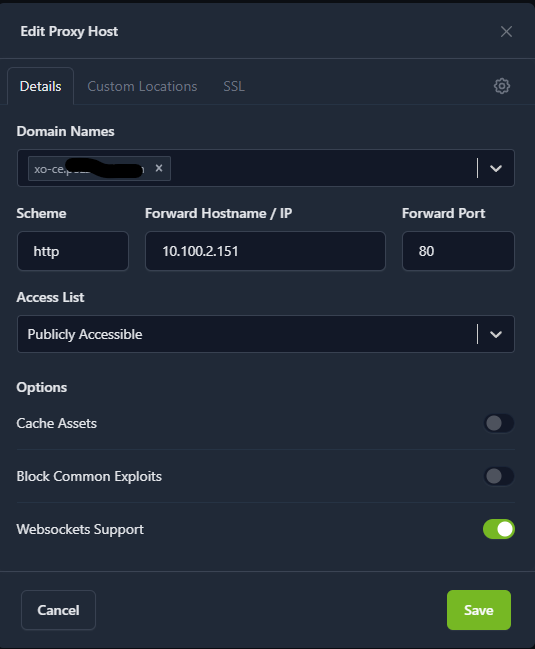
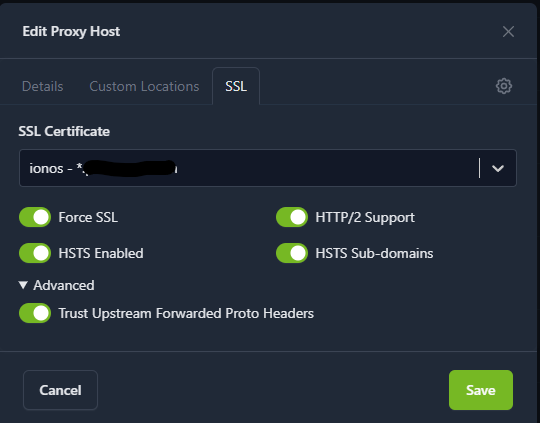
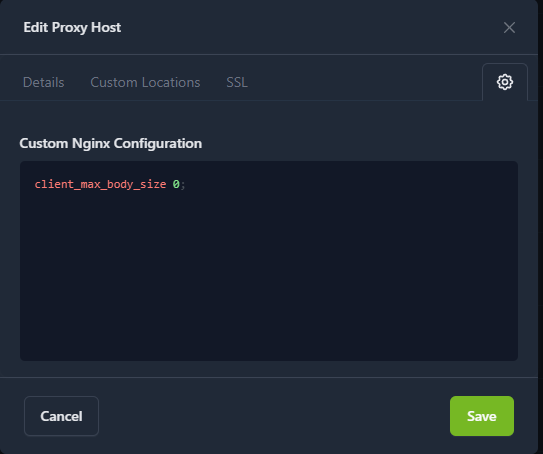
@acebmxer I remeber some users experiencing issues with XO6 due to a misconfigured NGINX reverse proxy (it was blocking SSE, which XO6 uses).
Is your reverse proxy configured correctly?
I won't have time to examine the script myself
-
Reverse proxy is npm. IP listed is of the new XO that was created. other then that no changes to the proxy.
-
Ok think i am making progress. I believe the stale token was a phantom issue or maybe was an issue with previous xo build, and AI just hung onto that idea. To the best of my knowledge the tokens seem to be working correctly. That is they update when i refresh or log out and log in. If i delete the token and log back it generates a new token. If i log in form a different computer it generates a new token for that login. I need to wait for the token to past its expire date/time.
I think to real is actual problem is with the v6 dashboard issue. Last thing need to test is build another and export this config and import into new and see if it blows up.
That's the first read. The two last_uses timestamps are:
10.100.10.131 → 1779489071582 (2026-05-22 22:31:11 UTC)
127.0.0.1 → 1779489074416 (2026-05-22 22:31:14 UTC)
Both correspond to your fresh login activity and the tcpdump capture window. Now wait ~60 seconds and run it again:sudo redis-cli get xo:token:Olbs11w5o
If the 10.100.10.131 timestamp advances to a more recent value, the v6 UI is sending the token cookie successfully on some requests — meaning the 401s on /dashboard are from a specific code path in the v6 UI that omits the cookie (upstream bug).If the timestamp does not advance, the v6 UI stopped sending the cookie entirely after the initial page load — which would be a cookie-scope or SameSite issue we can potentially fix on the server side.
❯ sudo redis-cli get xo:token:Olbs11w5o
"{"client":"{}","created_at":1779488912916,"description":"Mozilla/5.0 (X11; Linux x86_64) AppleWebKit/537.36 (KHTML, like Gecko) Chrome/148.0.0.0 Safari/537.36","user_id":"7e6d04ac-415e-4355-8dd6-3465467c7df1","expiration":1779524912916,"last_uses":{"10.100.10.131":{"timestamp":1779489071582},"127.0.0.1":{"timestamp":1779489074416}},"client_id":"itsdbb2c0ni"}"I ran it again after refreshing the browser a few times...
❯ sudo redis-cli get xo:token:Olbs11w5o
"{"client":"{}","created_at":1779488912916,"description":"Mozilla/5.0 (X11; Linux x86_64) AppleWebKit/537.36 (KHTML, like Gecko) Chrome/148.0.0.0 Safari/537.36","user_id":"7e6d04ac-415e-4355-8dd6-3465467c7df1","expiration":1779524912916,"last_uses":{"10.100.10.131":{"timestamp":1779489677313},"127.0.0.1":{"timestamp":1779489674082}},"client_id":"itsdbb2c0ni"}"
The timestamps did advance:10.100.10.131: 1779489071582 → 1779489677313 (+10 min)
127.0.0.1: 1779489074416 → 1779489674082 (+10 min)
So after refreshing the browser, your valid session token is being used and last_uses updates correctly. That means the v6 UI does send the cookie on most requests — auth works for normal page loads and most API calls.But the /dashboard (401) polling continues independently of those successful authenticated requests. That's the smoking gun: the v6 UI's dashboard widget polls /dashboard without attaching the auth cookie, even when the rest of the app is properly authenticated.
This is definitively an upstream XO 6 UI bug, not a problem with:
This install script
Your xo-config.cfg settings
The NPM reverse proxy
Your browser session
Conclusions for your situation:The 401 noise is cosmetic — your XO works fine, the dashboard widget just polls a route it shouldn't (or doesn't authenticate the poll).
Nothing in this project needs to change. The install script, config rendering, and Redis cleanup logic are all working as designed.
The right next step is to report it to Vates at https://github.com/vatesfr/xen-orchestra: "XO 5.201.0 web (v6) polls /rest/v0/dashboard every 31s without auth cookie even when user is logged in, producing log spam and Redis warnings." -
Confirmed Tokens are not being stuck or orphaned. Logged in this morning the two tokens form yesterday have expired and are no longer visable. Upon login a new one was created.
Still v6 ui still having issues.
-
@acebmxer Hi
i am able to reproduce the dashboard issue locally now, so we can also investigate on our end.
Can you confirm, no dashboard issue on the commit :
ee53cd072304a38e8bf816dceef9bc7277b776dc? -
@acebmxer Hi
i am able to reproduce the dashboard issue locally now, so we can also investigate on our end.
Can you confirm, no dashboard issue on the commit :
ee53cd072304a38e8bf816dceef9bc7277b776dc?Current commit running -
Master 5811d
Current available -Master a9f85Should i update to the latest or do you have a specific build/branch to try?
-
@acebmxer Hi,
Thanks to your help we were able to identify an issue with Redis that we think is the source of the v6 dashboard loading issue.
Could you try and checkout the
fix_redis_encryption_issuebranch, rebuild xo and restart ?This should solve the 401 issues.
-
@acebmxer Hi,
Thanks to your help we were able to identify an issue with Redis that we think is the source of the v6 dashboard loading issue.
Could you try and checkout the
fix_redis_encryption_issuebranch, rebuild xo and restart ?This should solve the 401 issues.
Will continue to test but i think that did resolve it. I am hesitant from the logs after update. I have refreshed the page 20 times and still loads correctly no glitches.
[INFO] Detected package manager: apt
[INFO] Checking for updates...
[INFO] Installed commit: fc4d34b354e3
[INFO] Remote commit:    e5210ad478b8
[INFO] New version available. Proceeding with update...
[INFO] Checking for active Xen Orchestra tasks before updating...

[INFO] Using authentication token from xo-config.cfg...
[INFO] Querying active tasks as authentication token...
[SUCCESS] No active tasks found. Proceeding with update...
[INFO] Task check performed by: authentication token
[INFO] Stopping xo-server service...
[INFO]   Preserving API token ("xo-installer")
[INFO]   Flushed browser session token (client_id y7iutpmvys7)
[INFO]   Deleted stale collection index: xo:token::indexes
[INFO]   Preserving API token ("no description")
[INFO] Flushed 1 session token(s) — users will need to log in again
[INFO] Preserved 2 API token(s) — third-party integrations unaffected
[INFO] Creating backup of current installation...
[SUCCESS] Backup created: /opt/xo-backups/xo-backup-20260527_094604
[INFO] Cleaning old backups (keeping 5)...
[SUCCESS] Old backups cleaned
[INFO] Pulling latest changes...
Updated 3625 paths from the index
remote: Enumerating objects: 182, done.
remote: Counting objects: 100% (91/91), done.
remote: Compressing objects: 100% (31/31), done.
remote: Total 182 (delta 63), reused 76 (delta 58), pack-reused 91 (from 1)
Receiving objects: 100% (182/182), 103.02 KiB | 6.87 MiB/s, done.
Resolving deltas: 100% (104/104), completed with 31 local objects.
From https://github.com/vatesfr/xen-orchestra
   fc4d34b35..dae64be80  master                                   -> origin/master
 + 4c172c569...d4ed13417 feat/sdn-controller/improve-startup-perf -> origin/feat/sdn-controller/improve-startup-perf  (forced update)
 * [new branch]          fix_qa_test                              -> origin/fix_qa_test
 * [new branch]          fix_redis_encryption_issue               -> origin/fix_redis_encryption_issue
 * [new branch]          lite/warning-before-leaving-XOA-deploy   -> origin/lite/warning-before-leaving-XOA-deploy
 * [new branch]          mel/acl/pool-RBAC-check                  -> origin/mel/acl/pool-RBAC-check
   2ca9e58d1..24506cfa6  mel/acls/pbds-RBAC-check                 -> origin/mel/acls/pbds-RBAC-check
 * [new branch]          refacto/migrate-to-register-rest-routes  -> origin/refacto/migrate-to-register-rest-routes
 + 761fb851c...766311798 xo6/general-tab-traffic-rule-vif         -> origin/xo6/general-tab-traffic-rule-vif  (forced update)
   de5fc9cc4..a10ed619a  xo6/traffic-rules-vif                    -> origin/xo6/traffic-rules-vif
branch 'fix_redis_encryption_issue' set up to track 'origin/fix_redis_encryption_issue'.
Switched to a new branch 'fix_redis_encryption_issue'
[INFO] Node.js v24.15.0 satisfies configured version 24 — no runtime change needed
[INFO] Installing Node.js 24...
[INFO] Node.js 24 requirement satisfied (installed: v24.15.0)
[INFO] npm is available: 11.12.1
[INFO] Installing Yarn...
[INFO] Yarn is already installed: 1.22.22
[INFO] Building Xen Orchestra (this may take a while)...
[INFO] Sufficient swap space available: 4095MB
[INFO] Clearing build cache for clean rebuild...
[INFO] Moderate memory detected (5399MB RAM + 4095MB swap). Limiting build concurrency to 2.
yarn install v1.22.22
(node:87888) [DEP0169] DeprecationWarning: `url.parse()` behavior is not standardized and prone to errors that have security implications. Use the WHATWG URL API instead. CVEs are not issued for `url.parse()` vulnerabilities.
(Use `node --trace-deprecation ...` to show where the warning was created)
[1/5] Validating package.json...
[2/5] Resolving packages...
success Already up-to-date.
$ husky install
husky - Git hooks installed
Done in 0.57s.
yarn run v1.22.22
$ TURBO_TELEMETRY_DISABLED=1 turbo run build --filter xo-server --filter xo-server-'*' --filter xo-web --filter @xen-orchestra/web --filter @xen-orchestra/backup-archive --concurrency=2
╭───────────────────────────────────────────────────────────────────────────╮
│                                                                           │
│                    Update available v2.9.12 ≫ v2.9.14                     │
│    Changelog: https://github.com/vercel/turborepo/releases/tag/v2.9.14    │
│           Run "yarn dlx @turbo/codemod@latest update" to update           │
│                                                                           │
│          Follow @turborepo for updates: https://x.com/turborepo           │
╰───────────────────────────────────────────────────────────────────────────╯
• turbo 2.9.12
 WARNING  no caches are enabled

   • Packages in scope: @xen-orchestra/backup-archive, @xen-orchestra/web, xo-server, xo-server-audit, xo-server-auth-github, xo-server-auth-google, xo-server-auth-ldap, xo-server-auth-oidc, xo-server-auth-saml, xo-server-backup-reports, xo-server-ipmi-sensors, xo-server-load-balancer, xo-server-netbox, xo-server-openmetrics, xo-server-perf-alert, xo-server-sdn-controller, xo-server-test-plugin, xo-server-transport-email, xo-server-transport-icinga2, xo-server-transport-nagios, xo-server-transport-slack, xo-server-transport-xmpp, xo-server-usage-report, xo-server-web-hooks, xo-web
   • Running build in 25 packages
   • Remote caching disabled (remote cache requested — set TURBO_TOKEN and TURBO_TEAM, or run "turbo login" and "turbo link")


 Tasks:    35 successful, 35 total
Cached:    0 cached, 35 total
  Time:    48.025s

Done in 48.47s.
[SUCCESS] Xen Orchestra built successfully
[WARNING] XO 6 web UI (@xen-orchestra/web/dist) was not built — browser will use XO 5 UI at /v5.
[WARNING] This may be caused by unmet peer dependencies (pinia 3.x, vue-router 5.x).
[WARNING] Access your XO instance at: https://<host>/v5 until the upstream issue is resolved.
[INFO] Creating systemd service...
[SUCCESS] Systemd service created and enabled
[INFO] Configuring sudo for xo-service (mount/umount/findmnt)...
[SUCCESS] Sudo configured for xo-service (mount, umount, findmnt)
[INFO] Applying security hardening...
[INFO] Starting xo-server service...
[INFO] Waiting for Xen Orchestra to become ready (up to 60s)...
[INFO]   Not ready yet (attempt 1/10), retrying in 6s...
[SUCCESS] Xen Orchestra is ready (HTTPS on port 443)
[SUCCESS] Update completed successfully!
[INFO] New commit: e5210ad478b8
[SUCCESS] Xen Orchestra built successfully [WARNING] XO 6 web UI (@xen-orchestra/web/dist) was not built — browser will use XO 5 UI at /v5. [WARNING] This may be caused by unmet peer dependencies (pinia 3.x, vue-router 5.x). [WARNING] Access your XO instance at: https://<host>/v5 until the upstream issue is resolved.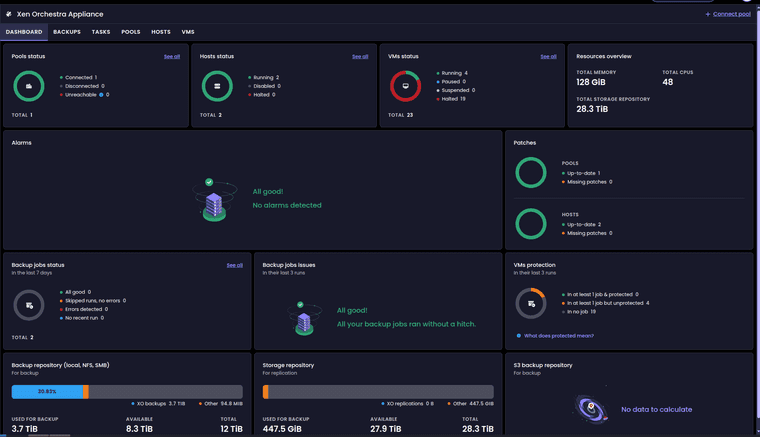
-
@acebmxer Hi,
Thanks to your help we were able to identify an issue with Redis that we think is the source of the v6 dashboard loading issue.
Could you try and checkout the
fix_redis_encryption_issuebranch, rebuild xo and restart ?This should solve the 401 issues.
Switched back to Master branch and made some changes to my install script.
- add diagnostics for missing XO 6 web UI build artifacts
- Plain bash
[[ -f ]]fails silently on unreadable paths owned by
SERVICE_USER, causing false-positive missing-artifact warnings. Switch
all file/dir tests and grep calls to use sudo.
SUCCESS] Xen Orchestra built successfully
[INFO] Build verification passed: dist — all JS chunks present.
[INFO] Build verification passed: dist — all JS chunks present.
[INFO] Creating systemd service...
[SUCCESS] Systemd service created and enabled
[INFO] Configuring sudo for xo-service (mount/umount/findmnt)...
[SUCCESS] Sudo configured for xo-service (mount, umount, findmnt)
[INFO] Applying security hardening...
[INFO] Starting xo-server service...
[INFO] Waiting for Xen Orchestra to become ready (up to 60s)...
[INFO]   Not ready yet (attempt 1/10), retrying in 6s...
[SUCCESS] Xen Orchestra is ready (HTTPS on port 443)
[SUCCESS] Update completed successfully!
[INFO] New commit: 0f29421627c7
v6 Dashboard still loading correctly. Thank you for the fix.
-
M MathieuRA marked this topic as a question on
-


Hello! It looks like you're interested in this conversation, but you don't have an account yet.
Getting fed up of having to scroll through the same posts each visit? When you register for an account, you'll always come back to exactly where you were before, and choose to be notified of new replies (either via email, or push notification). You'll also be able to save bookmarks and upvote posts to show your appreciation to other community members.
With your input, this post could be even better 💗
Register Login