Can't connect to server. Error message: Not Found
-
Can you ping the server reliably? Because it kind of seems like it's a network problem.
Start a CMD prompt on your XCP-ng Center PC and run ping -n 30 192.168.66.17 to see if you get packet losses.
If you do then it's probably a bad NIC or cable or switch port. -
@peder - yes no packet losses when running ping -n 30 192.168.66.17.
-
Are you sure you are pinging the right machine? No change you have a duplicate IP address?
-
@jedimarcus - yes I think so. I'm pining the management interface, which is the right interface to ping right?
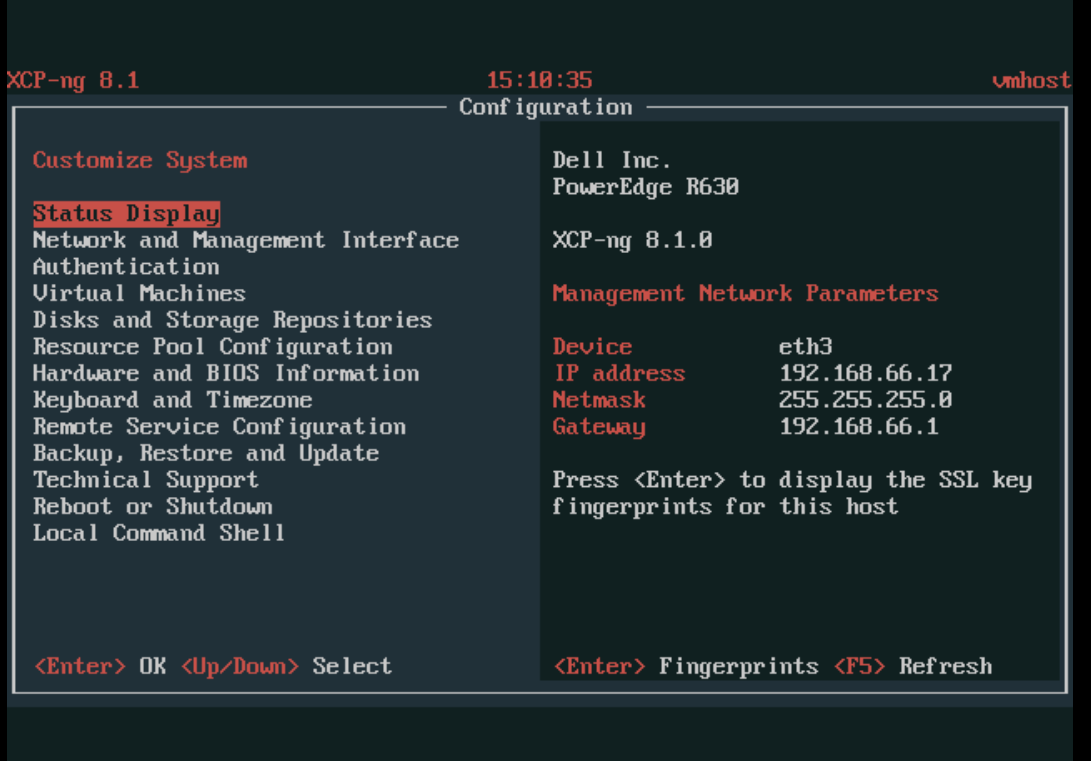
I really don't think that I have another machie running on that IP. 192.168.66.17 is out of the DHCP servers scope. And when I enter the IP in the browser I'm shown the welcome to XCP-ng screen where I have the option to install XOA or download the XCP-ng Center app.
-
Isn't there a password field you must type in when connecting XO to a new host? Are you supplying it with a password?
Its been a long time since I setup a new host so perhaps I'm wrong.
-
@Biggen Yes, I have checked that box/slider. But no luck.
-
I tried to ssh into the XCP-ng server, which worked fine I ran some commands but then the connection got closed (Broken pipe) with the argument that the remote host identification has changed.
[21:24 vmhost ~]# xe packet_write_wait: Connection to 192.168.66.17 port 22: Broken pipe
Macbook:~ run$ ssh root@192.168.66.17
@@@@@@@@@@@@@@@@@@@@@@@@@@@@@@@@@@@@@@@@@@@@@@@@@@@@@@@@@@@
@    WARNING: REMOTE HOST IDENTIFICATION HAS CHANGED!     @
@@@@@@@@@@@@@@@@@@@@@@@@@@@@@@@@@@@@@@@@@@@@@@@@@@@@@@@@@@@
IT IS POSSIBLE THAT SOMEONE IS DOING SOMETHING NASTY!
Someone could be eavesdropping on you right now (man-in-the-middle attack)!
It is also possible that a host key has just been changed.
The fingerprint for the ECDSA key sent by the remote host is
SHA256:qiZb5QLDgFhJUbNvvC5ry2SFao7td0/JywdeH1mIm1c.
Please contact your system administrator.
Add correct host key in /Users/run/.ssh/known_hosts to get rid of this message.
Offending ECDSA key in /Users/run/.ssh/known_hosts:10
ECDSA host key for 192.168.66.17 has changed and you have requested strict checking.
Host key verification failed.
This fingerprint key is different from what I can see when I go under "Status Display" on the XCP-ng server.
I don't know if this helps but it seems that I have some issues with authentication both on the XCP-ng Center, XO and when I SSH into the host?
Any idea of what I could do? And please let me know if you need more information.
Thanks
-
This usually means you have another machine on this IP.
-
Wow - you guys where right. I had a Raspberry pi running with that address on my network. Sorry for the inconvenience and thanks for your help.
-
No worries, if we knew the answer it means we made the mistake ourselves in the past.
Isn't that the goal of a great Open Source community? Sharing knowledge and code

-
 D Danp referenced this topic on


Hello! It looks like you're interested in this conversation, but you don't have an account yet.
Getting fed up of having to scroll through the same posts each visit? When you register for an account, you'll always come back to exactly where you were before, and choose to be notified of new replies (either via email, or push notification). You'll also be able to save bookmarks and upvote posts to show your appreciation to other community members.
With your input, this post could be even better 💗
Register Login