How do I attach a network to a PIF
-
I have a network that I want to attach to a PIF and assign a vlan to but I can't edit it. Any ideas where I need to click or do I need to do this from cli? or something else?
-
@Rocky
What did you try. You can use XO or XenCenter. -
@kevdog so let's say I want to connect WAN to eth0 for vlan 999 I don't see how to edit this in XO. I do see In XCP-ng Center it seems like I could change it that way. I guess my question is where do I go in XO for this.
@olivierlambert i tried to upload a picture but I got this forum error
Something went wrong installing the "sharp" module /lib64/libz.so.1: version `ZLIB_1.2.9' not found (required by /usr/share/nginx/html/forum/node_modules/sharp/build/Release/../../vendor/lib/libpng16.so.16) - Remove the "node_modules/sharp" directory then run "npm install --ignore-scripts=false --verbose" and look for errors - Consult the installation documentation at https://sharp.pixelplumbing.com/install - Search for this error at https://github.com/lovell/sharp/issues -
@Rocky
Yea it really stinks b/c I can't upload screenshotSo within XO
Home->Hosts-> Pick your Host
Choose Network
The third column is VLAN. You could type you VLAN information here.However the only question I would have is what exactly do you want to tag, and what don't you want to tag. I believe if you typed in VLAN 999 for example, this would represent untagged traffic on this network.
-
This error is coming back often, IDK why, I need to rebuild and then it will work again for a few time before getting back again… Anyway, on it.
-
This should be fixed now.
-
@kevdog so in the hosts area it's listed as a private network (it has no PIF right now). In the Pool networks I can't edit the PIF or VLAN either.
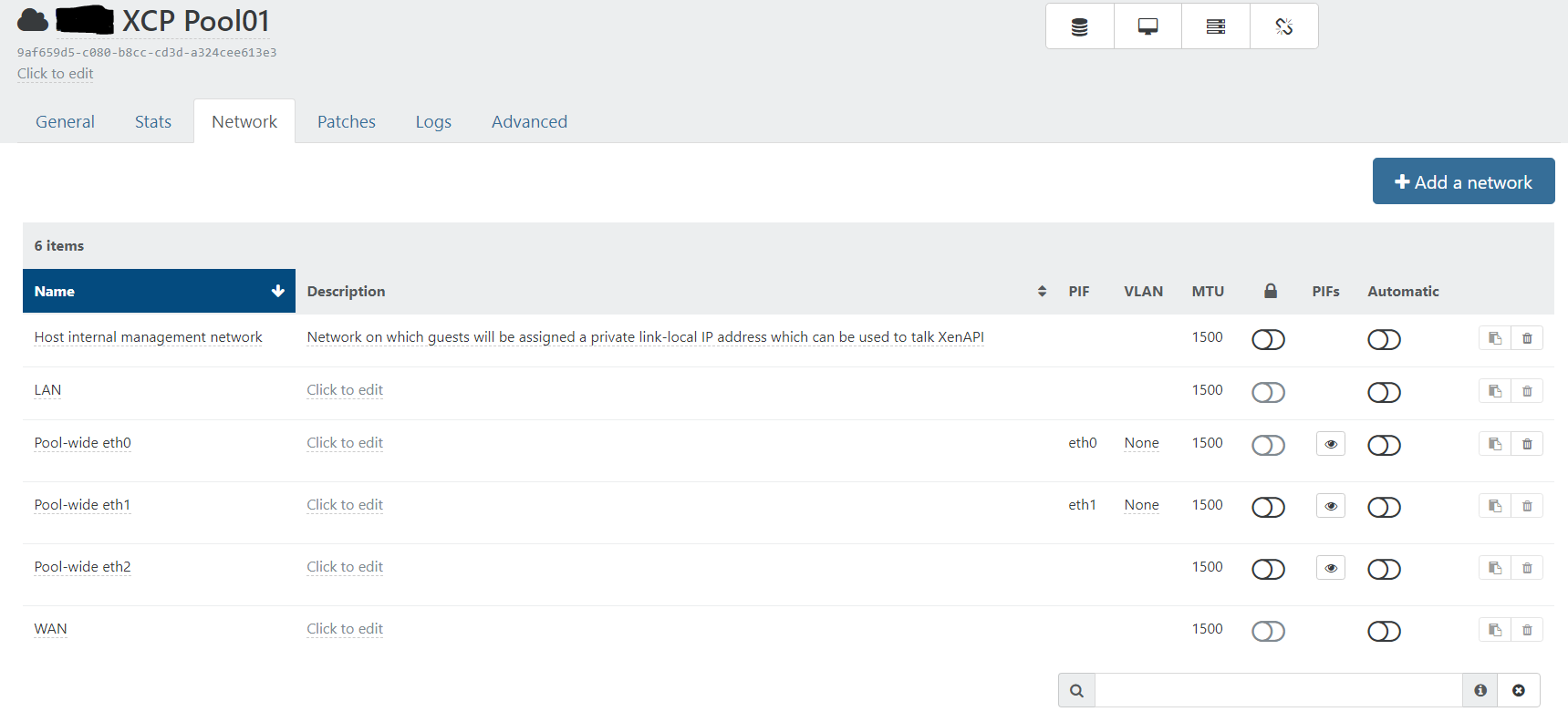
-
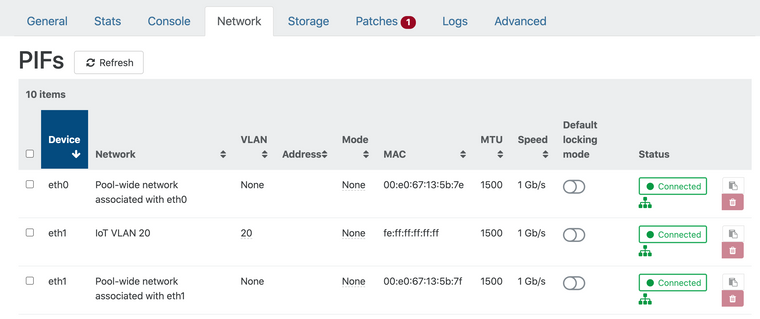
I'm a little confused I guess. I have a PIF section. There is nothing under my Private Network area.

Hello! It looks like you're interested in this conversation, but you don't have an account yet.
Getting fed up of having to scroll through the same posts each visit? When you register for an account, you'll always come back to exactly where you were before, and choose to be notified of new replies (either via email, or push notification). You'll also be able to save bookmarks and upvote posts to show your appreciation to other community members.
With your input, this post could be even better 💗
Register Login