XCP-ng
    • Categories
    • Recent
    • Tags
    • Popular
    • Users
    • Groups
    • Register
    • Login

    Ubuntu 20.04 Cloud Image

    Scheduled Pinned Locked Moved Xen Orchestra
    14 Posts 4 Posters 4.4k Views 2 Watching
    Loading More Posts
    • Oldest to Newest
    • Newest to Oldest
    • Most Votes
    Reply
    • Reply as topic
    Log in to reply
    This topic has been deleted. Only users with topic management privileges can see it.
    • E Offline
      encryptblockr @olivierlambert
      last edited by encryptblockr

      @olivierlambert thanks!

      To my original question, will the ubuntu be able to be used as cloud image?

      here is current storage

      root@ubuntu:~# fdisk -l
      Disk /dev/loop0: 55.45 MiB, 58130432 bytes, 113536 sectors
      Units: sectors of 1 * 512 = 512 bytes
      Sector size (logical/physical): 512 bytes / 512 bytes
      I/O size (minimum/optimal): 512 bytes / 512 bytes
      
      
      Disk /dev/loop1: 70.32 MiB, 73728000 bytes, 144000 sectors
      Units: sectors of 1 * 512 = 512 bytes
      Sector size (logical/physical): 512 bytes / 512 bytes
      I/O size (minimum/optimal): 512 bytes / 512 bytes
      
      
      Disk /dev/loop2: 32.3 MiB, 33865728 bytes, 66144 sectors
      Units: sectors of 1 * 512 = 512 bytes
      Sector size (logical/physical): 512 bytes / 512 bytes
      I/O size (minimum/optimal): 512 bytes / 512 bytes
      
      
      Disk /dev/xvda: 8 GiB, 8589934592 bytes, 16777216 sectors
      Units: sectors of 1 * 512 = 512 bytes
      Sector size (logical/physical): 512 bytes / 512 bytes
      I/O size (minimum/optimal): 512 bytes / 512 bytes
      Disklabel type: gpt
      Disk identifier: 8821F92D-EF64-44B5-9F75-A25778F4AD7E
      
      Device     Start      End  Sectors Size Type
      /dev/xvda1  2048     4095     2048   1M BIOS boot
      /dev/xvda2  4096 16775167 16771072   8G Linux filesystem
      
      E fohdeeshaF 2 Replies Last reply Reply Quote 0
      • E Offline
        encryptblockr @encryptblockr
        last edited by

        any help?

        is this going to work with creating a cloud image?

        1 Reply Last reply Reply Quote 0
        • olivierlambertO Offline
          olivierlambert Vates 🪐 Co-Founder CEO
          last edited by

          @fohdeesha will come back to you when he can 🙂

          1 Reply Last reply Reply Quote 0
          • fohdeeshaF Offline
            fohdeesha Vates 🪐 Pro Support Team @encryptblockr
            last edited by

            @encryptblockr Hi! by cloud image I'm assuming you mean cloud-init? Cloud-init has some issues and their documentation hasn't been updated to cover a lot of changes so I've been dealing with debugging it for a customer on ubuntu, but it's mostly related to network config. Your displayed config should work no problem for a cloud template, the important thing is that the linux/OS partition is at the end of the disk, after all the other partitions - this way cloud-init can expand it without running over partitions after it. Your fdisk output shows that it's the last partition, so you should be good.

            E 1 Reply Last reply Reply Quote 0
            • E Offline
              encryptblockr @fohdeesha
              last edited by

              @fohdeesha ok great..will try it out

              any plan to release ubuntu 20.04 cloud image on blog? community will really appreciate it

              thanks!!!

              1 Reply Last reply Reply Quote 0
              • olivierlambertO Offline
                olivierlambert Vates 🪐 Co-Founder CEO
                last edited by

                It's planned to add a new Ubuntu in XO Hub, yes 🙂

                E 1 Reply Last reply Reply Quote 0
                • E Offline
                  encryptblockr @olivierlambert
                  last edited by

                  @olivierlambert what is link to hub?

                  the documentation in blog post is also what am after

                  1 Reply Last reply Reply Quote 0
                  • olivierlambertO Offline
                    olivierlambert Vates 🪐 Co-Founder CEO
                    last edited by

                    XO Hub is available in your XOA (even Free).

                    See the start of https://xen-orchestra.com/blog/xen-orchestra-5-39/

                    E 1 Reply Last reply Reply Quote 0
                    • E Offline
                      encryptblockr @olivierlambert
                      last edited by

                      @olivierlambert

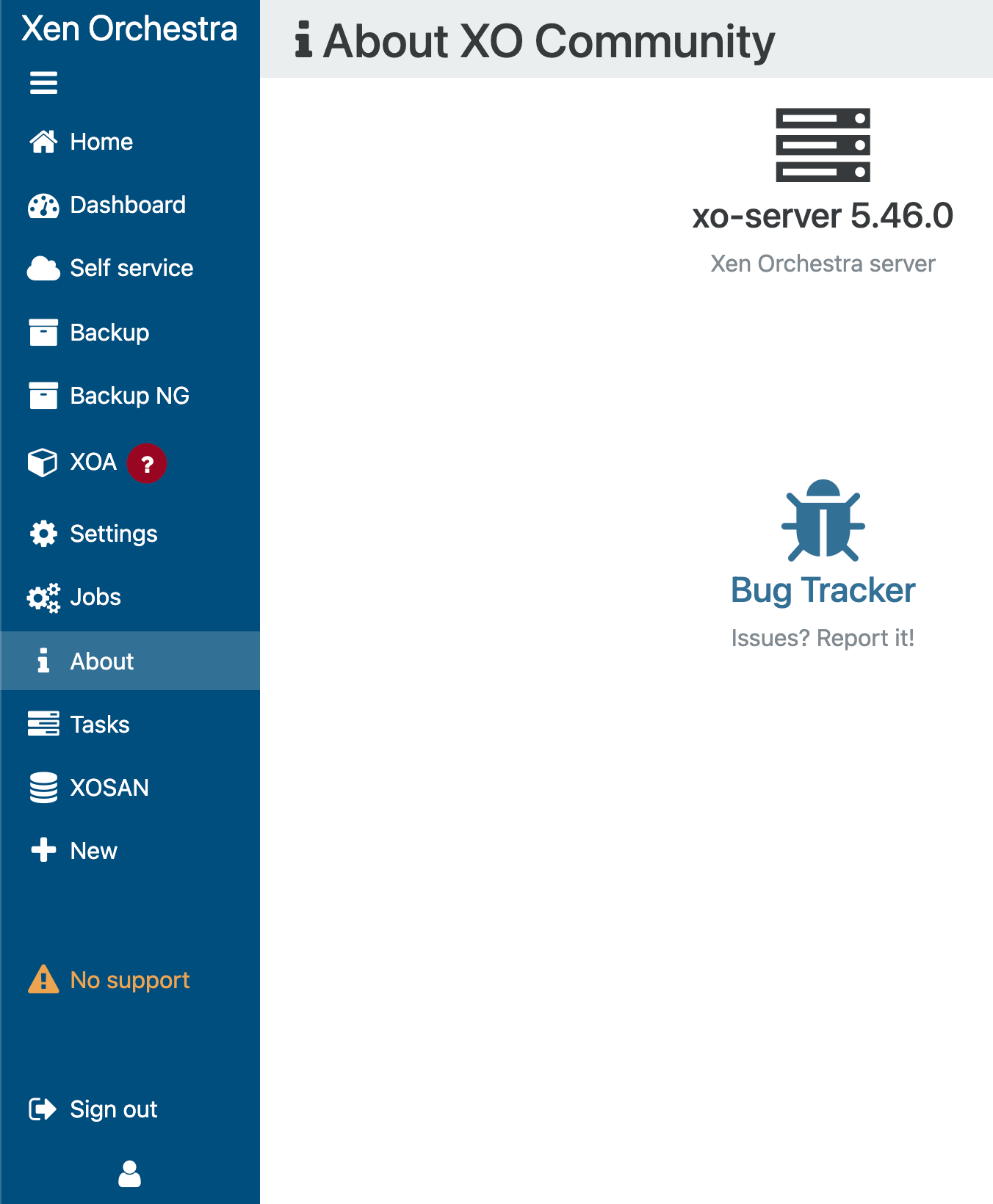
                      I do not see HUB in 5.46

                      7a054790-c239-49a9-88eb-039bee73e912-image.png

                      1 Reply Last reply Reply Quote 0
                      • olivierlambertO Offline
                        olivierlambert Vates 🪐 Co-Founder CEO
                        last edited by

                        It's available for XOA. Also, it seems you are using a very outdated version of Xen Orchestra.

                        1 Reply Last reply Reply Quote 0
                        • E Offline
                          encryptblockr
                          last edited by encryptblockr

                          @fohdeesha

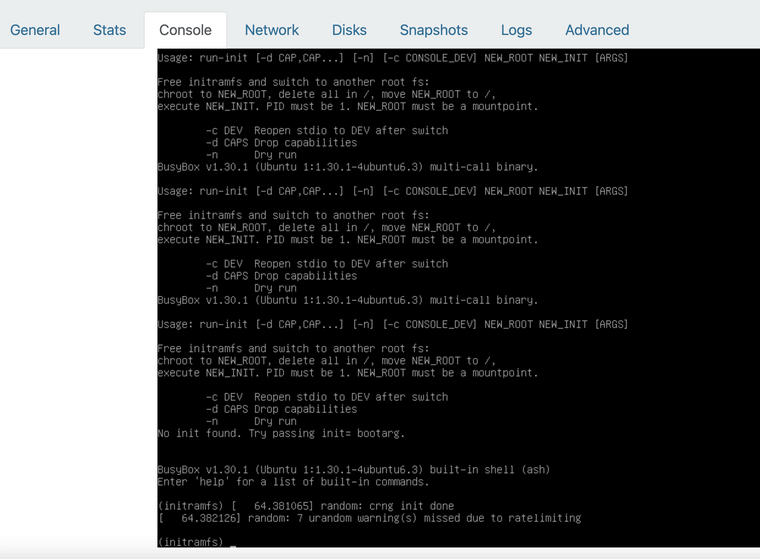
                          created the cloud image and here is what am getting when booting a new VM from the cloud image
                          7352a4fe-3192-4ccd-80a7-7c244bed036f-image.png

                          the VM is unable to complete boot process

                          T 1 Reply Last reply Reply Quote 0
                          • T Offline
                            TITUS MAXIMUS @encryptblockr
                            last edited by

                            @encryptblockr Why don't you just download the official cloud image from ubuntu? It's not worth the headache lol.

                            https://cloud-images.ubuntu.com/releases/focal/release/ubuntu-20.04-server-cloudimg-amd64.ova

                            1 Reply Last reply Reply Quote 0

                            Hello! It looks like you're interested in this conversation, but you don't have an account yet.

                            Getting fed up of having to scroll through the same posts each visit? When you register for an account, you'll always come back to exactly where you were before, and choose to be notified of new replies (either via email, or push notification). You'll also be able to save bookmarks and upvote posts to show your appreciation to other community members.

                            With your input, this post could be even better 💗

                            Register Login
                            • First post
                              Last post