XCP-ng
    • Categories
    • Recent
    • Tags
    • Popular
    • Users
    • Groups
    • Register
    • Login

    Need help creating single disk partition for Ubuntu 22.04 cloud image
    Scheduled Pinned Locked Moved Xen Orchestra
    12 Posts 3 Posters 2.8k Views 2 Watching
    Loading More Posts
    • Oldest to Newest
    • Newest to Oldest
    • Most Votes
    Reply
    • Reply as topic
    Log in to reply
    This topic has been deleted. Only users with topic management privileges can see it.
    • E
      encryptblockr
      last edited by encryptblockr

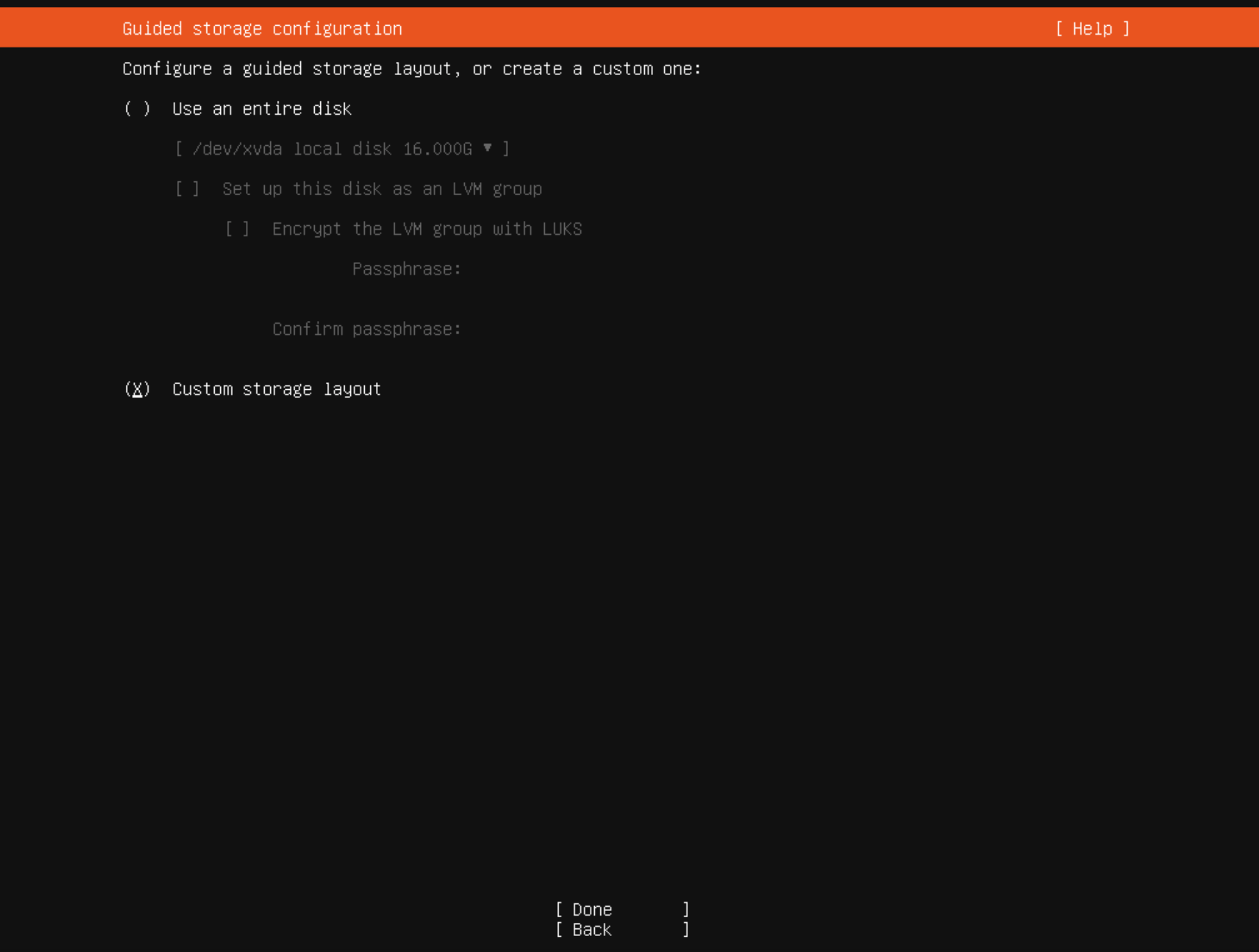
      I chose custom storage layout

      a648ca37-a4fc-4c89-8771-3b7ad3e90c4e-image.png

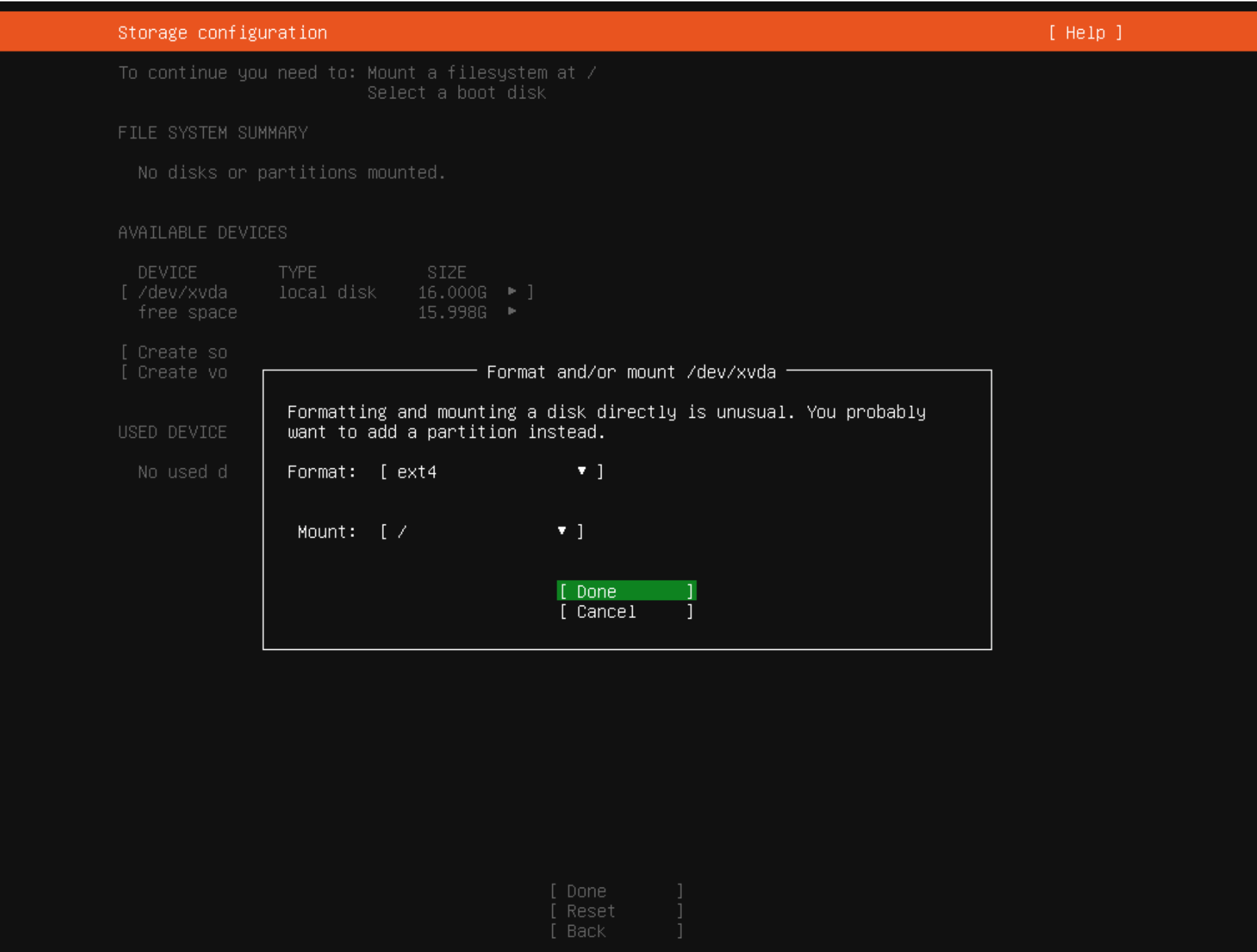
      and then

      3fe56b5f-5267-4e87-862a-db46d4a82335-image.png

      1 Reply Last reply
      Reply Quote 0
      • E
        encryptblockr
        last edited by encryptblockr

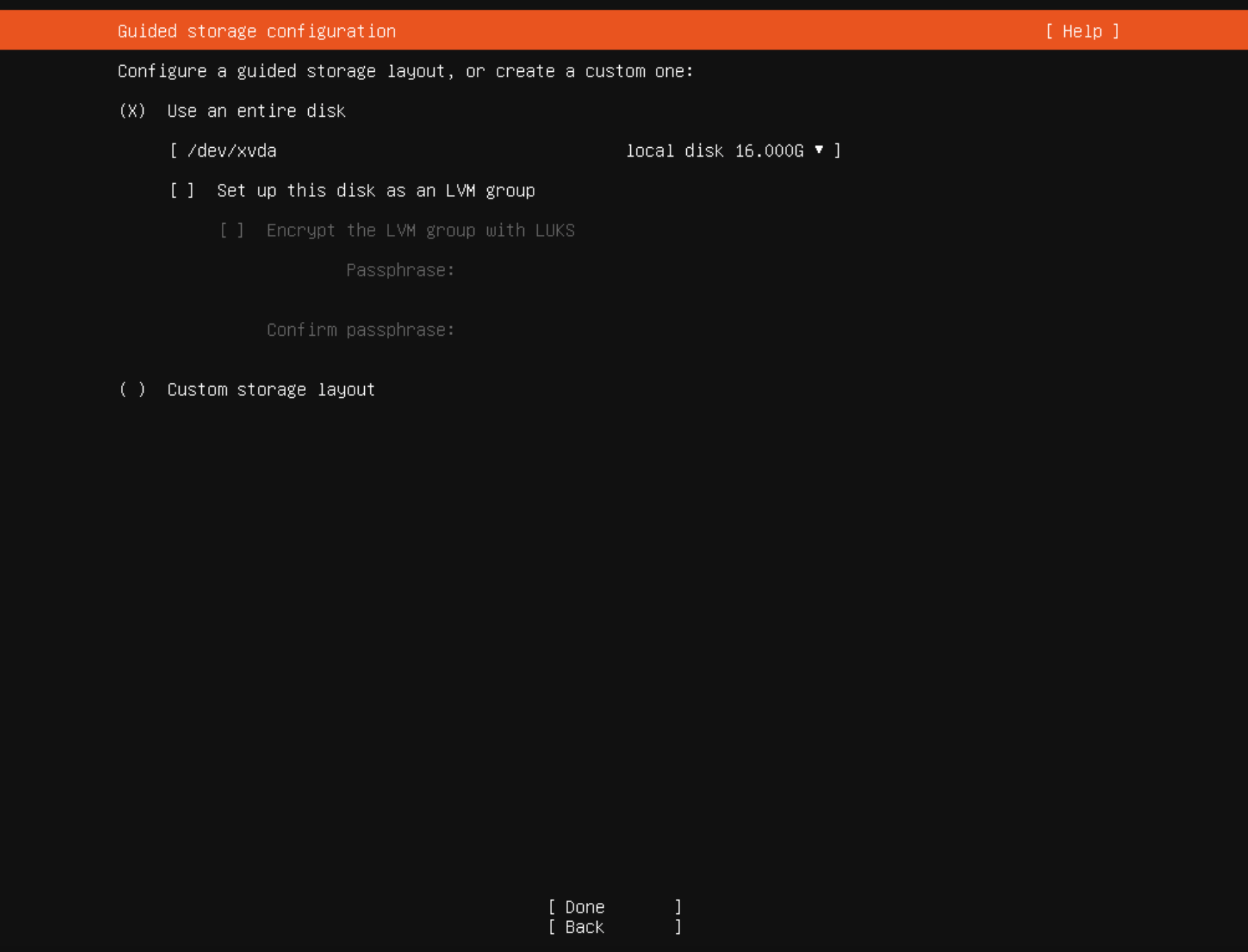
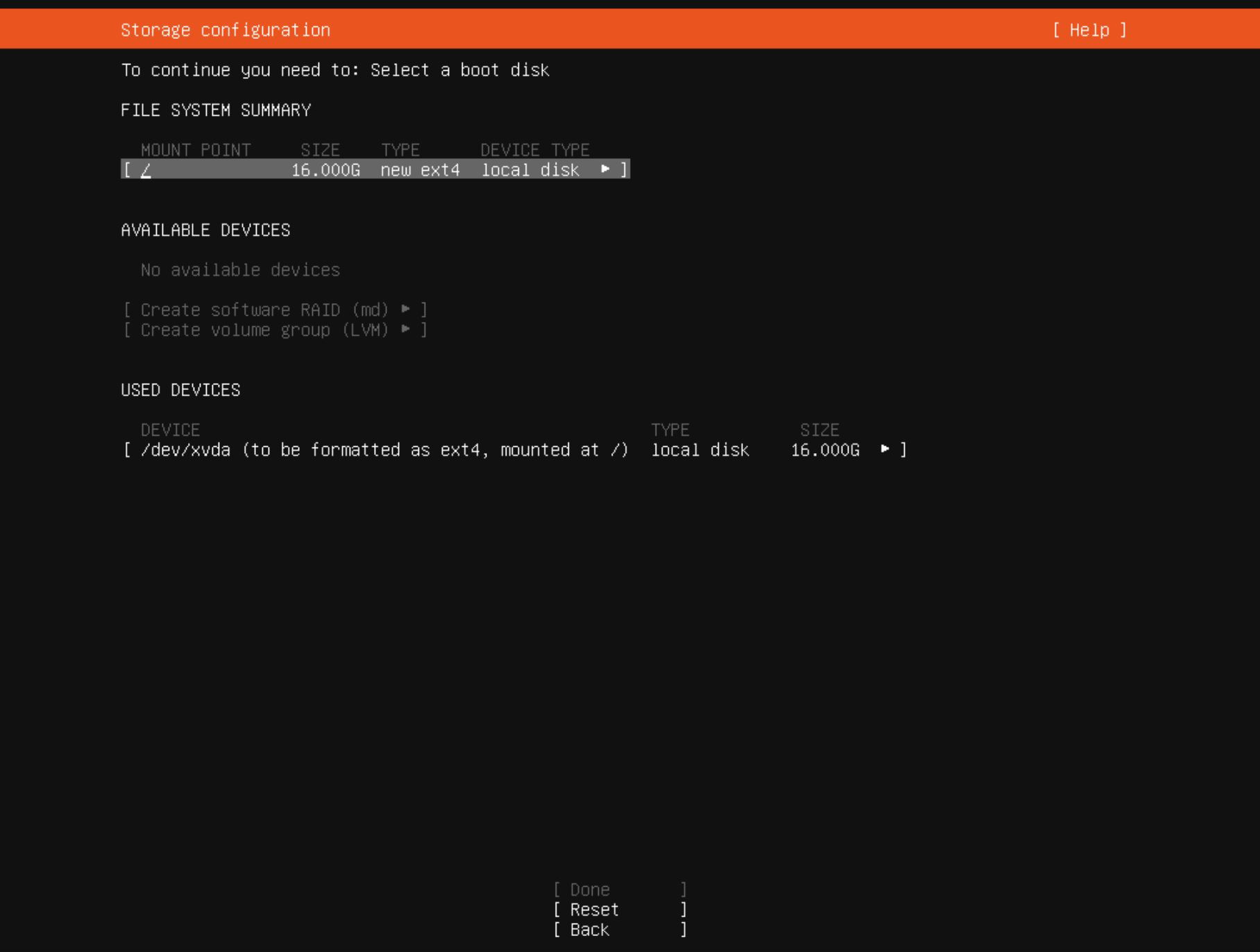
        or should i select

        03fc7d4c-188e-4e84-abf9-d97ed6b2a593-image.png

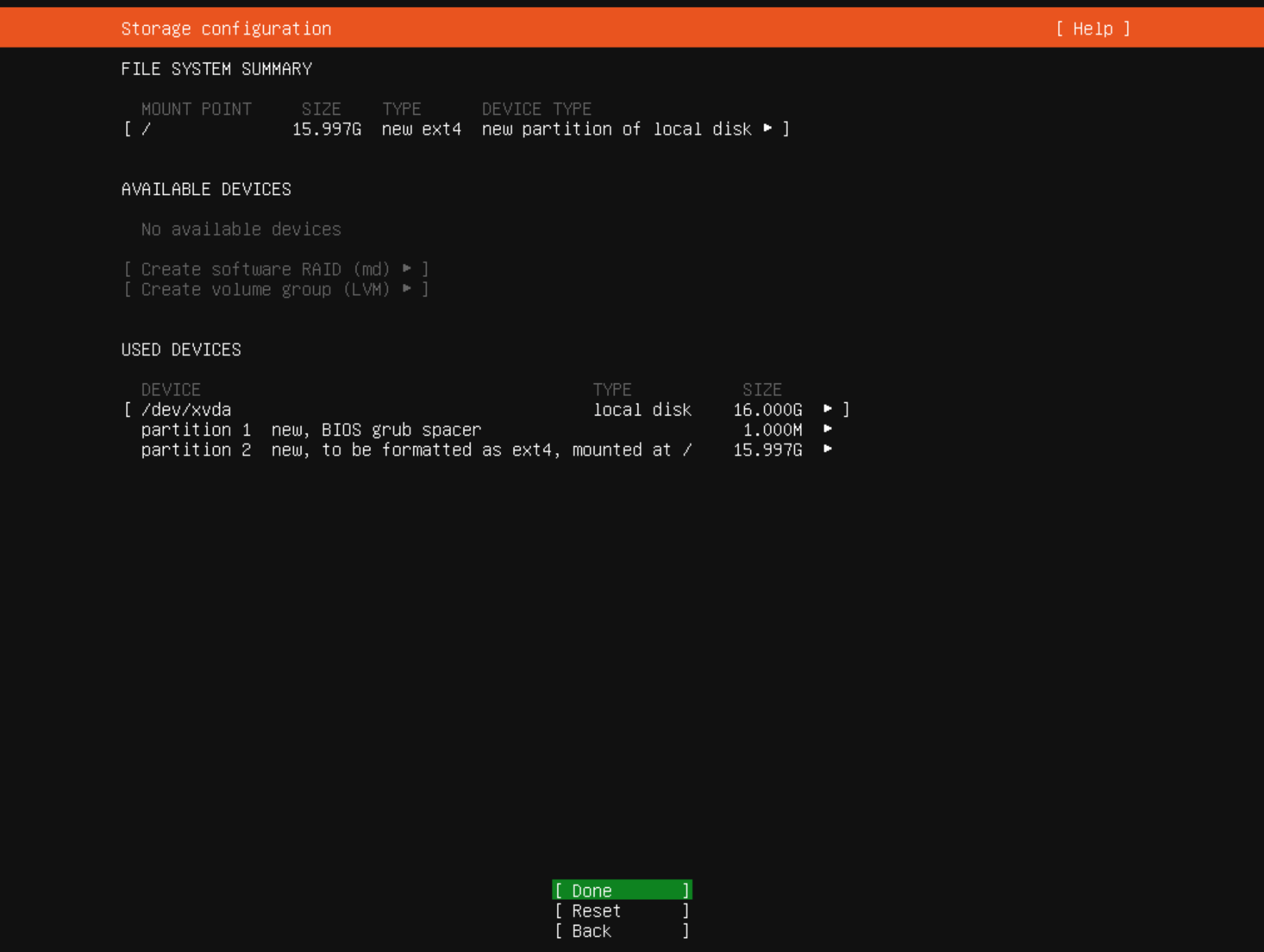
        and then

        0feb5075-c623-46ba-86e3-404539add8eb-image.png

        is this the way to go?

        1 Reply Last reply
        Reply Quote 0
        • DanpD
          Danp Pro Support Team
          last edited by

          Yes, I would use the last option you posted. I found this post, which is similar to your situation.

          1 Reply Last reply
          Reply Quote 0
          • E
            encryptblockr
            last edited by

            yeah am not sure how setting up disk partitioning on ubuntu is becoming rocket science now

            ok will try the last option to use entire disk with the 2 partitions autogenerated
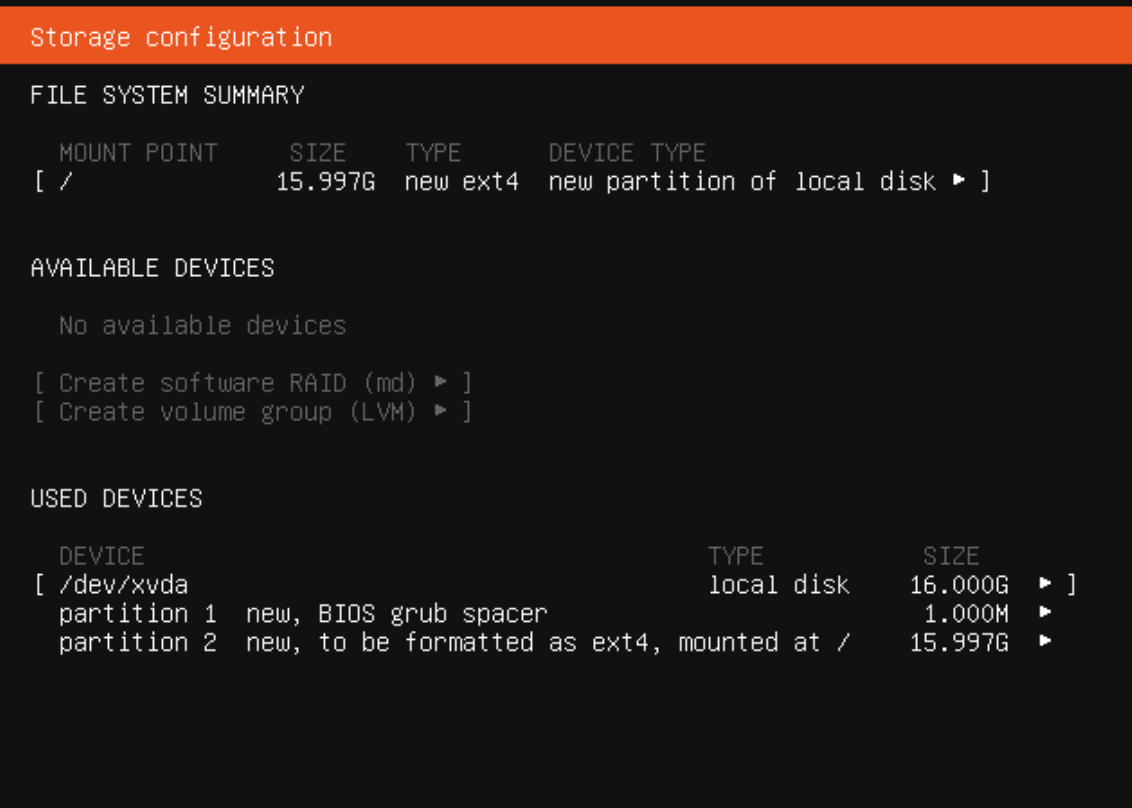
            26a29923-77f1-4c27-8e4b-71362aaaf787-image.png

            1 Reply Last reply
            Reply Quote 0
            • GheppyG
              Gheppy
              last edited by Gheppy

              Ubuntu use EFI boot , now.
              So BIOS grub partition is for redirect.
              If your VM is with EFI enable you must have EFI partition and then Ubuntu partition.

              So you have two options:

              1. BIOS mode
                • first partition BIOS grub
                • second, System partition
              2. EFI mode
                • first partition EFI, fat32
                • second, System partition
              E 1 Reply Last reply
              Reply Quote 0
              • E
                encryptblockr @Gheppy
                last edited by

                @Gheppy

                from screenshot you can see it is BIOS

                so is screenshot above ok to use?

                1 Reply Last reply
                Reply Quote 0
                • GheppyG
                  Gheppy
                  last edited by

                  yes it is ok, swap will be a file on root partition if is not on a dedicate partition

                  For me is more like this with partitions:

                  • EFI, 50Mb
                  • root, rest of space
                  • swap 2Gb
                  E 1 Reply Last reply
                  Reply Quote 0
                  • E
                    encryptblockr @Gheppy
                    last edited by

                    @Gheppy

                    can you share screenshot? or anything to see the setup

                    1 Reply Last reply
                    Reply Quote 0
                    • GheppyG
                      Gheppy
                      last edited by

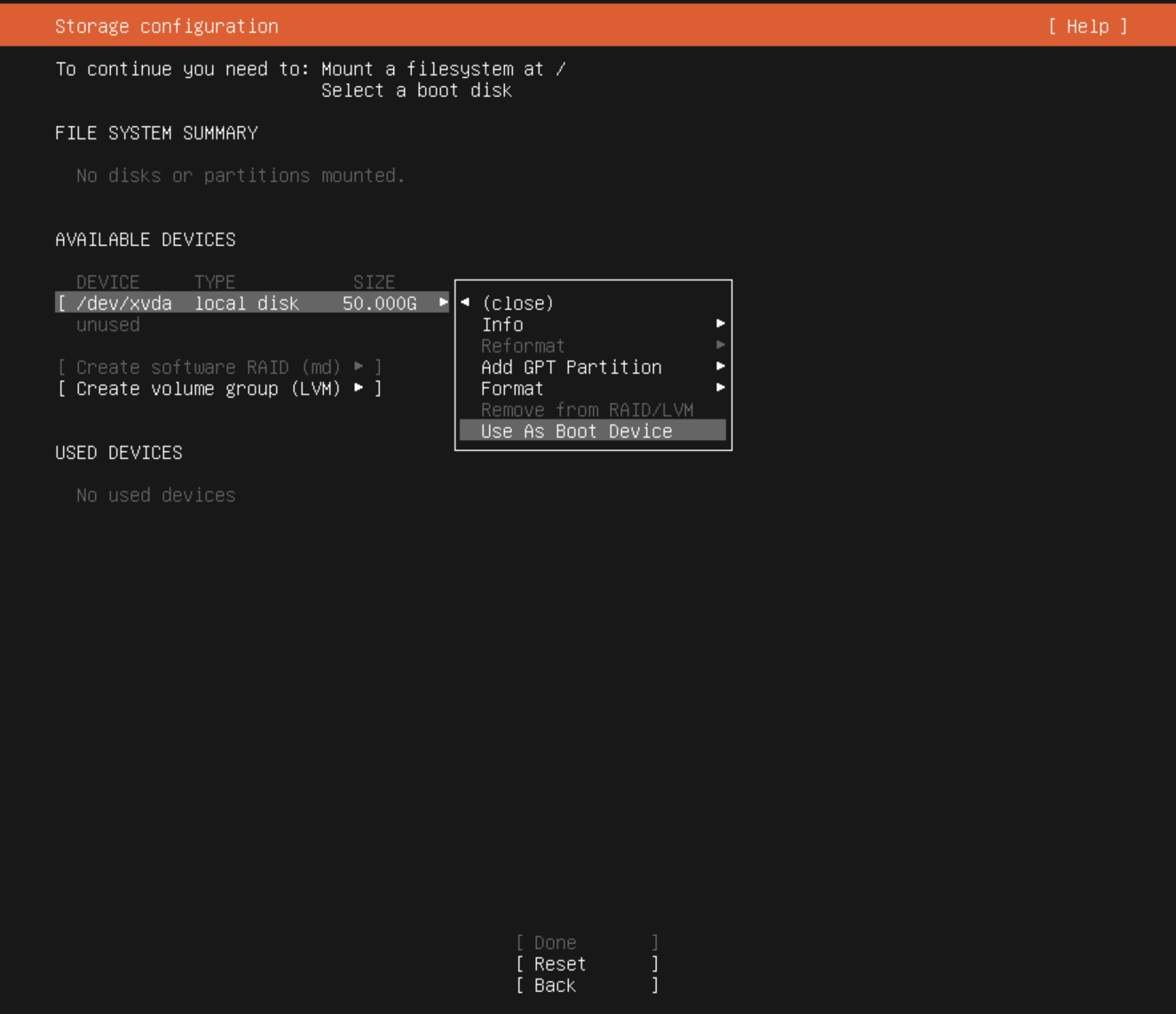
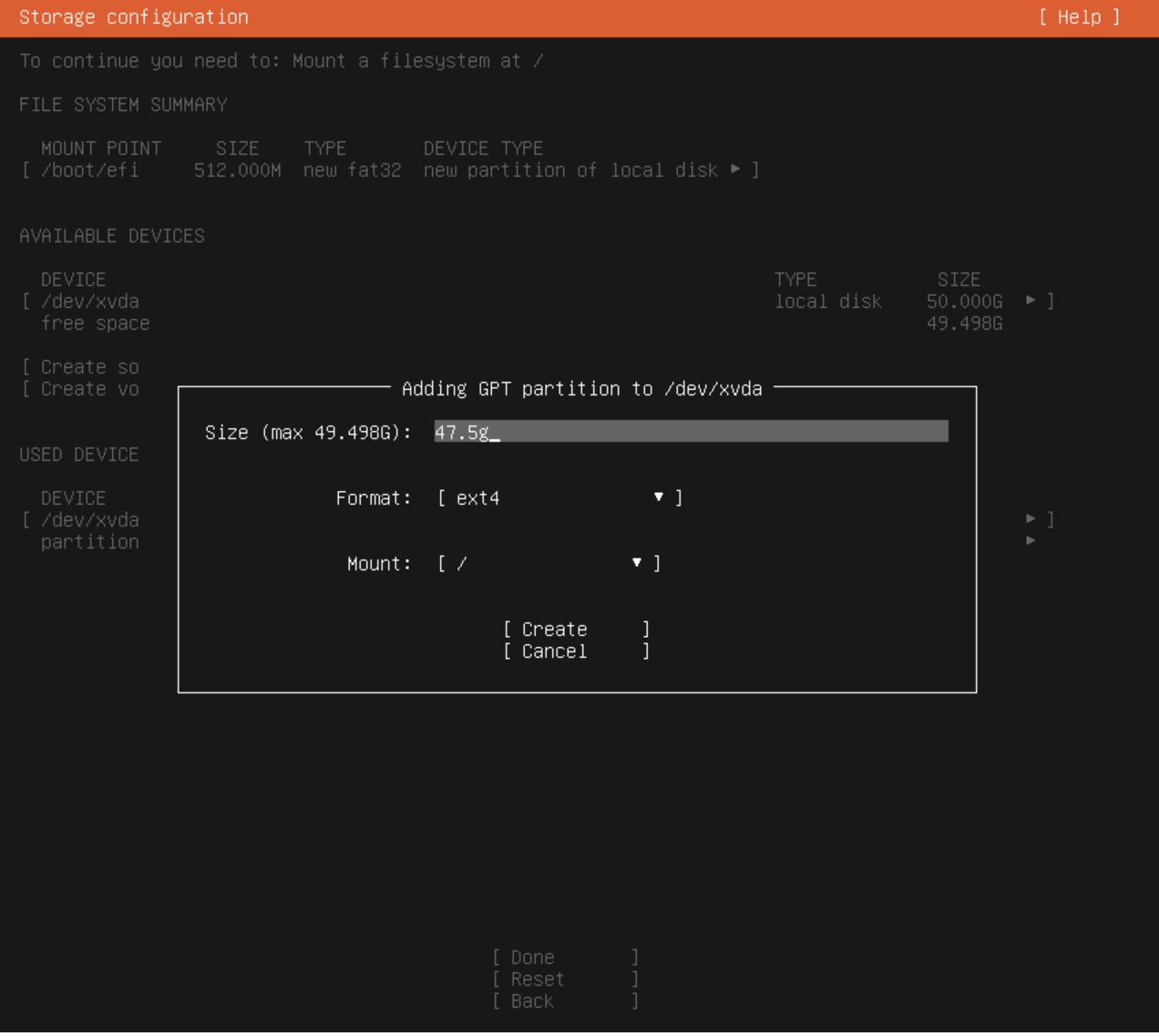
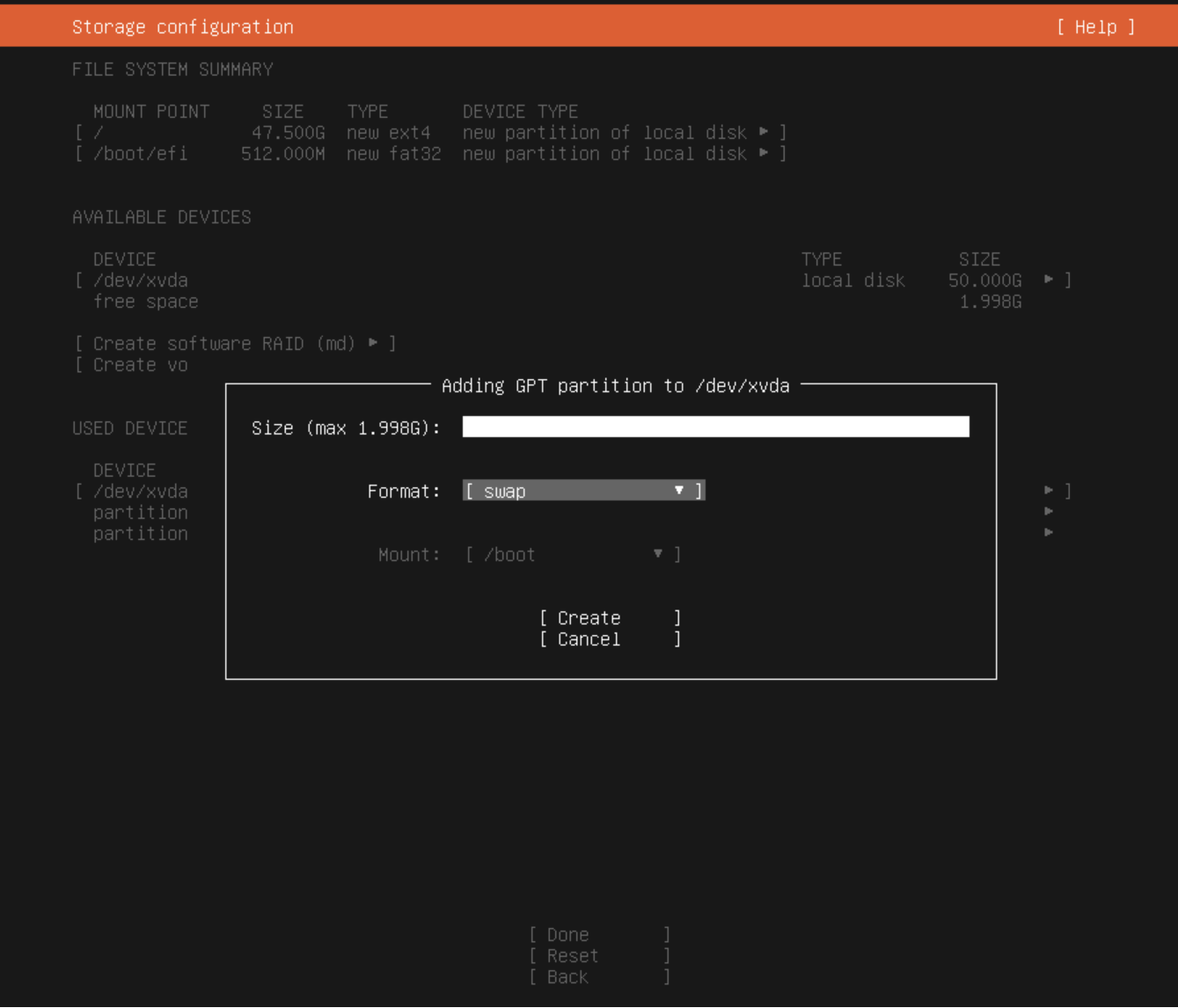
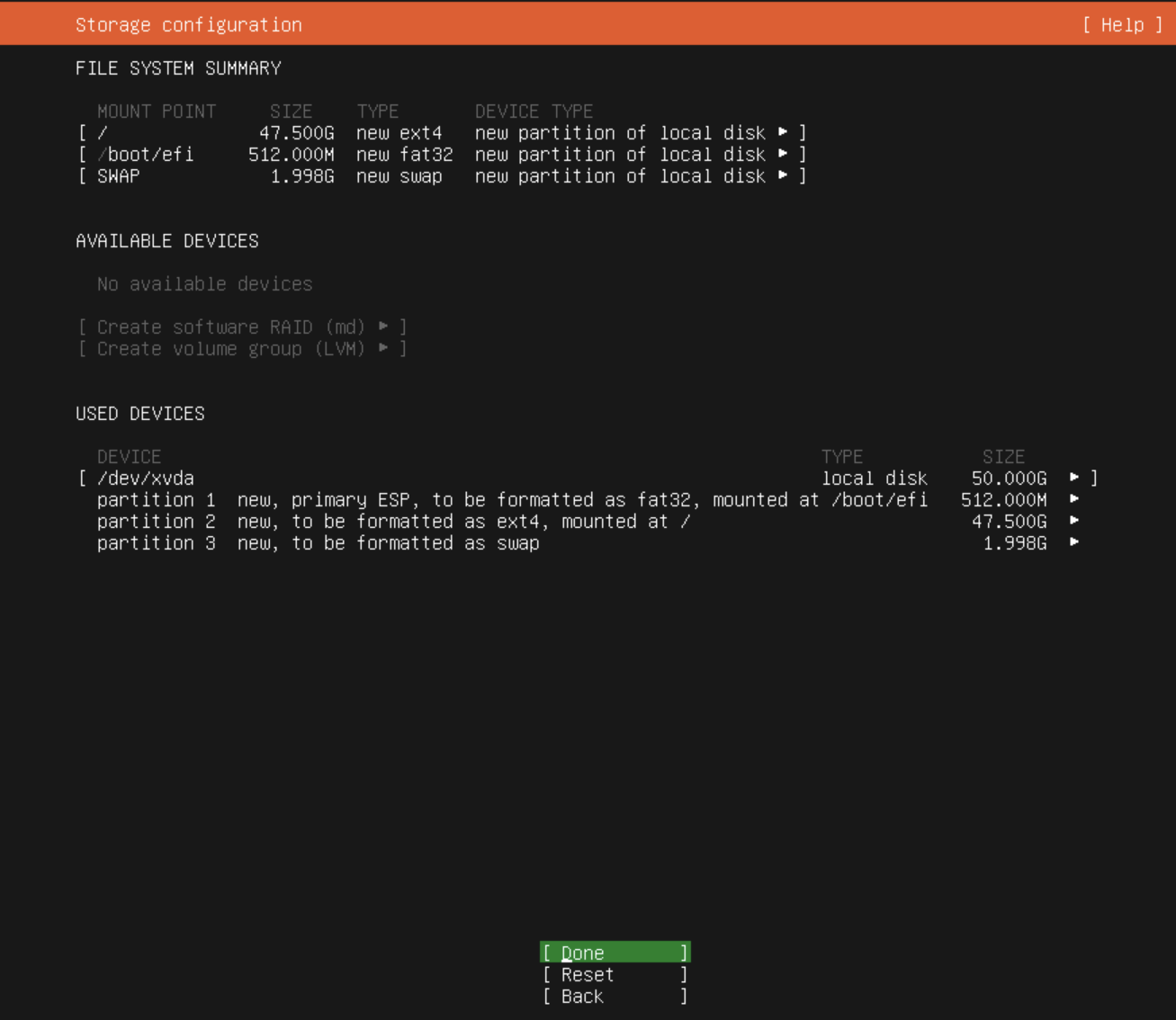
                      this is an EFI boot for 50Gb hdd

                      1. EFI
                        4f20baf8-a3f2-462c-a8f5-498904715a0f-image.png

                      2. root
                        bac5601d-35c8-4576-a30e-5f8c3f1724f9-image.png

                      3. swap
                        9ee6491c-1844-4670-95b4-58f3fda1b52f-image.png

                      final
                      0f180384-93f7-48b1-b9bc-2f1e77e71d07-image.png

                      1 Reply Last reply
                      Reply Quote 1
                      • E
                        encryptblockr
                        last edited by

                        nice, thanks!

                        1 Reply Last reply
                        Reply Quote 0

                        Hello! It looks like you're interested in this conversation, but you don't have an account yet.

                        Getting fed up of having to scroll through the same posts each visit? When you register for an account, you'll always come back to exactly where you were before, and choose to be notified of new replies (either via email, or push notification). You'll also be able to save bookmarks and upvote posts to show your appreciation to other community members.

                        With your input, this post could be even better 💗

                        Register Login
                        • First post
                          Last post