Cannot import ISO file
-
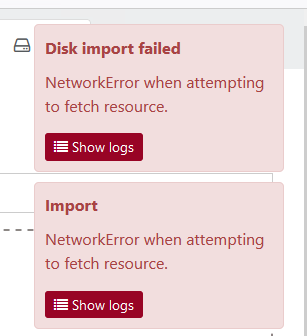
An error occurs when trying to import an ISO file into the local ISO storage:
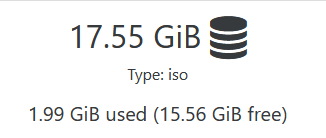

[19:27 hv01 ~]# xe sr-param-list uuid=38660a6a-7e8f-b8f1-605d-27aa582f8f07
uuid ( RO)                    : 38660a6a-7e8f-b8f1-605d-27aa582f8f07
              name-label ( RW): ISO local
        name-description ( RW): ISO local
                    host ( RO): HV01
      allowed-operations (SRO): unplug; plug; PBD.create; PBD.destroy; VDI.clone; scan; VDI.create; VDI.destroy
      current-operations (SRO):
                    VDIs (SRO):
                    PBDs (SRO): 0ac856c1-1afb-baf9-5da9-30db31182ee9
      virtual-allocation ( RO): 0
    physical-utilisation ( RO): 2139414528
           physical-size ( RO): 18843783168
                    type ( RO): iso
            content-type ( RO): iso
                  shared ( RW): false
           introduced-by ( RO): <not in database>
             is-tools-sr ( RO): false
            other-config (MRW): auto-scan: true
               sm-config (MRO):
                   blobs ( RO):
     local-cache-enabled ( RO): false
                    tags (SRW):
               clustered ( RO): false
Any ideas?
EDIT: If I try using the download option from the URL...
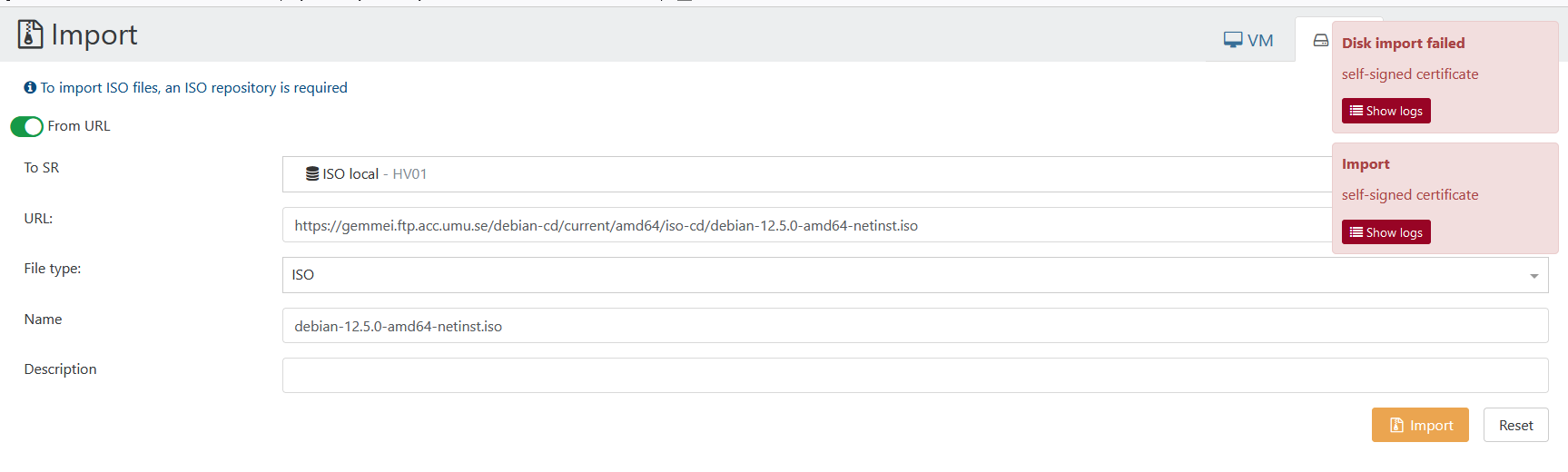
disk.import { "name": "debian-12.5.0-amd64-netinst.iso", "sr": "38660a6a-7e8f-b8f1-605d-27aa582f8f07", "type": "iso", "url": "https://gemmei.ftp.acc.umu.se/debian-cd/current/amd64/iso-cd/debian-12.5.0-amd64-netinst.iso" } { "code": "DEPTH_ZERO_SELF_SIGNED_CERT", "originalUrl": "https://192.168.5.230/import_raw_vdi/?format=raw&vdi=OpaqueRef%3Ad2f03cb5-1315-631f-e86a-d14b6cc24f72&session_id=OpaqueRef%3A3e739b86-6063-a237-4d02-eea9aab24483", "url": "https://192.168.5.230/import_raw_vdi/?format=raw&vdi=OpaqueRef%3Ad2f03cb5-1315-631f-e86a-d14b6cc24f72&session_id=OpaqueRef%3A3e739b86-6063-a237-4d02-eea9aab24483", "pool_master": { "uuid": "45d1ac56-a51c-4d35-b5d5-4ced52103614", "name_label": "HV01", "name_description": "Default install", "memory_overhead": 7287447552, "allowed_operations": [ "vm_migrate", "provision", "vm_resume", "evacuate", "vm_start" ], "current_operations": {}, "API_version_major": 2, "API_version_minor": 20, "API_version_vendor": "XenSource", "API_version_vendor_implementation": {}, "enabled": true, "software_version": { "product_version": "8.3.0", "product_version_text": "8.3", "product_version_text_short": "8.3", "platform_name": "XCP", "platform_version": "3.4.0", "product_brand": "XCP-ng", "build_number": "8.3.0", "git_id": "0", "hostname": "localhost", "date": "20240219T15:22:21Z", "dbv": "0.0.1", "xapi": "23.31", "xapi_build": "23.31.0", "xen": "4.13.5-10.58", "linux": "4.19.0+1", "xencenter_min": "2.20", "xencenter_max": "2.20", "network_backend": "openvswitch", "db_schema": "5.768" }, "other_config": { "agent_start_time": "1710788640.", "boot_time": "1710787274.", "rpm_patch_installation_time": "1709343288.642", "iscsi_iqn": "iqn.2024-02.com.example:2d72b0fc" }, "capabilities": [ "xen-3.0-x86_64", "hvm-3.0-x86_32", "hvm-3.0-x86_32p", "hvm-3.0-x86_64", "" ], ... ... ... }, "SR": { "uuid": "38660a6a-7e8f-b8f1-605d-27aa582f8f07", "name_label": "ISO local", "name_description": "ISO local", "allowed_operations": [ "unplug", "plug", "pbd_create", "pbd_destroy", "vdi_clone", "scan", "vdi_create", "vdi_destroy" ], "current_operations": {}, "VDIs": [ "OpaqueRef:d2f03cb5-1315-631f-e86a-d14b6cc24f72" ], "PBDs": [ "OpaqueRef:c09a7cd1-747b-1885-0e46-5fdbc349f2a2" ], "virtual_allocation": 0, "physical_utilisation": 2139619328, "physical_size": 18843783168, "type": "iso", "content_type": "iso", "shared": false, "other_config": { "auto-scan": "true" }, "tags": [], "sm_config": {}, "blobs": {}, "local_cache_enabled": false, "introduced_by": "OpaqueRef:NULL", "clustered": false, "is_tools_sr": false }, "VDI": { "uuid": "1e6c77fe-7844-4184-985d-abc3063dbf7d", "name_label": "debian-12.5.0-amd64-netinst.iso", "name_description": "", "allowed_operations": [ "forget", "destroy", "copy" ], "current_operations": {}, "SR": "OpaqueRef:b4511ce7-1ac7-3ee9-3efc-3663edebe3b4", "VBDs": [], "crash_dumps": [], "virtual_size": 659554304, "physical_utilisation": 0, "type": "user", "sharable": false, "read_only": false, "other_config": {}, "storage_lock": false, "location": "1e6c77fe-7844-4184-985d-abc3063dbf7d.img", "managed": true, "missing": false, "parent": "OpaqueRef:NULL", "xenstore_data": {}, "sm_config": { "created": "2024-3-18:20:17:37" }, "is_a_snapshot": false, "snapshot_of": "OpaqueRef:NULL", "snapshots": [], "snapshot_time": "19700101T00:00:00Z", "tags": [], "allow_caching": false, "on_boot": "persist", "metadata_of_pool": "", "metadata_latest": false, "is_tools_iso": false, "cbt_enabled": false }, "message": "self-signed certificate", "name": "Error", "stack": "Error: self-signed certificate at TLSSocket.onConnectSecure (node:_tls_wrap:1659:34) at TLSSocket.emit (node:events:517:28) at TLSSocket.patchedEmit [as emit] (/opt/xo/xo-builds/xen-orchestra-202403181900/@xen-orchestra/log/configure.js:52:17) at TLSSocket._finishInit (node:_tls_wrap:1070:8) at TLSWrap.ssl.onhandshakedone (node:_tls_wrap:856:12) at TLSWrap.callbackTrampoline (node:internal/async_hooks:128:17)" } -
Solved by 583c728
-
As I understand it, Xen Orchestra can't download the ISO because the server is using a self-signed certificate?
Try another mirror?
-
Regarding the first disk import error, all I can say from the messages is that there's a network error. What are the logs for this specific error?
-
There have been several recent threads regarding issues related to self-signed certificates. This is likely caused by a recent commit to the XO source code. You could try reverting to an earlier commit to see if the issue goes away.
-
@Danp Yeah, that's exactly it! After downgrading to an older commit the import works just fine! Just like here: https://xcp-ng.org/forum/topic/8618/restoring-from-backup-error-self-signed-certificate/23
-
@abudef said in Cannot import ISO file:
@Danp Yeah, that's exactly it! After downgrading to an older commit the import works just fine! Just like here: https://xcp-ng.org/forum/topic/8618/restoring-from-backup-error-self-signed-certificate/23
What version number were you at before (while it wasn't working) and when you downgraded what version were you at?
-
@DustinB said in Cannot import ISO file:
What version number were you at before (while it wasn't working) and when you downgraded what version were you at?
Now I tried again and it still doesn't work in commit 1b5157e, but it works in 0ccfd4b. I didn't check which specific commit introduced the problem with the self signed certificate.
-
lets talk with direct examples.
https://download.rockylinux.org/pub/rocky/9/isos/x86_64/Rocky-9.3-x86_64-minimal.iso
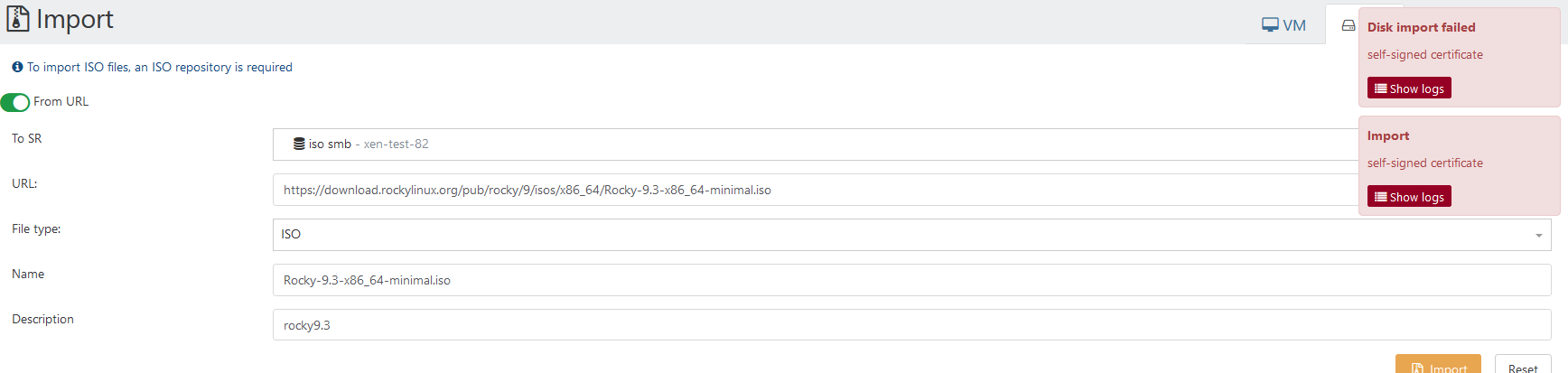
and it stuck forever

not a self signed, import works a few weeks ago. Looks like yet one issue after last bad patch.
-
@Tristis-Oris said in Cannot import ISO file:
not a self signed
I think the problem with the self signed certificate is the certificate on the XO side, not on the server side from where you download the ISO (
 ).
). -
@abudef my XO run http only, no certs.
-
@Tristis-Oris said in Cannot import ISO file:
my XO run http only, no certs.
Sorry, I meant to write XCP-ng server; the IP address in the error stack above belongs to the hypervisor.
-
@abudef ah i see, you right.
-
Solved by 583c728
-
 O olivierlambert marked this topic as a question on
-
O olivierlambert has marked this topic as solved on



Hello! It looks like you're interested in this conversation, but you don't have an account yet.
Getting fed up of having to scroll through the same posts each visit? When you register for an account, you'll always come back to exactly where you were before, and choose to be notified of new replies (either via email, or push notification). You'll also be able to save bookmarks and upvote posts to show your appreciation to other community members.
With your input, this post could be even better 💗
Register Login