Best-Practice - Recovery Start VM with ISO - how to choose ISO
-
Hi!
I want to boot CR-target VMs to do file-level recovery.
Currently, I have to do:- Recovery-Start
- Assign ISO
- Force Shutdown
- Recovery-Start
...as I did not find a solution to assign a DVD-drive to a VM in state shutdown
Is there any possibility to do something like: boot with THAT ISO?
I just want to avoid doing mistakes and to boot from disk.
Best wishes
KPS -
Not sure to get the issue. Go to the halted VM, disk tab, select ISO. Then boot the VM.
-
@olivierlambert
Sorry, maybe, I am blind, but I do not find any possibility to set the ISO in the disk-tab: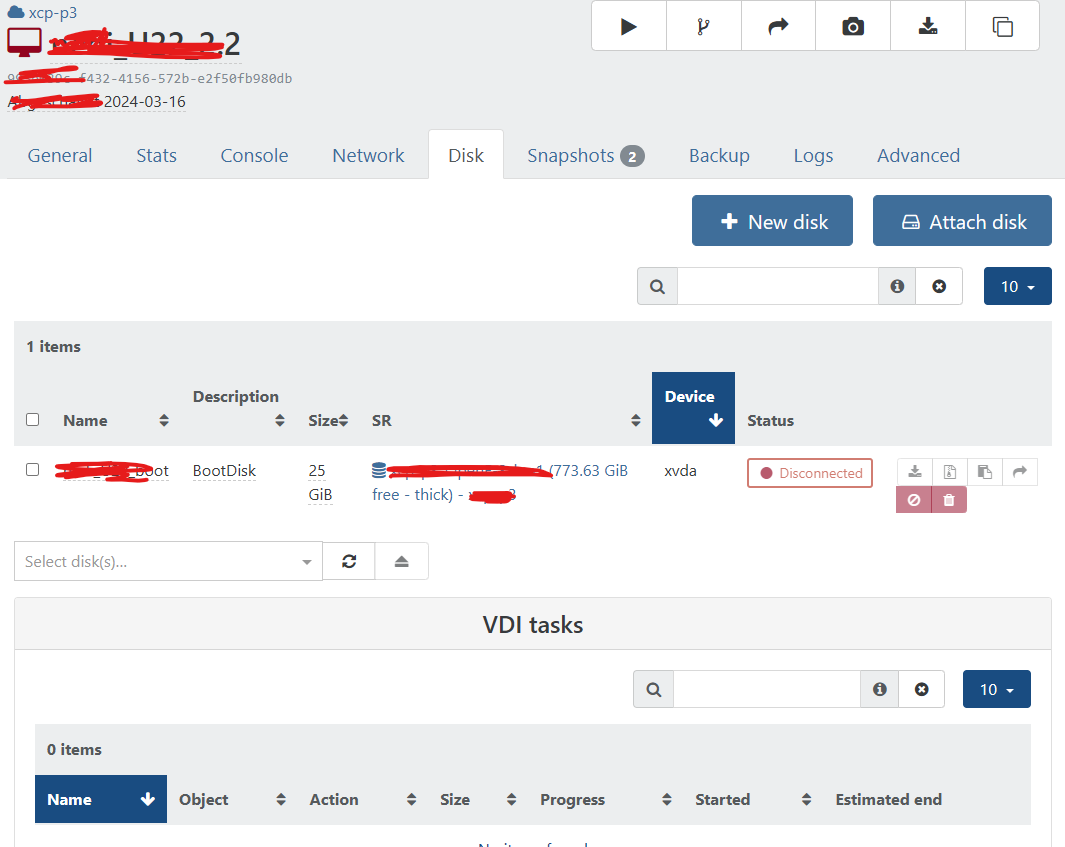
-
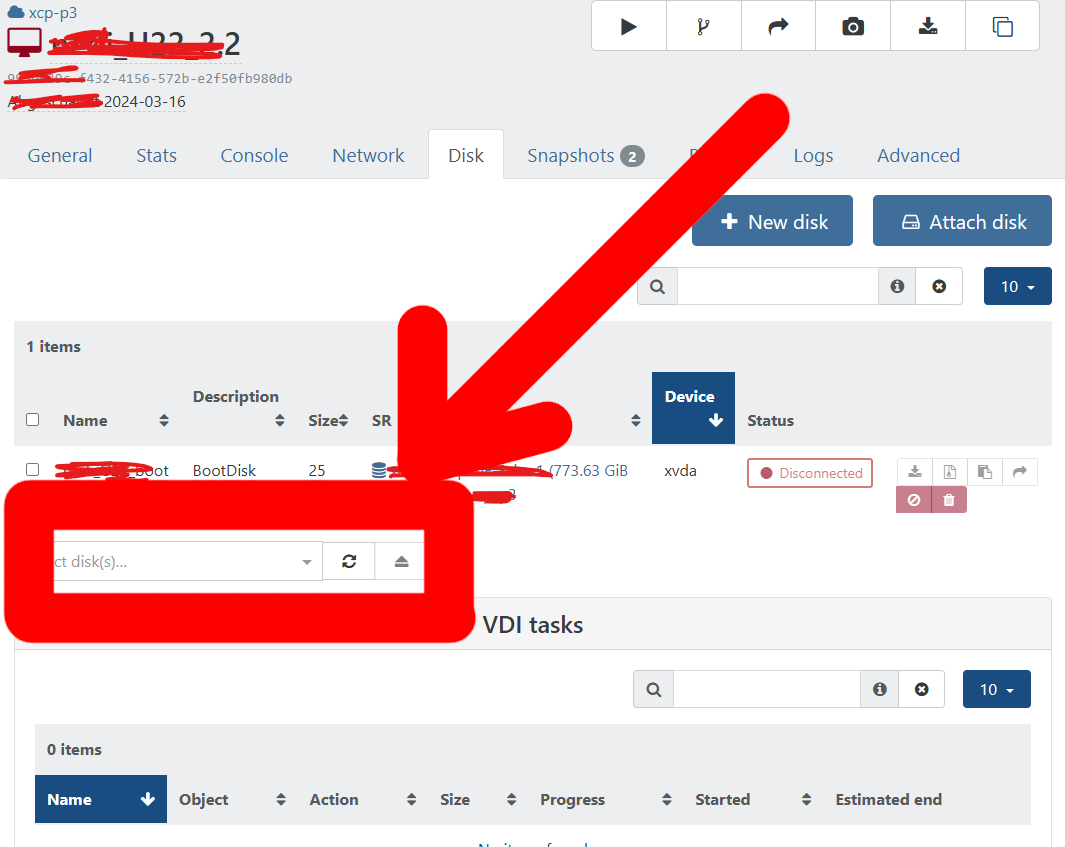
-
@olivierlambert
Thank you very much... Sorry for that stupid question. -
There's no stupid questions, only bad UX/UI


Hello! It looks like you're interested in this conversation, but you don't have an account yet.
Getting fed up of having to scroll through the same posts each visit? When you register for an account, you'll always come back to exactly where you were before, and choose to be notified of new replies (either via email, or push notification). You'll also be able to save bookmarks and upvote posts to show your appreciation to other community members.
With your input, this post could be even better 💗
Register Login