Delta Backups
-
@IanMcLachlan Are you trying to run multiple types of backups in the same job? Can you show us your "Backup Jobs" overview page?
-
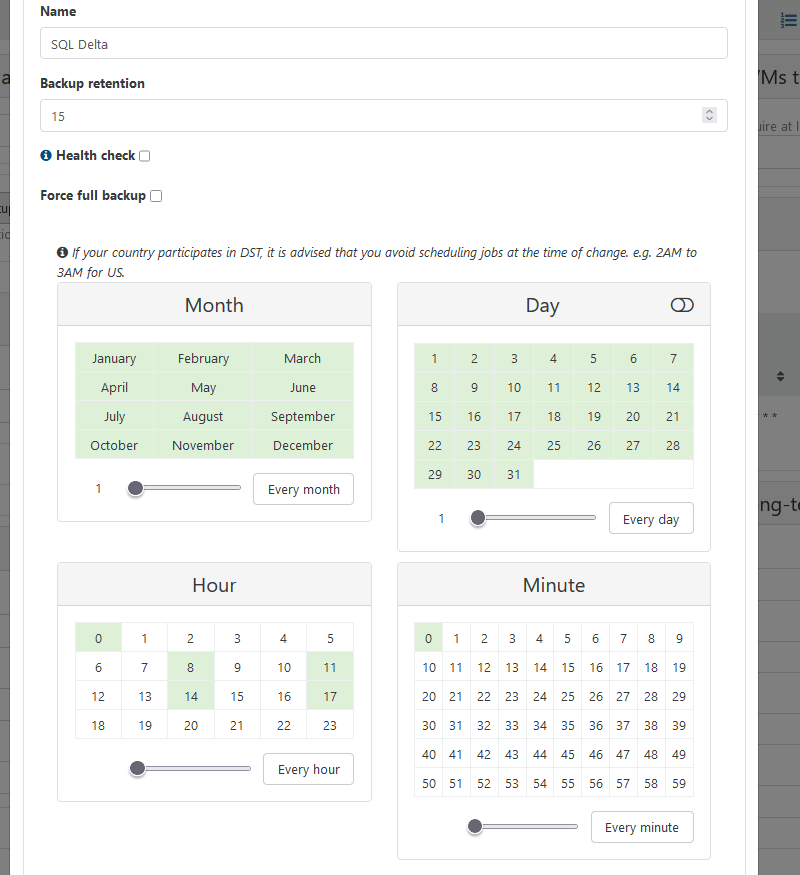
Here is a copy of the schedule. So the job at 12am (0) I want to run full
-
@DustinB said in Delta Backups:
@IanMcLachlan Are you trying to run multiple types of backups in the same job? Can you show us your "Backup Jobs" overview page?
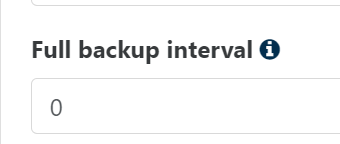
I think he is referring to the full backup interval option: https://docs.xen-orchestra.com/incremental_backups#key-backup-interval
-
Yes, exactly. It's the full backup interval. Sorry if I didn;t make that clear.
-
@Forza Yeah that was what I was getting to thinking, the issue you'll have @IanMcLachlan is you won't be able to have a single job schedule that runs at a separate time than what you're displaying.
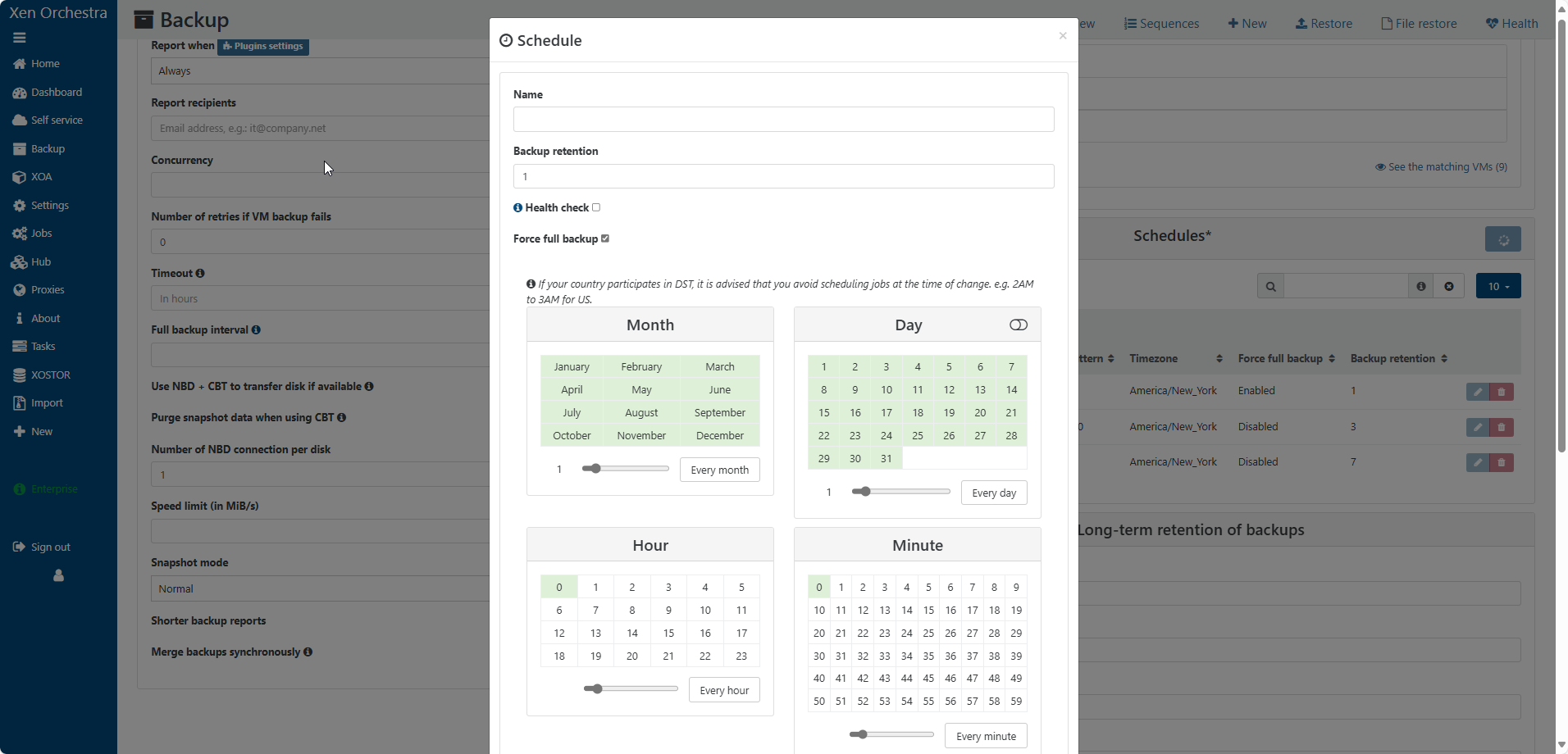
You'd likely need to have a new schedule as shown below and enable the "Force Full Backup" option and have this job scheduled to run at your selected time.
-
Thanks again for the replies.
Yes, that was my thinking I would need 2 schedules on same delta job with the 12am set as forced. I was worried the first schedule would still do a full at some point.
It's just a shame, it works great currently, besides the fact the full runs at 8am. Based on my original post I assume that the first time I created the job, it was before 8am therefore it did a full and carried on from there.
Based on this I know I could recreate the job after 5pm with same schedule and it would probably work, however, its a bit tricky getting access then. I was hoping I was missing at setting somewhere.
I appreicate your help guys !!!
-
@IanMcLachlan said in Delta Backups:
Thanks again for the replies.
Yes, that was my thinking I would need 2 schedules on same delta job with the 12am set as forced. I was worried the first schedule would still do a full at some point.
It's just a shame, it works great currently, besides the fact the full runs at 8am. Based on my original post I assume that the first time I created the job, it was before 8am therefore it did a full and carried on from there.
Based on this I know I could recreate the job after 5pm with same schedule and it would probably work, however, its a bit tricky getting access then. I was hoping I was missing at setting somewhere.
I appreicate your help guys !!!
Why are you having issues getting access to the infrastructure after a certain time? This should always be running and all you'd do is add another schedule to the same job, forced as a full. You'd likely want to prevent any other jobs from occurring at the same time, but otherwise it would all just work.
-
Issue with access isn't infrastructure related, more my own personal logistics. Regards
-
@IanMcLachlan said in Delta Backups:
Issue with access isn't infrastructure related, more my own personal logistics. Regards
Okay... um to separate that then, are you able to explain the need for access after 5PM where a scheduled job wouldn't suffice and then you could review the results after the fact?
-
Hi Guys,
Just to report back. Got it working. Two ways to do this.
1.) Create 2 schedules for one backup job, forcing one to run as full.
2.) Run backup until the next backup interval is going to do a full. Disable backup, and wait until a time that when enabled will hit the time you want the full to run. In my case after 5pm. I appreciate this way is not practical, but does work.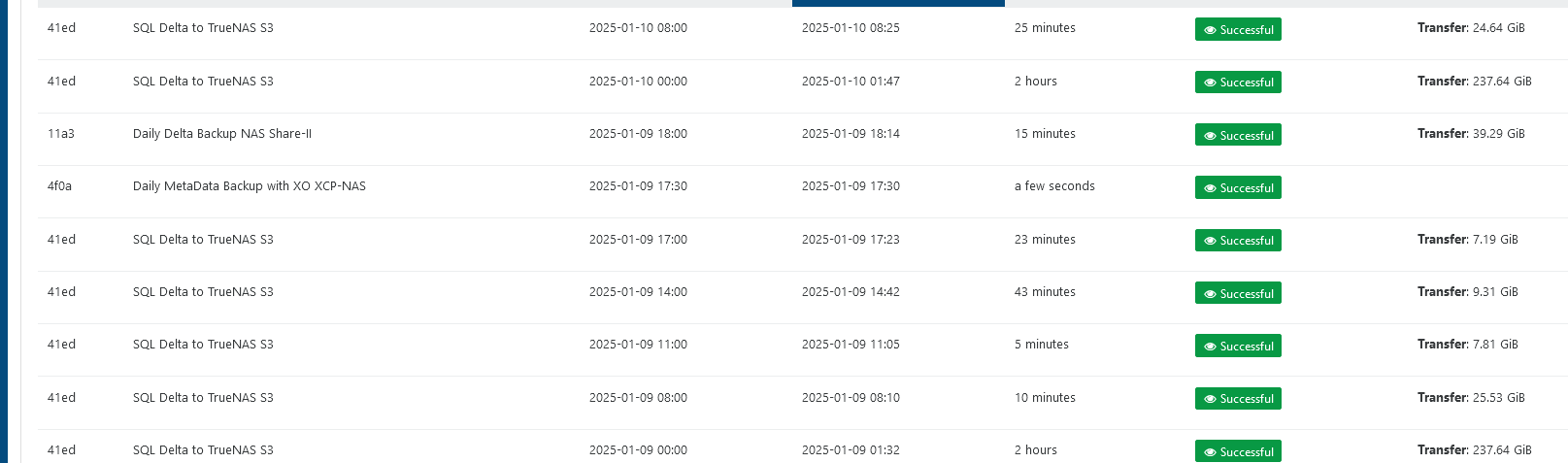
Appreciate you help guys !!

Hello! It looks like you're interested in this conversation, but you don't have an account yet.
Getting fed up of having to scroll through the same posts each visit? When you register for an account, you'll always come back to exactly where you were before, and choose to be notified of new replies (either via email, or push notification). You'll also be able to save bookmarks and upvote posts to show your appreciation to other community members.
With your input, this post could be even better 💗
Register Login