-
@tsukraw There's no need to uninstall the old version, the upgrade is enough.
The feature to disable time sync is also just a convenience shortcut for setting the
TimeSyncModevalue inHKLM\SYSTEM\CurrentControlSet\Services\xenagentto a DWORD of 0. You can set it manually or through Group Policy if you wish. (In fact, GPO might be a better solution on domain environments) -
Hello all,
The XCP-ng Standard VGA Display Driver for Windows v0.1.29.2216 has been releasedhttps://github.com/xcp-ng/win-xstdvgaThis driver provides high-resolution consoles and resolution switching for Windows VMs running on the XCP-ng hypervisor.
This is a beta release. This driver will eventually be integrated into the main Windows PV tools package.
Driver rereleased with bug fixes. See below
-
@dinhngtu said in XCP-ng Windows PV tools announcements:
Hello all,
The XCP-ng Standard VGA Display Driver for Windows v0.1.29.2216 has been releasedhttps://github.com/xcp-ng/win-xstdvgaThis driver provides high-resolution consoles and resolution switching for Windows VMs running on the XCP-ng hypervisor.
This is a beta release. This driver will eventually be integrated into the main Windows PV tools package.
Driver pulled for bug fixes. Will come back soon
Test on windows 11 vm no issues to report.
-
Hello all,
The XCP-ng Standard VGA Display Driver v0.1.34.2310 is released with important compatibility fixes for Windows Server.
Get it here: https://github.com/xcp-ng/win-xstdvga/releasesThis driver provides high-resolution consoles and resolution switching in Xen Orchestra for Windows VMs running on the XCP-ng hypervisor.
This is a beta release. This driver will eventually be integrated into the main Windows PV tools package.
Changelog:
- Add support for multiple VGA devices
- Fix compatibility with older versions of Windows Server
- Enable CET Shadow Stack support
- Add device name branding
-
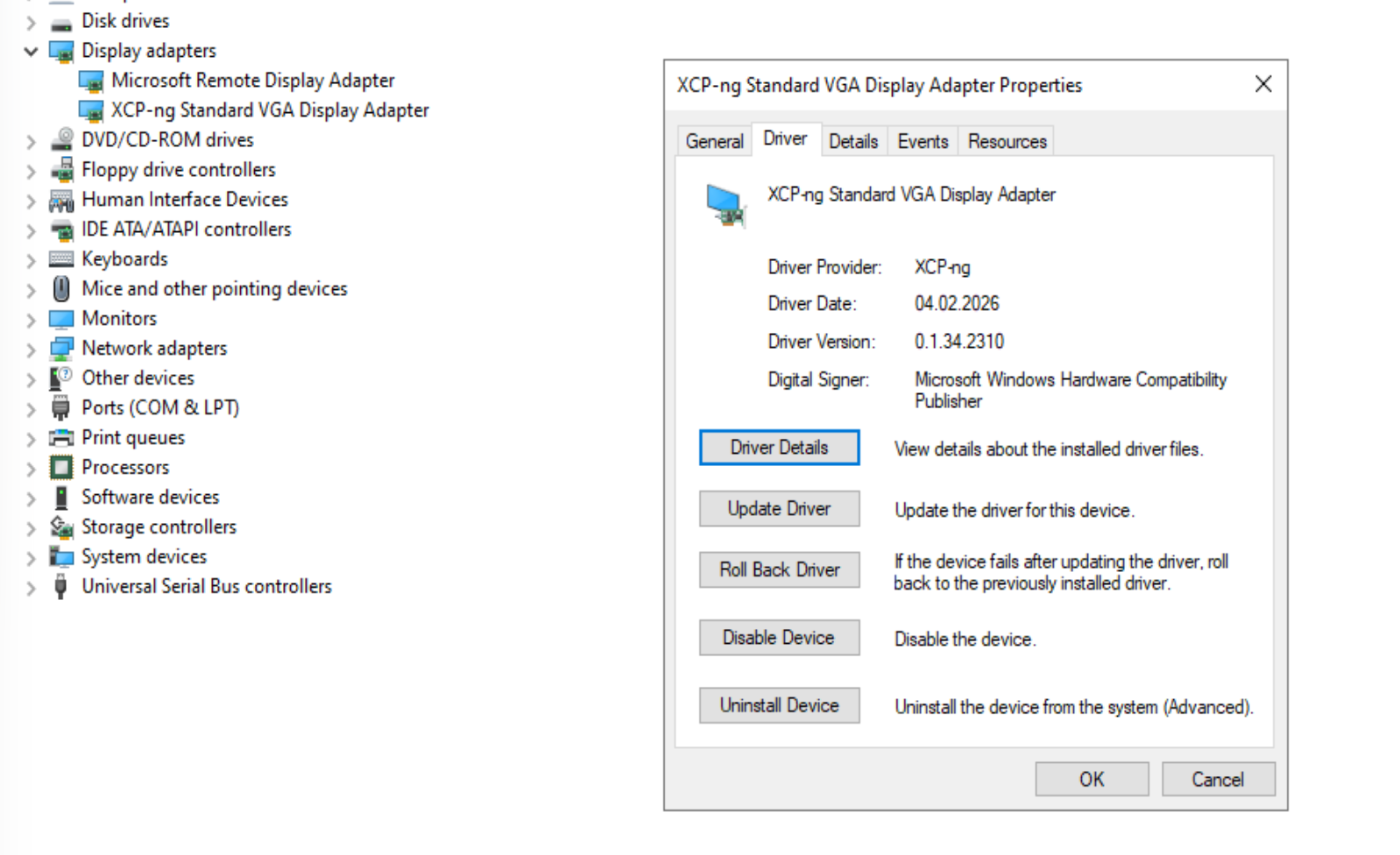
@dinhngtu downloaded on a windows server 2022, extracted and did the inf install. No visual feedback.
How do I know it was installed? -
Answering myself:
-
@dinhngtu tried on a Windows Server 2025 VM, UEFI BIOS
working well, no reboot needed -
Hello all,
Version 9.1.145 Release of the Windows PV tools has been released.
(Despite the name, it's still signed; I simply dropped the "Signed" moniker)
Download the latest release here: https://github.com/xcp-ng/win-pv-drivers/releases
It will be integrated into the XCP-ng built-in tools ISO after a test period of 2 weeks.
This release brings the new XCP-ng Standard VGA Display Driver as well as multiple bug fixes to all Windows drivers and guest tools components.
Changes since 9.1.100
- NEW: The XCP-ng Standard VGA Display Driver is now included in the package.
- Improved: XenClean is now a single executable that's more convenient to use.
- Improved: Better uninstalling of existing drivers.
- Fixes: Automatic time sync is now disabled by default on new installations. NTP sync with W32Time is recommended instead.
- To disable time sync on an existing installation, use the Modify button in Installed apps.
- Fixes: Xen Guest Agent now operates correctly during driver restarts and upgrades.
- Fixes: Fix uninstallation of individual drivers.
- Fixes: Improve stability and efficiency of Xenbus and Xenvbd.
Help / Community support
If you encounter installation/uninstallation errors, please try again with one of the following commands:
For installing:
msiexec.exe /i XenTools-x64.msi /log install.log

For uninstalling:
msiexec.exe /x XenTools-x64.msi /log uninstall.log
Please include this log along with the file
C:\Windows\INF\setupapi.dev.login your bug report. These files will help us troubleshoot any installation issues.Full Changelog: https://github.com/xcp-ng/win-pv-drivers/compare/v9.1.100...v9.1.145
Original build: https://github.com/xcp-ng/win-pv-drivers/actions/runs/23188455900 -
Install went with out issues on my homelab pc windows 11.
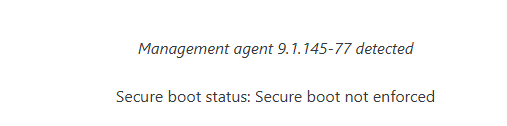
I used the installer found in the package folder.
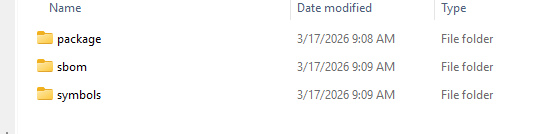
-
@dinhngtu Upgraded from previous tools (big jump from citrix was already done
 ) @home and @office a dozen Windows11 and Windows Server 2022.
No issues. -
We noticed that using the XCP-ng Windows PV tools brakes some functionality of the shared clipboard. On a fully patched XCP-ng 8.3 host using Xen Orchestra 5 (actually the 6.2.2 build, but the v5 interface) allows only to copy the clipboard from the VM to the browser, not the other way around.
-
@conitrade-as There should be a fix for that in 9.1.145. Could you try it?
-
@dinhngtu That indeed seems to work. I just realized, that this is a timing issue as well. Sometimes the copy&paste works after a slight delay, where the console seems non-responsive (e.g. cannot move the mouse cursor). After something like ~15 secs things work as expected. For subsequent copy&paste operations the delay seems to be much lower.
-
@conitrade-as Sounds like a problem somewhere in the clipboard stack, I'll look into that.
-
@dinhngtu We have one Win11 in production, which dodn't install the new tools, running the previous ones.
We always get:
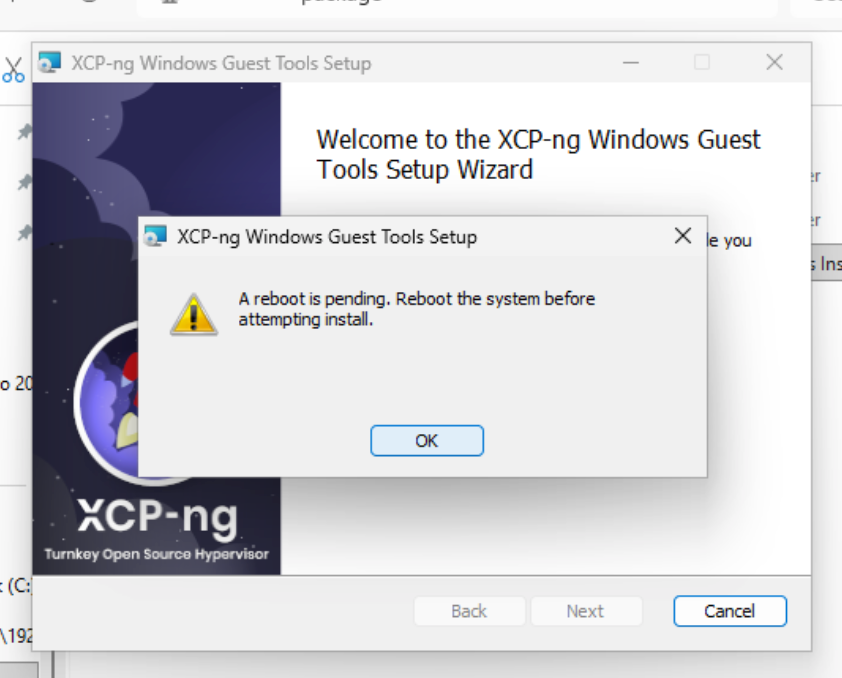
We have rebooted before installing the tools: same issue
We have run Xenclean before installing: same
We have run Xenbootfix: sameBasically we'tried everything. I haven't opened an official ticket yet because the answer here might help others.
-
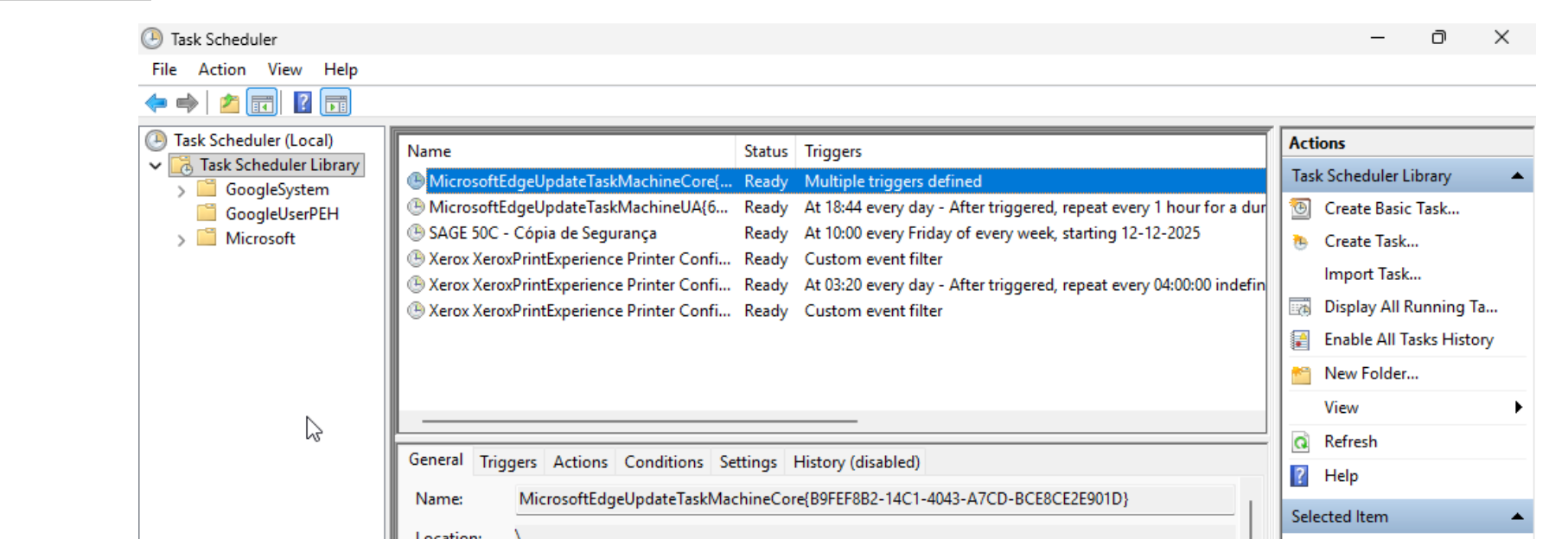
@manilx Can you check if there's a Copy-XenVifSettings task in Task Scheduler and
delete it if it existsreport back? Normally it's supposed to self-destruct but maybe something went wrong there. -
@dinhngtu Noting there:
-
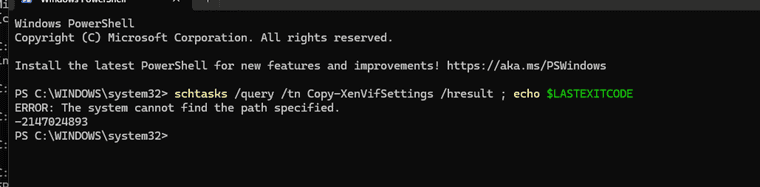
@manilx What do you see when you run this command from PowerShell?
schtasks /query /tn Copy-XenVifSettings /hresult ; echo $LASTEXITCODE -
-
@manilx Interesting... It's checking for "ERROR: The system cannot find the file specified. -2147024894", which is why it's failing. What if you specified the command this way, with a backslash?
schtasks /query /tn \Copy-XenVifSettings /hresult ; echo $LASTEXITCODE

Hello! It looks like you're interested in this conversation, but you don't have an account yet.
Getting fed up of having to scroll through the same posts each visit? When you register for an account, you'll always come back to exactly where you were before, and choose to be notified of new replies (either via email, or push notification). You'll also be able to save bookmarks and upvote posts to show your appreciation to other community members.
With your input, this post could be even better 💗
Register Login