Site outage. pfSense VM offline after pool master reboot
-
We downed our pool master (no VMs) for testing and the router VM (pfSense) lost internet connectivity.
When we restarted the master the router VM still has no internet connectivity.
All VMs,including the router are online in XO.
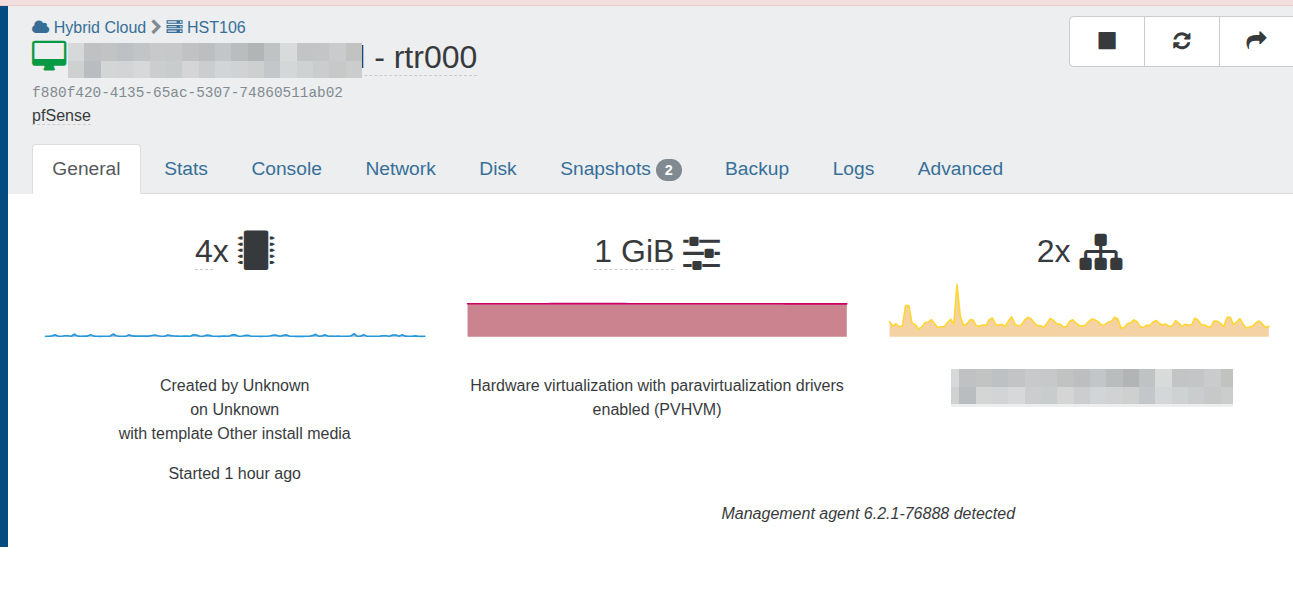
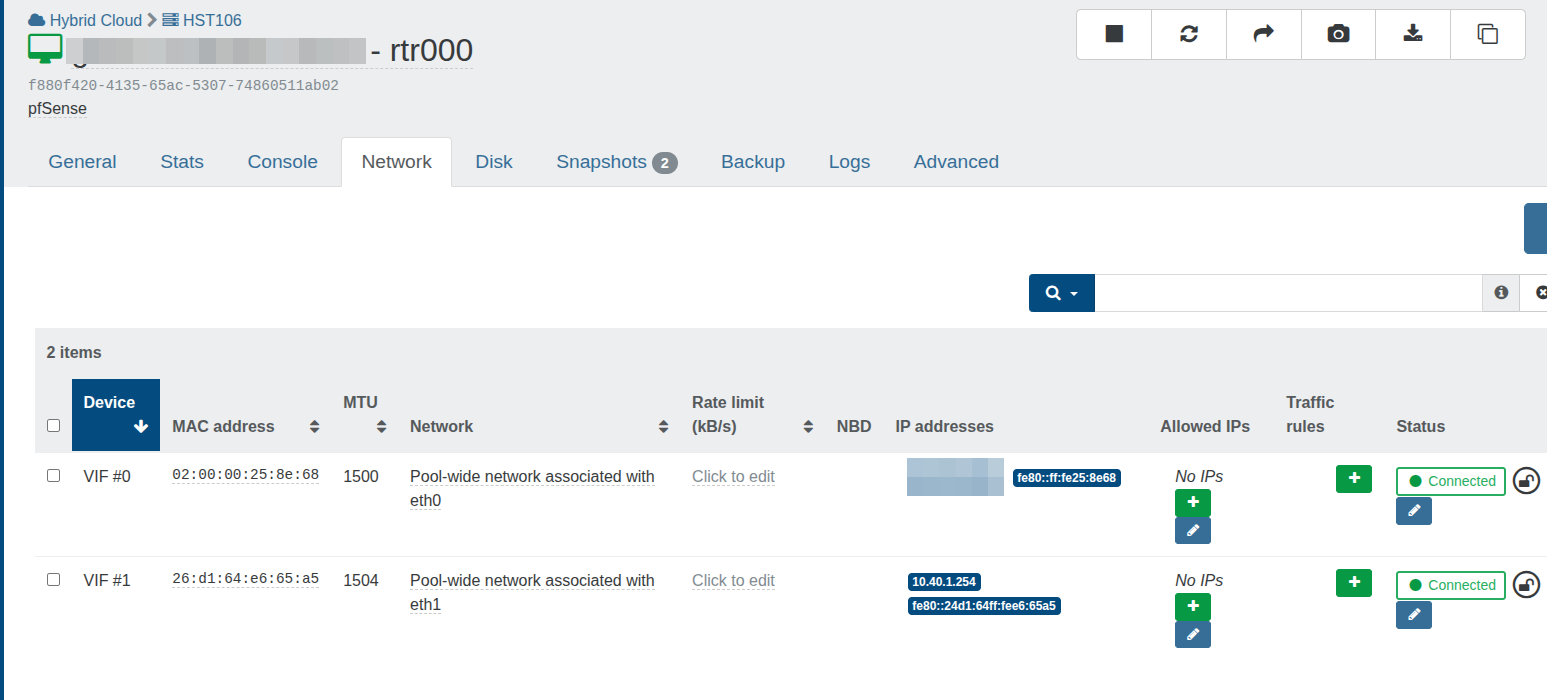
From the pfSense console I can ping VMs on the LAN however there is internet connectivity.
Everything looks fine so I am at a loss as to what the issue is.
-
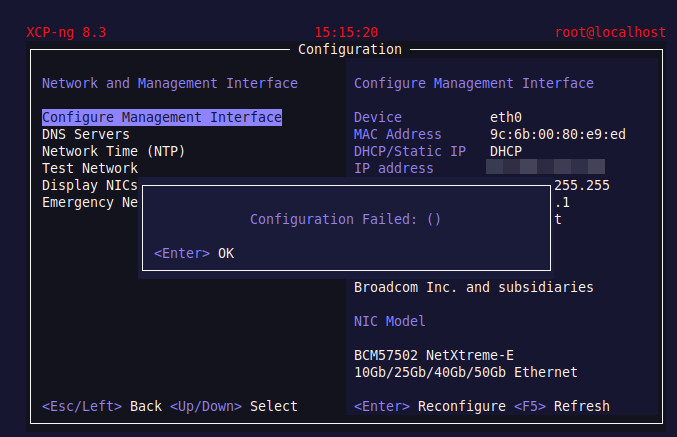
When I try to manually configure the management interface as eth0 i get this:
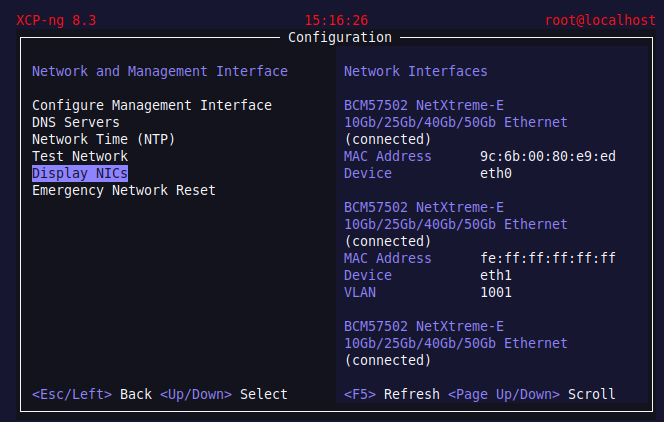
The NIC appears to be there and connected:
-
This problem has since been resolved.
The issue related to running pfSense as a VM when using an additional IP form OVH Cloud.
When using an OVH additional IP on pfSense the MAC address of the additional IP needs to be entered in the WAN configuration.
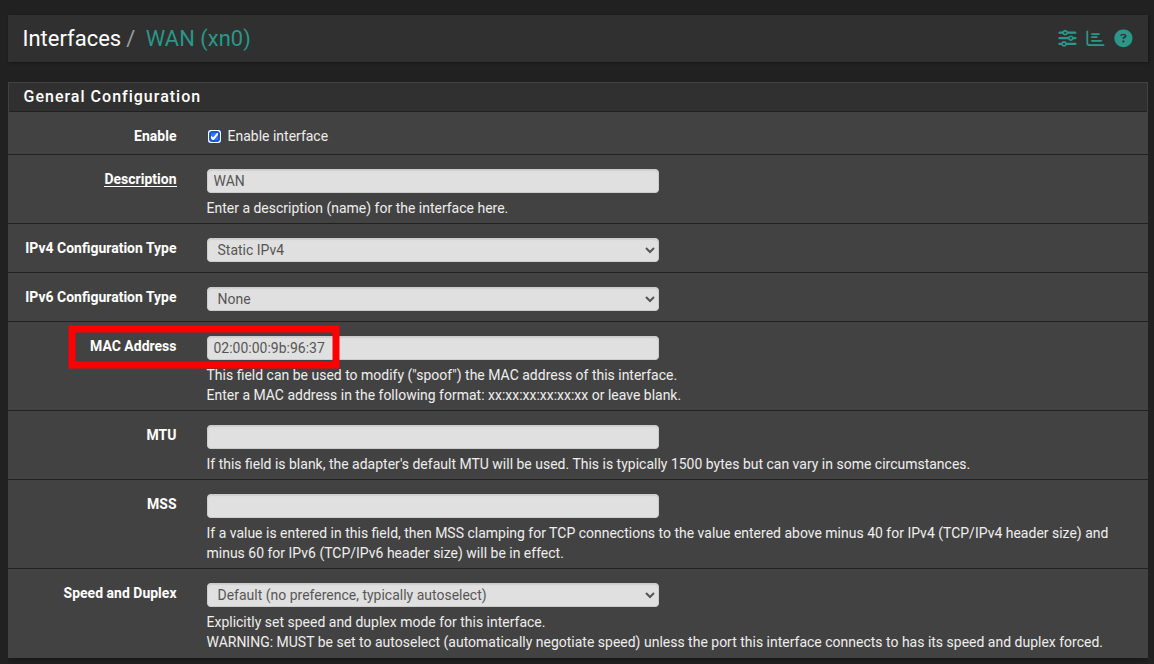
When we restored this pfSense VM from CR and then migrated it to our production host the MAC address had been changed in XO. Once the correct MAC address was reentered into pfSense everything worked again.
This is a real gotcha when running pfSense as a VM using CR on a host that is not part of the main pool. -
I am very concerned that the pfSense VM went offline yesterday when the pool master was shutdown even through the pfSense VM was running on the slave.
If I can get an understanding of how this happened I can better mitigate it from happening again.
I have just reread this to ensure I understand the master/slave relationship:
https://xcp-ng.org/forum/topic/6986/pool-master-down-restart-makes-the-whole-pool-invisible-to-xo-till-master-is-online-again/9?_=1764739019505Can anyone suggest a reason as to why the pfsense VM went offline when the master was down?
As the router role is crucial and there are a number of moving parts to ensure it works as a VM I am seriously considering running it as a standalone server.
-
@McHenry This should not happen. If thr VM runs on the slave and the master is rebooted or shut down it still should continue to run. Done this many times. The only thing happening is that XO can't access the VM's any longer as it needs the master.
That being said: running the firewall/router on a VM opens you to a lot of future pain (as you just have experienced). Don't do that unless you absolutely must and can work around down-times caused by VM/host issues.
Install it on a dedicated machine!
-
@manilx there is some cheap NETGATE appliances (Netgate 1100 or 2100) to put your PFSense+ out of virtual infrastructure.
this is the way.
-
Agreed however as our xcp-ng hosts are in the cloud with OVH Cloud we cannot use a physical appliance. We are currently setting up a dedicated OVH server for pfSense.
-
Hi @McHenry .
You should obfuscate the IP address in your first screenshot. Also check your profile and private chat

Hope everyone had a joyful Christmas and I wish everyone the best for 2026.
Regards,
Marc -
Thanks Marc

Hello! It looks like you're interested in this conversation, but you don't have an account yet.
Getting fed up of having to scroll through the same posts each visit? When you register for an account, you'll always come back to exactly where you were before, and choose to be notified of new replies (either via email, or push notification). You'll also be able to save bookmarks and upvote posts to show your appreciation to other community members.
With your input, this post could be even better 💗
Register Login