VDI not showing in XO 5 from Source.
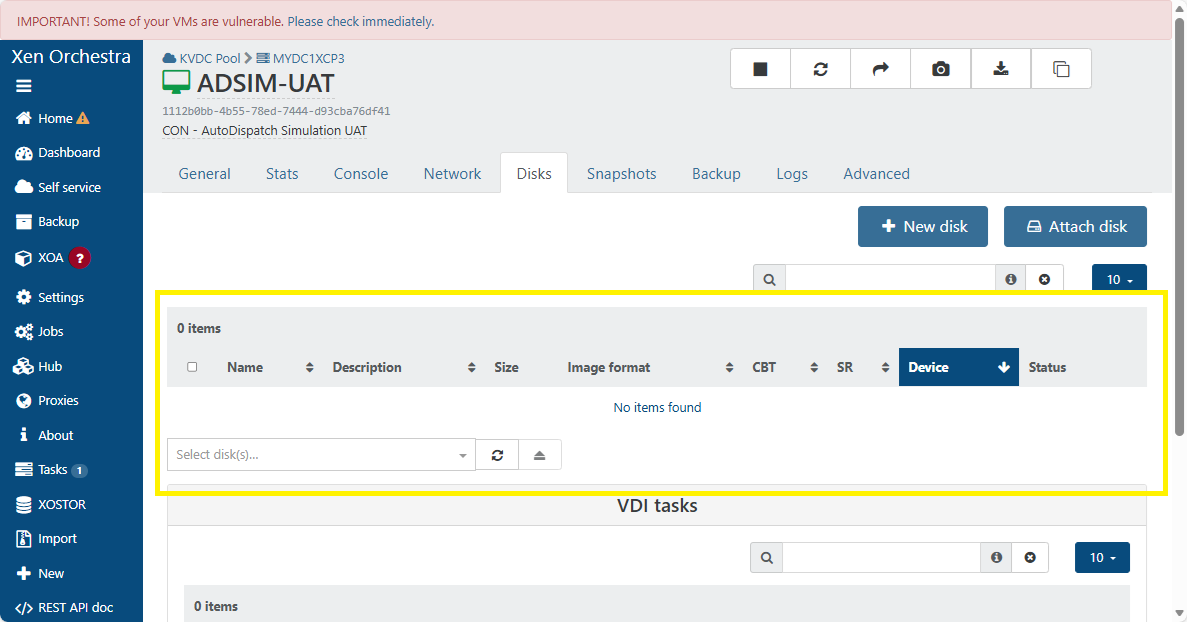
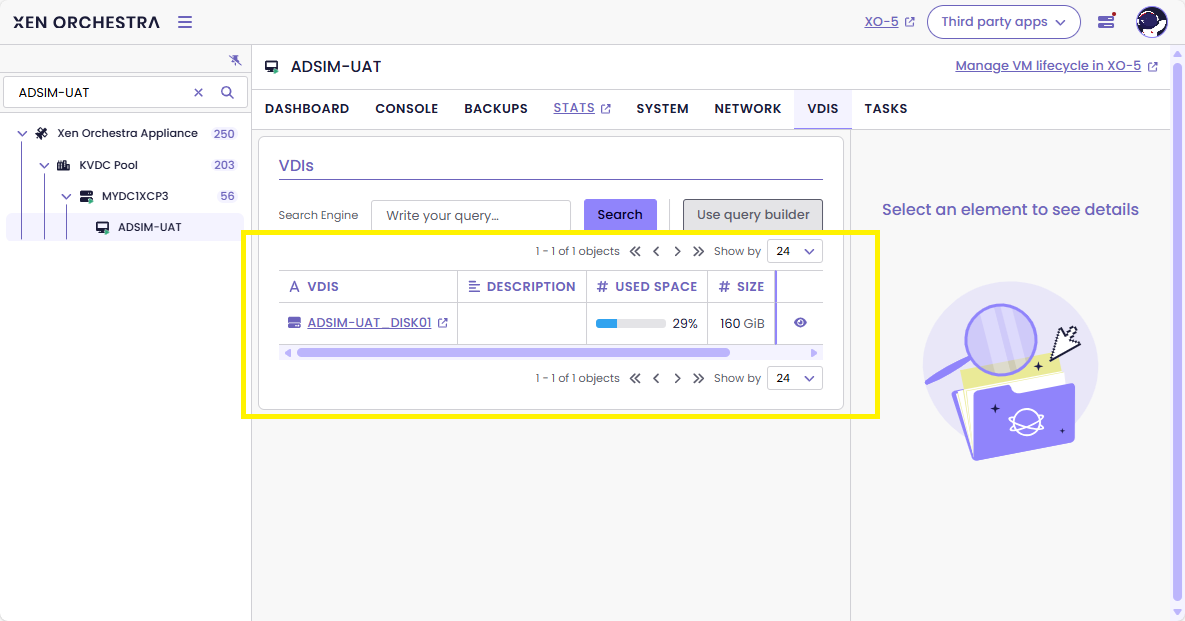
-
@Pilow now that you mention that everything is seen as snapshot i remember all my ISO are seen as snapshots too... so most iso cannot be mounted until i drag them in a folder then put them back in same folder so XO could reprocess all the iso correctly. This might be a related issue to all the snapshots for the VMs.
-
@wilsonqanda strangely my ISOs were not impacted, except for the default XCP TOOLS iso that seems gone
the "base copy" regroup bug on homepage of the SR, and the orphan base copies in the DASHBOARD/HEALTH seems to be linked to same problem
we have much fast clones VMs depending on those base copies seen as orphan
we are narrowing on the problem, just need the dev to level it, have faith

-
@Pilow Check the iso does it have a snapshot icon in the drive?
Next it show up fine until u want to create a vm in the new vm pg it think they are snapshots and you cant select the ISOs. This is when the problem arise.
Yep the dev here are super reaponsive. Have been a long term user and here and love their support
 . I mostly just been playing with things and learn so much by tinkering
 -
@wilsonqanda it's an SMB iso SR on my end, I think this is why it is not impacted
can't snapshot a file on Microsoft SMB share
-
@Pilow my is SMB too but it saw the issue. I use windows to login and drag all iso into a new created folder in the iso folder and drag it back out delete the newly created folder and all my iso is back to normal. It was a quick thing.
-
@wilsonqanda HAHA. problem resolved instantly for me on last SR I had the troubles
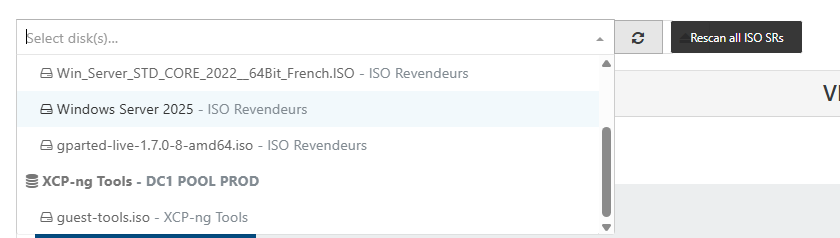
playing with the "rescan all ISO SRs" made the guest tools iso reappear
AND ALL MY OTHER VDIs ON THIS SR/HOST that were invisible
donnnnn't ask me HOW...


but this trick didn't work on other local RAID5 SR that have the problem

-
I have the same problem with 2 servers.
The solution for me was to:- migrate the VM between servers with different SR or to a 3rd one.
- export-import, virtual machines that are not that important and may have downtime.
-
@Gheppy if you can have downtime snapshot/revert works
-
I'm seeing this same problem in my lab, and I've found a symptom that I'm calling "VDI super-parents"
There is a VDI metadata field called "snapshots:" if your VM has snapshots, this field will be populated with a list of the snapshot VDI UUIDs.
If your VM has no snapshots, this field will be empty.
If your VM is a super-parent, it will have a list of VDI UUIDs that are actually the primary disk for other, unrelated VMs. In this case, XO5 will hide those VDIs from the list of disks because they've been determined to be snapshots.As far as I can tell, XO5 has two methods for figuring out which VDI are snapshots:
- It looks at the "is-a-snapshot:" field
- It builds a map of parents and children from the "snapshot-of:" and "snapshots:" metadata fields (as @pilow found)
XO6 seems to only look at the "is-a-snapshot:" metadata field.
Now here's the question: why is this happening? I only started seeing this behavior after installing XO6 preview.
Maybe it was due to an incomplete backup operation?
I have a bunch of VMs which are clones of a template.
I use iSCSI SRs.Doing a xe vdi-copy to a new SR collapses the snapshot chain and makes new VDI metadata, and then I did a vbd unplug and destroy, then connected the copied VDI to a new VBD. This fixed the problem for the first test VM that I messed with.
-
@anthoineb have we found a possible explanation?

