@olivierlambert Congrats you guys are expanding! 
Always have appreciated everyone help here and a great community of users.
@olivierlambert Congrats you guys are expanding!
Always have appreciated everyone help here and a great community of users.
@stormi after the update it seem to work well for me. Well the update from edk2 at least is working now. Haven't tried the iso.
Hello all,
Not sure it this is something specific to this update on (8.3beta 12/21/2023 release update) or not but did anyone else run into pfsense 2.7.1 having the VM not doing the autoboot countdown on startup screen after update? Apparently my node has this problem. I have to manually press the enter button to continue from startup screen...
Unless I accidently change the console keyboard from XOA setting somehow? I always use SSH to do all my stuff but if there is anyway to type in directly from console would be nicer
Screen it is stuck on until enter is pressed.
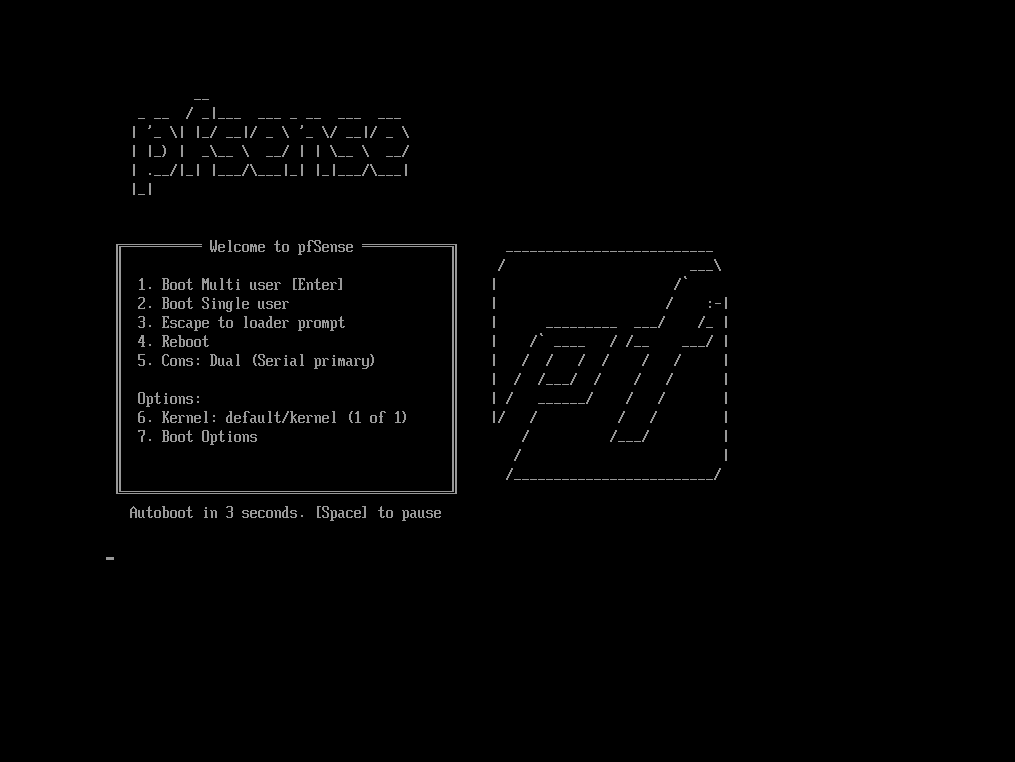
Reason i suspect it is XCP-ng is because there was no change before xcp-ng update (8.3beta 12/21/2023 release update) and when i revert vm to older version of the snapshot it has same problem. Really weird...
FYI all other VM didn't have this problem as they autoboot up normally.
@lkernan Ahh ic let me double check. Thanks hopefully that is the case.
Ok the linked partner was the issue. Thanks for clarifying that issue makes total sense now
@stormi
Good things I notice on the new beta2-test3 iso:
All good feedback. No drawback yet.
Also when is NFS v4 available believe it was end of 1st quarter (March???) from what i heard is that still true?
Thanks otherwise it is good on my short test so far.
@exetico it didnt break for me lol and all 4 of my xcp-ng and multiple pfsense VMs
@dinhngtu Really appreciate the help finally got it working. In Debian 12 I was able to boot to it without issues even with 3GB (on both UEFI and BIO) but obviously not recommended for logs etc...
Testing for Debian 13 now to see if there is something else affecting it and there is definitely weird issue with UEFI. BIOs boots up fine its the UEFI settings. This seem to affect the display as far as I can tell as I can ssh into the terminal without issue.
I think part of the issue is to use only generic or genericcloud and avoid nocloud as its doesn't come with cloud-init install...
They mention this on the site where we download it. Didn't quite understand until now...:
azure: Optimized for the Microsoft Azure environment
ec2: Optimized for the Amazon EC2
generic: Should run in any environment using cloud-init, for e.g. OpenStack, DigitalOcean and also on bare metal.
genericcloud: Identical to generic but with a reduced set of hardware drivers in the kernel. If it does not work for your use case, you should use the generic images.
nocloud: Does not run cloud-init and boots directly to a root prompt. Useful for local VM instantiation with tools like QEMU. (AVOID as it does not work with cloud init but it boot up so that was extremely deceiving...)
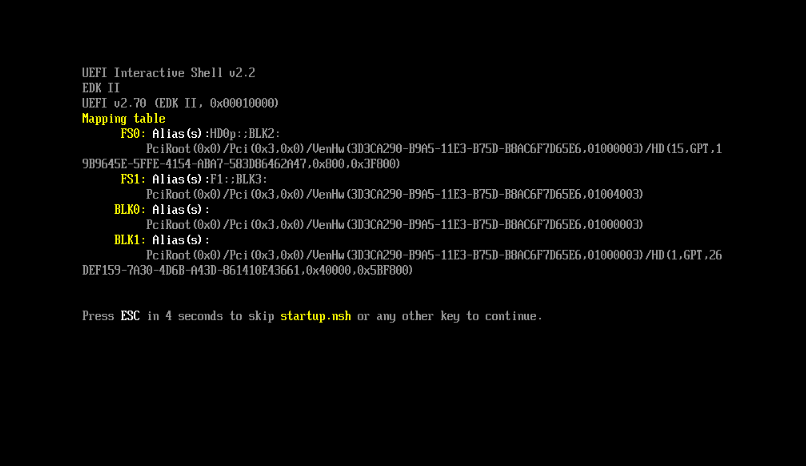
I am not sure what i am missing but the VM is stuck in drive not booting pass the BIOs or UEFI mode as if it don't know what to do...
I think I am missing something. Do you have a complete "#cloud-config" I can paste in and check to make sure it's working. I would expect the console to display something during boot up. I never done cloud-init before... so really curious.
I tried debian 12 and 13 both getting stuck on same place.
In UEFI below (BIOs stuck similar case but different screen):
Hello All,
This issue seem to completely go away on a older branch/tag if i build it from below for XO:
xo-lite-v0.17.0
So the issue I would think is coming from the newer version of XO. Not sure best way to test this. So I am going back to an older commit.
If anyone has any suggestion I can try helping as its an annoying issue.
@Pilow my is SMB too but it saw the issue. I use windows to login and drag all iso into a new created folder in the iso folder and drag it back out delete the newly created folder and all my iso is back to normal. It was a quick thing.
@Pilow Check the iso does it have a snapshot icon in the drive?
Next it show up fine until u want to create a vm in the new vm pg it think they are snapshots and you cant select the ISOs. This is when the problem arise.
Yep the dev here are super reaponsive. Have been a long term user and here and love their support . I mostly just been playing with things and learn so much by tinkering
@Pilow now that you mention that everything is seen as snapshot i remember all my ISO are seen as snapshots too... so most iso cannot be mounted until i drag them in a folder then put them back in same folder so XO could reprocess all the iso correctly. This might be a related issue to all the snapshots for the VMs.
@Pilow Lol glad I was able to help. Its only if you have a few VMs having hundreds will be a nightmare... giod luck to those that has that issue. In the meantime I will use the method I mention for now.
@Pilow Does disk show up after you do the snapshot? If it is able to do the snapshot there is a high chance it can boot up. So try booting up (and check for disk) and shut it down and do the snapshot at that time if the disk show up.
It helps to boot up on the old v5 commit and check from that side too if you have both copy before the commit update.
Yep I can confirm that snapshot doesn't always work. But using the older v5 that used to work before the update does get it showing up on the newer v5 commit if I go through whole snapshot, revert, etc. one of those case work.
It will be a nightmare if I have to do all 286 VMs...

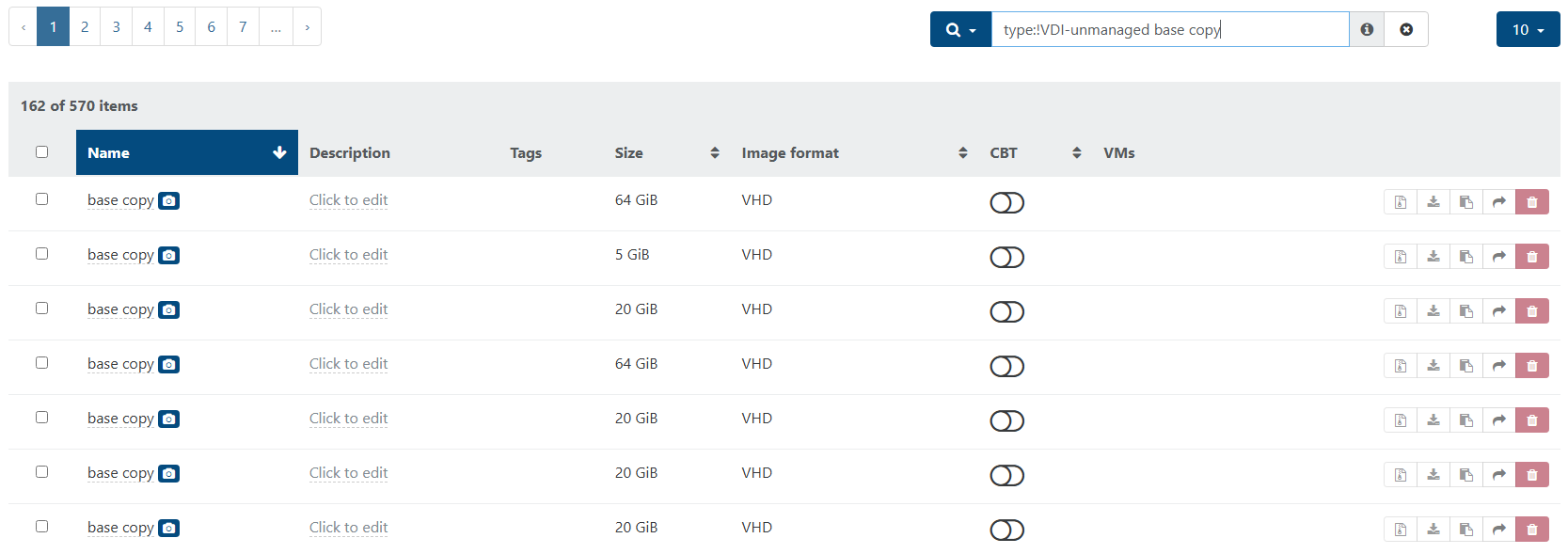
slowing verifying if its going down the countdown... luckily most of them are related so it's not too bad.
Hello All,
Found some roundabout solutions you may want to try:
https://xcp-ng.org/forum/post/101370