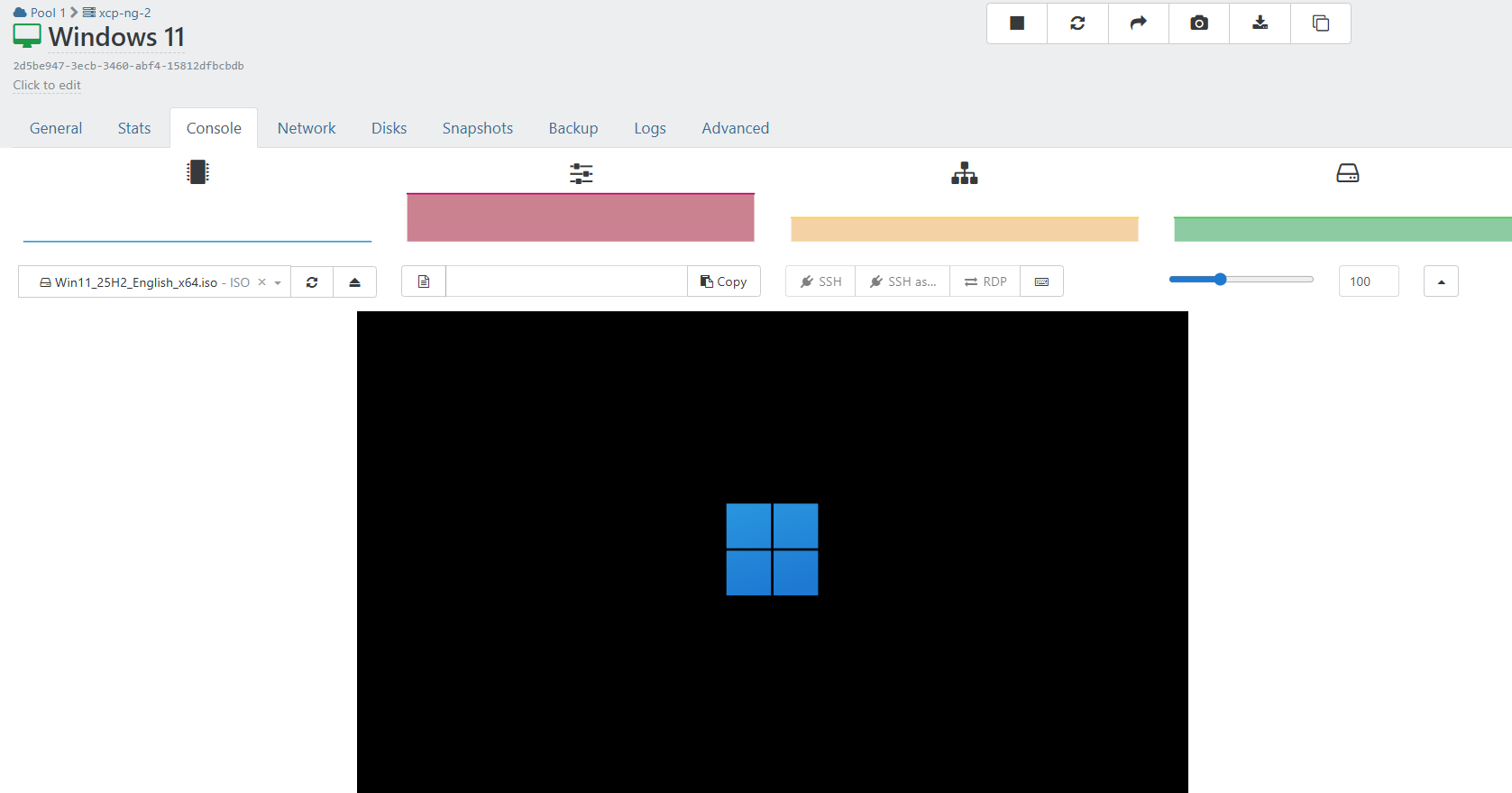
Windows 11 (Win11_25H2_English_x64.iso) Fails to Install
-
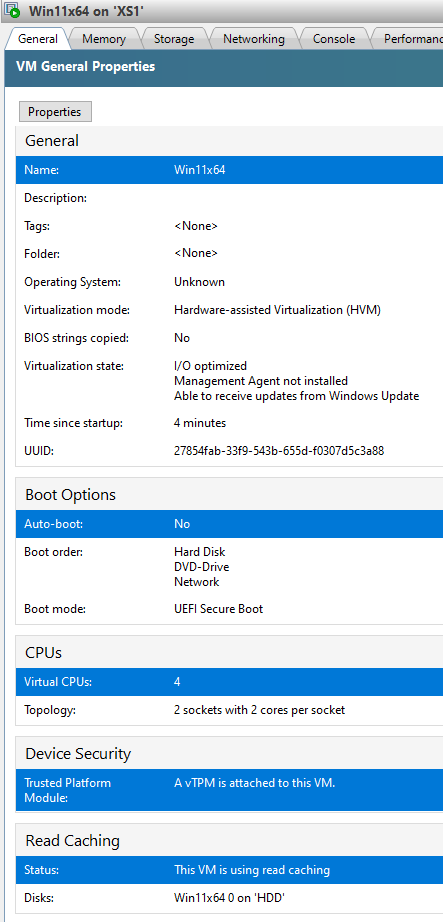
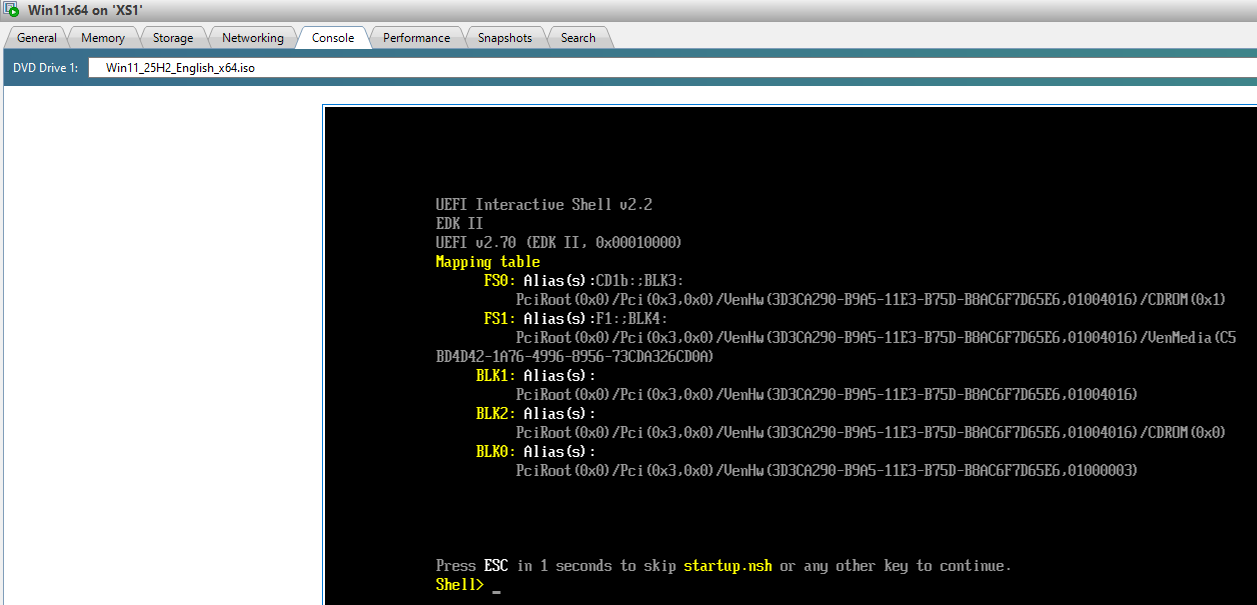
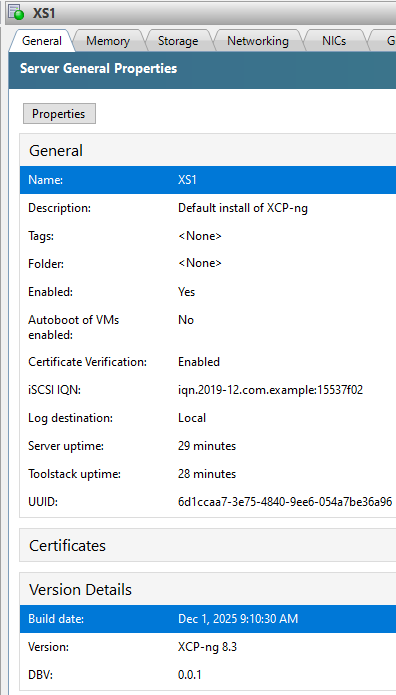
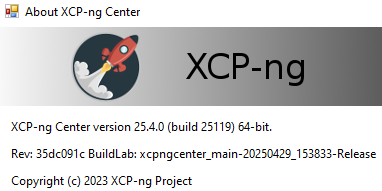
Please advise.
-
@busthead Try turning off Secure Boot.
-
-
-
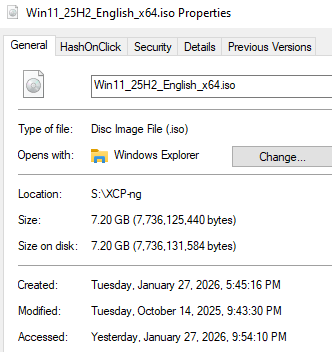
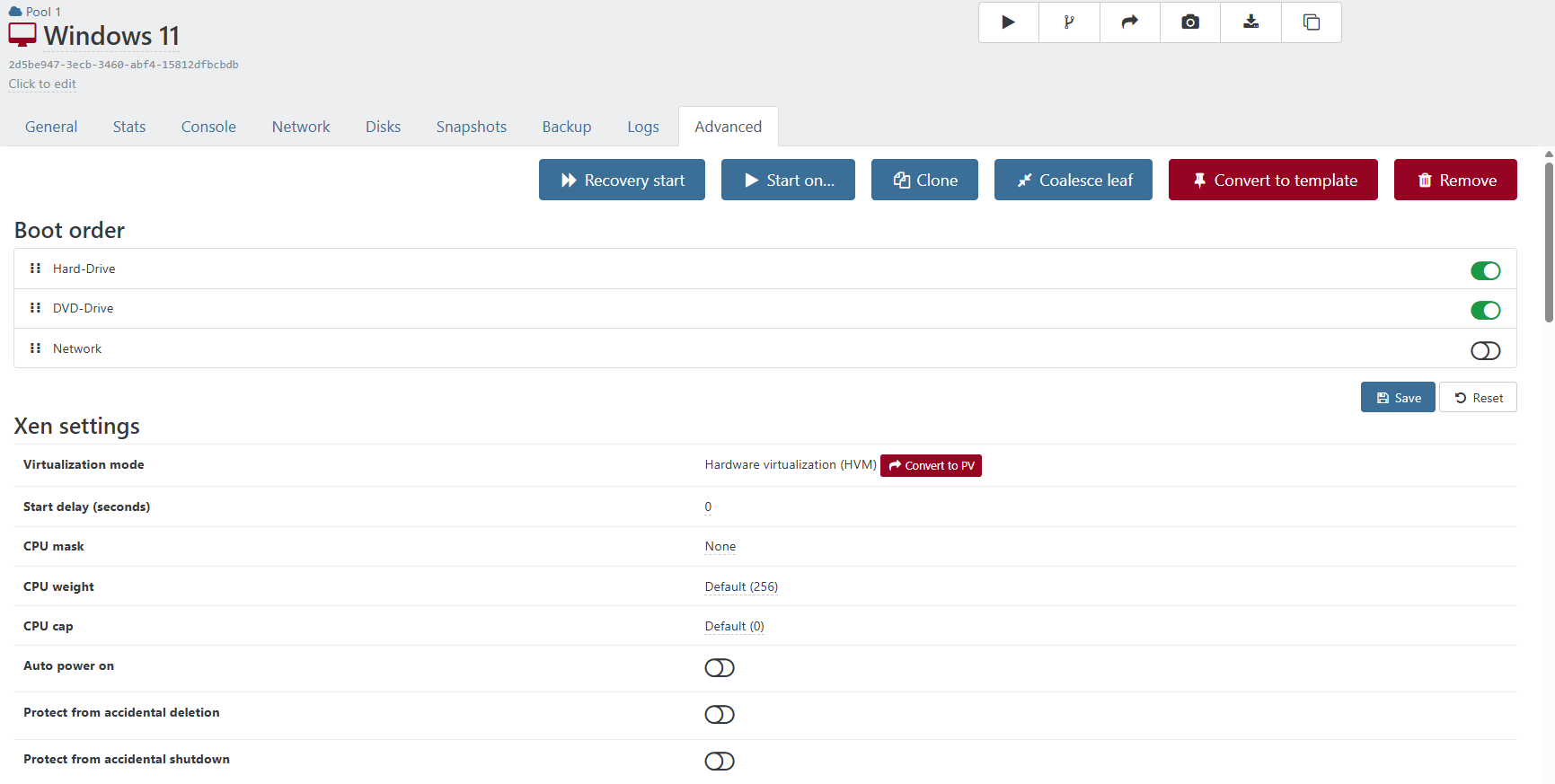
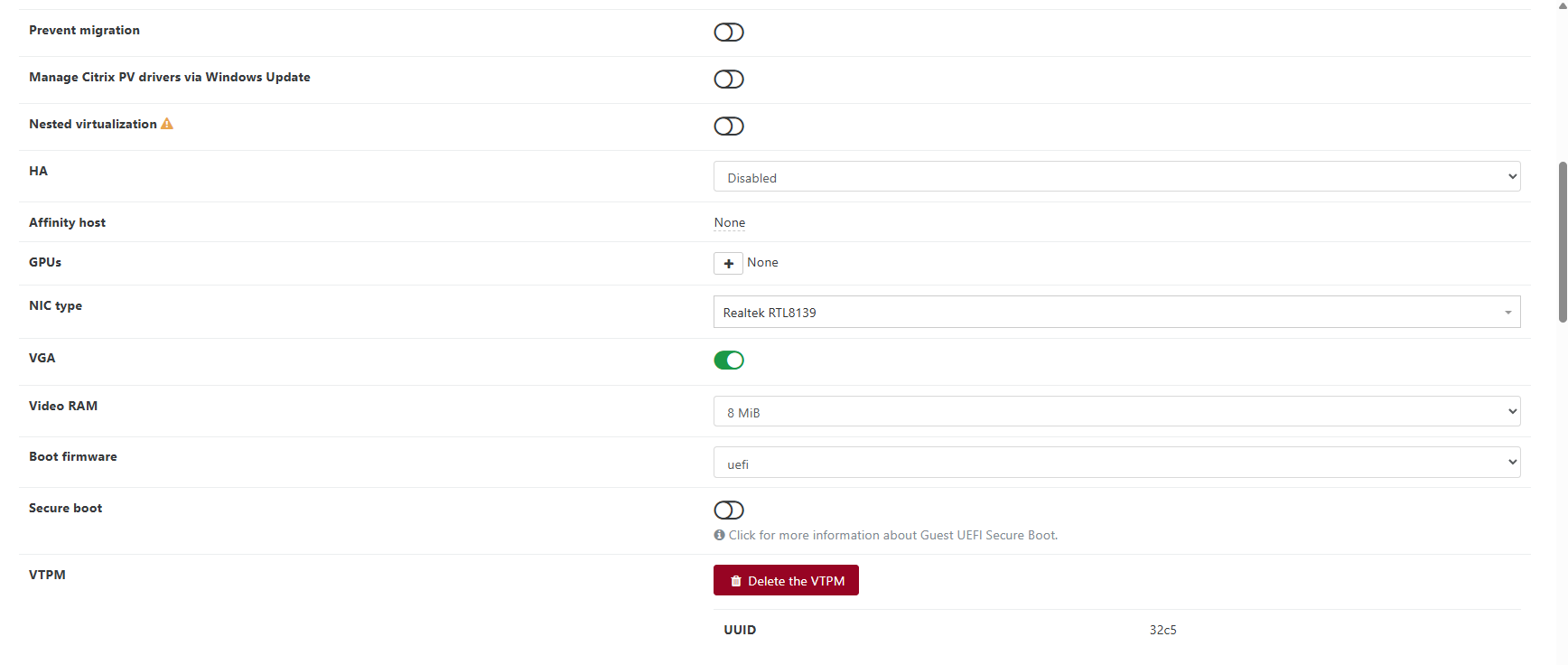
I suspect the issue is that I'm using XCP-ng Center rather that Xen Orchestra. Is there a xe or xo-cli command I can execute that list my Win11x64 VM config details so we can compare?
-
I am not sure. I just downloaded this version - 26200.6584.250915-1905.25h2_ge_release_svc_refresh_CLIENT_CONSUMER_x64FRE_en-us and no boot issues. There was a discussion on this forum about similar issues. The every first iso for 25hX (not sure 1 or 2) that would boot. The new version would not. My Iso was from around then. But i renamed it so i dont know the exact version. When trying to download the lates iso from micrsoft.com/download the page errors out before letting me download the iso.
-
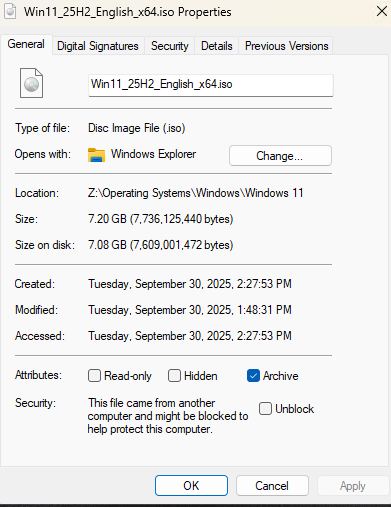
Given both are the same size, I don't believe the ISO is the issue. It's likely XCP-ng center or some other issue with my XCP-ng setup.
-
Here's the output of
xe vm-list params=alluuid ( RO) : f0b2ff27-5a70-2bef-f7bf-cec0f33a4484 name-label ( RW): Win11x64 name-description ( RW): user-version ( RW): 1 is-a-template ( RW): false is-default-template ( RW): false is-a-snapshot ( RO): false snapshot-of ( RO): <not in database> snapshots ( RO): snapshot-time ( RO): 19700101T00:00:00Z snapshot-info ( RO): parent ( RO): <not in database> children ( RO): is-control-domain ( RO): false power-state ( RO): halted memory-actual ( RO): 8592080896 memory-target ( RO): <expensive field> memory-overhead ( RO): 73400320 memory-static-max ( RW): 8589934592 memory-dynamic-max ( RW): 8589934592 memory-dynamic-min ( RW): 8589934592 memory-static-min ( RW): 4294967296 suspend-VDI-uuid ( RW): <not in database> suspend-SR-uuid ( RW): d0d928ee-1673-dda2-800f-3f027a94e1c5 VCPUs-params (MRW): VCPUs-max ( RW): 4 VCPUs-at-startup ( RW): 4 actions-after-shutdown ( RW): Destroy actions-after-softreboot ( RW): Soft reboot actions-after-reboot ( RW): Restart actions-after-crash ( RW): Restart console-uuids (SRO): hvm ( RO): false platform (MRW): timeoffset: 0; device-model: qemu-upstream-uefi; cores-per-socket: 2; device_id: 0002; viridian: true; viridian_time_ref_count: true; viridian_reference_tsc: true; viridian_apic_assist: true; viridian_crash_ctl: true; viridian_stimer: true; secureboot: false; vga: std; videoram: 8; nx: true; acpi: 1; apic: true; pae: true; hpet: true; acpi_laptop_slate: 1; vtpm: true allowed-operations (SRO): destroy; metadata_export; export; make_into_template; changing_NVRAM; changing_shadow_memory; changing_static_range; changing_dynamic_range; migrate_send; start_on; start; copy; clone; snapshot current-operations (SRO): blocked-operations (MRW): allowed-VBD-devices (SRO): <expensive field> allowed-VIF-devices (SRO): <expensive field> possible-hosts ( RO): <expensive field> domain-type ( RW): hvm current-domain-type ( RO): unspecified HVM-boot-policy ( RW): BIOS order HVM-boot-params (MRW): firmware: uefi; order: cd HVM-shadow-multiplier ( RW): 1.000 PV-kernel ( RW): PV-ramdisk ( RW): PV-args ( RW): PV-legacy-args ( RW): PV-bootloader ( RW): PV-bootloader-args ( RW): last-boot-CPU-flags ( RO): vendor: GenuineIntel; features: last-boot-record ( RO): <expensive field> resident-on ( RO): <not in database> affinity ( RW): 6d1ccaa7-3e75-4840-9ee6-054a7be36a96 other-config (MRW): base_template_name: Windows 11; import_task: OpaqueRef:58b9d8e8-3578-150b-045d-5e500f94f6b7; mac_seed: 496c087a-d7e4-1a07-cd59-a2e3aa046d04; install-methods: cdrom dom-id ( RO): -1 recommendations ( RO): <restrictions><restriction field="memory-static-max" max="1649267441664"/><restriction field="vcpus-min" min="2"/><restriction field="vcpus-max" max="64"/><restriction field="has-vendor-device" value="true"/><restriction field="supports-bios" value="no"/><restriction field="supports-uefi" value="yes"/><restriction field="supports-secure-boot" value="yes"/><restriction max="255" property="number-of-vbds"/><restriction max="7" property="number-of-vifs"/></restrictions> xenstore-data (MRW): vm-data/mmio-hole-size: 268435456; vm-data: ha-always-run ( RW) [DEPRECATED]: false ha-restart-priority ( RW): blobs ( RO): start-time ( RO): 20260128T17:40:40Z install-time ( RO): 20260128T17:40:36Z VCPUs-number ( RO): 0 VCPUs-utilisation (MRO): <expensive field> os-version (MRO): netbios-name (MRO): PV-drivers-version (MRO): PV-drivers-up-to-date ( RO) [DEPRECATED]: true memory (MRO): disks (MRO): VBDs (SRO): dd13b4f7-4ce6-aa92-977c-d55997ff23b9; a231e90c-f1ff-1715-4335-a842b38e55b8 networks (MRO): services (MRO): PV-drivers-detected ( RO): true other (MRO): platform-feature-xs_reset_watches: 1; platform-feature-multiprocessor-suspend: 1; has-vendor-device: 1 live ( RO): true guest-metrics-last-updated ( RO): 20260128T17:40:44Z can-use-hotplug-vbd ( RO): unspecified can-use-hotplug-vif ( RO): unspecified cooperative ( RO) [DEPRECATED]: <expensive field> tags (SRW): appliance ( RW): <not in database> groups ( RW): snapshot-schedule ( RW): <not in database> is-vmss-snapshot ( RO): false start-delay ( RW): 0 shutdown-delay ( RW): 0 order ( RW): 0 version ( RO): 0 generation-id ( RO): 4909433915876267241:9153903600474305670 hardware-platform-version ( RO): 2 has-vendor-device ( RW): true requires-reboot ( RO): false reference-label ( RO): windows-11 bios-strings (MRO): bios-vendor: Xen; bios-version: ; system-manufacturer: Xen; system-product-name: HVM domU; system-version: ; system-serial-number: ; baseboard-manufacturer: ; baseboard-product-name: ; baseboard-version: ; baseboard-serial-number: ; baseboard-asset-tag: ; baseboard-location-in-chassis: ; enclosure-asset-tag: ; hp-rombios: ; oem-1: Xen; oem-2: MS_VM_CERT/SHA1/bdbeb6e0a816d43fa6d3fe8aaef04c2bad9d3e3d pending-guidances ( RO): vtpms ( RO): 70e89c07-98aa-3716-11a3-f67b370c4a91 pending-guidances-recommended ( RO): pending-guidances-full ( RO): -
@busthead Do you see anything when typing
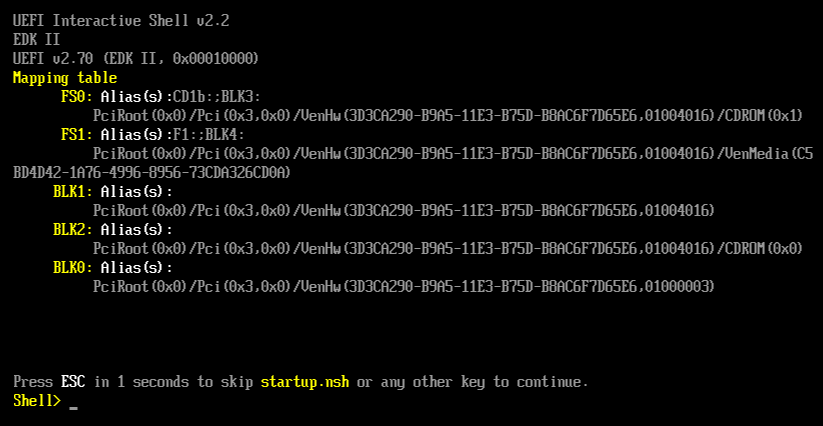
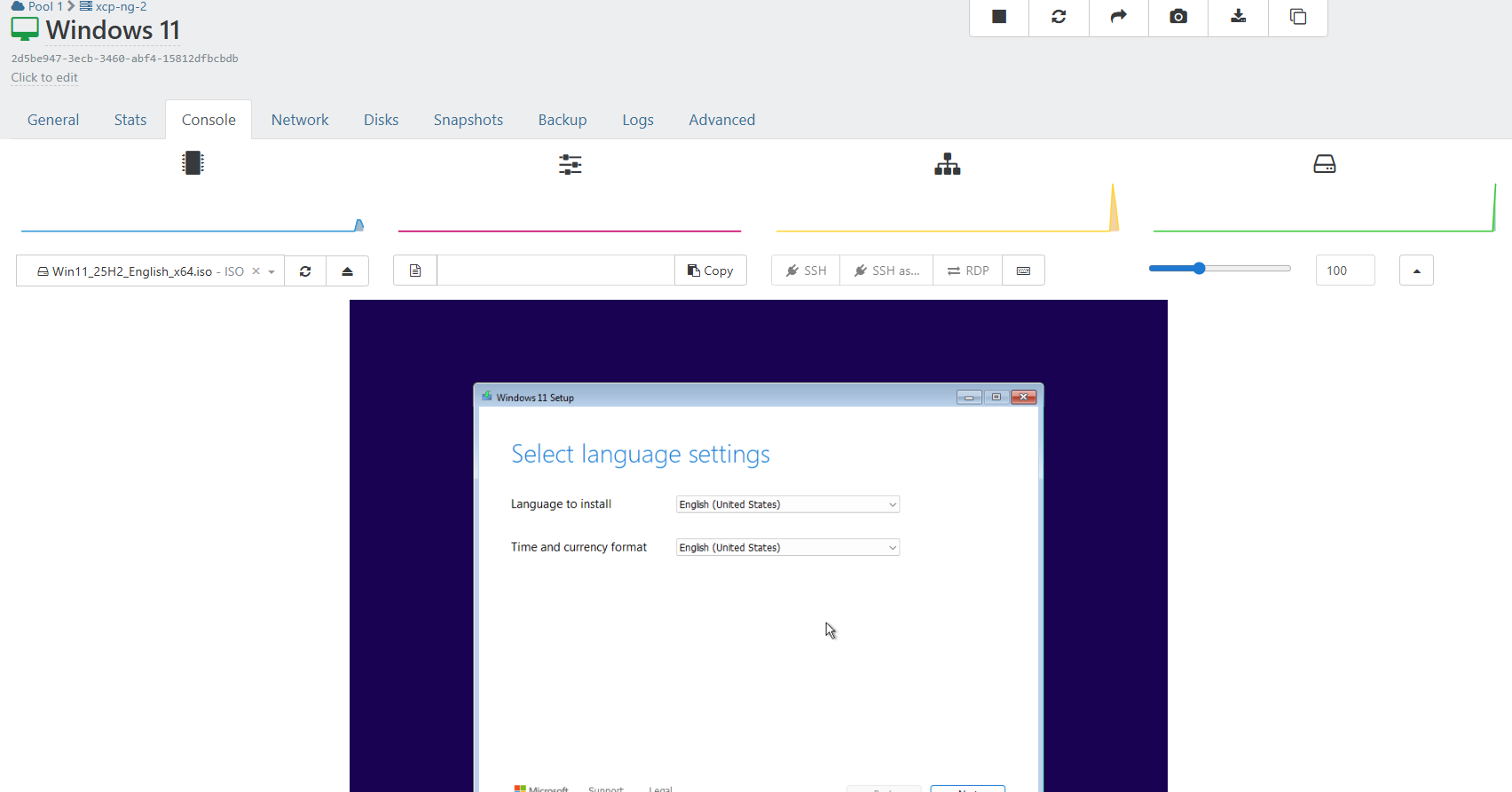
dir FS0:at the shell? Also, can you upload the non-working ISO somewhere and send it to me via PM?The Windows ISOs also require you to press a key to start Setup. If XCP-ng Center is not fast enough to display the screen then you may end up with the UEFI shell. Try starting the installation from Xen Orchestra or spamming a key when the VM is starting.
-
I found the other post I was thinking about. - https://xcp-ng.org/forum/topic/11333/windows-2025-standard-24h2.11-iso-release-of-sept-25-crash-on-reboot-with-inaccessible-boot-device-0x7b-in-xcp-8.2.1-and-xcp-8.3/15?_
That is issue both versions of the iso would boot but the newer one would have install issues.
-
@dinhngtu said in Windows 11 (Win11_25H2_English_x64.iso) Fails to Install:
Do you see anything when typing dir FS0: at the shell?
[13:17 xs1 ~]# dir FS0: dir: cannot access FS0\:: No such file or directory@dinhngtu said in Windows 11 (Win11_25H2_English_x64.iso) Fails to Install:
The Windows ISOs also require you to press a key to start Setup.
It appears I missed the key press to start setup

-
@busthead said in Windows 11 (Win11_25H2_English_x64.iso) Fails to Install:
It appears I missed the key press to start setup
Dont you know your are not suppose to blink when doing working. You might miss something

Glad you figured it out.

Hello! It looks like you're interested in this conversation, but you don't have an account yet.
Getting fed up of having to scroll through the same posts each visit? When you register for an account, you'll always come back to exactly where you were before, and choose to be notified of new replies (either via email, or push notification). You'll also be able to save bookmarks and upvote posts to show your appreciation to other community members.
With your input, this post could be even better 💗
Register Login