Can't access NFS in XO
-
Hi,
I am getting this error when trying to add a storage repository from XO in order to allow me to run backup-ng for the first time.
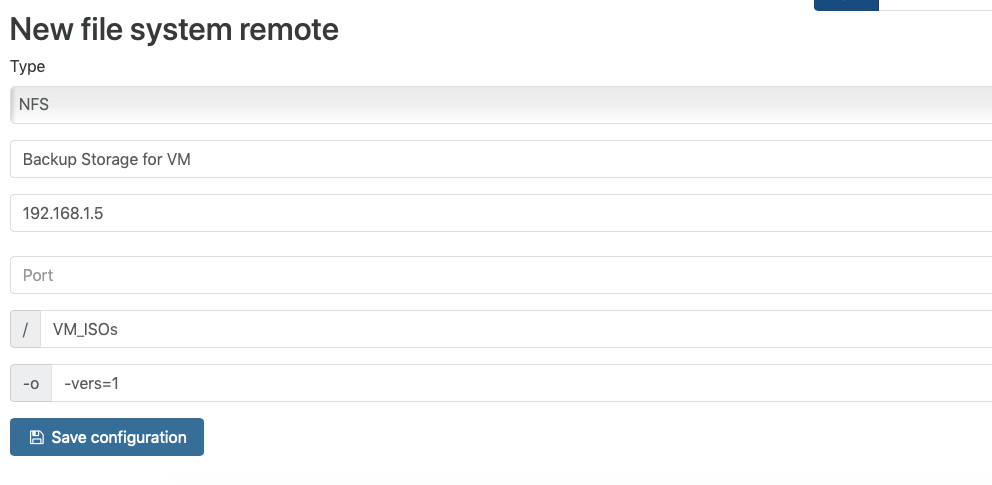
"Command failed: mount -t nfs 192.168.1.5:/VM_ISOs /run/xo-server/mounts/8ea70d00-9303-4044-a471-e2b87947de3a -o vers=3 mount.nfs: mounting 192.168.1.5:/VM_ISOs failed, reason given by server: No such file or directory"
I am using NFS as that's what XO suggested because I am using FreeNAS SMB. but is' version 1 smb enabled. not sure if that's the reason or not.
The directory Im using a directory that's open and thus no authentication is needed.
-
I'm confused here. Are you sure NFS is enabled on that share? Are you sure the share name is
VM_ISOs? Are you sure you added XO IP address or leave it blank? -
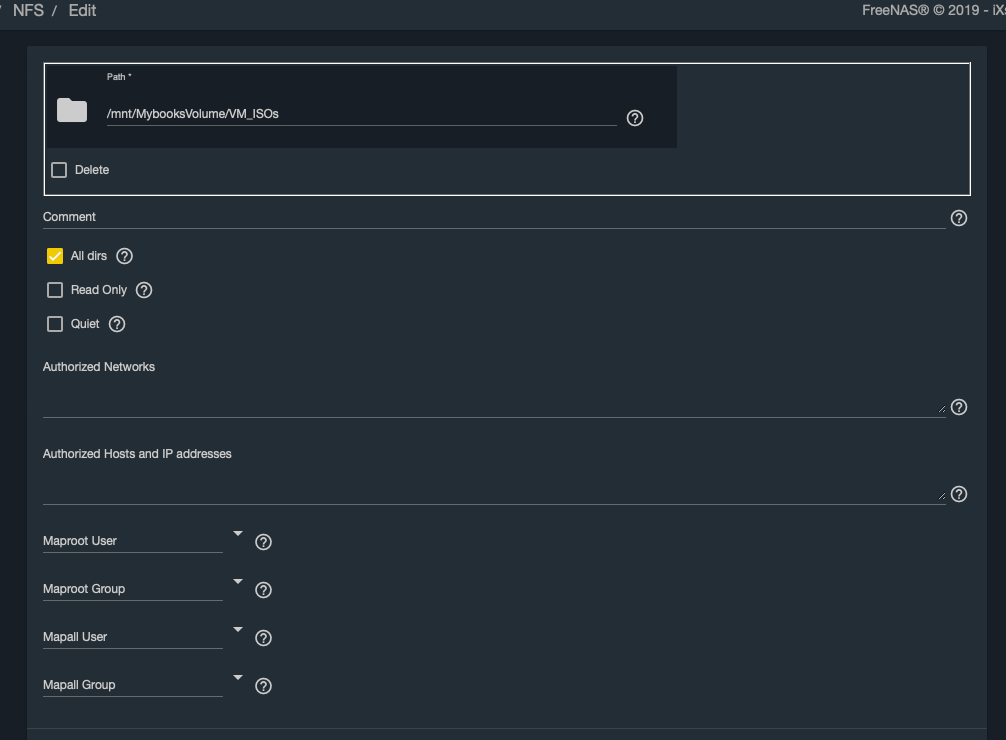
Im sorry for any confusion. I'm also confused because NFS is enabled on VM_ISOs as shown the attached image. what should I check?
-
From XOA VM, please do a
showmount -e 192.168.1.5 -
Thanks. I guessed that I needed to put the full path on FreeNAS as there is not masking when expose as NSF by FreeNAS. So I put the full path as "/mnt/MybooksVolume/VM_ISOs" and that seems to have fixed the problem.


Hello! It looks like you're interested in this conversation, but you don't have an account yet.
Getting fed up of having to scroll through the same posts each visit? When you register for an account, you'll always come back to exactly where you were before, and choose to be notified of new replies (either via email, or push notification). You'll also be able to save bookmarks and upvote posts to show your appreciation to other community members.
With your input, this post could be even better 💗
Register Login