Cloud INIT Network and Hostname.
-
@olivierlambert
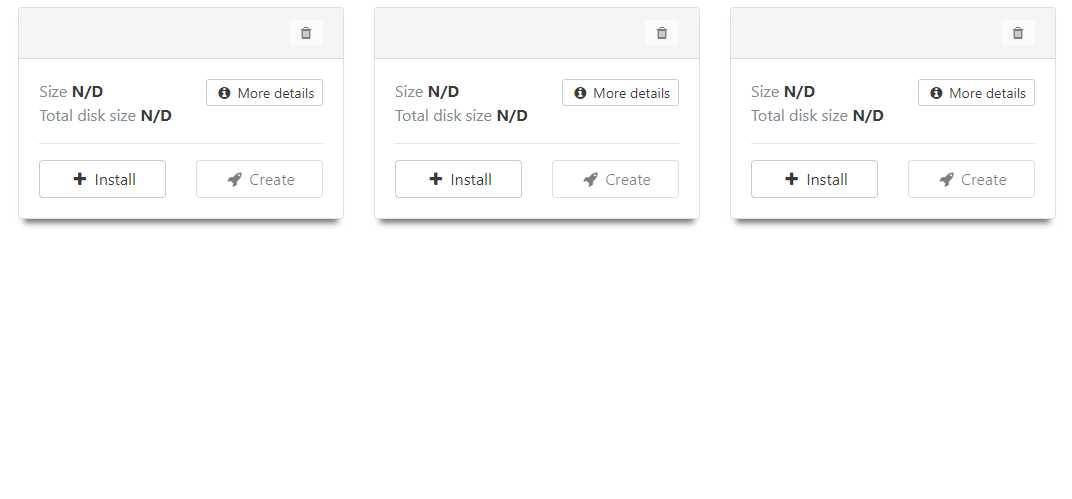
This is what I see in the templates. -
Please check that your XOA is fully up-to-date
 Is it correctly registered with your email from xen-orchestra.com?
 -
@olivierlambert I have not registered it as of now i will register it if needed.
-
So it's not up to date. You need to register to be able to get the latest version, we do not rebuild an XOA after each release!
-
@olivierlambert Ah i see. It shows up. Much appreciated!
-
So I entered the data in the custom fields. The Vm seemed to not take them. Could the way I configure the custom fields be wrong for user data and networking?
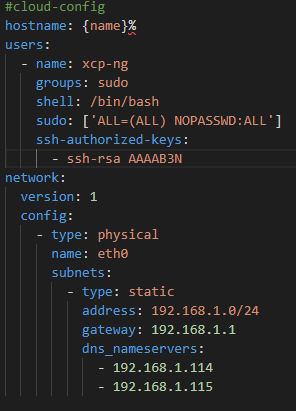
I add my ssh key but i dont provide in this screen shot. Also with the hostname set as {name}%, will it pull the name set in the template of XOA?
-
Question for @fohdeesha
-
@Torodiesel the networking config should go in the network config box when deploying the template, not in the same box as the cloud-config data. Also, I see a few things wrong, including your network config having non-existent fields (you have to define a nameserver type field, then list addresses under it). Here is a known-working config. Note that you don't need to create an xcp-ng user, the templates come configured with a sudo user with the name of the OS, so for our debian template, the default sudo user is
debian, just provide a key like below and you can log in as him::#cloud-config hostname: {name}% fqdn: {name}%.localdomain.local ssh_authorized_keys: - ssh-rsa XXXXXXXX packages: - tmuxversion: 1 config: - type: physical name: eth0 subnets: - type: static address: 192.168.1.169/24 gateway: 192.168.1.1 - type: nameserver address: - 8.8.8.8 - 1.1.1.1 search: - home.lanAnd yes, filling a field with a value of
{name}%will pass along the name of the VM, whatever you have named it -
@fohdeesha I see. The networking you see above is just set in studio code just to have it all in one photo. I am able to get the networking to work fine. the 0/24 is just a place holder and does get changed to a IP.
I tried adding a SSH key to access the VM after creation and I can't seem to log in with the default ubuntu user. It does accept my key but is asking for a password after I accept the fingerprint for the server. I don't have a password set for the key so I tried making a new user and that didn't seem to work either.
I must be messing something up and I'm not sure what it is.
-
@Torodiesel Are you using the ubuntu or debian hub template? the default user included with the debian template is
debian, notubuntu:)However if you're yusing the ubuntu template, it should indeed be ubuntu. I would start from scratch and copy/paste only my example config above without networking, replacing only the key line with your public key. If that still doesn't work, you can be sure the issue is somewhere on your side (probably the keypair is corrupted, or your ssh client isn't sending the correct privkey) -
@fohdeesha Yes i can confirm user error. I was uncommenting #network in the network side and it was causing issues with my whole config. I read this in another post on the forum. Thank you for your assistance. I really appreciate the time you provided.


Hello! It looks like you're interested in this conversation, but you don't have an account yet.
Getting fed up of having to scroll through the same posts each visit? When you register for an account, you'll always come back to exactly where you were before, and choose to be notified of new replies (either via email, or push notification). You'll also be able to save bookmarks and upvote posts to show your appreciation to other community members.
With your input, this post could be even better 💗
Register Login