SMB share write performance issue windows server 2019
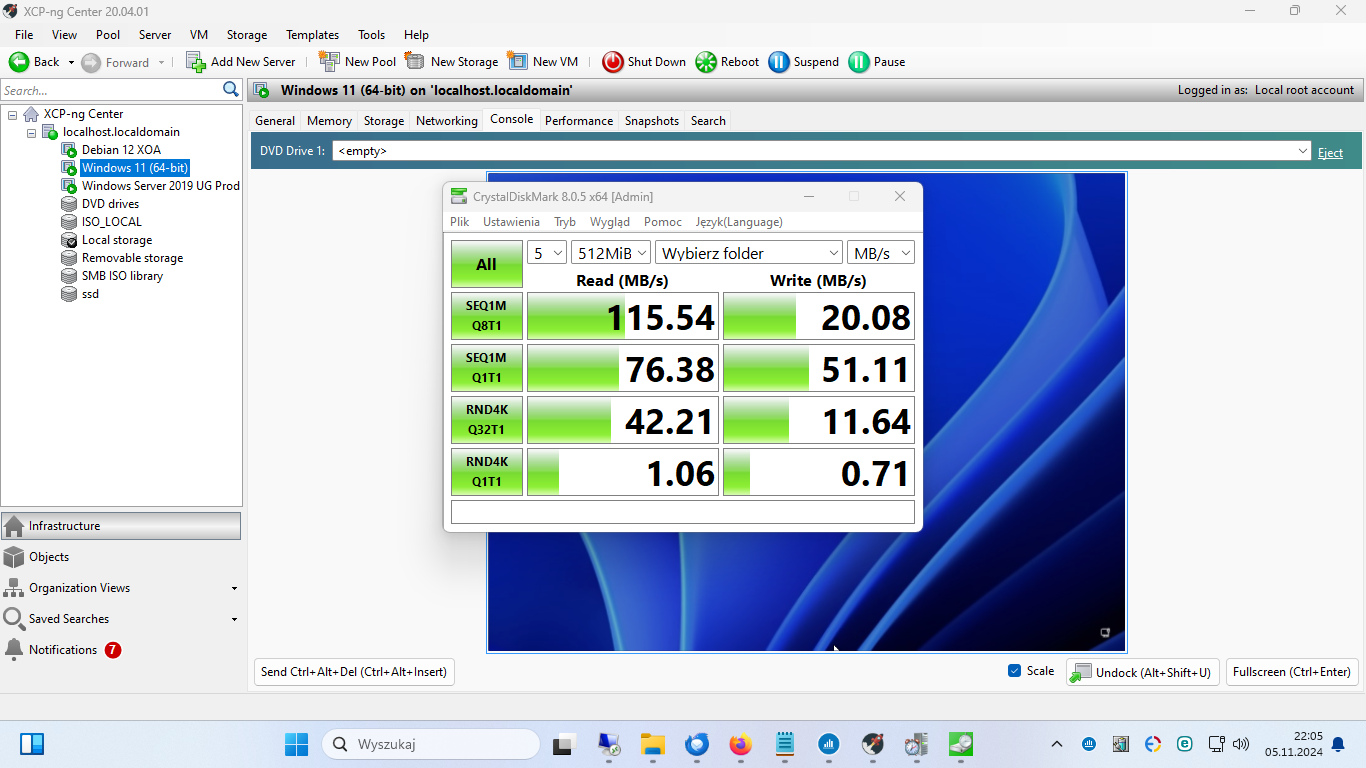
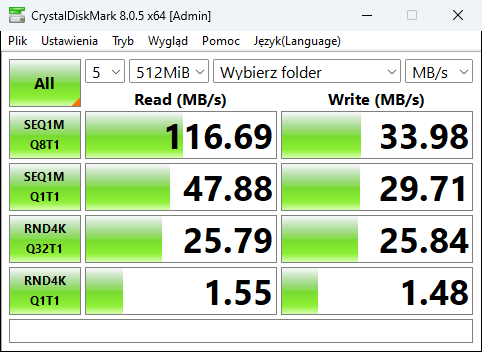
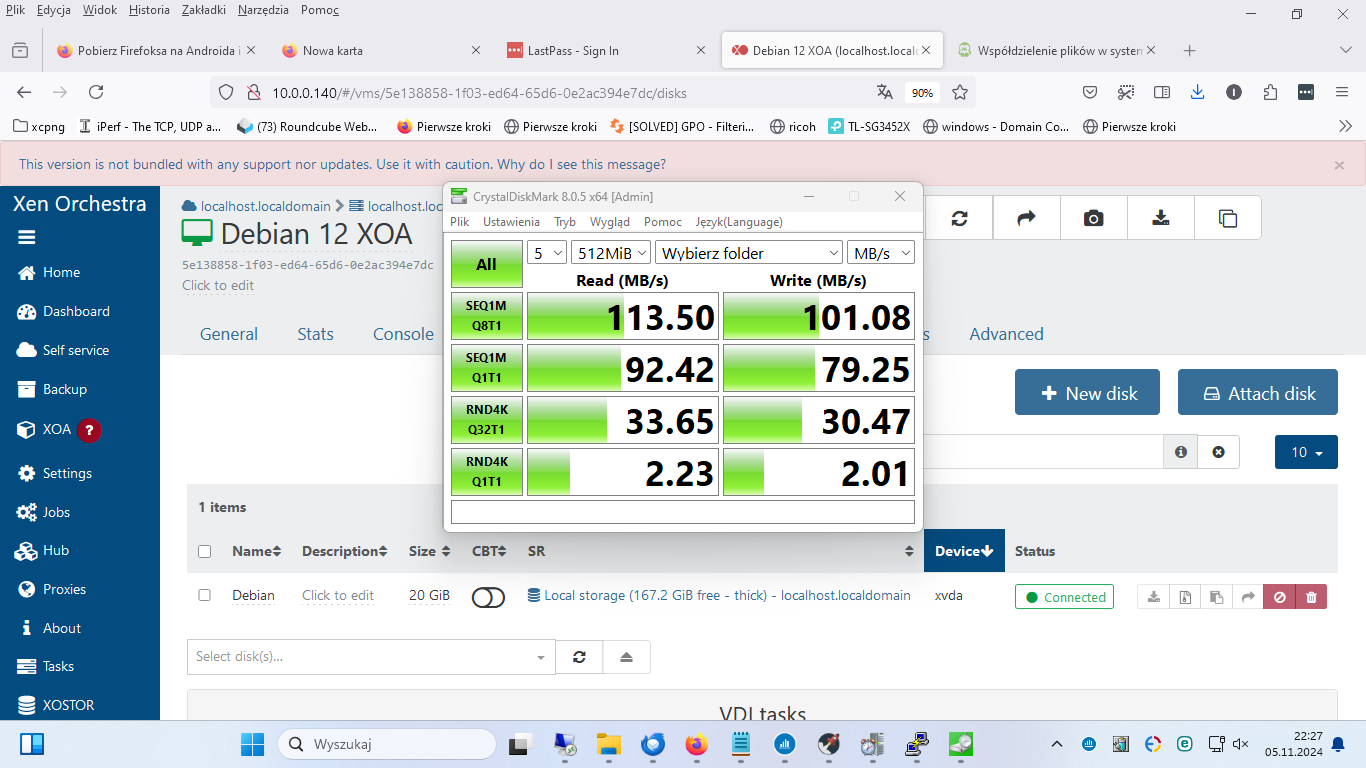
-
2 029 / 5 000
Hello. I have a big problem with Windows server 2019 performance. We have a program with databases in files that is shared via SMB. And while reading is about 100 MB/s, writing is only 30 MB/s. Host is HP 380P, 2x SSD Raid 1 + 2x SAS Raid 1. Windows server 2019 is on SSD drives, for testing I installed Win 11 on SAS drives and the same performance - 100/30 MB/s. For testing I ran Samba on Debian 12 XOA and the speed is 100/100 MB/s. So generally there is a problem with Windows.Guest Tools installed - although with problems. I don't know what I'm doing wrong, but the first time I install them I get an installation error. I restart VW and use MicrosoftProgram_Install_and_Uninstall.meta.diagcab to remove XCP Quest Tools, manually in - Device Manager I remove all entries (also hidden ones) containing "XCP ....." and reinstall XCP NG quest Tools. But there is still something wrong. Now I even look and I can't suspect RAM usage in XCP center or XOA because Guest tools must be installed to display stats.
Additionally, during the scan Eset CPU= 100%.
Attached is a file with system information with a list of xenbus XCP-ng PV Bus drivers c:\windows\system32\drivers\xenbus.sys Kernel Driver Yes Boot Running OK Normal No Yes xendisk XCP-ng PV Storage Filter c:\windows\system32\drivers\xendisk.sys Kernel Driver Yes Boot Running OK Normal No Yes xenfilt XCP-ng Generic Bus Filter c:\windows\system32 \drivers\xenfilt.sys Kernel Driver Yes Boot Running OK Normal No Yes xeniface XCP-ng Interface c:\windows\system32\drivers\xeniface.sys Kernel Driver Yes Manual Running OK Normal No Yes xennet XCP-ng PV Network Device c:\windows\system32\drivers\xennet.sys Kernel Driver Yes Manual Running OK Normal No Yes xenvbd XCP-ng PV Storage Host Adapter c:\windows\system32\drivers\xenvbd.sys Kernel Driver Yes Boot Running OK Normal No Yes
xenvif XCP-ng PV Network Class c:\windows\system32\drivers\xenvif.sys Kernel Driver Yes Manual Running OK Normal No YesSMB share write performance issue windows server 2019
-
Can you clarify a few points:
- is the SMB server always the same and the windows server, 11 and debian 12 are just client?
- Is the server a physical host outside of your pool or a VM?
- what is the server a windows, linux, freenas or a physical NAS?
It's just to get a better understanding of the setup.
On the guest tools and PV drivers side I'm not familiar with them myself on windows, maybe @dinhngtu could have some more insight?
-
- the physical host is HP 380p.
- the virtual machines are 1. windows server 2019 2. win 11 pro 3. debian 12 XOA.
- on each of these three virtual machines I share a folder for testing. Each of these machines is an SMB server - not a client.
- the client is my work computer which is in the same LAN. But according to the LAN infrastructure issue does not matter.
-
Hello,
I've tried benchmarking several Windows VMs from another client and am getting expected performance:
Read:
.\diskspd.exe -c1G -d10 -Su -Sw g:\data.dat
Write:
.\diskspd.exe -c1G -d10 -Su -Sw -w100 g:\data.dat

Windows Server 2022:

Read IO
thread |       bytes     |     I/Os     |    MiB/s   |  I/O per s |  file
------------------------------------------------------------------------------
     0 |      1151533056 |        17571 |     109.72 |    1755.53 | g:\data.dat (1GiB)
------------------------------------------------------------------------------
total:        1151533056 |        17571 |     109.72 |    1755.53

Write IO
thread |       bytes     |     I/Os     |    MiB/s   |  I/O per s |  file
------------------------------------------------------------------------------
     0 |       966000640 |        14740 |      92.12 |    1473.98 | g:\data.dat (1GiB)
------------------------------------------------------------------------------
total:         966000640 |        14740 |      92.12 |    1473.98

Windows 11 24H2 (with Eset):

Read IO
thread |       bytes     |     I/Os     |    MiB/s   |  I/O per s |  file
------------------------------------------------------------------------------
     0 |      1100283904 |        16789 |     104.81 |    1677.01 | g:\data.dat (1GiB)
------------------------------------------------------------------------------
total:        1100283904 |        16789 |     104.81 |    1677.01

Write IO
thread |       bytes     |     I/Os     |    MiB/s   |  I/O per s |  file
------------------------------------------------------------------------------
     0 |       931594240 |        14215 |      88.82 |    1421.07 | g:\data.dat (1GiB)
------------------------------------------------------------------------------
total:         931594240 |        14215 |      88.82 |    1421.07
Several questions:
- Are you running benchmarks on a separate virtual disk? If not, could you try again using a share created from a separate virtual disk?
- Could you run CrystalDiskMark locally on these VMs and see the performance?
- You mentioned that Eset security takes up 100% CPU during the benchmark. Could you try temporarily uninstalling Eset and testing again?

Hello! It looks like you're interested in this conversation, but you don't have an account yet.
Getting fed up of having to scroll through the same posts each visit? When you register for an account, you'll always come back to exactly where you were before, and choose to be notified of new replies (either via email, or push notification). You'll also be able to save bookmarks and upvote posts to show your appreciation to other community members.
With your input, this post could be even better 💗
Register Login