@Greg_E Yes it is UEFI
 E
Offline
E
Offline
Posts
-
RE: 🛰️ XO 6: dedicated thread for all your feedback!
Slow booting on Debian 13 VM created from a template
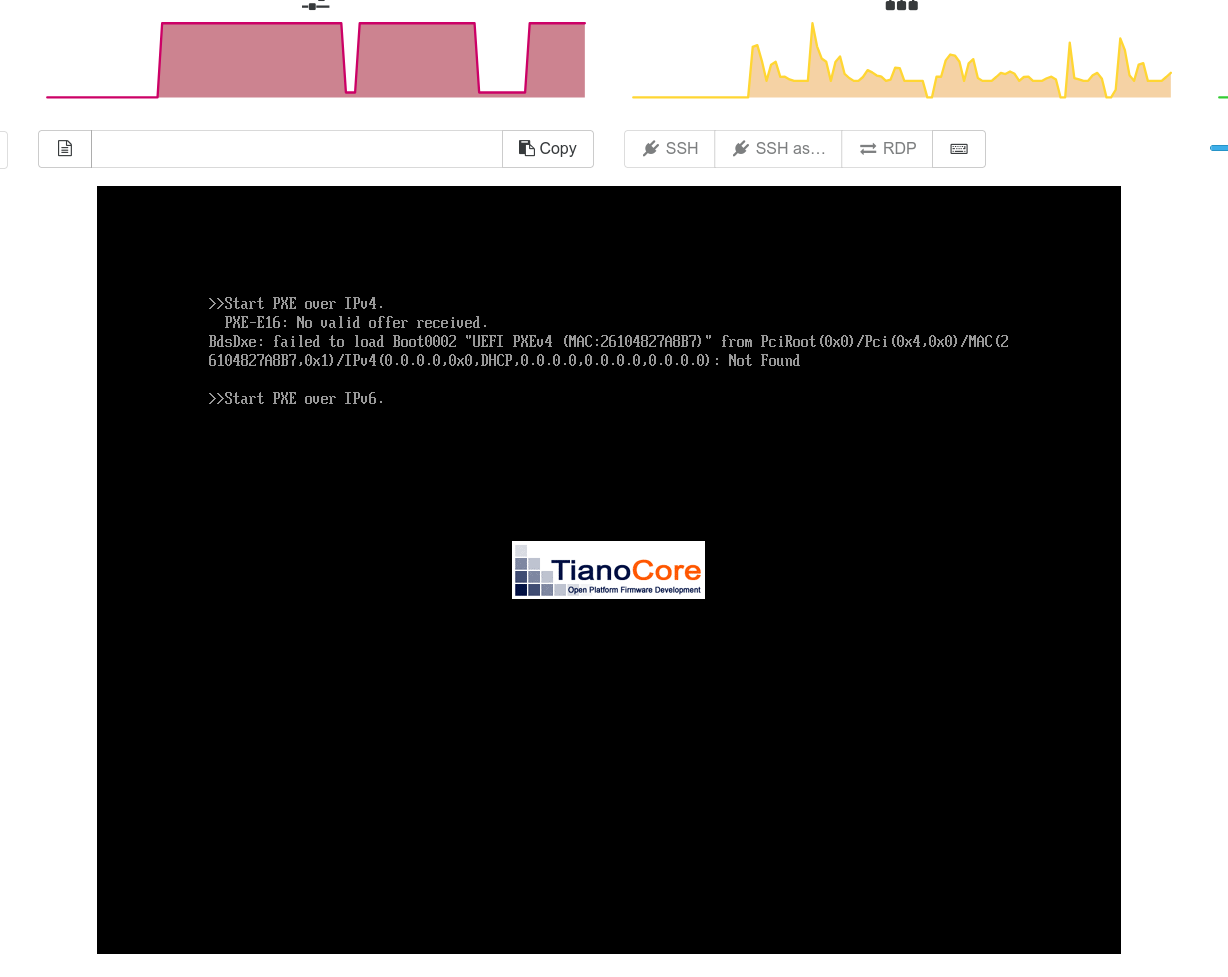
I recently tried cloning a VM from a template (created from a full install of Debian 13). What was noticed was that the system takes forever to boot when the VM is created from XO-6. The issue does not happen in XO-5. The VM seems to hang at the TianoCore boot screen
 .
.What I noticed is that when the VM is cloned with XO-6 the boot order somehow changes to Network boot as the first option

This does not happen (change of boot order) if the VM is cloned from XO-5 and there is no boot delay. The boot process seems to wait for more than 2 minutes before it fails network boot and then proceeds normally to boot from the Hard drive
Thanks
-
RE: 8.3 Cannot boot from CD Rom
@olivierlambert After a bit of trial and error I think I found out why this was not working for me. There were two issues which I think was causing the issue.
(i) I had a local SR which was used for ISO storage. I deployed a Debian VM via XO (which had a bios firmware) and noticed that I was getting the same error when the OS was being installed. This ISO SR was created on a SSD which was with Advanced Format (4K). Even though XCP-ng allows the SR to be created it seems it is not able to read from the SR if it is with 4K format. The release note for 8.3 says it supports 4K via largeblock driver, but it seems it it is not for iso, So I moved the SR from a 4K disk to a legacy one and XO was able to create the VM and start install
(ii) The default Debian 12 template has Secureboot enabled by default along with UEFI. Since I had no reason for to enable Secureboot I had not enrolled the platform keys on the host. Once the VM is created from the template I disabled secureboot with the command
xe vm-param-set platform:secureboot=falseOnce this was done I was able to boot from the CD ROM.
If possible I have a couple of suggestions
When the SR is created using type ext it does not allow the SR to be created if the underlying disk is 4K format without specifying largeblock. But it allows the SR creation when the type is iso. Maybe it is possible to check the type of underlying storage before ISO SR creation?
Else it could be documented in this page Storage in XCP-ng with a clear warning not to create SRs in 4K storage. It looks like XCP-ng has not issues in installing itself in a 4K storage, but then the Guesttools will not work anymore as it gets installed in the 4K disk and the VM is not able to read it and gives and IO error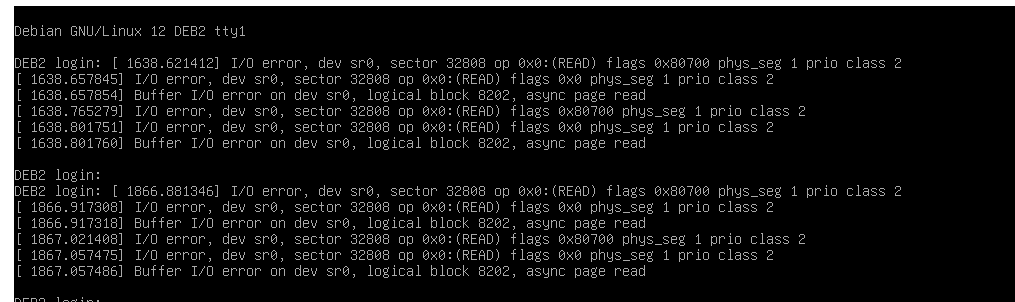
The template for Linux systems may be modified to not require Secureboot.
-
RE: 8.3 Cannot boot from CD Rom
@escape222 It looks like I found something which is preventing me from booting. When the HVM firmware mode is set to UEFI then this does not boot. But changing to BIOS mode the boot is successful and I can continue
Any suggestions on how this can be fixed?
-
RE: 8.3 Cannot boot from CD Rom
@olivierlambert
After some digging around this seems to be an known issue with QEMU. As this is related to Apple, Not sure if this is the same issue that I am facing. But the symptoms are exactly the same(https://github.com/utmapp/UTM/issues/2333#issuecomment-786307182)
The solution atleast for Macbooks seem to be
*There is a race condition in QEMU's (emulated) USB device reset and OVMF enumerating the boot options. M1 macs are too fast and can enumerate the boot options before QEMU sets up the device. This race condition is why it occurs for some people and not others and also why it stops appearing if you enable debug logging.
Without thinking too hard how to prevent the race, the hack around is to have a 1 second wait between the device enumeration and boot option enumeration.*
-
RE: 8.3 Cannot boot from CD Rom
@olivierlambert I tried with with the template for Ubuntu and also with Debian 12.9. Still I am getting the same error in 8.3
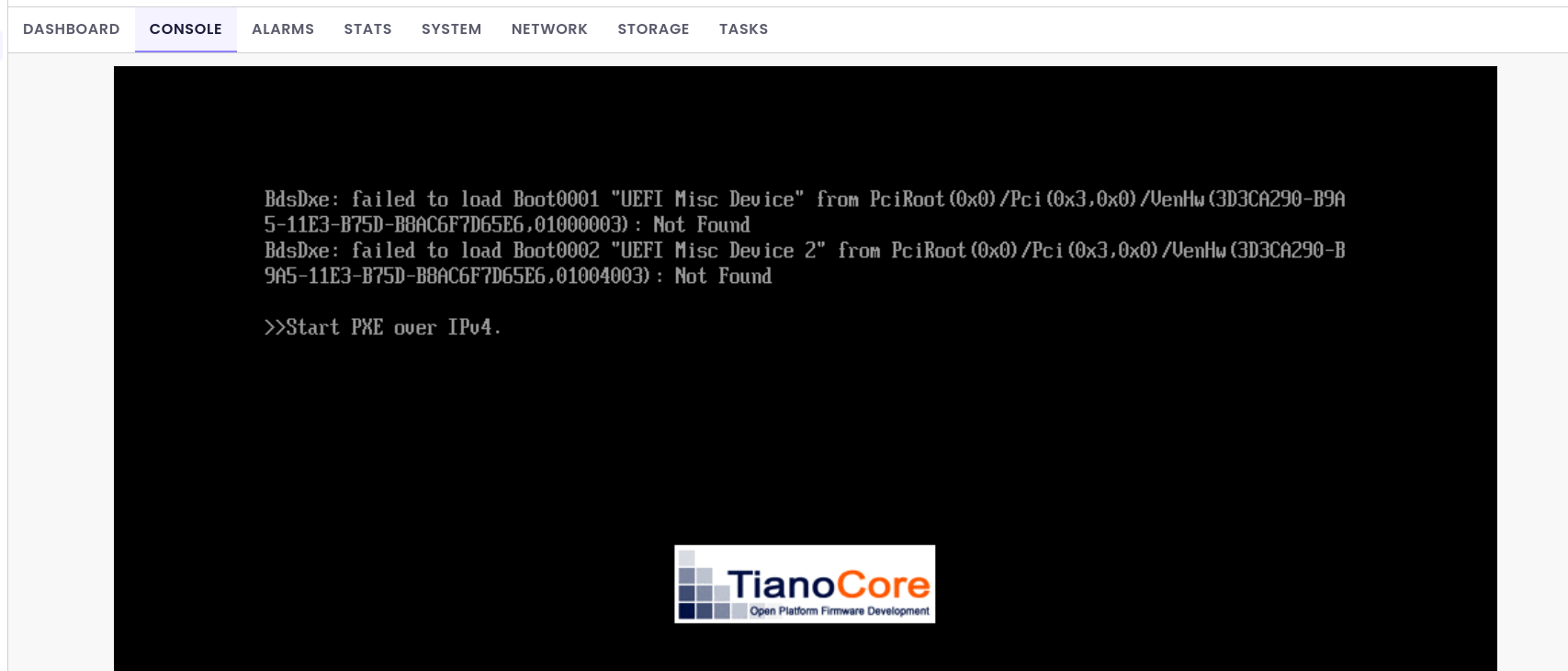
I am trying to get this automated using Ansible so deploying via the Quick deploy is not an option and this is a tested script which used to work fine in 8.2
When i started failing in 8.3 is when i tried deploying manually.
I will try to see if I can reproduce this in a different HW configuration but maybe over the weekend.
-
RE: 8.3 Cannot boot from CD Rom
@Andrew Thanks was this VM created using Xen Orchresta? I have been trying to do this from a newly installed machine with no XO on it. Creating a Debian VM from XO seems to work fine and is possible on systems that I have upgraded to 8.3
-
RE: 8.3 Cannot boot from CD Rom
@john.c The interesting thing is that this entire stuff works fine in XCP-ng 8.2. The same ISO works fine there. The issue seem to be with 8.3.
@olivierlambert Let me go back to the install and try a lower release or any other OS.
-
RE: 8.3 Cannot boot from CD Rom
@olivierlambert The SHASUM seems fine. I did a re-install of the OS and still am being hit with the same error.
-
RE: 8.3 Cannot boot from CD Rom
@olivierlambert Yes that is correct. This is a fresh install and this is the first VM. The Host is fully updated.
-
8.3 Cannot boot from CD Rom
I have been trying to test out the new 8.3 version and cannot get it to boot off the CD ROM for the first VM which I installed using the CLI.
My plan was to install XO from sources on the first VM Created.
The ISO is a Debian 12 and the CD is properly inserted and visible to the VMCD 0 VBD: uuid ( RO) : 92e6b374-a62f-04f9-cbff-9a6128a6cee4 vm-name-label ( RO): XOA empty ( RO): false userdevice ( RW): 1 CD 0 VDI: uuid ( RO) : e0b019db-c8a5-4f5b-953a-0d35dcd28ca3 name-label ( RW): debian-12.10.0-amd64-netinst.iso sr-name-label ( RO): ISOStore virtual-size ( RO): 663748608But from the console it seems that the system does not even try to boot from the CD as it gives the following error
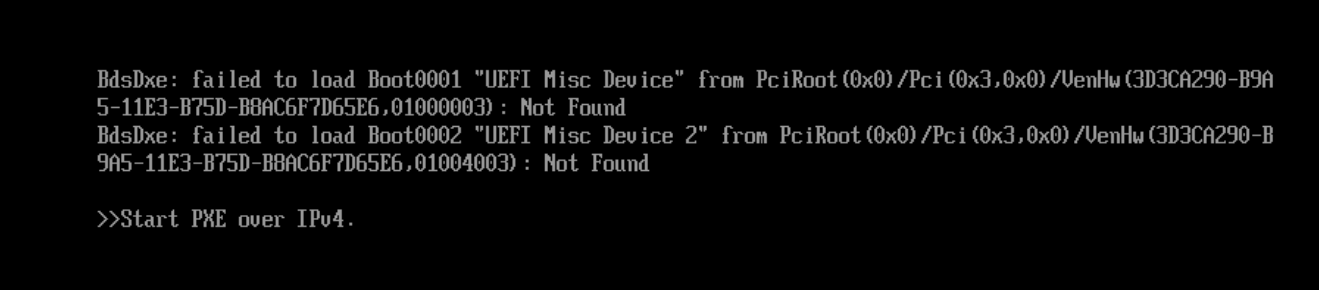
I checked the Boot policy and it seems to be fine
 HVM-boot-policy ( RW): BIOS order
                       HVM-boot-params (MRW): firmware: uefi; order: cdn
VBDs (SRO): 92e6b374-a62f-04f9-cbff-9a6128a6cee4; 53f1af58-655d-0209-4a4c-e0c68d5892b7The same seems to work fine with 8.2 LTS and i have not faced any issue. So is there something in 8.3 which I missed?
-
Debian 12 (Bookworm) default template
Since Debian 12 is GA now is there any plan to introduce a default template for Debian 12, Right now only Debian 11 is available in templates.
-
RE: Option to Create Host only Private Network
Thanks
It does not work. I get the error illegal Parameter
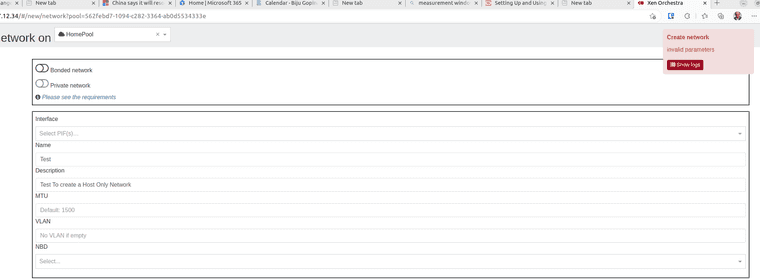
This is what is logged (Seems it is expecting a VLAN !!)
network.create { "description": "Test To create a Host Only Network ", "name": "Test", "pool": "562febd7-1094-c282-3364-ab0d5534333e", "vlan": "" } { "code": 10, "data": { "errors": [ { "instancePath": "/vlan", "schemaPath": "#/properties/vlan/minLength", "keyword": "minLength", "params": { "limit": 1 }, "message": "must NOT have fewer than 1 characters" } ] }, "message": "invalid parameters", "name": "XoError", "stack": "XoError: invalid parameters at Module.invalidParameters (/usr/local/lib/node_modules/xo-server/node_modules/xo-common/src/api-errors.js:21:32) at Xo.call (file:///usr/local/lib/node_modules/xo-server/src/xo-mixins/api.mjs:65:20) at Api.#callApiMethod (file:///usr/local/lib/node_modules/xo-server/src/xo-mixins/api.mjs:397:19)" -
Option to Create Host only Private Network
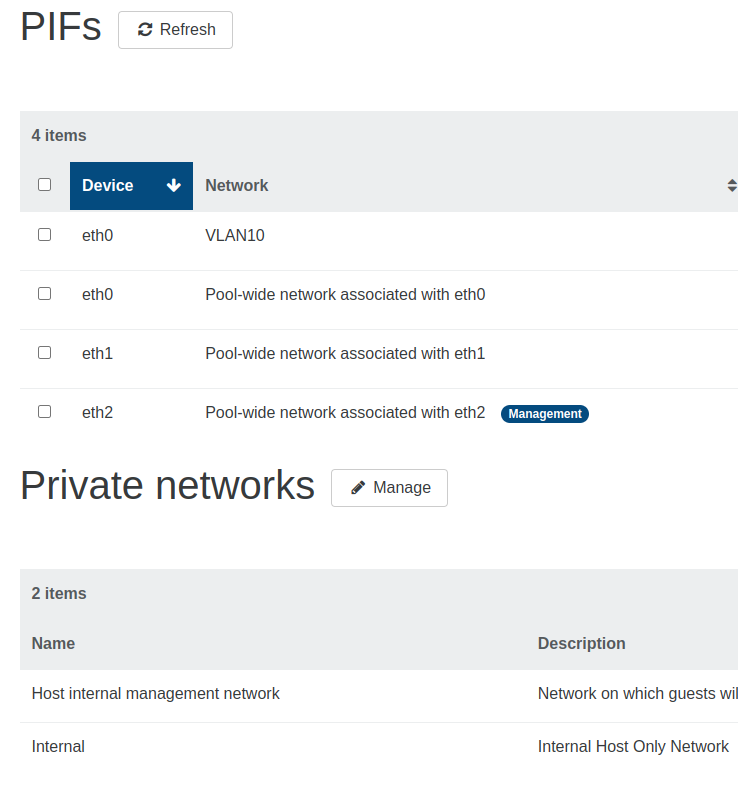
Is there an option exposed in XOA/XO for creation of a host only network which is not exposed via a physical NIC. I am able to do this via the CLI but I do not seem to be able to do it via XOA as it errors out if I try to create a network without a NIC assigned to it. Once it is created via the CLI then it appears in the Private networks section
Thanks
-
RE: Non Fatal Error Starting XOA
@olivierlambert Hi Thanks Oliver
I dug into this a little more and it seems that the issue is with the forever service which seems to be not shutting down the XOA service even though systemd shows it is down. On a clean install start of the XOA (from a host which is turned off and then just started) there is no error.I used SS and ps to identify the service which is runnning
After a Clean start from a cold boot : No such error
node:508) Warning: Accessing non-existent property 'padLevels' of module exports inside circular dependency
(Use `node --trace-warnings ...` to show where the warning was created)
2023-05-07T17:05:03.776Z xo:main INFO Configuration loaded.
2023-05-07T17:05:03.784Z xo:main INFO Web server listening on http://172.17.12.35:80
2023-05-07T17:05:03.847Z xo:main INFO Web server listening on https://172.17.12.35:443
2023-05-07T17:05:04.475Z xo:main INFO Setting up / → /root/xen-orchestra/packages/xo-web/dist
But when XOA is restarted after shutting down using service orchestra stop or service orchestra restart the error is thrown
Even when the service is shown as down in the system the XOA is not shut down and I can still access the web interface. The below are the commands and the response from serverigops@xoa:/var/log$ sudo service orchestra status ● orchestra.service - LSB: forever-service startup script for orchestra Loaded: loaded (/etc/init.d/orchestra; generated) Active: inactive (dead) since Sun 2023-05-07 12:28:00 CDT; 7min ago Docs: man:systemd-sysv-generator(8) Process: 16540 ExecStop=/etc/init.d/orchestra stop (code=exited, status=0/SUCCESS) CPU: 3ms May 07 12:14:48 xoa systemd[1]: Starting LSB: forever-service startup script for orchestra... May 07 12:14:48 xoa orchestra[867]: Starting orchestra May 07 12:14:49 xoa systemd[1]: Started LSB: forever-service startup script for orchestra. May 07 12:28:00 xoa systemd[1]: Stopping LSB: forever-service startup script for orchestra... May 07 12:28:00 xoa orchestra[16540]: Shutting down orchestra: May 07 12:28:00 **xoa orchestra[16540]: Not running** May 07 12:28:00 xoa systemd[1]: orchestra.service: Succeeded. May 07 12:28:00 xoa systemd[1]: Stopped LSB: forever-service startup script for orchestra.**bigops@xoa:/var/log$ sudo ss -ltnp | grep 80**The service is still running!!
LISTEN 0 511 172.17.12.35:80 0.0.0.0:* users:(("node",pid=517,fd=19))bigops@xoa:/var/log$ ps aux | grep 517 root 427 0.0 0.4 15176 8444 ? Ss 12:04 0:00 /lib/systemd/systemd --user root 517 0.5 8.2 11487772 164044 ? Sl 12:04 0:10 /usr/bin/node /root/xen-orchestra/packages/xo-server/dist/cli.mjs bigops 16770 0.0 0.0 6240 636 pts/0 S+ 12:36 0:00 grep 517 -
RE: Non Fatal Error Starting XOA
Sorry if was not clear earlier. What I mean is that the stuff that already is listening on port 80 seems to be the XOA service itself (root/xen-orchestra/packages/xo-server/dist/cli.mjs) so it looks like the service is trying to start again when it is already running and due to that this error is generated
Even though the error is thrown the XOA service works fine. So looks more like a nuisance than anything major that this error is generated
-
RE: Non Fatal Error Starting XOA
Thanks Oliver. Sorry it could be me but from what I see is that the error states Address in Use. This happens even if i use the localhost address or a specific IP address. But the error seems to be generated since the port&address is used by cli.mjs.
Am I missing something obvious

-
Non Fatal Error Starting XOA
I was trying to make the self built XOA from sources to test drive the features. But I noticed that when starting XOA using the default config file everything seems to work fine. But if I edit the file to make the server listen on HTTPS or even pin the XOA to a specific IP the server is generating an error while starting. The error seems non fatal and I am still able to access XOA, The error message is something like what is given below.
The process that is already listening on the port when digging further was
/root/xen-orchestra/packages/xo-server/dist/cli.mjsERROR TEXT BELOW --------
023-05-06T02:06:00.737Z xo:main INFO Configuration loaded.
2023-05-06T02:06:00.757Z xo:main WARN Web server could not listen on http://localhost:80 {
  error: Error: listen EADDRINUSE: address already in use :::80
      at Server.setupListenHandle [as _listen2] (node:net:1740:16)
      at listenInCluster (node:net:1788:12)
      at Server.listen (node:net:1876:7)
      at Server.listen (/root/xen-orchestra/node_modules/http-server-plus/index.js:171:12)
      at makeWebServerListen (file:///root/xen-orchestra/packages/xo-server/src/index.mjs:455:41)
      at Array.<anonymous> (file:///root/xen-orchestra/packages/xo-server/src/index.mjs:477:5)
      at Function.from (<anonymous>)
      at asyncMap (/root/xen-orchestra/@xen-orchestra/async-map/index.js:23:28)
      at createWebServer (file:///root/xen-orchestra/packages/xo-server/src/index.mjs:476:9)
      at main (file:///root/xen-orchestra/packages/xo-server/src/index.mjs:745:27) {
    code: 'EADDRINUSE',
    errno: -98,
    syscall: 'listen',
    address: '::',
    port: 80,
    niceAddress: 'http://localhost:80'
  }
}
2023-05-06T02:06:00.759Z xo:main WARN   Address already in use.
2023-05-06T02:06:00.776Z xo:main INFO Web server listening on https://[::]:443