@olivierlambert done.
K
Offline
Posts
-
Suggestion: Check if requirements for backups are met before shutting down VMs...
Hi,
one of our VMs was in a stopped state this morning because our daily delta backup (with offline snapshot, 4 VMs in total in the backup job) had failed with error "NOT_SUPPORTED_DURING_UPGRADE()". The other 3 VMs were up and running.
I updated the pool master yesterday and rebooted, but I did not update the second server on which the stopped VM was running. The VM had this server assigned as a home server, too.
This happend:
- Snapshots failed for all 4 VMs, which is expected because of the update state.
- 3 VMs started up again on the pool master.
- 1 VM could not be started because it is not possible to start a VM when the host has not been updated. Is this correct?
Perhaps the update logic can be enhanced by checking some things before the backup job shuts down a VM. The key questions woud be:
- Is the backup target available?
- Can the VM be started again after the offline snapshot?
-
RE: delta backups with offline snapshot: VMs do not start after snapshot, they start after transfer is done.
@Pilow Yes of course. But I don't really care about keeping the backup chain. I am just getting started with my backups

In fact, the snapshots for deltas take too much space on my storage, so I divided the VMs into 2 groups. One with daily delta backups and one with weekly offline full backups which don't need snapshots.
I think there is a way with changed block tracking to use delta backups without snapshots, right? I'll have to look into that.
I'd also like to mirror the VMs to the local storage of a server outside of the pool. This goes to another building, for emergencies. This would also be a combination of weekly full offline backups and daily delta backups. The latter would again require snapshots and it seems it would create 2 snapshots per VM, then. One for the backup job and one for the mirror job.
-
RE: delta backups with offline snapshot: VMs do not start after snapshot, they start after transfer is done.
With new created backup jobs, everything works. Clearly there are some hickups in the GUI when switching between backup modes. Not sure if it is worth fixing with XO6 coming up, though.
-
RE: delta backups with offline snapshot: VMs do not start after snapshot, they start after transfer is done.
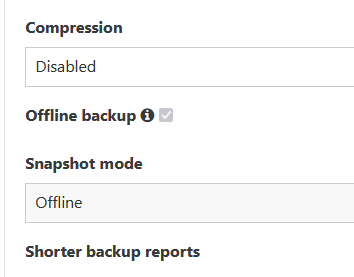
@Bastien-Nollet I can't change those options, both are greyed out (locked / disabled).
-
RE: delta backups with offline snapshot: VMs do not start after snapshot, they start after transfer is done.
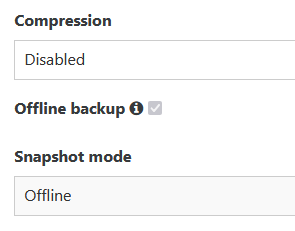
@Bastien-Nollet Hi, there is another issue: When I switch back from "delta backup" to "disaster recovery" or "Backup", the checkbox for "offline backup" and the drop down menu "offline" is greyed out so that it cannot be changed.
-
RE: delta backups with offline snapshot: VMs do not start after snapshot, they start after transfer is done.
Thanks. I also used "disaster recovery" with the "offline backup" option before.
I also just noticed: Every time I open the backup settings, the email address field is empty.Btw: It is really confusing that it still says "disaster recovery" while the documentation uses other names....
-
RE: delta backups with offline snapshot: VMs do not start after snapshot, they start after transfer is done.
@Bastien-Nollet
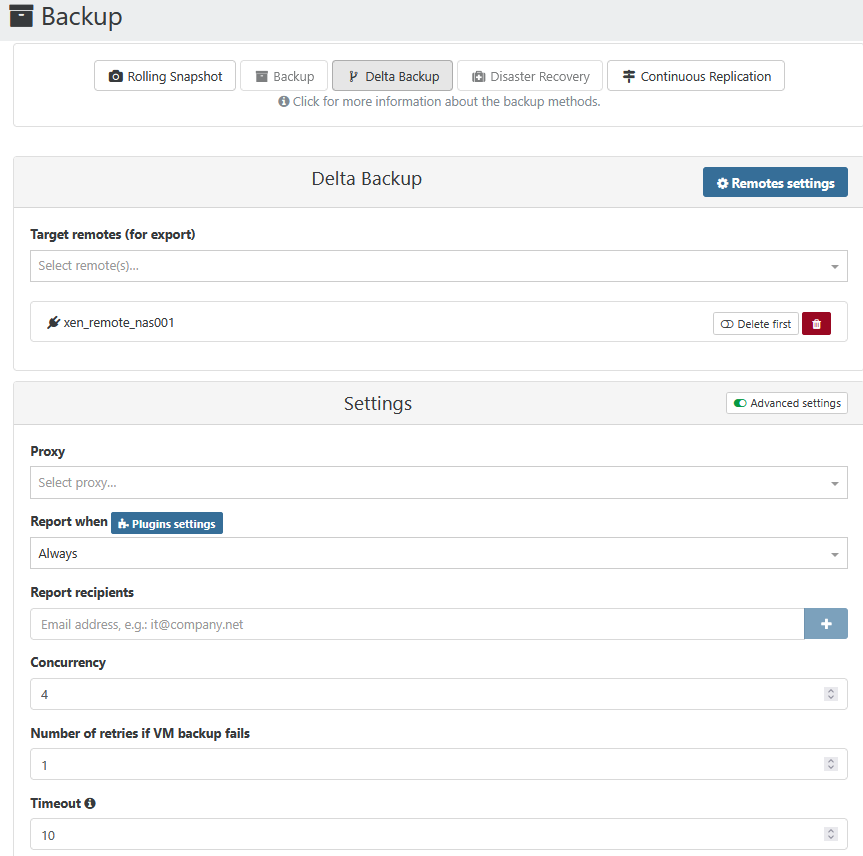
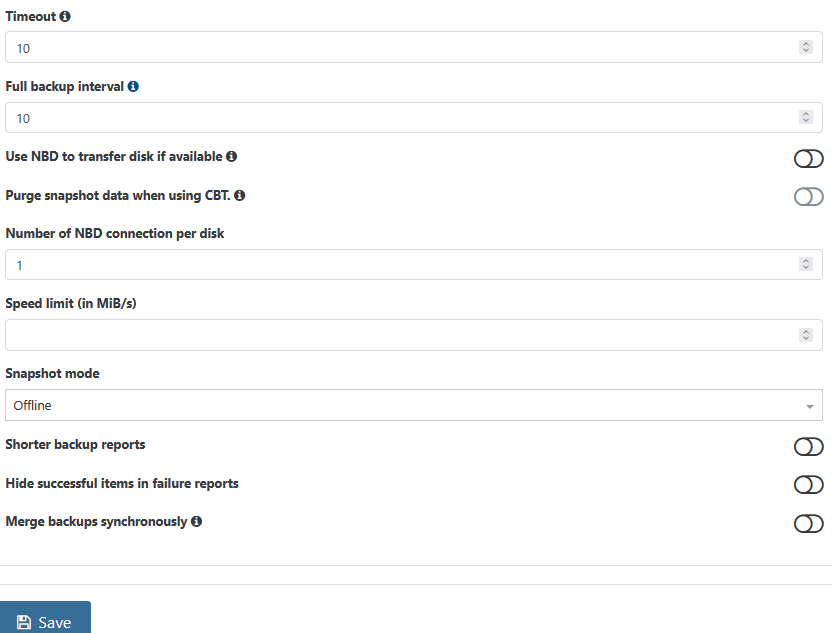
I am using delta backups, not full backups. So there is no option called "offline backup".However, I was in fact using "backup" before and had "offline backup" enabled. Maybe this option is still checked, but invisible... I did not create a new backup job, I simply de-selected "full backup" and activated "delta backup".
This is my configuration:
-
delta backups with offline snapshot: VMs do not start after snapshot, they start after transfer is done.
Hi,
I just did delta backups with offline snapshot. There are 6 VMs in this job (smart mode).
It shuts down the VM(s) as expected and takes the snapshot. Then it exports to the remote and then it starts up the respective VM again. Is this a bug? Why does it not start the VM immediately after taking the snapshot? Or can this be caused by a setting?Strange... I habe another job, again offline snapshot. There is only von VM in this job. Here it starts the VM immediately after taking the snapshot....
-
RE: cleanVm: incorrect backup size in metadata
I am seeing this message, too. This is the first time I try out delta backups. I only did one backup so far, so this is a full backup. Storage is NFS.
-
RE: import vhd
I guess it is in fact a static vhd (same size as needed for the applicance). Hm.... Can I just manually copy that to an NFS storage repository and rescan?
-
import vhd
Hi,
I am trying to import a 100 GB VHD. It fails with XCP-ng Center ("import failed") and also with xen orchestra from source ("fetch failed"). I had a tail -f /var/log/*.log running on the master when I tried the import with xo and there was absolutely nothing showing up, so I think the problem is either the web browser (edge) or xo. Any ideas?
Thanks? -
RE: Failed offline DR backup to NFS caused some issues (paused / offline VMs)
@Danp
No, I am not familiar with many of the "manual" commands. I have to figure out how to use that with LVM over iSCSI.
Meanwhile, I stopped the VM, did a SR scan and it coalesced successfully. Offline always works fine.... -
RE: Failed offline DR backup to NFS caused some issues (paused / offline VMs)
@Danp
The failed backup from last weekend left an orphaned disk and a disk connected to the control domain behind which I removed.I tried a couple of backups today, all worked finde, including XO. However, while 4 Linux-VMs coalesced after a few minutes, one failed. So it is not limited to Windows VMs.
Usually, I get "Exception unexpected bump in size" for the windows VMs, so it might be a different issue here.
There is nothing special about the affected VM. Ubuntu 22.04 LTS, almost no CPU or IO load.Apr 26 11:31:33 xen002 SMGC: [18314] Removed leaf-coalesce from 37d94ab0[VHD](25.000G/479.051M/25.055G|a) Apr 26 11:31:33 xen002 SMGC: [18314] *~*~*~*~*~*~*~*~*~*~*~*~*~*~*~*~*~*~*~*~* Apr 26 11:31:33 xen002 SMGC: [18314] *********************** Apr 26 11:31:33 xen002 SMGC: [18314] * E X C E P T I O N * Apr 26 11:31:33 xen002 SMGC: [18314] *********************** Apr 26 11:31:33 xen002 SMGC: [18314] leaf-coalesce: EXCEPTION <class 'util.SMException'>, VDI 37d94ab0-9722-4447-b459-814afa8ba24a could not be coalesced Apr 26 11:31:33 xen002 SMGC: [18314] File "/opt/xensource/sm/cleanup.py", line 1774, in coalesceLeaf Apr 26 11:31:33 xen002 SMGC: [18314] self._coalesceLeaf(vdi) Apr 26 11:31:33 xen002 SMGC: [18314] File "/opt/xensource/sm/cleanup.py", line 2053, in _coalesceLeaf Apr 26 11:31:33 xen002 SMGC: [18314] .format(uuid=vdi.uuid)) Apr 26 11:31:33 xen002 SMGC: [18314] -
RE: Failed offline DR backup to NFS caused some issues (paused / offline VMs)
@Danp said in Failed offline DR backup to NFS caused some issues (paused / offline VMs):
This is incorrect. XO is capable of backing up itself along with other VMs in a single backup job
I guess this does not work with offline backups as it would simply shut down the XO VM.
-
RE: Failed offline DR backup to NFS caused some issues (paused / offline VMs)
@Danp
Thanks, I'll check this once I delete a snapshot next time. I looked at SMlog in the past and it always gave with "unexpected bump in size".
Guest tools are installed. -
RE: Failed offline DR backup to NFS caused some issues (paused / offline VMs)
Yes, it is a iSCSI SAN, so thick provisioned. I am looking into getting a thin / NFS storage, but I keep getting offers for iSCSI devices from our suppliers.
Coalesce seems to work for Linux VMs but not for Windows.
I habe to try the "self backup" of XO then once the NAS is up and running again.
/var/log/daemon.log:
Nothing apart from tapdisk errors related to the failed NAS (io errors, timeouts etc)xensource.log:
Looks like the export was preventing the VMs from starting. Lots of messages like
|Async.VM.start R:4d0799eed5c0|helpers] VM.start locking failed: caught transient failure OTHER_OPERATION_IN_PROGRESS: [ VM.{export,export}; OpaqueRef:c9a84569-de10-d94d-b503-c3052e042c5f ]SMLOG:
As expected, lots of errors related to the NAS.kern.log:
kernel: [1578966.659309] vif vif-26-0 vif26.0: Guest Rx stalled
kernel: [1578966.859332] vif vif-26-0 vif26.0: Guest Rx ready
kernel: [1578966.915324] nfs: server 192.168.9.25 not responding, timed out
kernel: [1578966.915330] nfs: server 192.168.9.25 not responding, timed out
kernel: [1578972.939040] vif vif-23-0 vif23.0: Guest Rx stalled
kernel: [1578975.587196] vif vif-25-1 vif25.1: Guest Rx ready
kernel: [1578975.819690] vif vif-27-0 vif27.0: Guest Rx stalled
kernel: [1578983.043066] vif vif-23-0 vif23.0: Guest Rx ready
kernel: [1578986.559032] vif vif-27-0 vif27.0: Guest Rx ready
kernel: [1578988.035104] nfs: server 192.168.9.25 not responding, timed out
kernel: [1578988.035139] nfs: server 192.168.9.25 not responding, timed out
/var/crash: no files