XCP-ng
    • Categories
    • Recent
    • Tags
    • Popular
    • Users
    • Groups
    • Register
    • Login
    1. Home
    2. nasheayahu
    3. Topics
    N
    Offline
    • Profile
    • Following 0
    • Followers 0
    • Topics 9
    • Posts 25
    • Groups 0

    Topics

    • N

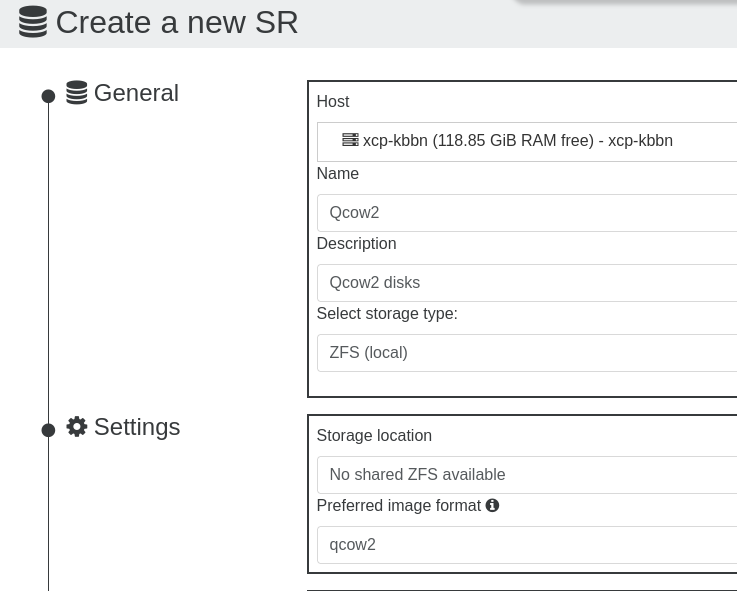
      Create a new SR: qcow2 failure

      Watching Ignoring Scheduled Pinned Locked Moved Management
      9
      7
      0 Votes
      9 Posts
      376 Views
      N
      @florent said: where does this disk comes from From my Redhat 10 @florent said: if you have access to your SR from the outside, you can also put the qcow2 file directly I create a VM to be a NFS to access the 3 HDs, the qcow disks are on the Redhat 10 that I was trying to import from. Do you mean I put the qcow disks on one of the HDs and access them when I create a VM?
    • N

      Attach a Physical HD to a VM?

      Watching Ignoring Scheduled Pinned Locked Moved Management
      6
      0 Votes
      6 Posts
      230 Views
      N
      @dthenot said: you will also likely need to give the host-uuid of the host the disk is on Thanks, and I'm assuming this UUID or Machine ID from: [14:45 xcp-kbbn NAS]# dmidecode --type SYSTEM # dmidecode 3.0 Getting SMBIOS data from sysfs. SMBIOS 3.3.0 present. # SMBIOS implementations newer than version 3.0 are not # fully supported by this version of dmidecode. Handle 0x0001, DMI type 1, 27 bytes System Information Manufacturer: ASUS Product Name: System Product Name Version: System Version Serial Number: System Serial Number UUID: E7AE9723-CB08-A278-5C45-7C10C9473BD0 Wake-up Type: Power Switch SKU Number: SKU Family: To be filled by O.E.M. OR [12:46 xcp-kbbn NAS]# hostnamectl Static hostname: xcp-kbbn Icon name: computer-desktop Chassis: desktop Machine ID: c668f529e66c42b9815fe12f3401df82 Boot ID: dd70b200b25341c688aee9fbc58d20a2 Virtualization: xen Operating System: XCP-ng 8.3 Kernel: Linux 4.19.0+1 Architecture: x86-64 the command would look like this correct: xe sr-create type=udev device-config:location=/srv/NAS name-label="NAS Disks" host-uuid=E7AE9723-CB08-A278-5C45-7C10C9473BD0 or c668f529e66c42b9815fe12f3401df82 UPDATE: I tried the new command but I got these error messages: [14:45 xcp-kbbn NAS]# xe sr-create type=udev device-config:location=/srv/NAS name-label="NAS Disks" host-uuid=E7AE9723-CB08-A278-5C45-7C10C9473BD0 The uuid you supplied was invalid. type: host uuid: E7AE9723-CB08-A278-5C45-7C10C9473BD0 [15:14 xcp-kbbn NAS]# ls [15:19 xcp-kbbn NAS]# xe sr-create type=udev device-config:location=/srv/NAS name-label="NAS Disks" host-uuid=c668f529e66c42b9815fe12f3401df82 The uuid you supplied was invalid. type: host uuid: c668f529e66c42b9815fe12f3401df82 then I was successful (I believe with you confirmation) when I left our the host-uuid param: [15:19 xcp-kbbn NAS]# xe sr-create type=udev device-config:location=/srv/NAS name-label="NAS Disks" b802722e-67ac-5aba-8d6c-e565d2d7fa0d and then it was listed as a SR: [image: 1779139583485-screenshot-from-2026-05-18-15-24-03.png] now to the next task command: xe sr-scan uuid=b802722e-67ac-5aba-8d6c-e565d2d7fa0d was successful, but I have another Question, the size of the device is not showing, is this normal being that it was done this way? UPDATE 2.0: I just discovered the xe command: [15:27 xcp-kbbn NAS]# xe host-list uuid ( RO) : 9a5e5bb3-bdb9-41ea-9505-6f6fe630f369 name-label ( RW): xcp-kbbn the uuid does not match the ones provided above, do I need to remove the SR and do it over again using this uuid? I will give it a try using another folder.... UPDATE 2.1: I executed the command using the above uuid: [15:35 xcp-kbbn srv]# xe sr-create type=udev device-config:location=/srv/NAS name-label="NAS Disks" host-uuid=9a5e5bb3-bdb9-41ea-9505-6f6fe630f369 6fc531a0-19a0-b9c1-c78e-c687fce5ff84 and was successful, but now my question for the device size, is it normal or not due to creating it this way? UPDATE 2.2: I forgot to do: ln -s /dev/sda /srv/NAS/sda #although it might be better to use a stable identifier if you have multiple disks xe sr-scan uuid=<UUID of the udev SR> be right back..... UPDATE 3.0: Success, I have all HDs attached to my VM, access all files and the sizes are reported! : [image: 1779147782991-screenshot-from-2026-05-18-17-25-38.png] List of attached disks: [image: 1779147797114-screenshot-from-2026-05-18-17-18-07.png] The VM: [image: 1779148373193-screenshot-from-2026-05-18-17-51-19.png] Thanks for your help!...

    • N

      Edit a Bond to Remove a NIC?

      Watching Ignoring Scheduled Pinned Locked Moved Xen Orchestra
      2
      0 Votes
      2 Posts
      98 Views
      poddingueP
      Take it with a grain of salt, but I think bonds are usually managed as a whole rather than edited port by port in the UI. As far as I can tell, the supported route is from the network section in Xen Orchestra (the bonding part of the infrastructure docs is here: https://docs.xen-orchestra.com/xo5/manage_infrastructure#network-bonding), and on the CLI side, the bond commands are documented at https://docs.xcp-ng.org/appendix/cli_reference#bond-create (there's a matching bond-destroy command alongside it). My honest guess is you may end up destroying and recreating the bond with the four ports you want to keep, since I'm not sure removing a single member in place is exposed anywhere, but I could easily be wrong. If there's a cleaner way that avoids the recreate, someone will let us know.
    • N

      XCP-ng - mount.nfs: access denied by server while mounting

      Watching Ignoring Scheduled Pinned Locked Moved Solved Xen Orchestra
      4
      0 Votes
      4 Posts
      2k Views
      olivierlambertO
      Thanks a lot!
    • N

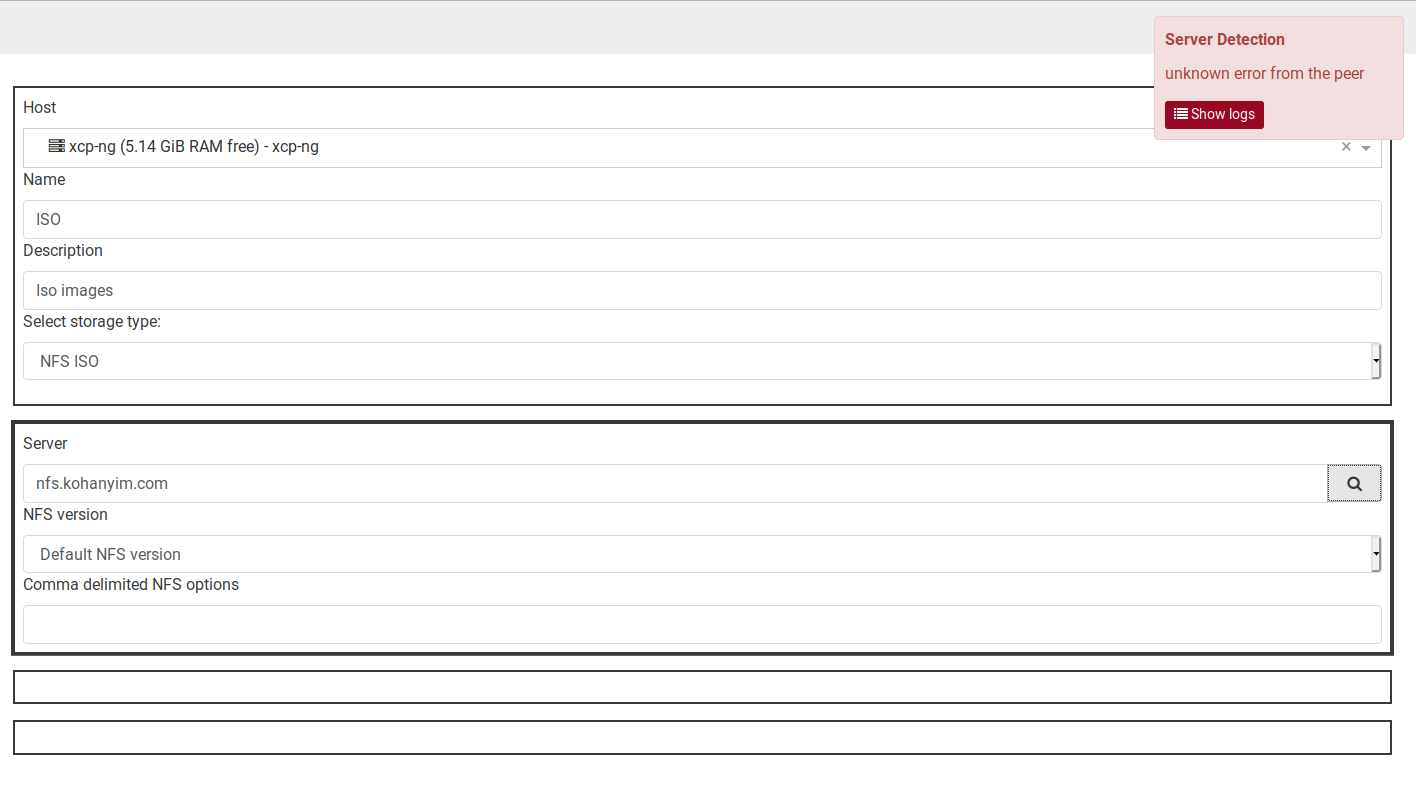
      NFS ISO: Cannot read property 'Export' of undefined

      Watching Ignoring Scheduled Pinned Locked Moved Solved Xen Orchestra
      8
      0 Votes
      8 Posts
      2k Views
      N
      @olivierlambert said in NFS ISO: Cannot read property 'Export' of undefined: Let's consider this thread fixed by adding the correct NFS configuration on the server side and create a new one describing your issue.
    • N

      Manually Mount A HD When Needed From XCP-ng?

      Watching Ignoring Scheduled Pinned Locked Moved Xen Orchestra docking station mount hd
      3
      0 Votes
      3 Posts
      612 Views
      N
      @ravenet said in Manually Mount A HD When Needed From XCP-ng?: You can script mount and umount commands as part of jobs or as part of backup jobs.
    • N

      SR_BACKEND_FAILURE_108(, Unable to detect an NFS service on this target., )

      Watching Ignoring Scheduled Pinned Locked Moved Solved Xen Orchestra
      3
      1
      0 Votes
      3 Posts
      2k Views
      N
      Correct, I made changes to pfSense to be my DHCP and DNS Resolver, so had to make that change to the NFS Settings to reflect the Domain Name. Thanks for your help!...
    • N

      XOA Console: Windows server - sending ctl+alt+delete keys

      Watching Ignoring Scheduled Pinned Locked Moved Solved Xen Orchestra
      2
      0 Votes
      2 Posts
      1k Views
      N
      Cancel that! I found the keys icon for sending the combo just above console.....
    • N

      Remotes not showing help?...

      Watching Ignoring Scheduled Pinned Locked Moved Solved Xen Orchestra
      2
      0 Votes
      2 Posts
      191 Views
      N
      Cancel that, I found out how to save the Config and import through Settings/Remotes/Config...