• PCIe Pass-through lanes and lane performance

    Unsolved
    58
    0 Votes
    58 Posts
    18k Views
    TeddyAstieT
    I finally got access to a machine with Intel Arc machine. There are issues around hvm-pirq, hence hvm-pirq=0 is required (see https://docs.xcp-ng.org/troubleshooting/common-problems/#pci-passthrough-error-unsupported-msi-delivery-mode-7). For some reason, Fedora Workstation has a issue with this GPU (a Fedora bug I guess), but CachyOS (desktop iso) works fine. Ran a clpeak bench, and performance looks normal for this class of GPU. Host-device transfer is a bit slower than "theorical", but definetely not PCIe 1x1 and more PCIe 3x8-ish (matching reality as it's plugged as PCIe 3.0). in-VM inxi -CGM Machine: Type: Xen System: Xen product: HVM domU v: 4.17 serial: 2c66cb09-57db-340c-ad8e-f505eb25ca3e Mobo: N/A model: N/A serial: N/A Firmware: UEFI vendor: Xen v: 4.17 date: 10/06/2026 CPU: Info: 6x 1-core model: Intel Xeon Silver 4112 bits: 64 type: SMP cache: L2: 6x 1024 KiB (6 MiB) Speed (MHz): avg: 2594 min/max: N/A cores: 1: 2594 2: 2594 3: 2594 4: 2594 5: 2594 6: 2594 Graphics: Device-1: driver: bochs-drm v: N/A Device-2: Intel Battlemage G21 [Arc Pro B50] driver: xe v: kernel Display: unspecified server: Xwayland v: 24.1.13 driver: gpu: bochs-drm tty: 212x48 API: EGL v: 1.5 drivers: iris,swrast platforms: gbm,surfaceless,device API: OpenGL v: 4.6 vendor: mesa v: 26.1.6-arch3.1 note: console (EGL sourced) renderer: Mesa Intel Arc Pro B50 Graphics (BMG G21), llvmpipe (LLVM 22.1.8 256 bits) API: Vulkan v: 1.4.357 drivers: intel surfaces: N/A Info: Tools: api: clinfo, eglinfo, glxinfo, vulkaninfo de: kscreen-console,kscreen-doctor gpu: gputop, intel_gpu_top, lsgpu, nvidia-smi wl: wayland-info x11: xdpyinfo, xprop, xrandr Raw numbers Backend: Vulkan Device 0: Intel(R) Arc(tm) Pro B50 Graphics (BMG G21) Driver version : 26.2.4 API version : 1.4.354 VRAM : 16048 MB Single-precision compute float : 9.47 TFLOPS float2 : 9.48 TFLOPS float4 : 9.52 TFLOPS Half-precision compute fp16xfp16+fp16 half : 18.3 TFLOPS half2 : 18.8 TFLOPS half4 : 19.1 TFLOPS Double-precision compute double : 650 GFLOPS double2 : 647 GFLOPS double4 : 640 GFLOPS Mixed-precision compute fp16xfp16+fp32 mp : 9.31 TFLOPS mp2 : 9.32 TFLOPS mp4 : 9.42 TFLOPS BF16 compute bf16xbf16+fp32 bf16 : 9.17 TFLOPS bf16_2 : 9.30 TFLOPS bf16_4 : 9.28 TFLOPS Integer compute int32 int : 1.81 TOPS int2 : 1.88 TOPS int4 : 1.82 TOPS INT8 dot-product compute int8_dp : 28.0 TOPS int8_dp2 : 26.3 TOPS int8_dp4 : 27.1 TOPS Cooperative matrix fp16 : 67.3 TFLOPS fp16 f16acc : 68.9 TFLOPS bf16 : 68.9 TFLOPS int8 : 141 TOPS Global memory bandwidth float : 196 GB/s float2 : 206 GB/s float4 : 212 GB/s Local memory bandwidth float : 2.55 TB/s float2 : 3.65 TB/s float4 : 4.23 TB/s Image memory bandwidth float4 : 213 GB/s Transfer bandwidth h2d : 4.81 GB/s d2h : 5.48 GB/s Kernel launch latency dispatch : 48.7 us roundtrip : 113 us Real performance is much higher than the "displayed" Speed 2.5GT/s, Width x1.
  • 0 Votes
    16 Posts
    2k Views
    J
    @hrvojer My posts above will help you get out of a technical debt trap that you are currently pitfall-trap trapped in! If you do this, it will drastically help to reduce your operational costs. Maintaining an old legacy stack like this—where every component from the hypervisor to the database engine is completely End of Life (EOL)—is scandalously expensive. It sucks up valuable engineering hours in firefighting, forces you into hyper-expensive custom support agreements, and leaves you exposed to massive downtime risks—which is a nightmare scenario, especially if your other organizational costs are going up at the same time. I highly recommend framing this to your leadership using these exact terms: The Pitfall Trap: Explain that the infrastructure team is currently stuck at the bottom of a pitfall trap of compounding technical debt due to a historical lack of a system-wide overhaul. The Rescue Plan: Make it clear that trying to find deprecated, 2018-era VM tools is just a short-term sticking plaster fix that buries the team deeper. What you need is a definitive rescue plan—a clean overhaul that decouples your data layer, migrates you to a modern OS/database (or an open-source alternative), and permanently lifts you out of the trap. As well as other dependencies - systems that communicate with that one, but won’t be able to without upgrade or migration, even with configuration tweaks. The Linux Performance & Driver Advantage: If you choose to migrate your database server to Linux (running PostgreSQL or MariaDB), you gain massive performance, reliability, and security boosts. Unlike Windows, you will completely bypass the fragile legacy Citrix xenvbd.sys driver ecosystem. On Linux, the paravirtualized storage and network drivers are compiled directly into the Linux kernel. The only thing you need to install separately is the modern, official XCP-ng guest agent—which Vates has beautifully rewritten as an ultra-secure, memory-safe Rust-language agent. This gives you a lean, stable database foundation that can handle heavy memory allocations and high I/O workloads without ever breaking a sweat.
  • Kioxia CM7 PCIe pass-through crash

    Unsolved
    12
    0 Votes
    12 Posts
    2k Views
    D
    Hello, this issue has been fixed in XAPI 26.1.19-1.1 available in the testing updates. For now you have to configure your VMs manually (https://docs.xcp-ng.org/troubleshooting/common-problems/#pci-passthrough-error-unsupported-msi-delivery-mode-7) but the fix will be activated by default in the future.
  • 0 Votes
    20 Posts
    2k Views
    M
    @anthoineb, Thanks for the fix! We plan to install blktap-3.55.5-11.1.xcpng8.3 on all three hypervisors tomorrow. We will fully shut down and start the data VMs one at a time, then verify that all running tapdisk processes use the updated binary. As the stalls are intermittent, we will monitor for recurrence and report back with the results.
  • 1 Votes
    3 Posts
    189 Views
    D
    @trelane Hello, the bug affects Xen drivers of any 9.0 series (considering the upstream code, it goes back to circa September 2019). 9.2.385 contains the fix, which was merged upstream just this month. The bug also impacts network connections, however to a lesser extent due to its nature. I believe that the bug is also present in XenServer VM Tools 9.6.0 and by extension, older versions of it. We recommend that you switch to the XCP-ng tools whenever possible, also due to its other benefits (fully open source, validated for XCP-ng and optimized for Xen Orchestra).
  • [dedicated thread] Dell Open Manage Appliance (OME)

    Solved
    104
    1
    0 Votes
    104 Posts
    66k Views
    S
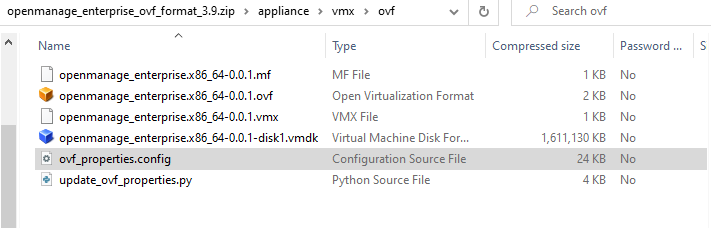
    @ataxyanetwork hey, thanks for sharing this. I am new to the forum so maybe i am not looking in the right place. Your Blog seems to be offline, so did you link the Appliance here in the forum or is it only available on the blog thx
  • Date format on web interface: Only US format available?

    Unsolved
    11
    2 Votes
    11 Posts
    2k Views
    J
    @julienXOvates said: @acomav We will actually propose to change the date and time format in XO6 settings, so you would be able to choose between : YYYY-MM-DD MM/DD/YYYY DD/MM/YYYY and 12h or 24h time format. Hopefully in one of the next 3 months ! I hope that will answer your need, otherwise let me know ! Thanks for putting this one the roadmap, for one of the next 3 months. That date order issue, has been bugging me as if you are rushed off your feet, may not remember that it’s the US date order. Also fits in more with the rest of European software used, or configured for the European localisation.
  • 0 Votes
    10 Posts
    894 Views
    poddingueP
    Thanks for the feedback, @dvinni !
  • Why doesn't /var/log/messages have the 100 MiB rsyslog trigger?

    Unsolved
    2
    0 Votes
    2 Posts
    221 Views
    poddingueP
    On one machine in my lab, /etc/rsyslog.d/xenserver.conf defines 17 outchannels, every one of them at 104857600 bytes, and /var/log/messages isn't one of them; it's written by the stock *.info;mail.none;authpriv.none;cron.none line in /etc/rsyslog.conf and rotated by /etc/logrotate.d/syslog, so nightly and with no size trigger. The docs at https://docs.xcp-ng.org/guides/logs#rsyslog describe the 100 MiB rule but don't list which files it actually covers, which is probably why this is hard to work out without reading the config the way you did. Whether messages can realistically outrun a nightly rotation I don't know, and I'd be guessing if I said either way; the one thing in your favour is that /var/log is its own filesystem, 3.9 GB on the box I looked at (small lab machine, I haven't searched in the code, so I don't know where that size is decided), so it can't take the rest of dom0 with it. Whether that omission is deliberate or just inherited (or even something fancier) is really a question for whoever owns that file, so it might be worth a mention to @Team-OS-Platform-Release.
  • PCI device doesn't show in XO or xe pci-list

    28
    1 Votes
    28 Posts
    10k Views
    P
    @andriy.sultanov I finally got around to fixing my capture card and I gotta say, it's a real pain to be using both methods and doesn't feel "correct" especially when there are warnings about possibly losing dom0 configurations after updates and the knowledge base saying that the old hide PCI from dom0 method is now considered obsolete. Perhaps the best solution would just be to provide users with a CLI command that would add that particular device to the xl pci-assignable-list if it doesn't fall into classes 01XX, 02XX or 03XX. Because I had added my GPU to my VM using the webUI, but then I also wanted to add the capture card through the console, but it appears that in the end you basically need to undo what's been done in the webUI and do it all through the console, otherwise you'd add the capture card manually with command line and then that would remove the GPUs... So I think some sort of manual override is necessary, even if it's a CLI option and then once that's done we could go into the webUI to enable it once the device has been marked as safe to passthrough.
  • i915 pass-through and Linux Mint - xcp-ng 8.3

    Unsolved
    3
    0 Votes
    3 Posts
    327 Views
    TeddyAstieT
    Intel needs some special handling to support physical displays with PCI Passthrough; I don't know much of the details, but on "recent" machines, some bits are missing according to : https://lore.kernel.org/all/20260802050824.10554-1-brchuckz@aol.com/
  • Slow boot on rocky linux 10 latest kernel

    Unsolved
    31
    2
    0 Votes
    31 Posts
    5k Views
    poddingueP
    Thanks for actually booting one, that's the bit I skipped. -84s versus -10s without console=ttyS0 matches the Ubuntu ratio, and it's the first EL10 number anyone has measured rather than read from the source. That settles the question I left open. A real-world measurement is vastly better than a source-code read, right? Thanks for the backport request, too. Since CentOS Stream sits upstream of RHEL and Rocky, if the backport lands there, it should be the earliest signal that the rest of the family will follow.
  • Bad Performance CPU? get-cpufreq-para failed

    Unsolved
    21
    0 Votes
    21 Posts
    5k Views
    poddingueP
    On a Lenovo SR630 V4 it took Power/Performance Bias set to OS Controlled, and on an HPE DL380 Gen 11 it was the iLO Power Regulator moved off Dynamic Power Savings to OS Control Mode, with a host reboot. Both then returned real values from xenpm get-cpufreq-para instead of the failure line. @bleader is right that two vendors is not enough to document, so if your host works, could you post the vendor, the exact setting name, where it lives, and whether you needed a reboot? Dell, Supermicro and anything AMD are the obvious gaps. I don't know whether the firmware is withholding p-state control outright or just not publishing the ACPI objects Xen looks for, so I would rather collect settings than write up a mechanism I can't back. Thanks!
  • 0 Votes
    6 Posts
    609 Views
    K
    Filed both XO related issues: Memory visibility at VM creation: https://github.com/vatesfr/xen-orchestra/issues/10225 domain_crash invisible in XO: https://github.com/vatesfr/xen-orchestra/issues/10226 Linking to this thread as promised earlier, thanks all. Hope this helps someone out.
  • 0 Votes
    18 Posts
    3k Views
    julienXOvatesJ
    @oliv77 said: Hi, XOA version: xo-server 5.193.1 xo-web-premium 5.191.0 We've noticed on our production XOA server that when we put an XCPNG host in a pool into maintenance mode, we reboot it and then it reconnects to its pool but is no longer in maintenance mode. Is it possible to configure the XCPNG hosts so that they automatically return to maintenance mode after a reboot? Regards, Oliv77 Hi @oliv77, XO 6.7 - latest - adds this option in REST API and next month we should have the available action (Disable host and evacuate VM) in XO6 !
  • 0 Votes
    34 Posts
    34k Views
    D
    I have been in the Network Enterprise business for 28 years. I live in Virginia which is heavily populated with Data Centers and adding more all the time. However, we have quite a few customers especially municipalities which are saying NO to having anything hosted with cloud computing due to security and endless rising cost. We have been deploying xcp-ng in quite a few installations, on customer premise. I think VATES will find there is a whole other market in these areas they can reach. That being said, Thanks to VATES and all who have worked on solutions for this! It truly benefits everyone!
  • 0 Votes
    31 Posts
    10k Views
    Y
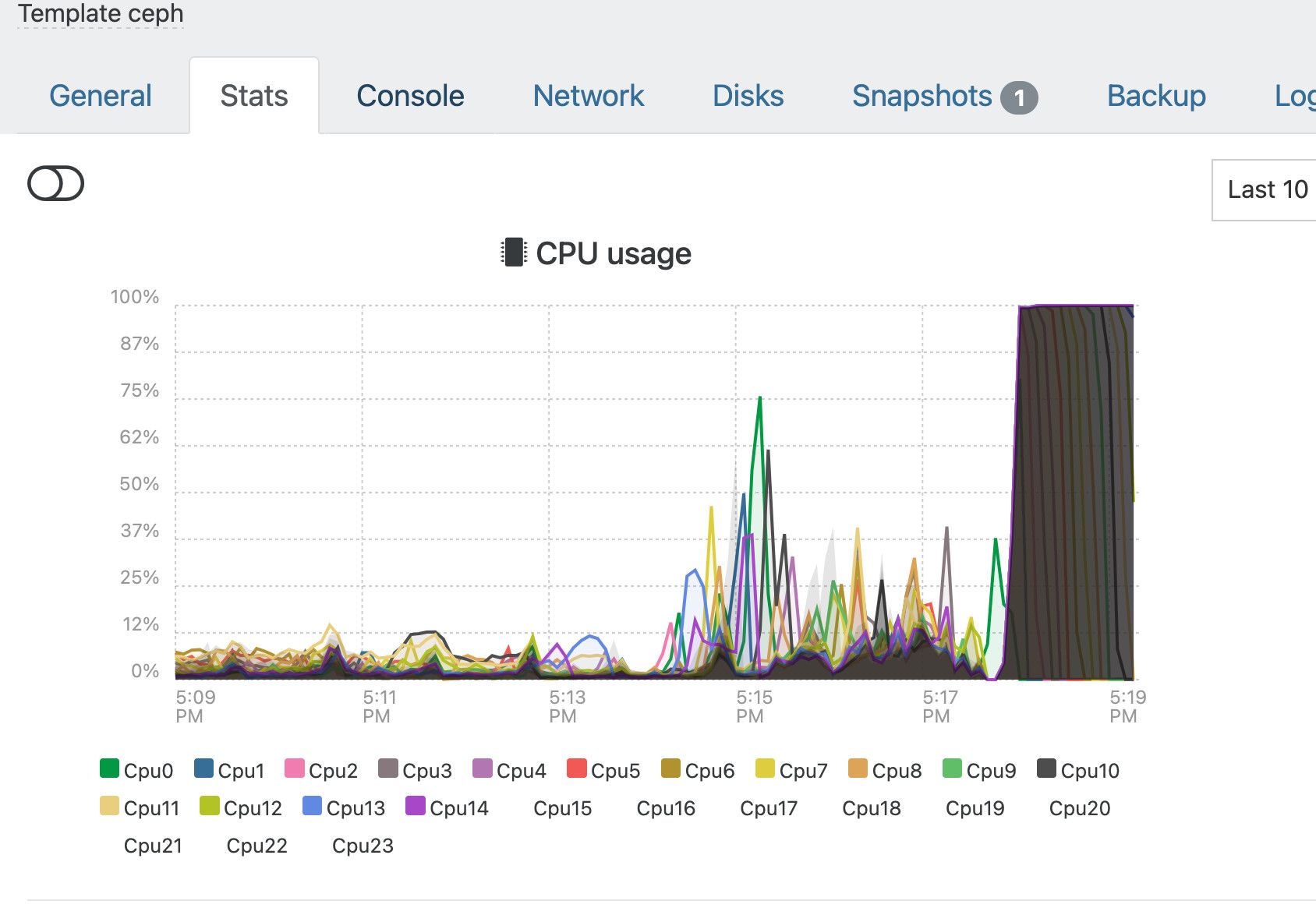
    Just FYI, we had some issues with some Debian VMs for instance, with old kernel where the VM would suddenly take 100% CPU and would we completely frozen and unresponsive. It was in fact Debian enabling the suspend, the guest would suspend and trigger a bug in xen PV driver in the guest kernel which would never be able to wake up anymore. Newer kernel don't have this issue and are able to wake up. I'm quoting Debian here but it might very well happen on other distro
  • 0 Votes
    1 Posts
    274 Views
    No one has replied
  • RDNA 4 GPU Passthrough

    28
    0 Votes
    28 Posts
    6k Views
    P
    @ravenet Sure, gave that a whirl and no change, though I did notice some nvtop weirdness as it would show some load, but most of the wait time there was actually no load on the GPUs instead of the constant load matching the model being loaded. For some historical context ARI support was initially disabled in the bios when I started this thread. That was on the list of things I enabled when I started seeing some success with ollama (something in the changes since has broken ollama now too, but there was at least some forward progress after enabling). dmesg output overall looked the same, but I did see this output on the console (and in dmesg) that seemed interesting. Not 100% sure at this point if this was in the previous dmesg outputs or not, but may be worth sharing. EDIT: looks like this may actually be new... I looked back through the past dm dmesg outputs and I did not see this output. [ 108.547683] amdgpu 0000:00:09.0: MES(0) failed to respond to msg=REMOVE_QUEUE [ 108.547729] amdgpu 0000:00:09.0: failed to remove hardware queue from MES, doorbell=0x1202 [ 108.547746] amdgpu 0000:00:09.0: MES might be in unrecoverable state, issue a GPU reset [ 108.547774] amdgpu 0000:00:09.0: Failed to evict queue 2 [ 108.547789] amdgpu 0000:00:09.0: Failed to evict process queues [ 108.547803] amdgpu: Failed to quiesce KFD [ 108.547870] amdgpu 0000:00:09.0: GPU reset begin!. Source: 3 [ 109.656850] amdgpu 0000:00:09.0: Failed to remove queue 0 [ 109.657324] amdgpu 0000:00:09.0: Dumping IP State [ 109.756265] amdgpu 0000:00:09.0: Dumping IP State Completed [ 112.047695] amdgpu 0000:00:09.0: MODE1 reset [ 112.047797] amdgpu 0000:00:09.0: GPU mode1 reset [ 112.054505] amdgpu 0000:00:09.0: GPU smu mode1 reset [ 113.075393] amdgpu 0000:00:09.0: GPU reset succeeded, trying to resume [ 113.090354] amdgpu 0000:00:09.0: [drm] PCIE GART of 512M enabled (table at 0x00000087D6B00000). [ 113.092905] amdgpu 0000:00:09.0: [drm] AMDGPU device coredump file has been created [ 113.092913] amdgpu 0000:00:09.0: [drm] Check your /sys/class/drm/card1/device/devcoredump/data [ 113.092917] amdgpu 0000:00:09.0: VRAM is lost due to GPU reset! [ 113.092921] amdgpu 0000:00:09.0: PSP is resuming... [ 114.997591] amdgpu 0000:00:09.0: GECC is disabled, set amdgpu_ras_enable=1 to enable GECC in next boot cycle if needed [ 115.091125] amdgpu 0000:00:09.0: RAP: optional rap ta ucode is not available [ 115.091130] amdgpu 0000:00:09.0: SECUREDISPLAY: optional securedisplay ta ucode is not available [ 115.091134] amdgpu 0000:00:09.0: SMU is resuming... [ 115.091375] amdgpu 0000:00:09.0: smu driver if version = 0x0000002e, smu fw if version = 0x00000033, smu fw program = 0, smu fw version = 0x00684c00 (104.76.0) [ 115.432371] amdgpu 0000:00:09.0: SMU is resumed successfully! [ 115.445556] amdgpu 0000:00:09.0: program CP_MES_CNTL : 0x4000000 [ 115.445731] amdgpu 0000:00:09.0: program CP_MES_CNTL : 0xc000000 [ 115.750240] amdgpu 0000:00:09.0: [drm] DMUB hardware initialized: version=0x0A000800 As an update for other things I have tried, in order to eliminate hardware issues, or bios settings I tried installing proxmox and spinning up a VM there with both GPUs passed through and it worked just fine... With that feedback I did a fresh install of XCP-NG 8.3 and spun up a fresh VM using the same steps as I used on proxmox and still no dice. This leads me to believe the issue is somewhere in the XCP-NG passthrough stack with my specific hardware...
  • Host status in xcp-ng center

    Solved
    6
    1
    0 Votes
    6 Posts
    3k Views
    pizarroczP
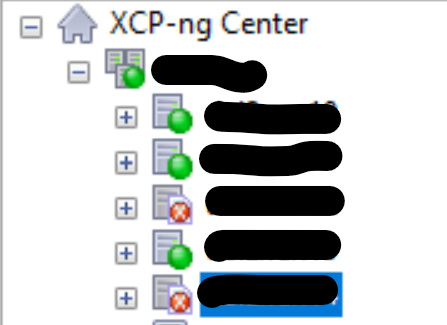
    @jedimarcus solution work, thanks, We had server working 100% since last two weeks but error didn't disappear, after clean logs was ok thank you.