@olivierlambert Yes, Vates is on another level of professionalism. Wow 
I
Offline
-
RE: Hosts vs. Pools - Information Required
-
RE: Slow SR Creation
@poddingue I am facing a delay in PBD plug. I have a pool of 3 hosts, member hosts iscsi PBD is immediate but the master take so much time like 10,20 minutes. I want to make it fast. Also just to have info regarding pool master host, does master host perform any extra task as compared to member hosts which may cause the delay?
-
RE: DevOps Megathread: what you need and how we can help!
@olivierlambert wow, We'll surely ask many things in this thread. Thank you.
-
RE: VM Console Access
this is my code to test console for vms but I am not able to access it. Actually I have to access the console but I do not know how do auth for this.
-
RE: User specific data
you saved my life bro, thank you so much. I got the right way.
-
RE: Slow SR Creation
@tjkreidl nothing is going on in xen orchestra no backup job nothing.
-
RE: Slow SR Creation
- we face this in both cases either single or pool based.
- Currently we are have 3 host wide pool and we probe a new LUN over iscsi for each disk
- Yes, we have maintained NTP synchronization.
- we have Huawei Backend in our storage systems and we face this in v3, v6, v7 which are different.
- No Locally created are just fine.
- In XO there are not task.
-
RE: Slow SR Creation
@Goulven I have shared the logs with you over the drive.
-
RE: Windows VM (PostgreSQL) repeatedly freezes – domain goes to permanent -b----, QEMU receives SIGTERM, console/RDP die
@poddingue thanks, In my case there is an update from Microsoft which destroy the RDP/Console. below is the link for it. I patched the fix and it's now working fine. Also I try to use proper template for windows based vms so that all the params gets in the guest by default.
-
Windows VM (PostgreSQL) repeatedly freezes – domain goes to permanent -b----, QEMU receives SIGTERM, console/RDP die
One of my window based vm gets stuck like no rdp/console below are the logs
Environment:
Host: XCP-ng (mtxen8)
Xen version: (please fill – run xl info | grep xen_version)
VM UUID: c3880bcc-9d46-1de6-e031-306894311cd2
Guest: Windows Server / Windows 10/11 (build 26100)
XCP-ng Windows Guest Tools: 9.2.350.0
Workload: PostgreSQL 18
Device-model: qemu-upstream-compat
Platform parameters (after fix):
viridian=true
viridian_time_ref_count=true
viridian_reference_tsc=true
viridian_stimer=true
viridian_apic_assist=true
viridian_crash_ctl=true
device-model=qemu-upstream-compat
Problem Description
The Windows VM periodically becomes completely unresponsive (both RDP and Xen console).From the host the domain stays in permanent blocked state (-b----) and the QEMU device-model process disappears after receiving SIGTERM. The guest has to be force-destroyed and started again to recover.
This has happened multiple times (at least 4–5 unexpected shutdowns in the last 10 days).Detailed Timeline of last occurrence (5 Oct 2026)
Time (approx),Event
3 Oct 07:25,Last clean PostgreSQL checkpoint
Several hours later,Guest becomes unresponsive
4 Oct 22:18:52,Windows Event 6008 – “previous system shutdown was unexpected”
4 Oct 22:18:55,Host log: qemu-dm-352: terminating on signal 15 from pid 1526469
After that,Domain remains registered but QEMU is gone → console + RDP dead
5 Oct ~10:22,Forced xe vm-shutdown force=true + clean start
After restart,"Everything works again (new domid, new QEMU process)"
xl list 352 # State: -b---- (permanently blocked) ps aux | grep qemu-dm | grep 352 # → no process # daemon.log Oct 5 10:18:55 qemu-dm-352: terminating on signal 15 from pid 1526469 -
RE: Slow SR Creation
@poddingue I am facing a delay in PBD plug. I have a pool of 3 hosts, member hosts iscsi PBD is immediate but the master take so much time like 10,20 minutes. I want to make it fast. Also just to have info regarding pool master host, does master host perform any extra task as compared to member hosts which may cause the delay?
-
RE: Slow SR Creation
Yes multipath is enabled and we have two target ips. When I scan the target it calls the
sr.probeIscsiIqnsmethod and return the iqns in the dropdown as*(ip,ip)and on the select of*(ip,ip)it callssr.probeIscsiLunsmethod. Both method take time to return the response. 90+ LUNs will be listed in the Lun dropdown after 4-5 minutes. Then On selection of LUN with respect to theidit callssr.probeIscsiExiststo validate the LUN, this method also take 1-3 minutes. After all this on create button click if then calls a methodsr.createIscsi. This takes too much time too. I have a pool of 3 hosts and all servers have verified connectives to the SAN Storage. If you need any information regarding this, I will be happy to share. -
Slow SR Creation
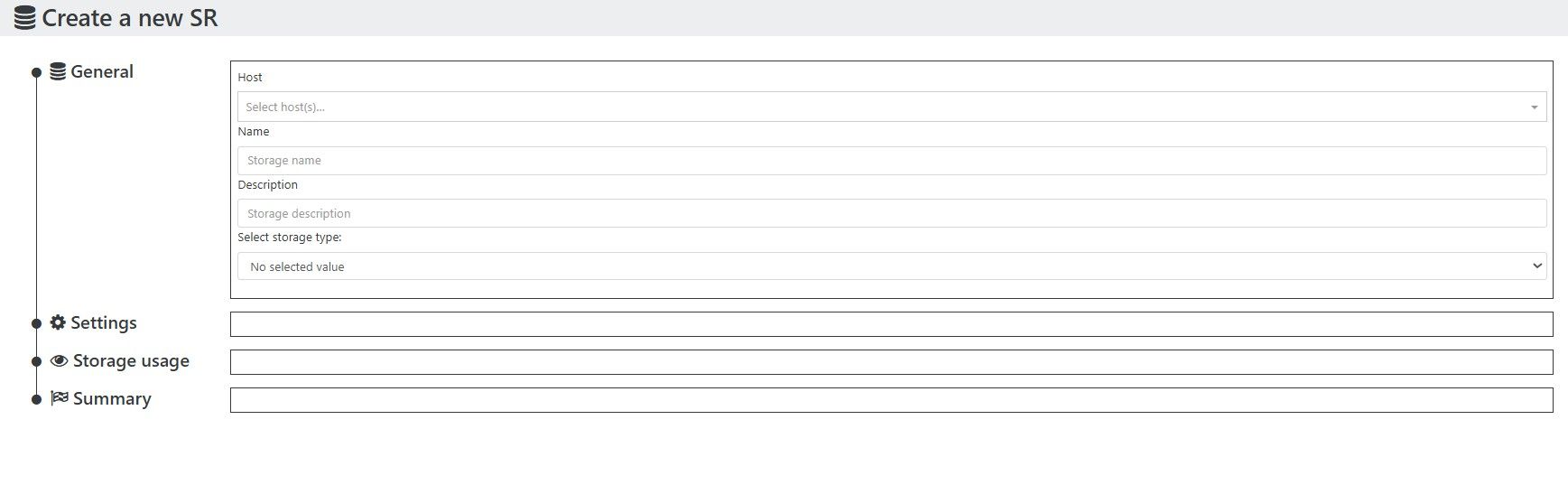
The sr.probeIscsiIqns and sr.createIscsi is very slow. I checked the payload too and it send the target, which turned out to be a synthetic "*" (wildcard). Any way to optimize the SR.probe and creation?
-
RE: Facing some issue in copy Function of Xen Orchestra
@AtaxyaNetwork Hi, The default timeout for task is 24hrs. I initiated the copy process and it vanished out within 6-7hrs. How can I see the error or issue that is caused?