very slow disk ssd support all vms xcp-ng8.2.1
-
 (
( link url))
i am going to upgrade to 8.3 and see if it fixed it but ssd performance is horrible and a full cr backup takes 15 hrs for a 400GB backup. strange thing if i run windows backup to a iscsi drive it backs up in 2 hrs. i cant find and reason why dive performance is so low but it can be faster for backups ect. if i image to a new drive it seems to get better for a bit but not long.its a hp z440 workstation .cpu load is low and all vms on macjine have low usage and cant find a reason for slow extream performance. thin provisioned ext.
any ideas ?
i have been using xcp for long time and cant figure this out.
running server 2022
windows update managed vm drivers.
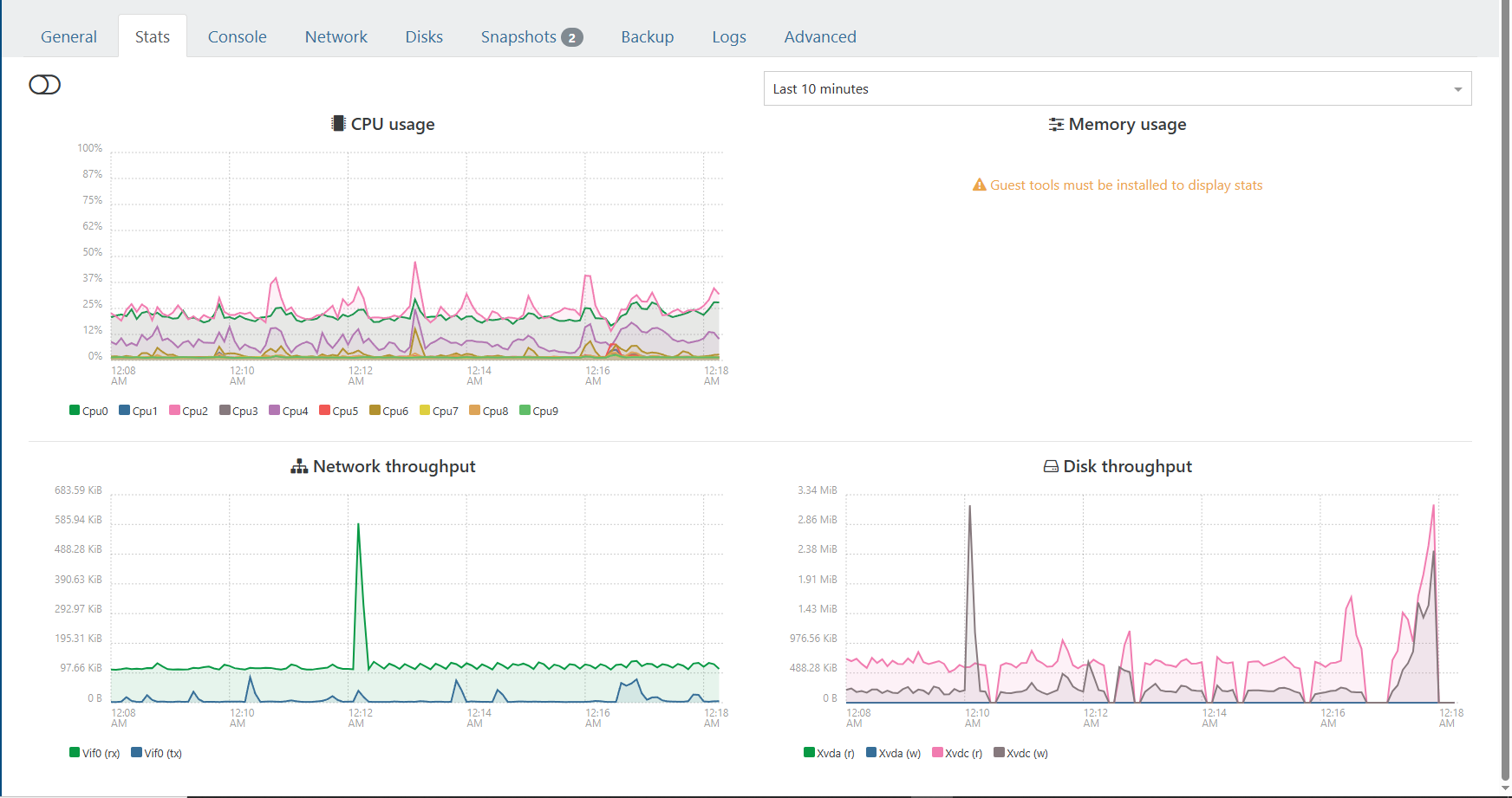
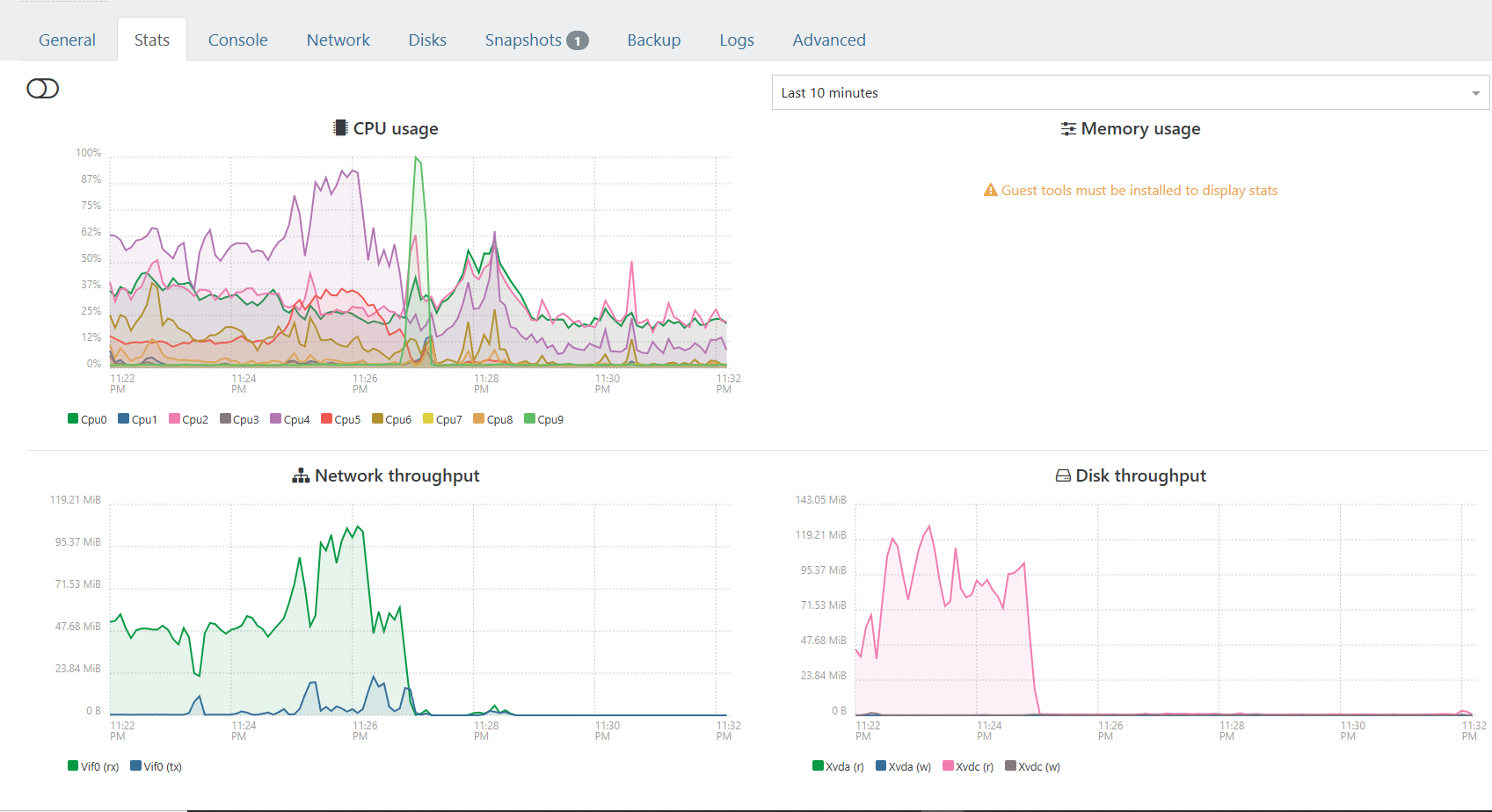
This is after a backup finishes drive performance just tanks
first image is while running a 6gig compressing zip file inside vmboth are on same drives. about 400gig on 0% drive and 250 gig om other
the cant seem to find bottleneck

-
Check the disk scheduler on the Dom0 for this drive.
-
@olivierlambert i googled disk scheduler and cant find any reference to this utility ?
-
@comdirect
Use this command: (replacesdain the command below with the relevant device)
cat /sys/block/sda/queue/scheduler
The active scheduler will be enclosed in brackets. e.g.noop deadline [cfq]For multiple drives use:
grep "" /sys/block/*/queue/scheduler

Hello! It looks like you're interested in this conversation, but you don't have an account yet.
Getting fed up of having to scroll through the same posts each visit? When you register for an account, you'll always come back to exactly where you were before, and choose to be notified of new replies (either via email, or push notification). You'll also be able to save bookmarks and upvote posts to show your appreciation to other community members.
With your input, this post could be even better 💗
Register Login